In short
A business continuity plan website should answer the first practical questions during a disruption: what work comes first, who leads if the usual owner is unavailable, which alternate procedure applies, and where the next contact route lives.
Keep the public or widely shared page free of credentials, private phone numbers, customer records, and unconfirmed incident details.
We built one fictional example, opened it in NOS, shared it, and checked three disruption views at phone width.
NOS Team built a fictional continuity page for Northstar Studio, a made-up organization. The page covers three interruptions: an unavailable office, an unavailable order platform, and a supplier delay. Each choice changes the priority, lead, backup, and three immediate steps. It does not pretend to run a real response or store operational records.
What should a business continuity plan website include?
Start with the decisions a staff member needs before opening a longer plan. For this example, we used four fields:
- First priority: the work to protect before lower-priority tasks.
- Lead and backup: the person coordinating this route and the alternate if that person is unavailable.
- Ordered steps: a short route that says what to open, check, or communicate next.
- Contact references: internal directory IDs rather than personal details on the shared page.
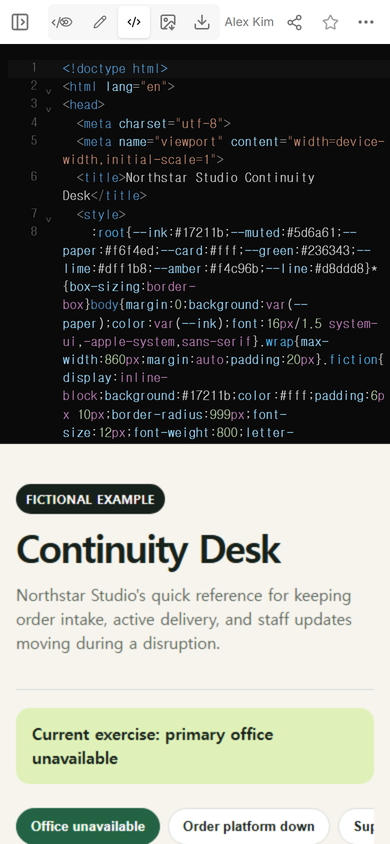
The complete example is available as a downloadable HTML file. Its organization, people, directory references, and events are fictional.
How do you turn the plan into a page staff can scan?
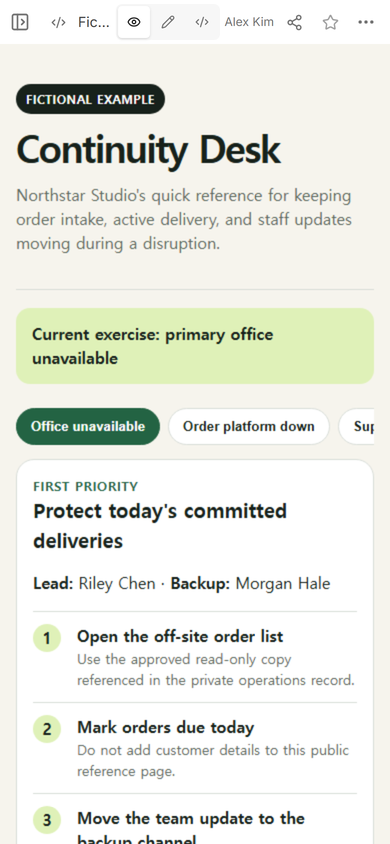
Put the current interruption at the top. Follow it with the first priority and the named backup. The reader should not have to pass a company history, policy explanation, or full risk register before reaching the next action.
We kept the page to one responsive column on a phone. The three interruption choices stay near the top, and the selected choice has both a color change and an updated text label. The first action card follows immediately below.
How should a continuity page be shared?
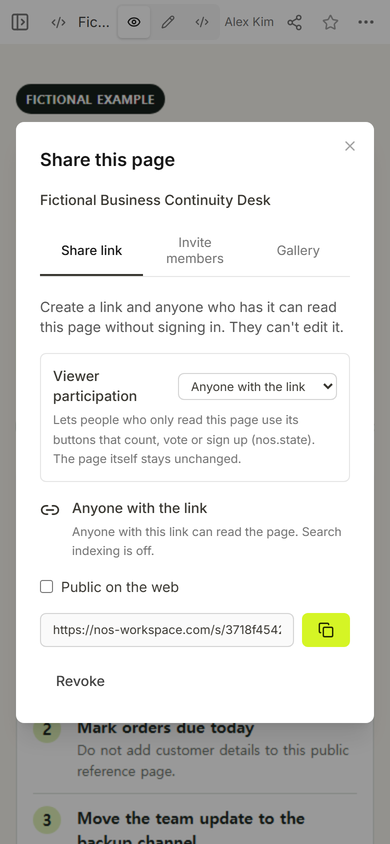
Use the page's reading link, then open that exact address at the screen size staff are likely to use. Do not treat an editor address as the handoff. In our check, the NOS Share panel described the generated link as readable without signing in and said readers could not edit the page.
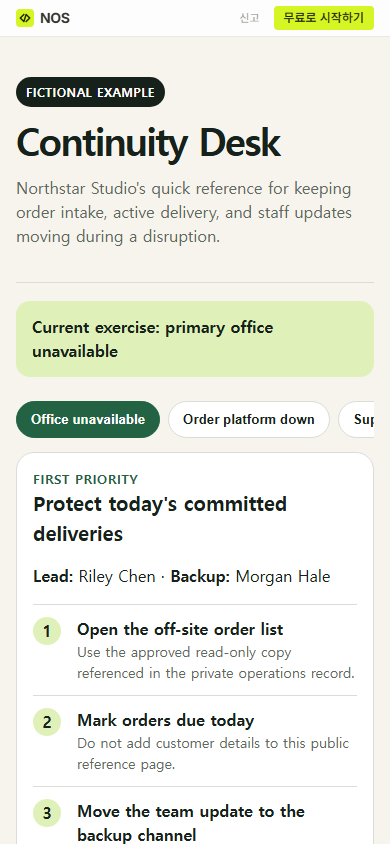
The shared page first opened on the office-unavailable route. That route tells the reader to protect committed deliveries, names Riley as lead and Morgan as backup, and points to an approved off-site list without exposing the list itself.
Should every disruption use the same checklist?
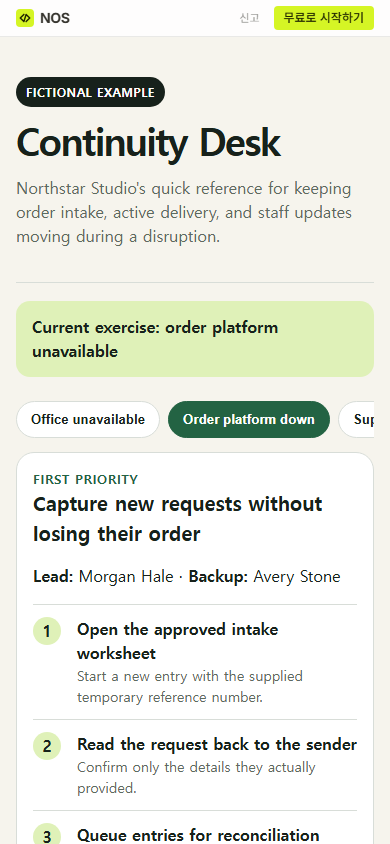
No. A single generic checklist can hide the decision that actually changes. In the example, an order-platform interruption changes the priority to capturing requests in order. It also switches the lead to Morgan and warns that temporary entries still need reconciliation before anyone marks them in the main platform.
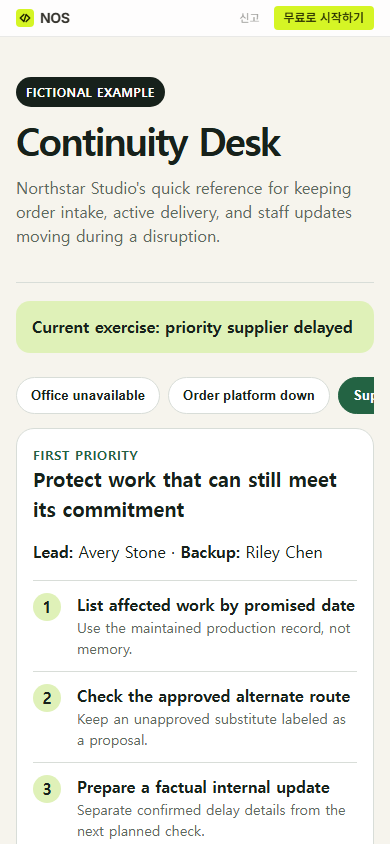
The supplier-delay route is different again. It starts with work ordered by promised date, keeps an unapproved substitute labeled as a proposal, and separates confirmed delay details from a planned check. Those distinctions prevent the quick page from turning a suggestion into an approval.
What did the phone check reveal?
The core priority and all three numbered actions fit in a readable vertical flow. The third scenario label extends beyond the first screen, so the choices use a horizontal row that can be moved rather than squeezing three labels into unreadable text. The contact card sits below the action card; readers reach the work sequence before the directory references.
The bigger editorial limit was more important than the layout: a shared continuity page should point to controlled records, not copy their sensitive contents. Our example therefore names an off-site list and internal directory entries without displaying customer data, credentials, personal phone numbers, or live incident evidence.
How does this differ from a disaster recovery plan?
A continuity page can cover work that must keep moving while a disruption is active. A disaster recovery plan goes deeper on restoring a system and validating its data and functions. Link the two when a business process depends on a restored service, but do not replace detailed recovery checks with a three-step summary.
For active service coordination, use an incident management procedure to preserve observations, assigned roles, recovery checks, and closure evidence. For planning before an interruption, a risk assessment matrix can make the rating rule and unknowns visible. The continuity page should route people to those maintained records instead of absorbing every record into one public document.
When not to do this
- Do not use a broadly shared page for credentials, private contact details, customer records, medical information, or sensitive infrastructure notes.
- Do not present an untested workaround as an approved alternate process.
- Do not use a static guide as proof that a recovery action happened, a message was sent, or a decision was approved.
- Do not replace the maintained continuity plan, incident record, or system runbook with this short reader page.
Using NOS for a continuity reference page
NOS let us place the complete fictional HTML page in one editor, check the rendered view, and create a separate reader link. The captured Share panel states that anyone with the link can read the page without signing in and cannot edit it. Keep operational evidence in the system your organization has approved; use the shared page as a concise route to priorities, alternates, and maintained records.