In short
Give each team one learning destination in every round.
For four teams and four centers, check every row and every round for one use of each center.
If the counts differ, leave an open center or make a teacher adjustment instead of inventing a team.
Use the finished example below or download the blank CSV.
What does a finished 4-team × 4-center rotation look like?
| Team | Round 1 | Round 2 | Round 3 | Round 4 |
|---|---|---|---|---|
| Cedar | Read & Respond | Number Lab | Word Builder | Read & Sketch |
| Maple | Number Lab | Word Builder | Read & Sketch | Read & Respond |
| Birch | Word Builder | Read & Sketch | Read & Respond | Number Lab |
| Willow | Read & Sketch | Read & Respond | Number Lab | Word Builder |
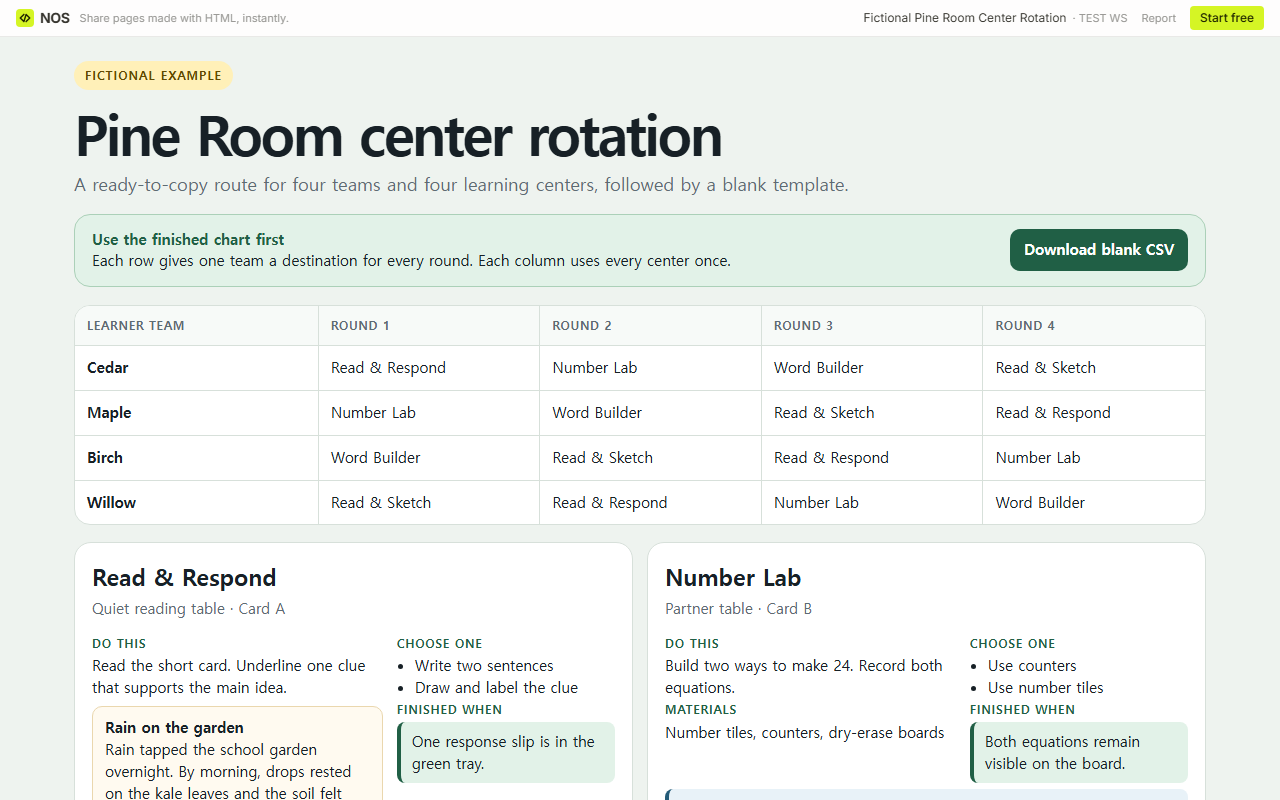
Copy or download the blank rotation chart
| Team | Round 1 | Round 2 | Round 3 | Round 4 |
|---|---|---|---|---|
| Team 1 | Center | Center | Center | Center |
| Team 2 | Center | Center | Center | Center |
| Team 3 | Center | Center | Center | Center |
| Team 4 | Center | Center | Center | Center |
The CSV has five columns: Team and Rounds 1-4. Rename the teams, enter the centers, then check the completed grid before you share it.
How do I turn the chart into a page I can share?
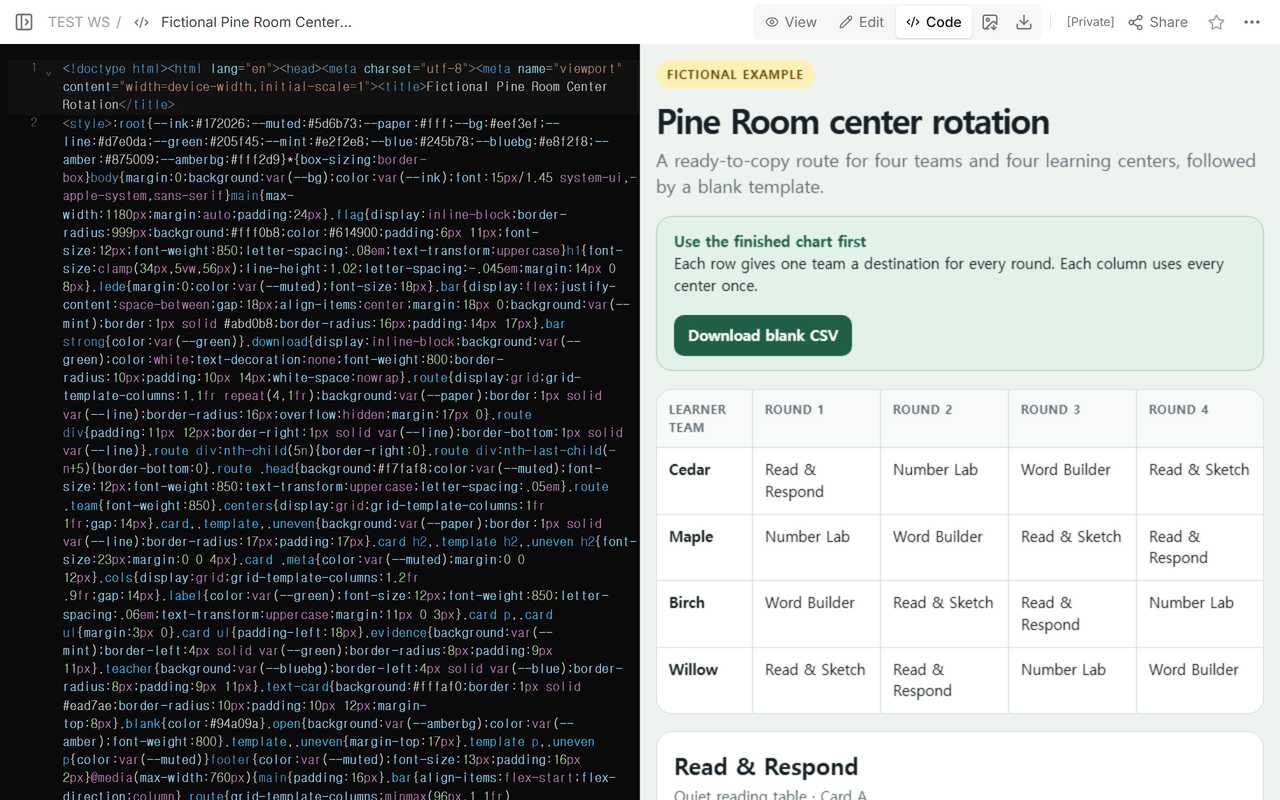
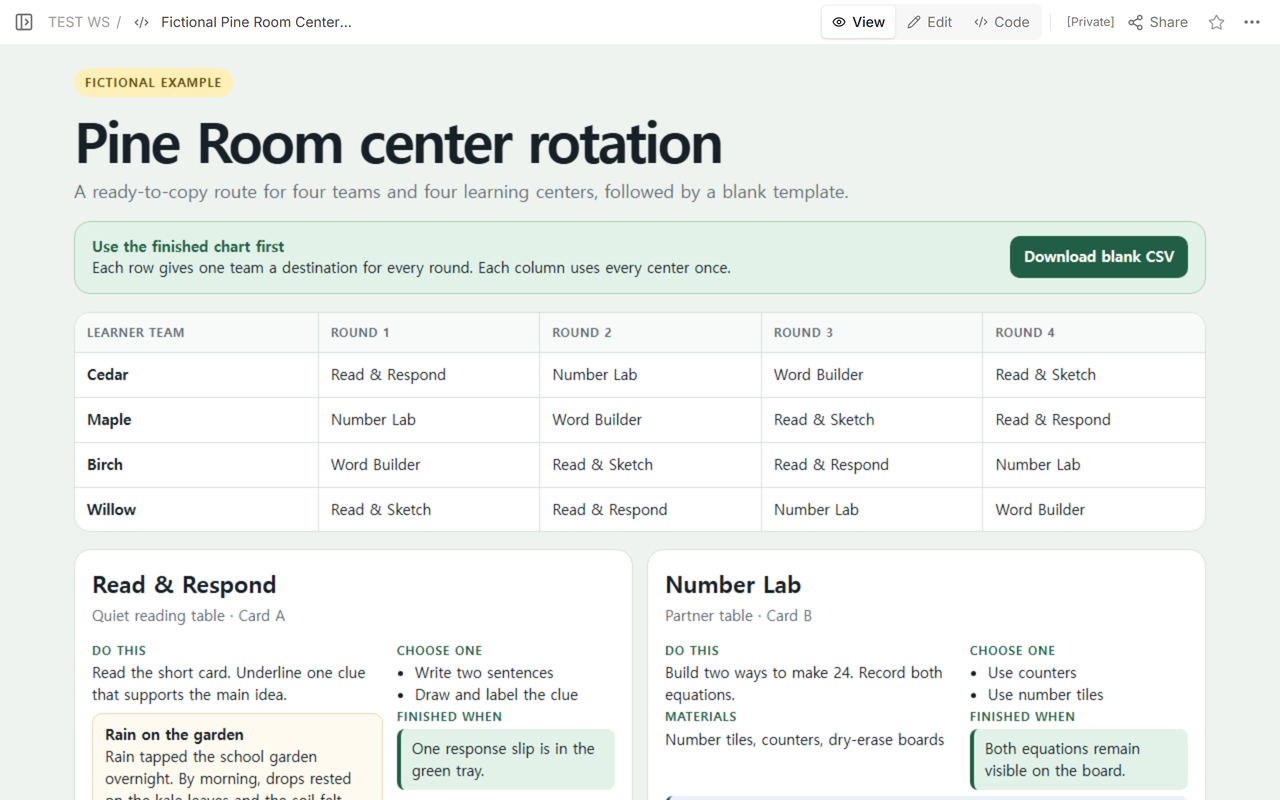
We put a fictional classroom chart in NOS and opened it in View. The page includes the completed rotation, a blank CSV download, and four center cards. To make your own version, paste the chart HTML into Code, then open View to check the team names, round order, and center instructions.
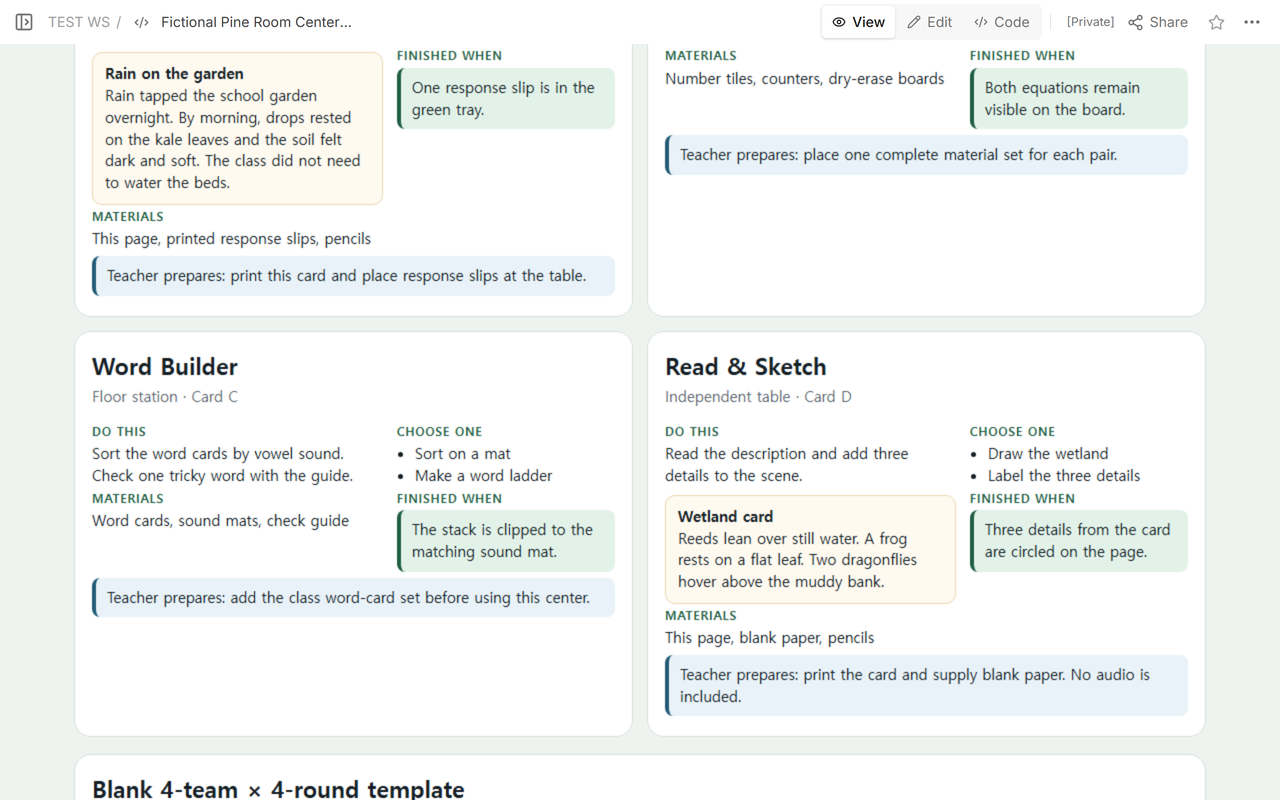
Read & Respond includes a short garden passage, and Read & Sketch includes a wetland description. For Number Lab, prepare tiles, counters, and a dry-erase board. For Word Builder, add your class word-card set. The teacher preparation notes sit beside the learner instructions.
What should each learning center card include?
Write the learner action first. Then name the materials, any allowed choice, and the visible result that marks the task as finished. Keep teacher preparation in its own line. That separation prevents “place the word-card set” from reading like a learner assignment.
The two reading cards are included in the example. The teacher still needs to supply number tiles, counters, word cards, paper, pencils, and response slips before using the activities.
How do I check that every team visits every center?
When the team count and center count are both four, read the chart in two directions.
- Check each row. A team should have four destinations with no repeat.
- Check each round. The column should contain all four centers once.
This check applies to the displayed 4×4 chart. It is not a fairness score or a universal timetable rule. It does not account for room size, staffing, accessibility, lesson length, or which groups need teacher support.
What if the number of teams and centers is different?
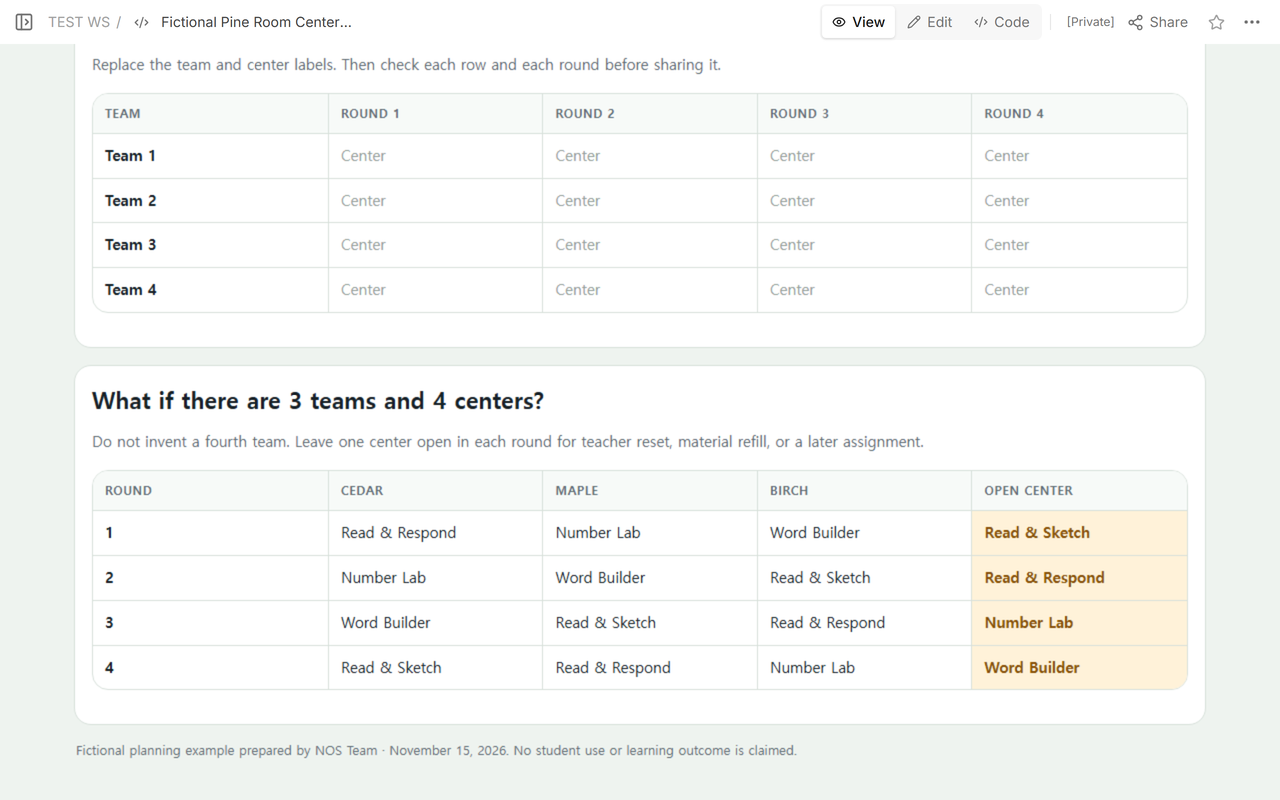
Do not force every center to be occupied. In the 3-team × 4-center example below, each round has one open center. The open slot can be used for teacher reset, material refill, or a later assignment. A teacher can also reduce the number of centers or run one center in another block.
| Round | Cedar | Maple | Birch | Open center |
|---|---|---|---|---|
| 1 | Read & Respond | Number Lab | Word Builder | Read & Sketch |
| 2 | Number Lab | Word Builder | Read & Sketch | Read & Respond |
| 3 | Word Builder | Read & Sketch | Read & Respond | Number Lab |
| 4 | Read & Sketch | Read & Respond | Number Lab | Word Builder |
How is a center rotation chart different from a classroom jobs chart?
A classroom jobs chart assigns recurring classroom responsibilities such as materials helper or calendar helper. A center rotation chart sends teams to learning destinations during a lesson. One tracks weekly responsibility; the other answers “Where does this team learn in this round?”
If you need the activity itself, not the route, the geometry classroom games guide provides a separate math example. The KWL chart template organizes what learners know, want to know, and learned. Those pages serve different tasks from scheduling center destinations.
How do I edit and share the classroom chart?
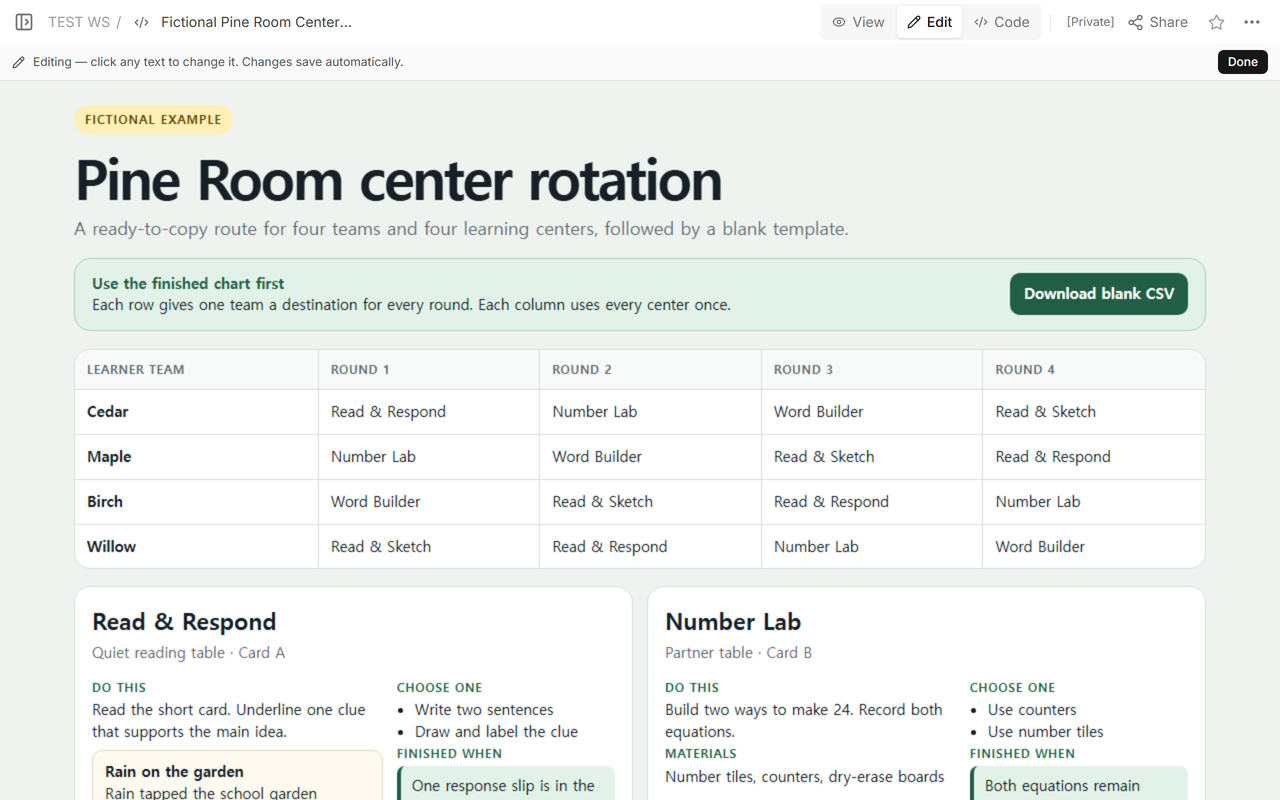
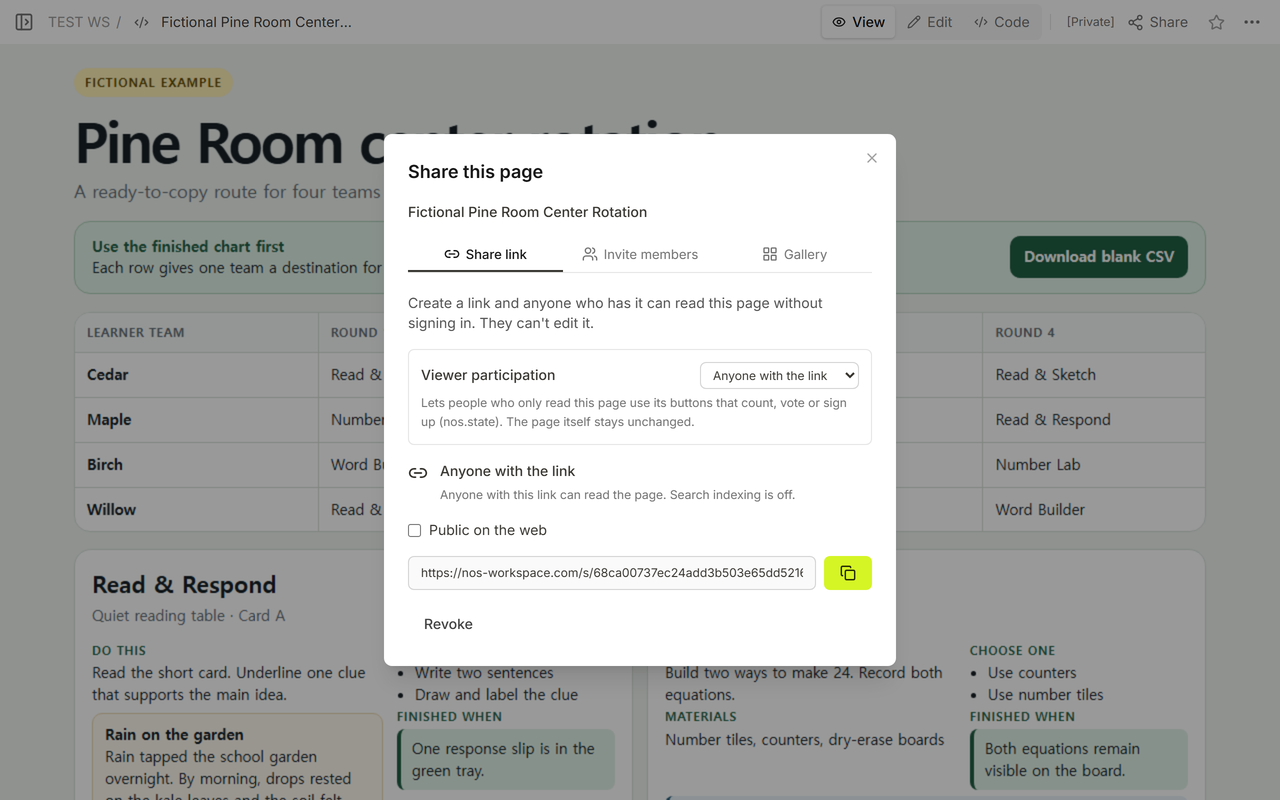
Open Edit to change the team names or center instructions, then return to View to check the result. We reopened the edited chart at the same reading address. In Share, the reading link allowed link holders to read without signing in; it did not give them editing access.
When not to do this
- Do not use a public reading page as a student record system.
- Do not use this 4×4 pattern when staffing, space, accessibility, or the lesson plan calls for another sequence.
- Do not claim a center is ready when its physical materials are still missing.
- Do not treat an even-looking rotation as proof of equal support or learning impact.
Using NOS for a center rotation chart
NOS lets you put the chart HTML on a page, check it in View, and work on the text in Edit. Share gives you a reading link for the finished chart. Open the completed classroom example to see the route, reading cards, and blank template. See the NOS pricing page for current plans.