In short
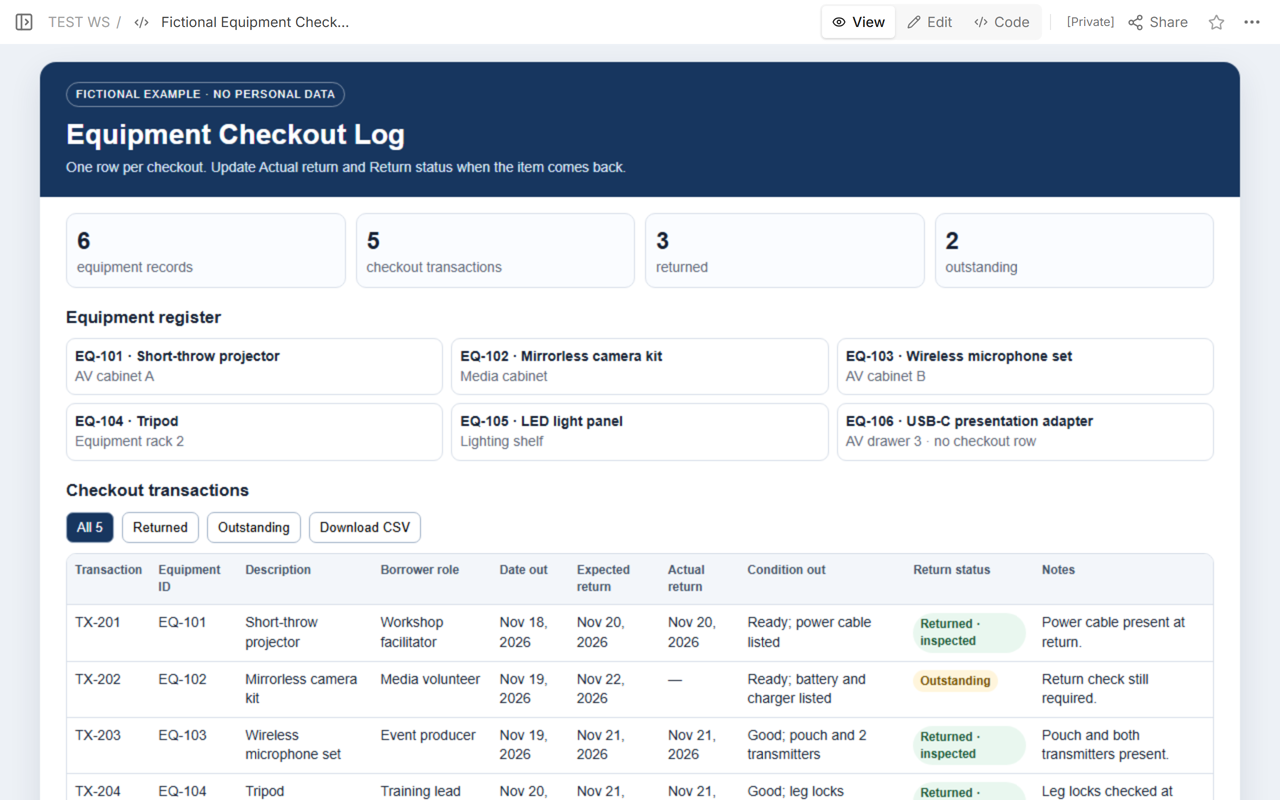
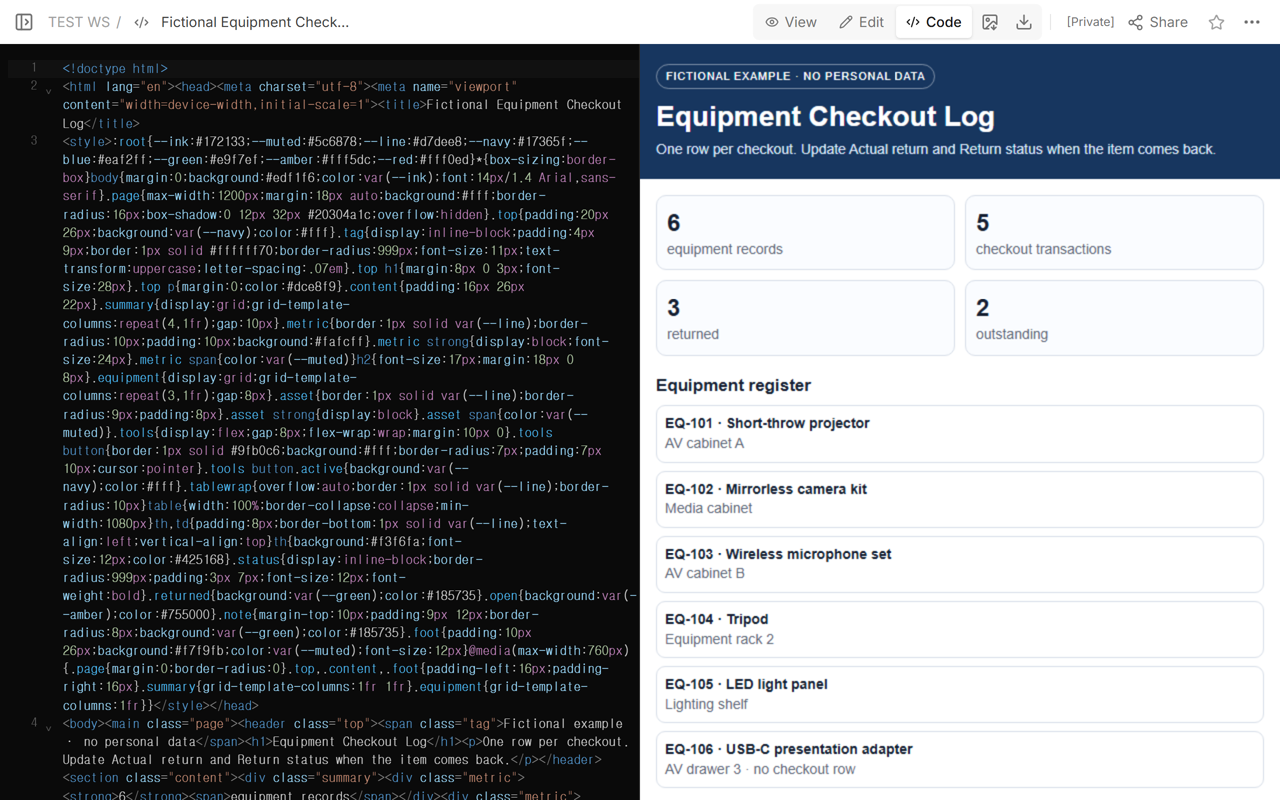
Start with the finished fictional log: 6 equipment records and 5 checkout transactions.
Three rows have an actual return date; two rows remain outstanding. The totals reconcile as 3 + 2 = 5.
Record the condition at checkout separately from the return status and the physical check performed when the item comes back.
Use role labels instead of employee names, and keep signatures or personal details out of a broadly shared reading copy.
Get the completed equipment checkout log
The example is ready to inspect before you build anything. It includes six fictional equipment IDs, five transaction rows, filters for returned and outstanding items, and a CSV download button. The final state contains three returned transactions and two outstanding transactions.
Download the complete fictional equipment checkout log
What columns belong in an equipment checkout log?
A useful transaction row answers what left, who has responsibility for the transaction, when it should come back, and what actually happened. The public Construction Logs checkout template uses Tool ID, Description, Checked Out By, Date Out, Expected Return, Date In, Condition, and Notes. The fictional log keeps that structure but uses a borrower role rather than a person’s name.
| Column | What to record |
|---|---|
| Transaction ID | A stable reference for this checkout event, such as TX-204. |
| Equipment ID and description | The maintained asset reference and a plain description another person can recognize. |
| Borrower role | A nonpersonal role label in the public copy. Keep required identity records in the approved private system. |
| Date out and expected return | The actual handoff date and the agreed planned return date. |
| Actual return | The date the equipment physically came back. Leave it blank until that event occurs. |
| Condition out | The observed state and listed components at checkout. |
| Return status | Outstanding until the return is recorded; returned only after the item comes back. |
| Notes | Useful specifics such as included cables or the return check performed. |
Vertex42’s equipment sign-out sheet offers one worksheet for a single piece of equipment and another for multiple tools. Its basic sign-out sheet tracks who took what, quantity or location, and whether it was returned. Choose a one-item sheet when the form stays with one item. Use a transaction log when one owner needs to scan many checkout events together.
How do you record equipment going out?
Create the transaction at the handoff, not later from memory. Assign the next transaction ID, copy the equipment ID from the maintained register, add the borrower role, and enter both the date out and expected return. Record only what was actually observed about the equipment and its listed components.
In the fictional example, TX-204 is a tripod checked out to the Training lead role on Nov 20, 2026. Its expected return is Nov 21. The checkout condition says the leg locks were checked. That statement belongs to the outgoing observation; it does not prove what the tripod will look like when it returns.
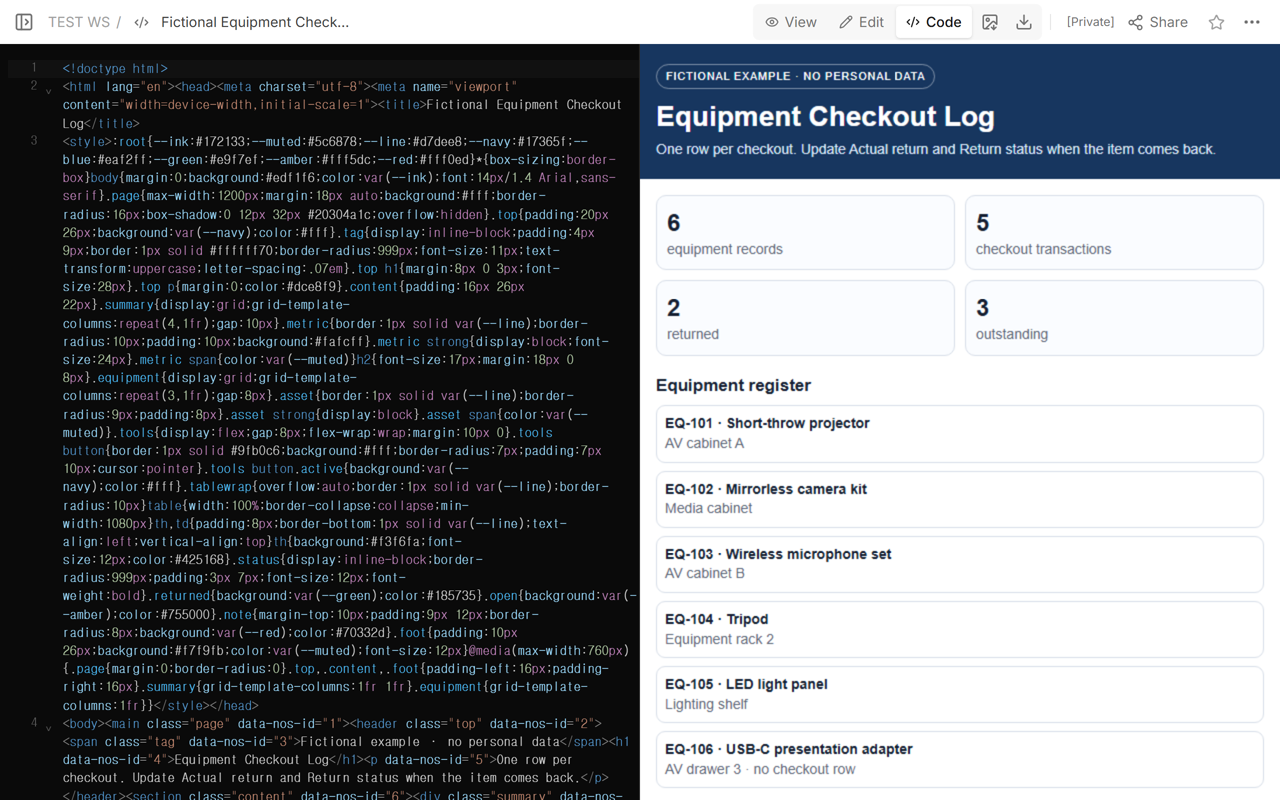
Keep IDs connected: EQ-104 identifies the tripod across records, while TX-204 identifies this particular checkout. One equipment item can have many transaction rows over time.
How do you update a returned item?
When the item physically comes back, open the existing transaction. Enter the actual return date, record the observed return check, and change the return status. Do not overwrite the outgoing condition. The two observations answer different questions.
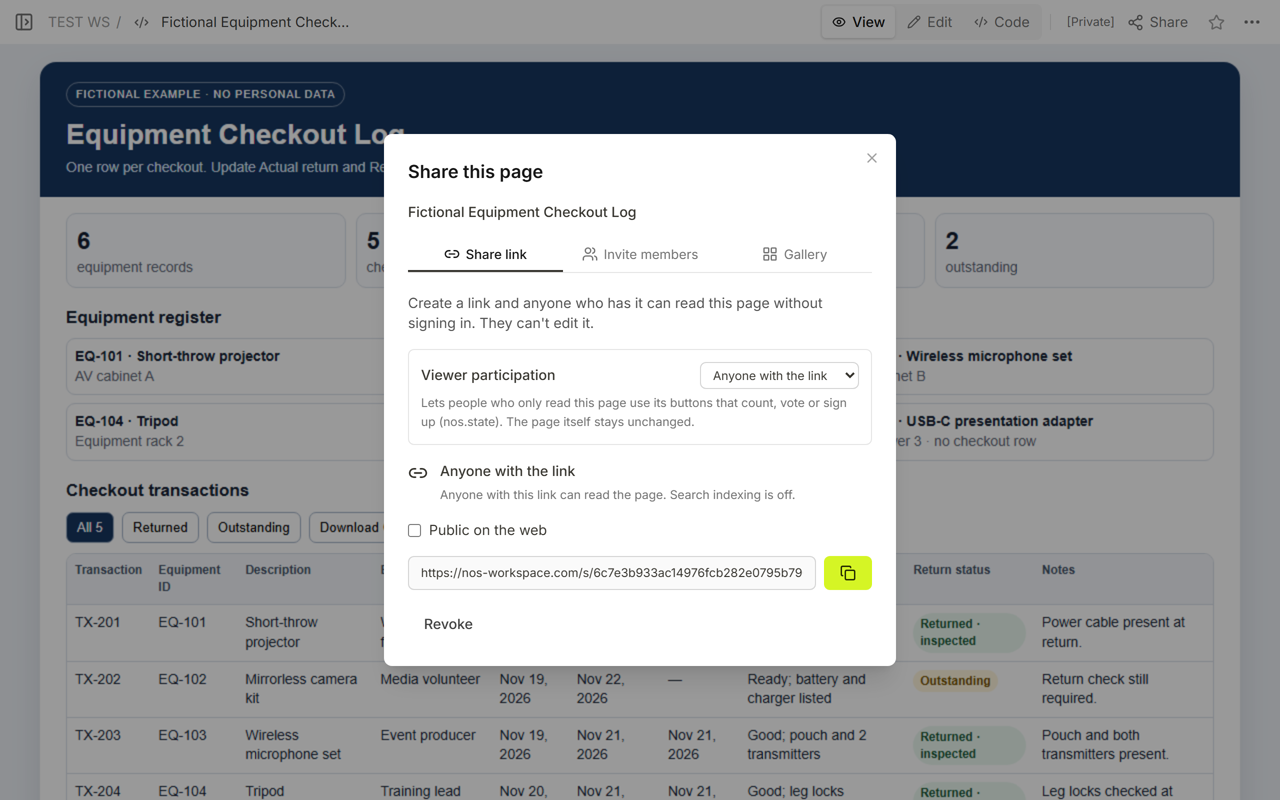
The first saved version left TX-204’s actual return blank. Its totals were 2 returned and 3 outstanding. We opened the same owned page, recorded Nov 21, 2026 as the actual return, changed the status to “Returned · inspected,” and added “Leg locks checked at return.”
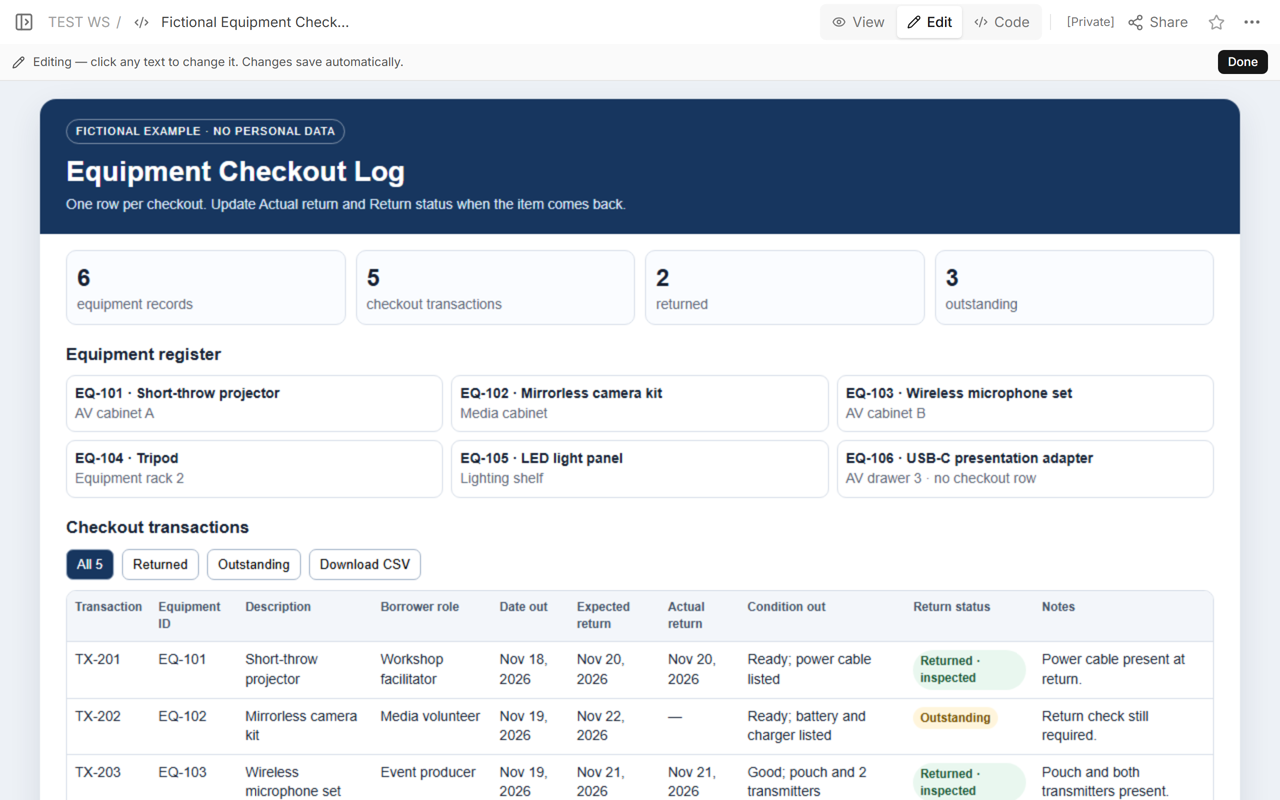
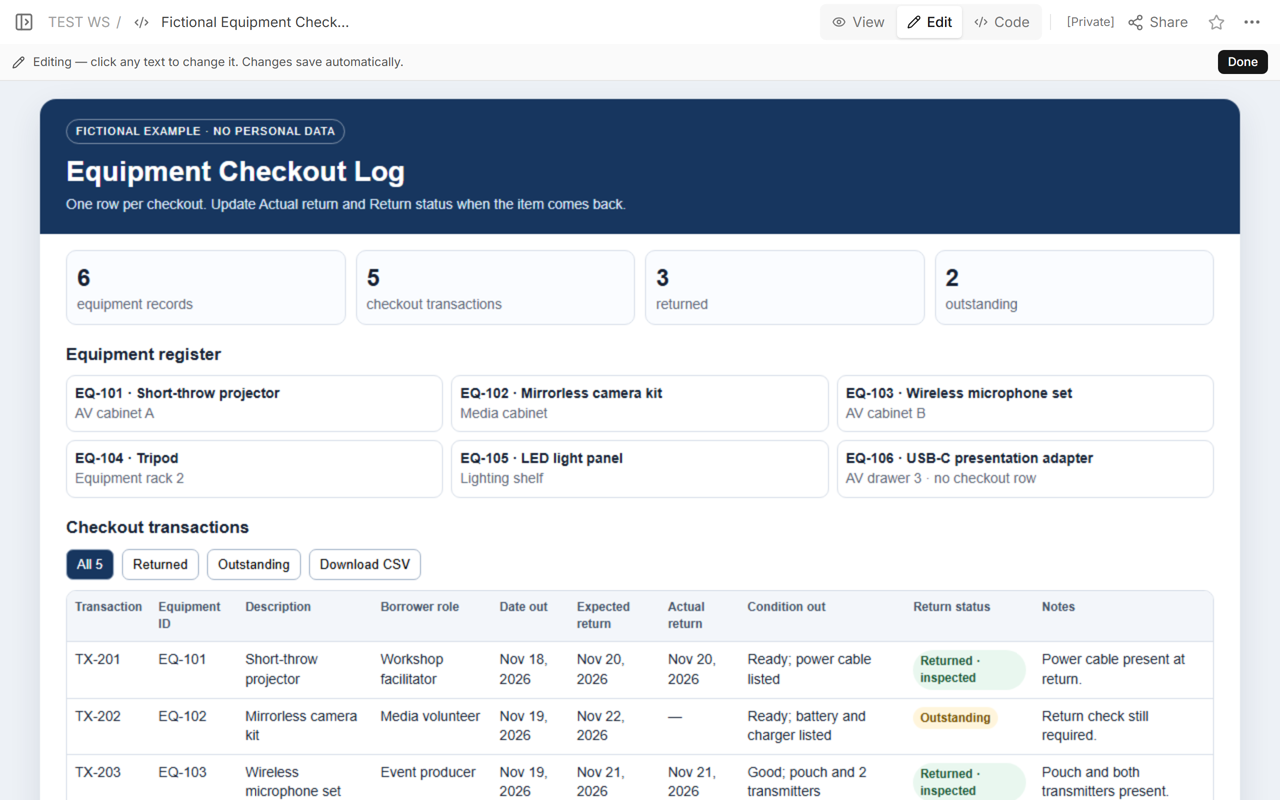
The shared address did not change. A reader opening that address after the update sees the revised row and the revised totals.
How do you find equipment that has not been returned?
Filter on rows where Actual return is blank and Return status is Outstanding. In the final fictional log, that rule returns exactly two transactions:
- TX-202 / EQ-102: mirrorless camera kit, expected Nov 22, actual return blank.
- TX-205 / EQ-105: LED light panel, expected Nov 23, actual return blank.
The outstanding count is 2 of 5 transactions, or 40%. The returned count is 3 of 5, or 60%. Those percentages use transaction rows as the denominator. Do not divide by the six equipment records: EQ-106 has no checkout transaction in this example.
Is return status the same as equipment condition?
No. “Returned” describes the custody event: the item came back. “Inspected” says that a stated check occurred. Neither label proves that the item is safe, calibrated, complete, approved for use, or ready for the next borrower unless your maintained process supplies that evidence.
Keep three ideas separate:
- Checkout condition: what was observed when the item left.
- Return status: whether the checkout transaction is still open or has been closed by an actual return.
- Return inspection or readiness: the specific check performed after return and any separate approval needed before reuse.
This distinction also separates the new log from an asset dashboard. A dashboard may summarize current custody or readiness by unique equipment ID. The checkout log preserves each handoff and return as a transaction row. It also differs from a rental inventory checklist, which compares quantities and visible condition for supplied property rather than tracking borrowers and due dates.
How do you share the log without exposing personal data?
Use a sanitized reading copy. Replace names, signatures, email addresses, phone numbers, and private notes with role labels or move them to the approved private record. The example contains only fictional equipment, transaction IDs, and borrower roles.
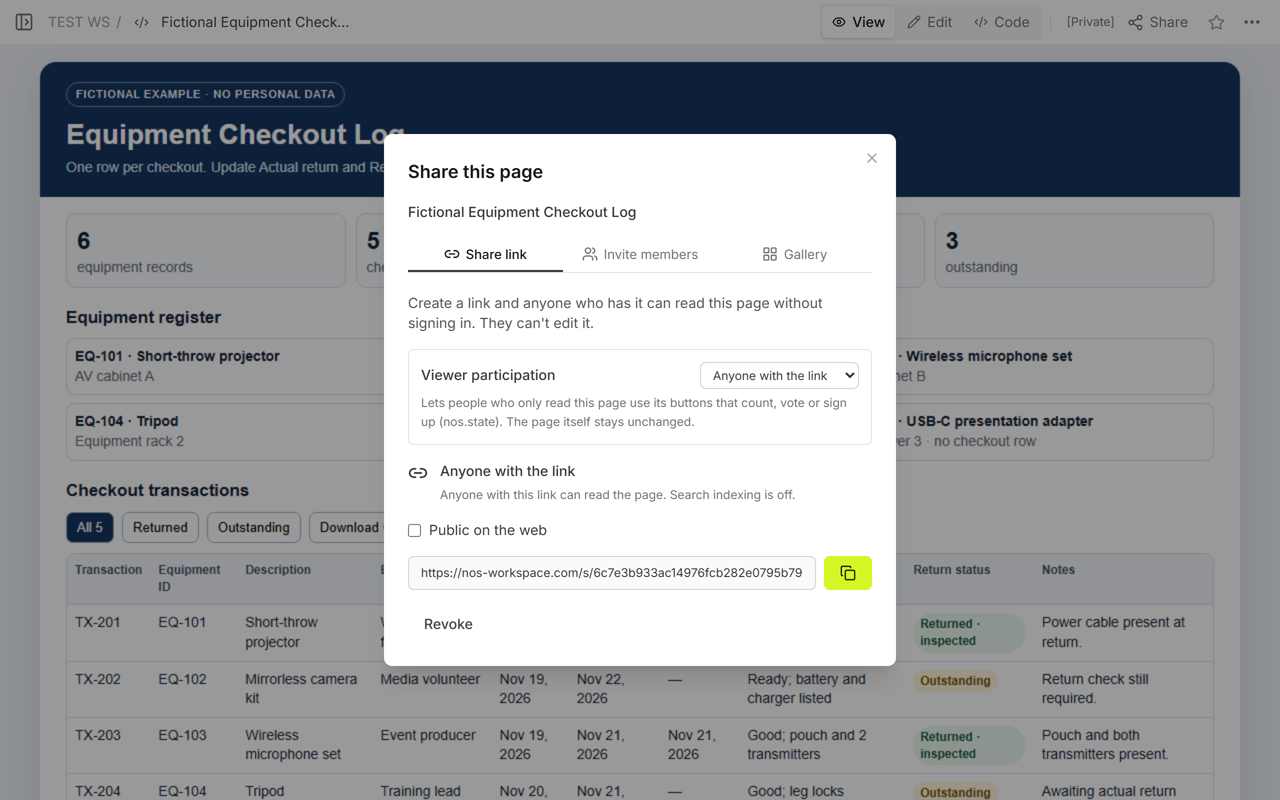
The final Share panel still displayed “Fictional Equipment Checkout Log” and the same reader address after TX-204 was updated.
When not to do this
- Do not use a public or broadly shared log for employee names, signatures, access codes, personal contact details, or disciplinary notes.
- Do not treat a blank actual return date as proof that an item is lost. It means the transaction has not been closed in this log.
- Do not treat “Returned” as proof of safety, calibration, completeness, or readiness.
- Do not replace required custody, safety, maintenance, insurance, or compliance systems with this reading copy.
- Do not use one row for several separate checkout events. Give each handoff its own transaction ID.
Using NOS for the shared reading copy
NOS Workspace kept Code, View, Edit, and Share connected to the same saved fictional page. We read the full source, viewed the first totals, opened Edit, recorded one actual return, and then reopened View and Share. The reader address stayed the same while the row and totals changed. That observed workflow supports a sanitized reading copy; required identity, signatures, approvals, inspections, and authoritative custody records remain in the systems chosen for them.
Related guides
Use asset management dashboard examples when the question is current custody, readiness, and unique asset counts. Use the rental inventory checklist when the task is comparing supplied-property quantity and observed condition. The equipment rental quote template covers the commercial quote before a rental; it is not a checkout and return log.