In short
Open the blank form for one trip in one direction. Record each stop in travel order and count in whole people.
Add boardings and subtract alightings from the starting count. Carry the calculated departure count into the next row.
When a count is missing, leave the dependent calculations empty. Record zero only where the tally or a complete calculation gives zero.
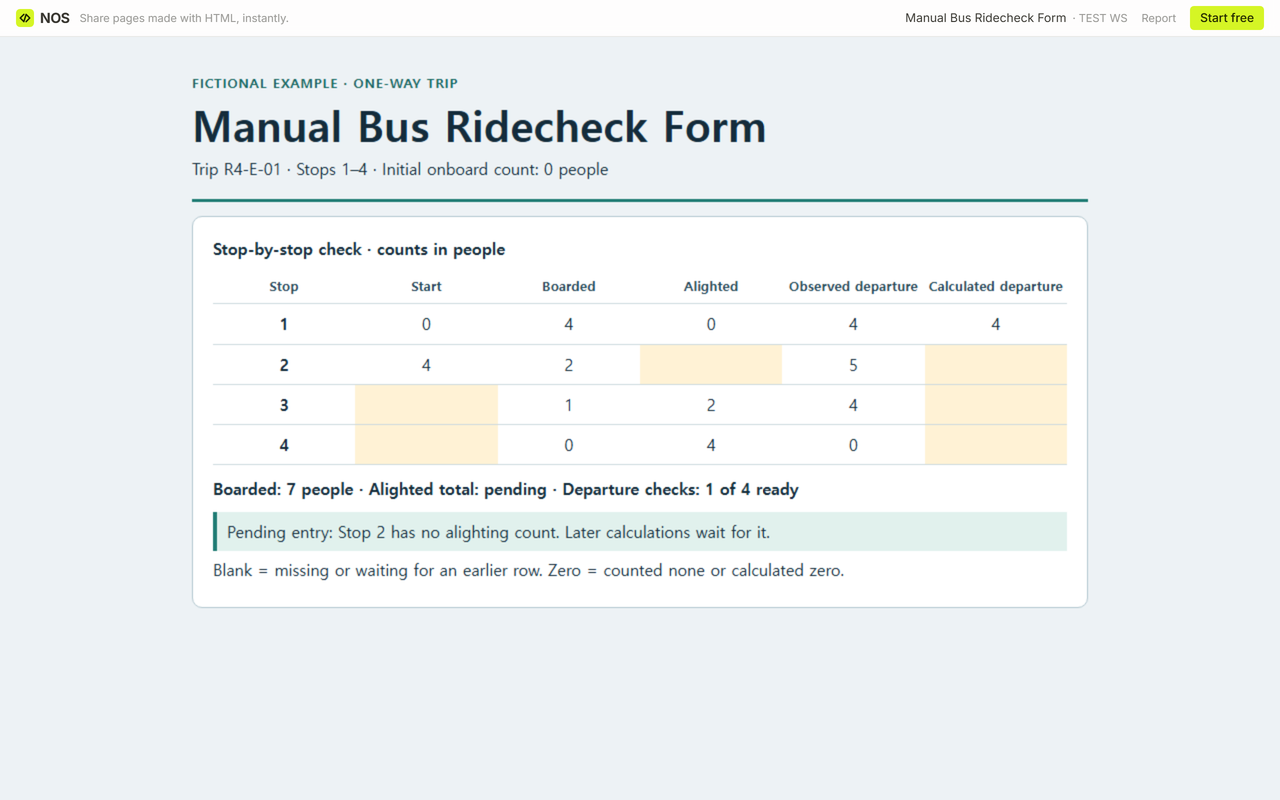
We worked through a fictional trip with four stops and no one on board at the start. At Stop 2 the alighting cell was empty. We left the rest of the calculated departure column open until the supplied tally gave us the missing count.
Download the blank ridecheck form (HTML) · Download the completed four-stop example (HTML)
What goes on a manual transit ridecheck form?
Give the trip an identifier and a direction. Enter the initial onboard count before the first stop. Use one row per stop in the order the bus reaches it. In the worksheet, boarded means people who got on and alighted means people who got off.
Keep the observed departure count in its own column. The calculated count comes from the row arithmetic. Comparing the two gives you a check at each stop.
Why do the later rows stay blank?
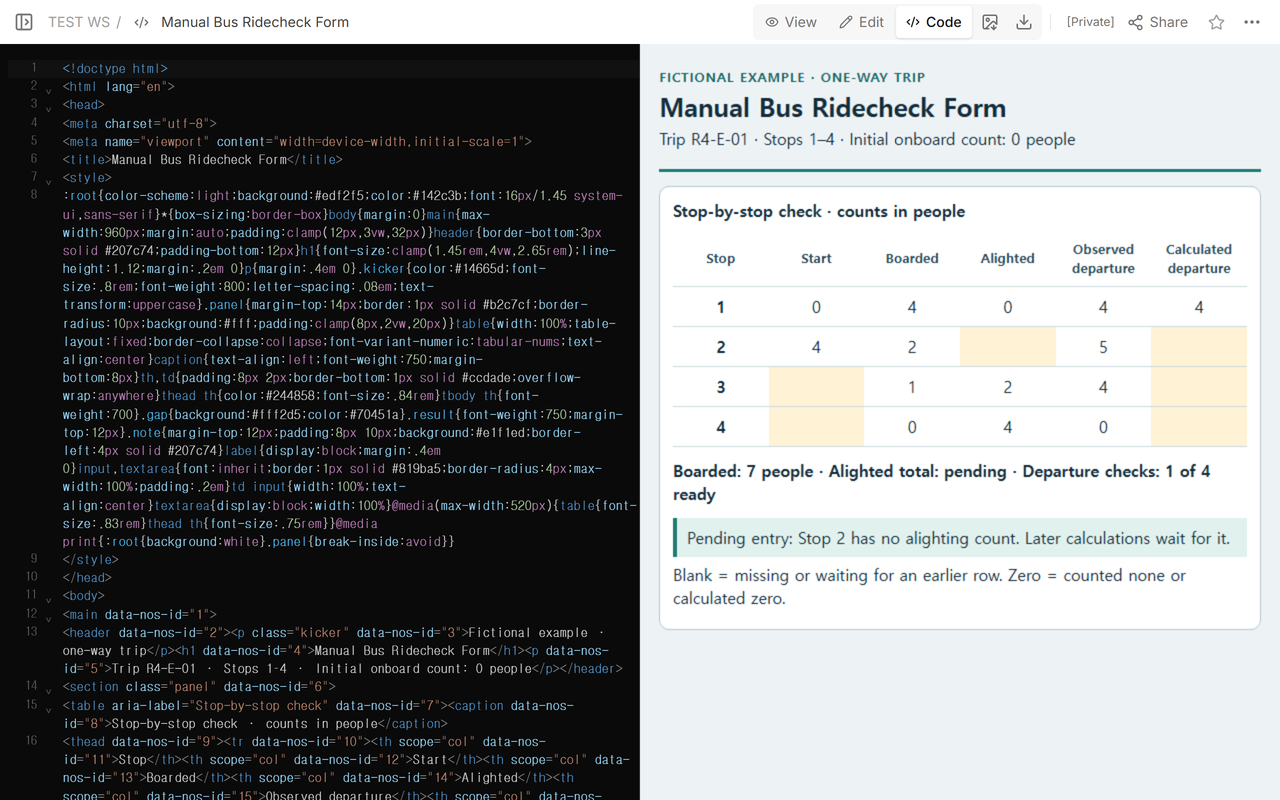
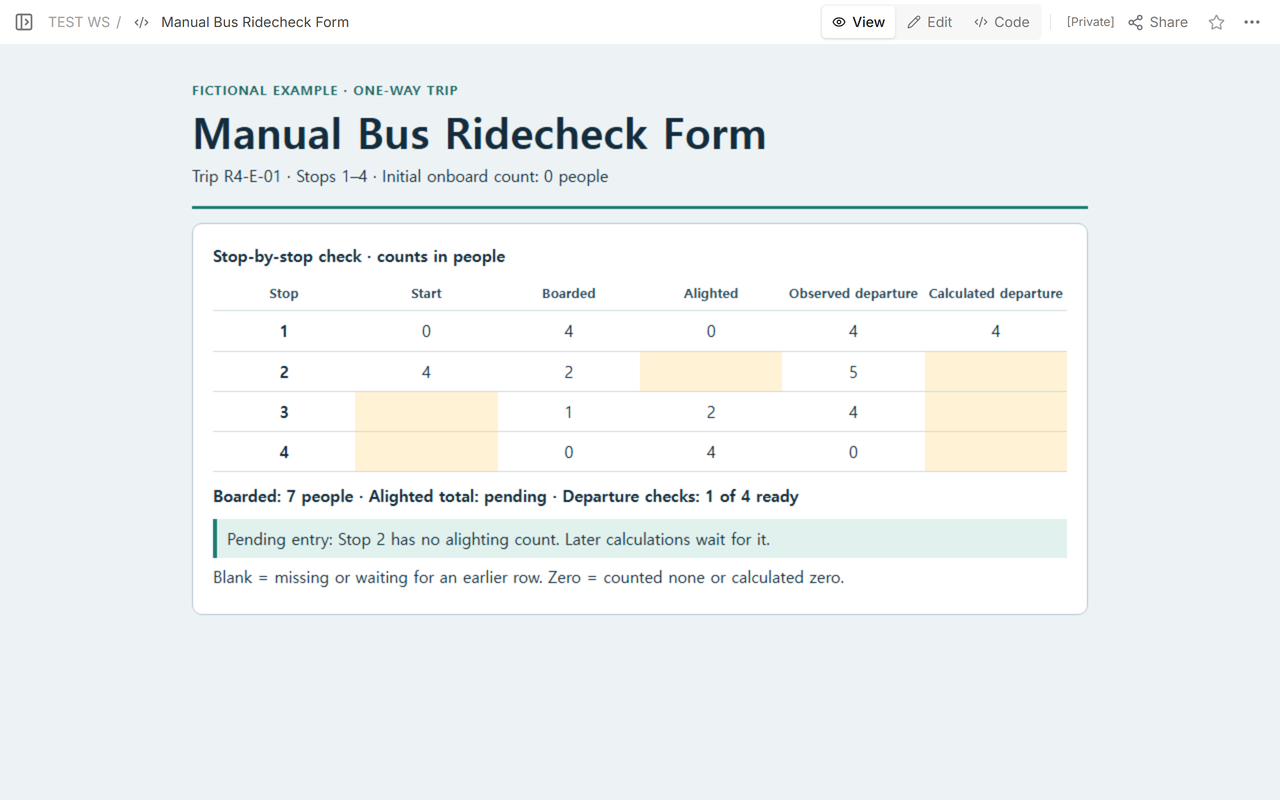
Calculated departure = start + boarded − alighted. At Stop 1, 0 + 4 − 0 = 4 people. Stop 2 starts with those 4 people and gains 2 boardings. Its alighting count is still unknown, so the calculated departure stays blank. Stops 3 and 4 are waiting for their starting counts even though their own boarding and alighting tallies are available.
Stop 1's observed zero alightings means nobody got off. Stop 2's blank means the tally is missing. The observed departure of 5 at Stop 2 remains available for comparison once the calculation is ready.
How do you close the four-stop check?
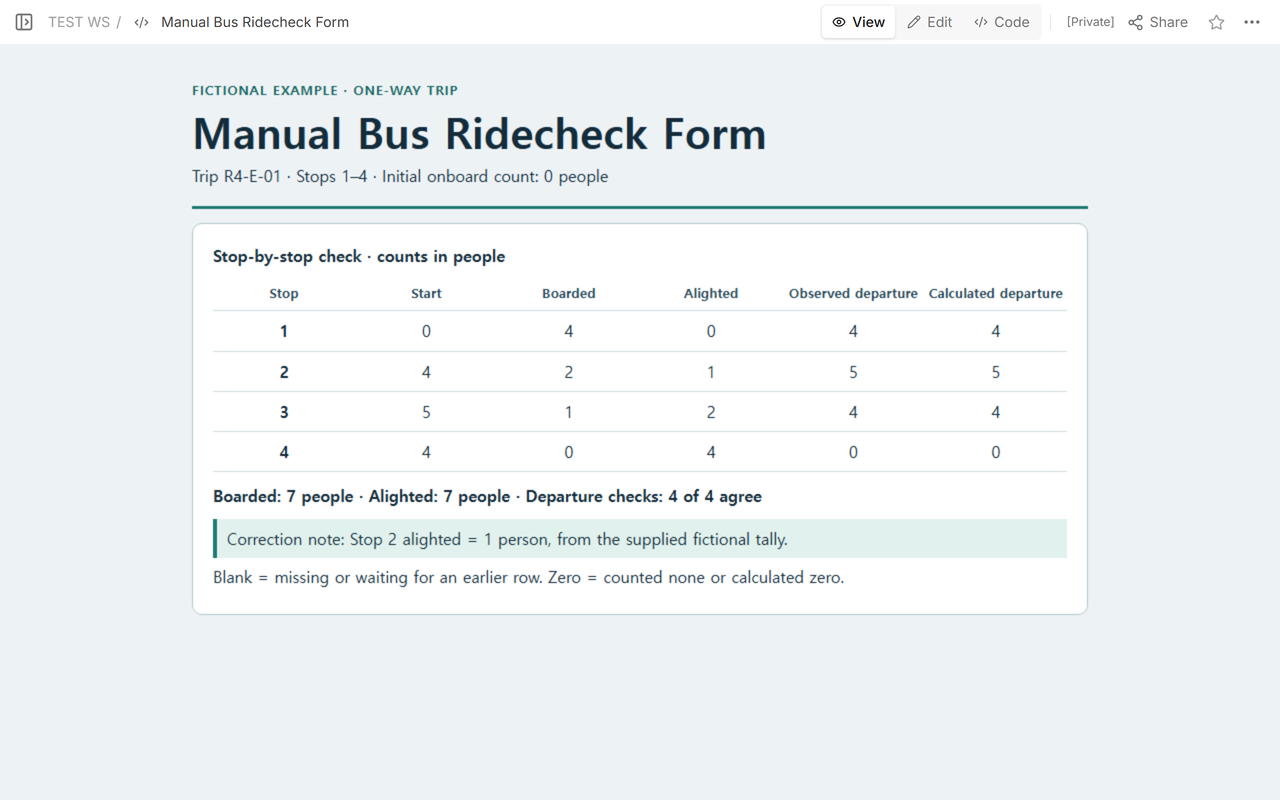
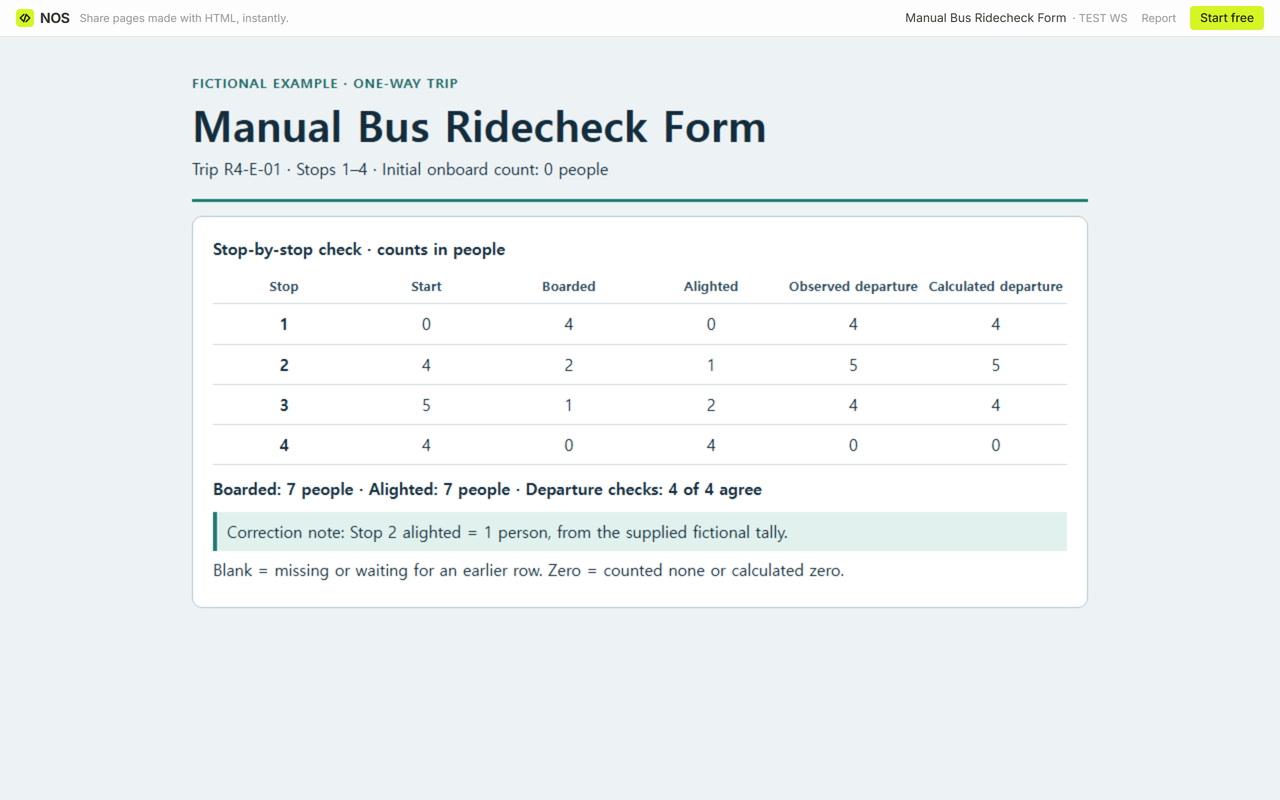
The supplied fictional tally records 1 person getting off at Stop 2. Enter that value and carry each result down before calculating the next row.
- Stop 1: 0 + 4 − 0 = 4 people.
- Stop 2: 4 + 2 − 1 = 5 people.
- Stop 3: 5 + 1 − 2 = 4 people.
- Stop 4: 4 + 0 − 4 = 0 people.
All four calculated departures agree with the observed counts. Total boarded is 4 + 2 + 1 + 0 = 7 people. Total alighted is 0 + 1 + 2 + 4 = 7 people. The trip check also closes at 0 + 7 − 7 = 0 people on board.
What if a number looks wrong?
Suppose a row starts with 4 people, records 2 boardings and lists 7 alightings. The arithmetic gives −1 person. Flag the row and check the source tallies. Leave its calculated departure and the dependent rows blank while you resolve it. If a complete calculation is nonnegative but differs from the observed departure, keep both numbers visible and flag the mismatch for review.
How do you reuse the blank sheet?
Save a fresh copy for each practice trip. Fill the observation fields from the tally, then calculate the departure column row by row. Use the note field to record the source of any correction. The blank file is a hand-calculation worksheet. Print the filled sheet to keep a copy.
When not to do this
Use this worksheet for a fictional counting exercise. Actual passenger surveys, route operations, service or capacity decisions, official reporting, and safety assessments are outside its scope. One practice trip gives no basis for estimating ridership.
How did we share the corrected form?
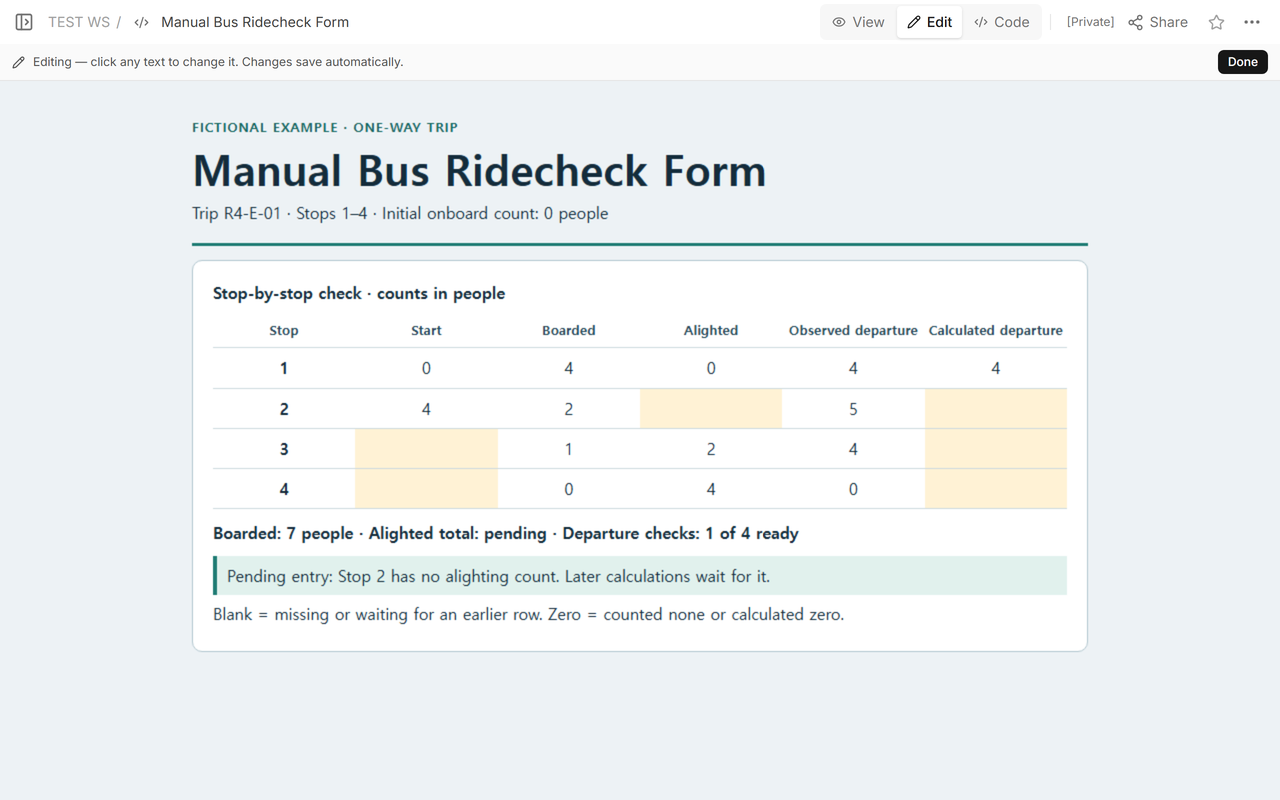
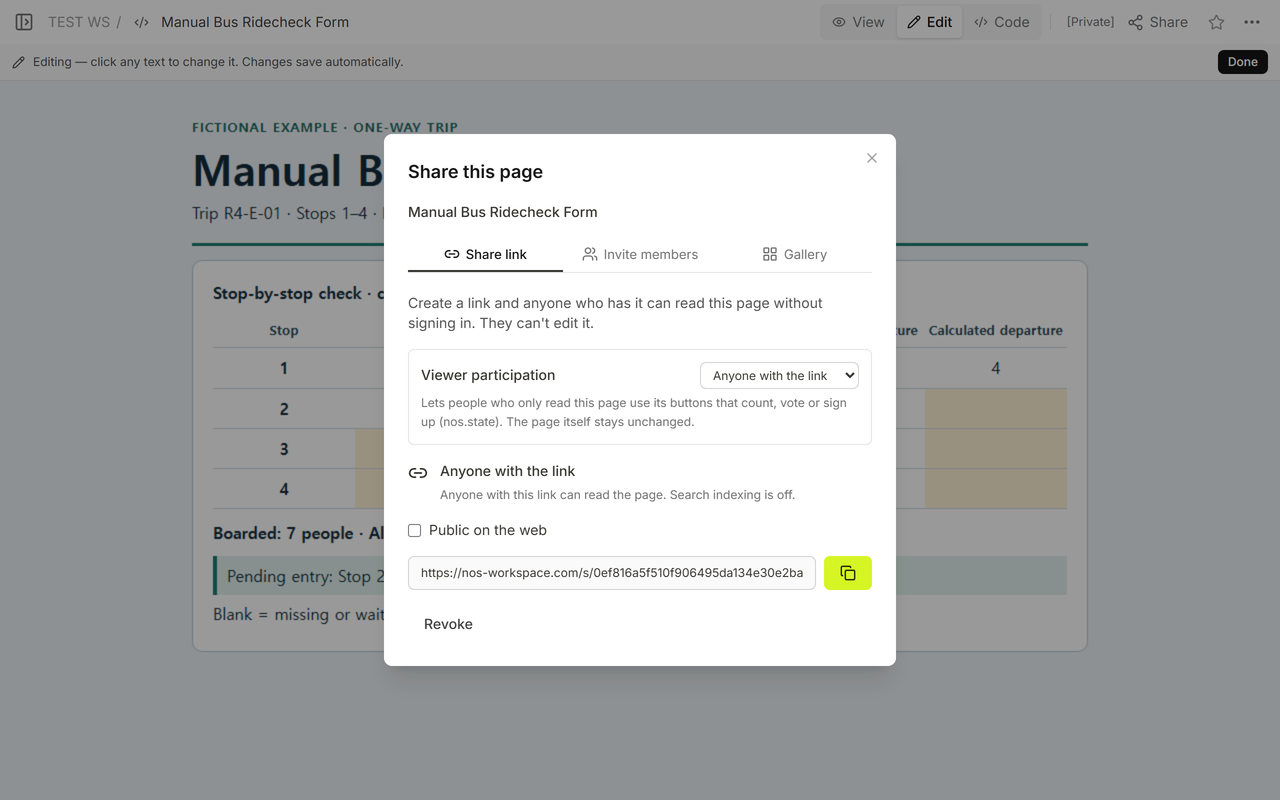
We used NOS Workspace to open the worksheet in Code, check it in View, and get a reader address from Share. After filling the missing tally and the dependent cells, we opened the same example link signed out and saw the completed table. A reader could see the counts without opening the editor.
Related worksheets
- Classroom observation form for keeping observations and interpretation apart.
- Survey results report template for presenting counts that have already been collected.