In short
Put the counselor's current schedule, stop-and-ask boundaries, contact roles, and handoff sequence on one phone-readable page.
Keep child records, medical details, pickup authorizations, and the official emergency plan in the camp's approved systems.
When the day plan changes, correct the existing reading copy and confirm the same shared address shows the new status.
NOS Team made a fictional Pine Ridge Day Camp guide to test that structure. The first version showed a clear-skies plan. We opened the saved page in its normal editing view, changed the status to a rain plan, and checked the original reader address again. The example is not a camp policy and contains no real child, family, employee, or medical data.
What should be in a camp counselor guide?
A field guide should answer four questions before it expands into background reading: What happens next? When must I stop and get the lead? Which role handles this question? What must I pass to the next counselor?
We organized the sample around those questions. Its opening screen names the day status and gives four direct destinations: Today, Boundaries, Contacts, and Handoff. A counselor can start from the task instead of searching a long handbook.
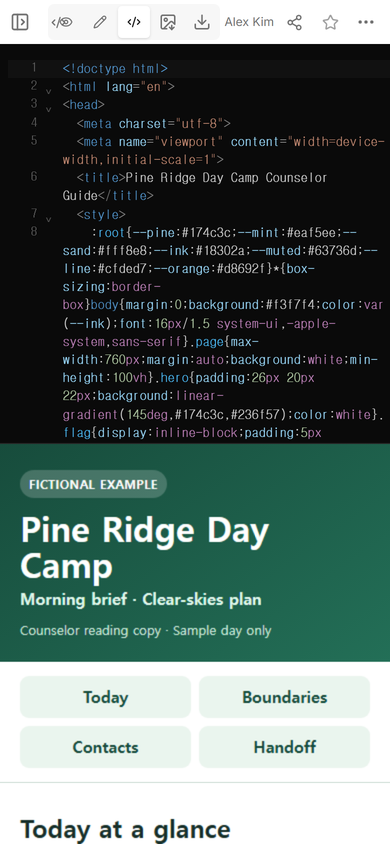
Download the complete fictional counselor-guide example. Replace its sample schedule and role labels only with material approved for your camp.
How do counselors see the day plan quickly?
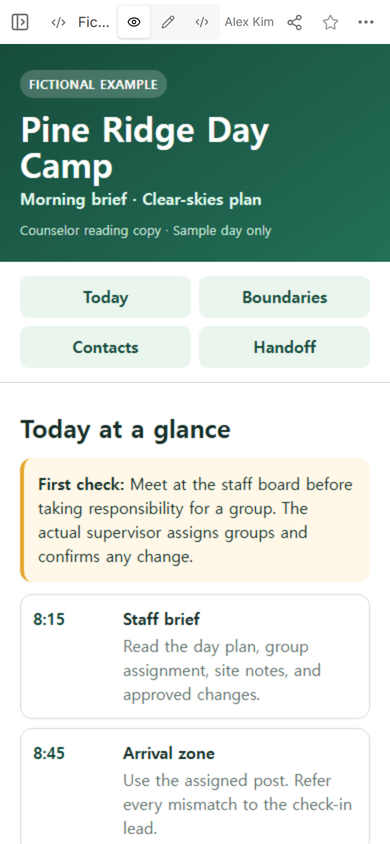
Lead with the status that can change during the day. In the first reading copy, “Morning brief · Clear-skies plan” sits directly below the camp name. The schedule begins with the staff brief, then lists arrival, the activity block, lunch transition, and dismissal handoff.
Each row pairs a time with an action and a short boundary. The arrival row sends a mismatch to the check-in lead. The trail row says to use the route approved at the brief. The dismissal row points back to the camp's authorized-release process instead of copying child records into the page.
If you are building a larger program schedule, the event schedule template shows how to keep staff cues separate from participant times. For this counselor page, include only the cues needed by the assigned staff reader.
Where do safety boundaries belong?
Put the stop condition beside the task that can trigger it, then repeat the few boundaries that apply across the whole day in one clearly labeled section. Do not turn a public or broadly shared page into the official emergency plan.
The fictional guide tells the counselor to get the on-site lead when the expected group count does not match, a pickup request falls outside the authorized process, weather or a site condition changes the approved plan, or the assigned supervision arrangement cannot be maintained. These are sample escalation prompts. A real camp must use its own approved plan, training, health procedure, supervision requirements, and release records.
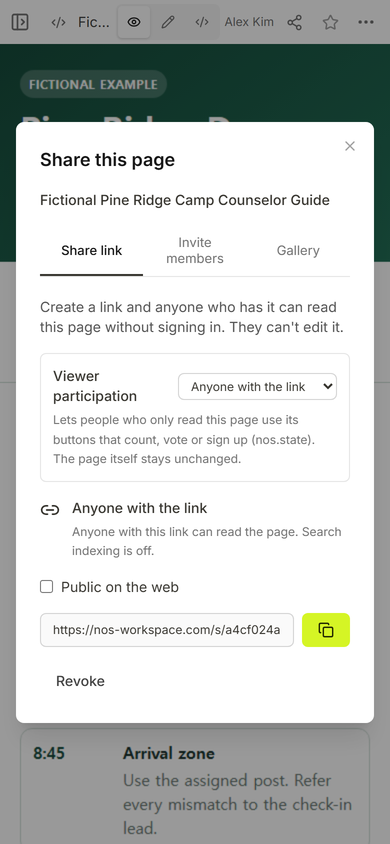
That access model is one reason to sanitize the reading copy. Do not place names of children, medical details, personal phone numbers, pickup permissions, access codes, or private incident notes in this example. The page can point an authorized staff member to the approved record without reproducing the record.
How should camp contacts be organized?
List roles by the decision they own, not as a loose directory of names. The sample routes site decisions and unclear boundaries to the on-site lead, health-procedure questions to the health lead, and arrival or release questions to the check-in lead.
Names and contact methods change. Keep those details in the approved staff copy and give someone responsibility for keeping them current. The employee contact list template explains how to separate a work need, the permitted channel, and the person responsible for updates.
What makes a counselor handoff useful?
A handoff needs a current state, not a story of the whole shift. The sample sequence asks the outgoing counselor to state the group and schedule point, give the current count through the camp's approved record, name a plan change already confirmed by the lead, identify any unresolved issue and its owner, and wait for the next counselor to confirm the handoff.
The example sentence is deliberately short: “Group Maple is at lunch transition. The count matches the approved roster. The on-site lead moved the next activity indoors. No unresolved issue.” It shows the structure without claiming that any real group, roster, or change exists.
When a task has several branching rules, use the job aid template to show which condition takes priority. Keep the counselor guide focused on finding the right instruction and escalation route during the shift.
How do you update a guide without sending a new link?
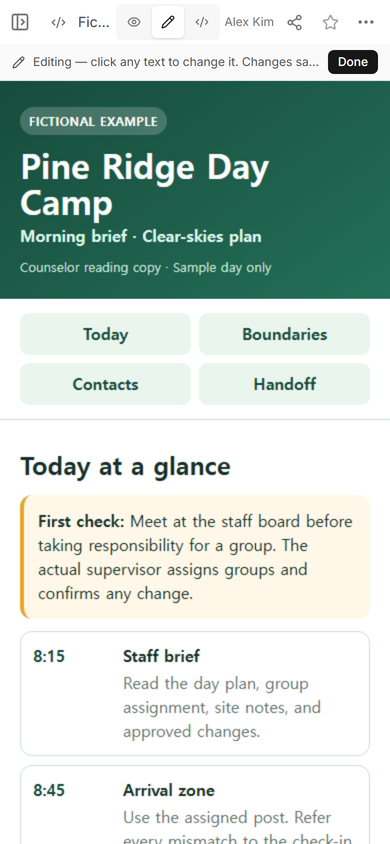
Open the existing saved page, correct the status, finish the edit, and reopen the reader address that staff already have. We used the normal Edit view to replace the clear-skies status with “Morning brief · Rain plan in effect.”
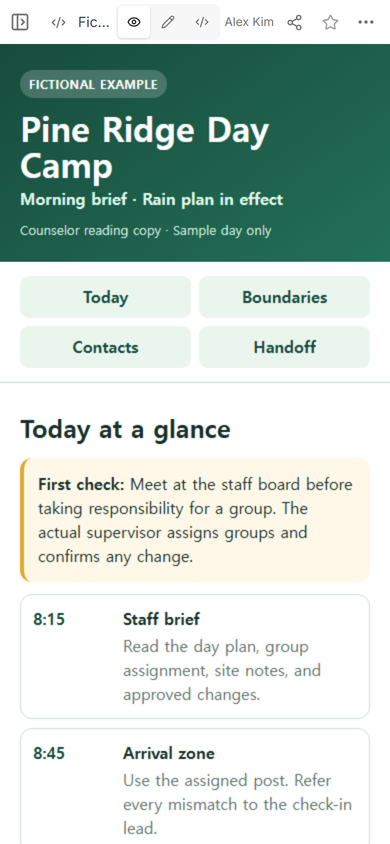
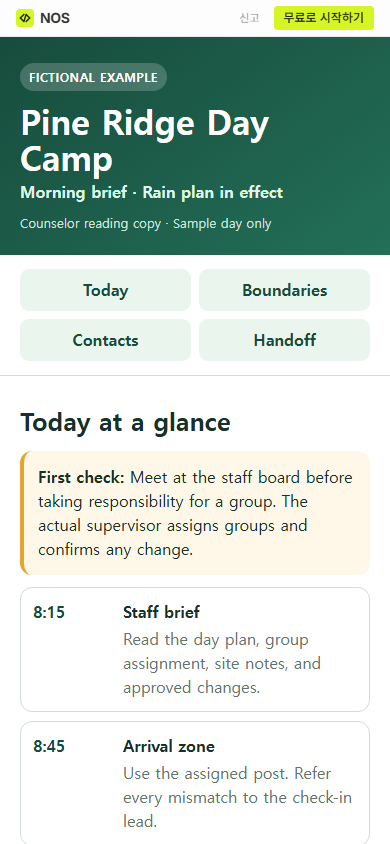
The change is useful only if the reader copy shows it. We opened the original shared address after the edit. It displayed the rain-plan status without creating another camp-guide page.
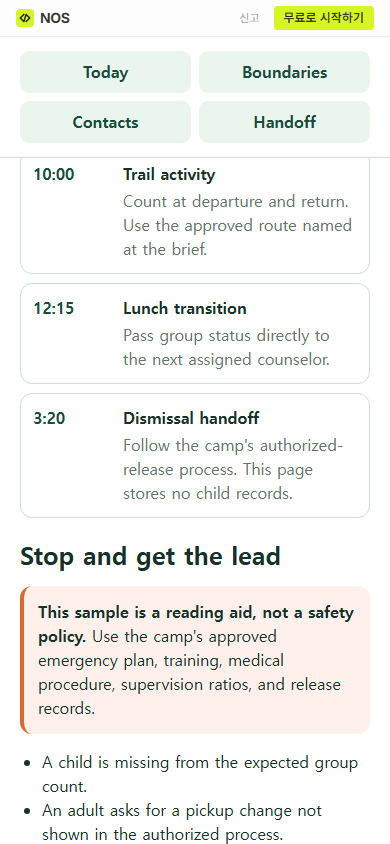
Then we moved farther down that public page. The schedule continued into lunch and dismissal, followed by the clearly marked stop-and-get-the-lead section. This is the part a counselor needs once the opening status has sent them to the day's details.
What should you check before sharing it?
- Current status: Does the first screen name the plan that is actually in effect?
- Ownership: Does each change or exception point to a role with authority to decide?
- Privacy: Have you removed child records, health details, personal contacts, access information, and incident notes?
- Handoff: Can the next counselor find the group state, confirmed change, and unresolved issue?
- Phone view: Can a reader reach the schedule and stop conditions without decoding a wide table?
- Reader check: After an edit, does the existing shared address show the corrected status?
When not to do this
Do not use a shared HTML guide as the system of record for attendance, medication, pickup authorization, incident reporting, staff certification, or emergency response. Do not use a fictional template to choose real supervision ratios or medical steps. Keep those records and rules in the approved camp systems, and use this page only as a sanitized reading aid that points staff to them.
Using NOS for the counselor reading copy
NOS can hold a prepared HTML guide, show it in a phone-readable view, and provide a reader link from the Share panel. In this example, we edited the existing saved page and the original reader address showed the revised status. That makes NOS suitable for a sanitized field copy, while the camp's authoritative plans, private records, approvals, and staff notifications remain in their established systems.