Split the attendee schedule from your planning sheet
A planning sheet and an attendee schedule do different jobs. The sheet tracks setup times, deliveries and who is bringing the extension cords. One university special-events office, for example, publishes a run-of-show template separately from its event details form. The attendee version needs far less: the date and address, when check-in opens, each session with its start time and room, breaks and meals, and when things wrap up.
You have a few reasonable ways to make it. A spreadsheet template is quick if you copy only the attendee columns to a new tab. A designed program template looks good printed and handed out at the door. The trade-offs show up later: a printed program can’t follow a room change, and a wide spreadsheet is laid out for the planner’s screen more than a guest’s phone.
One rule overrides all of this. If your venue, a sponsor or your own organization asks for the schedule as a PDF or Word file, send that file. A web page can sit alongside it for attendees; it doesn’t replace a format someone requires.
What a finished one-day schedule looks like
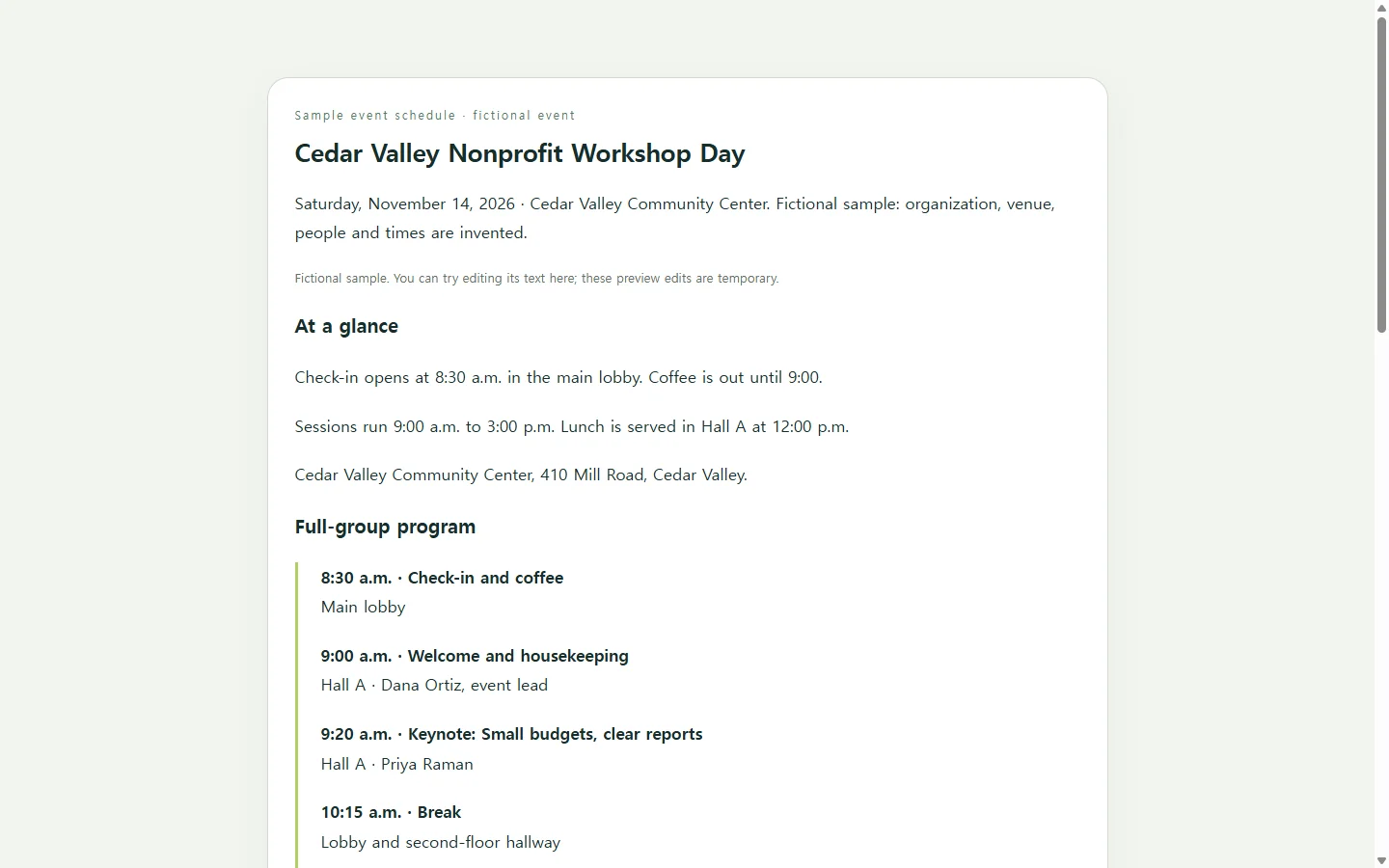
The sample here is for Cedar Valley Nonprofit Workshop Day, a fictional event; the organization, venue, speakers and times are all invented. Check-in opens at 8:30 a.m., the day closes at 3:00 p.m., and two rounds of breakouts run across three rooms.
Two choices in it are worth borrowing. The main timeline shows only what everyone does together, and the breakouts get their own table, so someone choosing a room at 10:25 looks in one place. Every session row names its room, because “after the keynote” doesn’t help a person who arrived late.
The “Good to know” list holds parking, Wi-Fi and accessibility details. Fill it with facts you have confirmed with your venue, and delete any line you can’t confirm rather than guessing.
Have an AI assistant build yours
If laying out the page is what’s holding you up, an AI chat assistant can handle the design while you supply the facts. Ask it for a single HTML file. HTML is the format web pages are written in; you don’t need to read the code, only check the page it produces.
The prompt below asks for a phone-first layout, readable text contrast, and proper table headers for people using screen readers. It also tells the assistant to write “TBD” for anything you leave out instead of making something up, which matters on a schedule where a wrong time sends people to the wrong room.
When the page comes back, check it against your planning sheet line by line. The assistant arranges what you give it; it can’t know the closing panel moved from 2:30 to 2:15 unless you say so.
Keep one link current when the day changes
Now picture the week before the event. The Room C projector is out for repair, and the grant-writing session moves to the Annex. If the schedule went out as an attachment, you send a corrected file and hope people open the newer one.
If you put the page in NOS and shared its link instead, you edit the room name right on the page and type “Annex.” You don’t ask the AI to regenerate the whole schedule for one word. The link stays the same after the edit, so the address already in your confirmation email now shows the Annex, and attendees can open it without creating an account.
Keep the PDF if someone requires it, and print copies for the door if you like. Then put the link where attendees will look on the day, and make your last-minute changes on that one page.
A prompt to adapt
Create a single, self-contained HTML file for an event schedule that attendees will mostly read on their phones.

Event details (use only what I provide; write “TBD” for anything missing, and do not invent names, times, rooms, prices or policies):
- Event name: [EVENT NAME, e.g., Spring Volunteer Training Day]
- Date and time span: [DATE, START–END, e.g., Saturday, April 17, 9:00 a.m.–2:00 p.m.]
- Venue and address: [VENUE NAME, STREET ADDRESS, CITY]
- Check-in: [WHERE AND WHEN CHECK-IN OPENS, e.g., Front lobby, 8:30 a.m.]
- Shared program, in order: [TIME – SESSION – ROOM – SPEAKER, one per line]
- Breakout sessions, if any: [TIME – ROOM – SESSION – LEADER, one per line]
- Good-to-know details: [PARKING, WI-FI, STEP-FREE ENTRANCE, FOOD NOTES, WHERE TO ASK QUESTIONS ON THE DAY]

Layout and output requirements:
- One HTML file with inline CSS. No JavaScript, no external fonts, images or scripts, and no forms or sign-up buttons.
- Order: event name and date; an at-a-glance block (date, venue, check-in, end time); the shared program as a vertical timeline; breakouts as a table; then the good-to-know details.
- Mobile first: readable at 360px wide with no sideways scrolling of the page. On narrow screens, let the breakout table scroll inside its own container or turn each row into a stacked card.
- Accessibility: one h1, logical h2 headings, real <th> header cells with scope attributes in the table, body text of at least 16px, text contrast of at least 4.5:1, and never use color alone to tell rooms or session types apart.
- Write times the same way throughout (e.g., 9:00 a.m.) and include the room name in every session row.
- Return only the complete HTML code.