Link vs attachment comes down to one fact: an attachment is a copy of a document at a moment, and a link is the document.
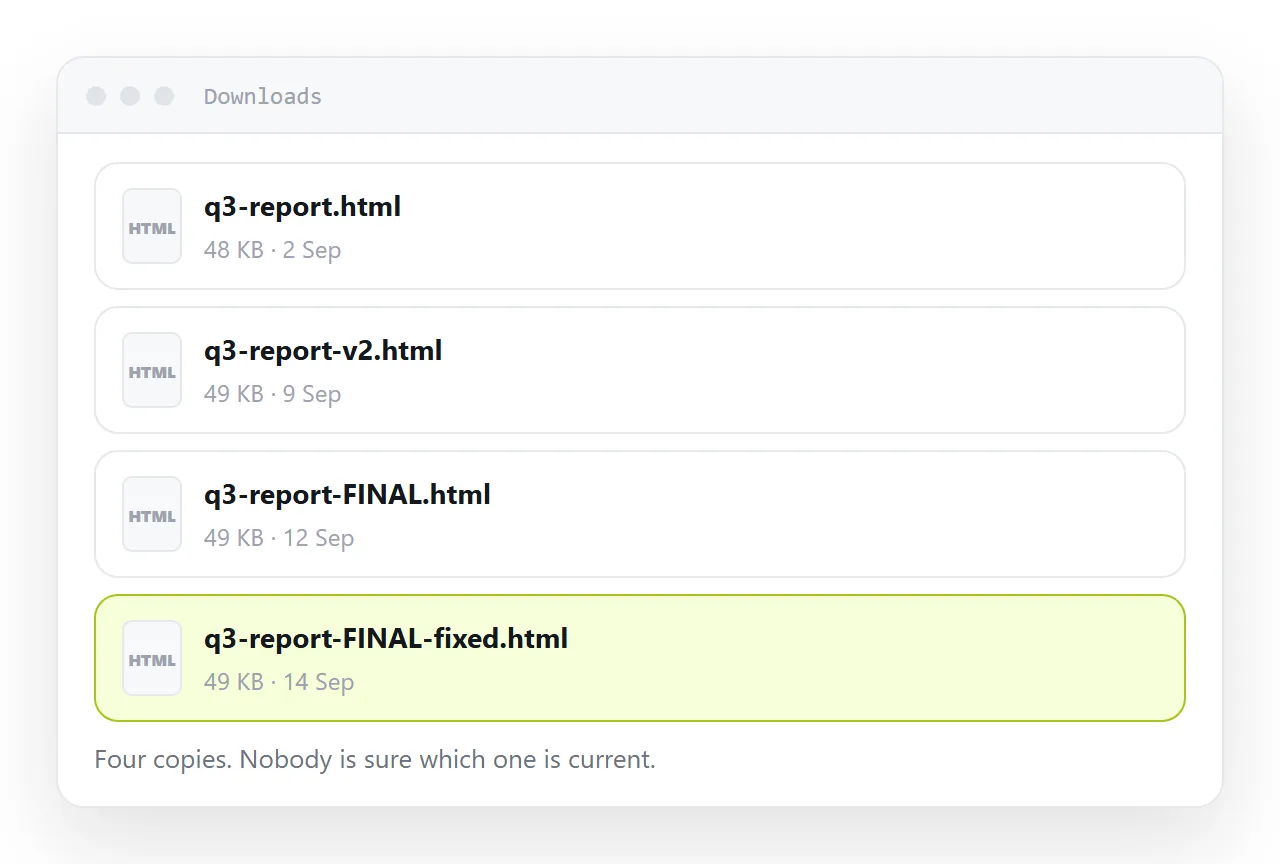
Six consequences follow from it, and they decide almost every case: what happens when you find a typo, whether the thing reaches the reader at all, what a phone does with it, what the reader sees before clicking, what a forward contains, and whether you can find it in three months.
This guide goes through the six, the two cases where a file still wins, and the two genuine downsides of a link.
Link vs attachment: the six consequences
1. Correction
Attachment: every copy you have sent is frozen. A typo means a second message, and now two versions are circulating with no way for a reader to tell which is current.
Link: you correct the document. The link already sent points at the correction.
This is the one that compounds. The cost of an attachment is not the first send, it is the fourth revision.
2. Reaching the reader at all
Attachment: must survive mail filtering. HTML attachments in particular are widely filtered, because the format is the standard way to build a fake sign-in page.
Link: text in a message. There is nothing to filter.
3. Phones
Attachment: an HTML file lands in storage and stops. Phones have no concept of opening a downloaded local page.
Link: opens immediately. This is the one thing phones do unambiguously well.
4. Preview
Attachment: a grey file card. Nobody knows what is in it, so nobody clicks.
Link: a card with the title, a sentence and an image — see Open Graph tags. In a busy channel that card is the message.
5. Forwarding
Attachment: a copy of a copy. The recipient gets whatever version was attached, which may be months old.
Link: the same document, current as of today.
6. Finding it later
Attachment: in somebody's sent items, under a name you no longer remember.
Link: an address, in the document's own place, searchable by its contents.
The two cases where a file wins
The recipient needs the file itself. They are going to edit it, import it, or process it. Send the file — that is the actual requirement.
A record must be provably fixed. A signed contract, a quote at a date, an audit document. The unchangeability that is a problem elsewhere is the point here. A dated quote page plus a PDF covers it: the page is read, the PDF is the record.
The two genuine downsides of a link
It depends on the hosting. If that address stops serving, the document is gone for everybody at once. A file survives on whatever disk holds it. This argues for putting documents somewhere you expect to still exist, not for sending files.
It needs a network. A file on a laptop opens on a plane. If offline reading matters, a self-contained file or a PDF is the right choice.
Both are real. Neither applies to the ordinary case of sending a report to a colleague.
What is not a downside
"A link is less private." An unlisted link and an attachment are comparably exposed — both are readable by anyone who obtains them, and an attachment also sits in every mail server it passed through, permanently. Neither is access control. Content that must be restricted needs an account in front of it, regardless of delivery.
Access, since it is the usual objection
An attachment feels private because it went to named people. It did not stay with them: it can be forwarded without limit, and you cannot revoke a file.
A link can be unlisted, revoked, or replaced by inviting named people, and the page can carry a note saying who it is for. Neither is a password. Both should carry only what you would be comfortable with a reader's colleague seeing.
The rule
Send a link unless the recipient needs the file or the record must be fixed.
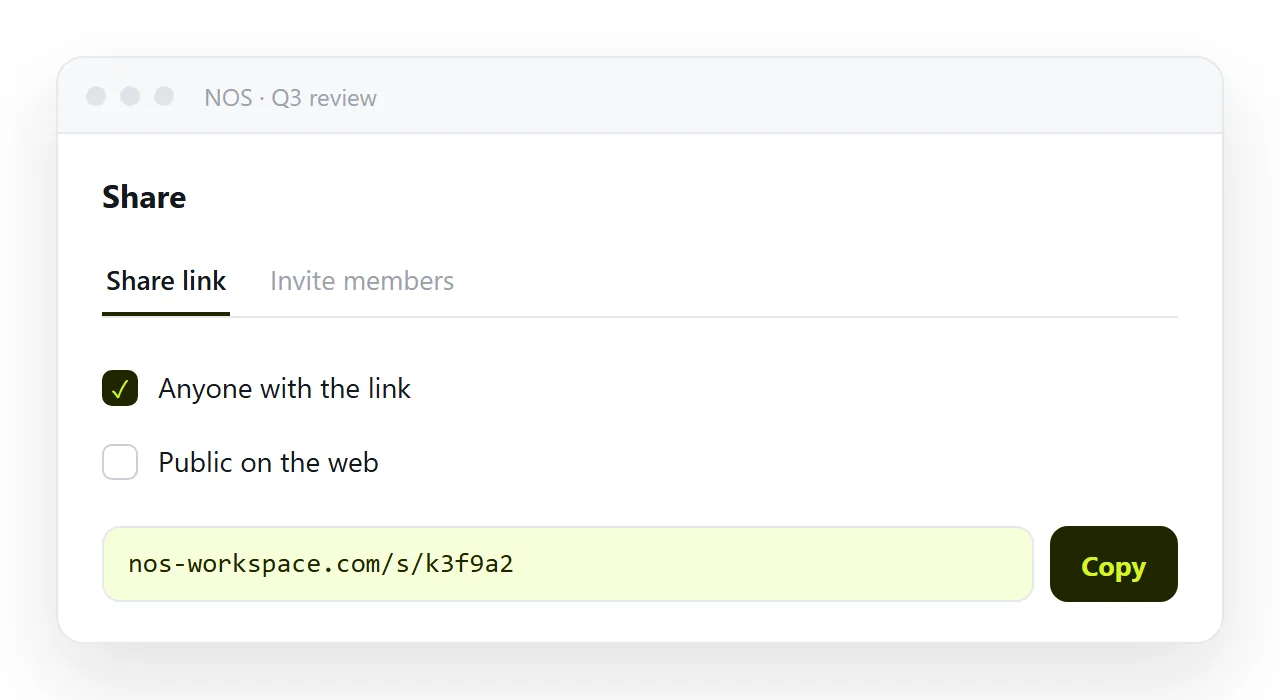
Publishing the page is what makes that possible without hosting anything. In NOS the pasted page has a fixed address and text you can correct by clicking it, so the link keeps pointing at the current document however many times you revise it.
The forwarding case, in detail
Forwarding is where the difference compounds. An attachment forwarded twice is a copy of a copy, and the third reader has no idea it was corrected the day after it was first sent.
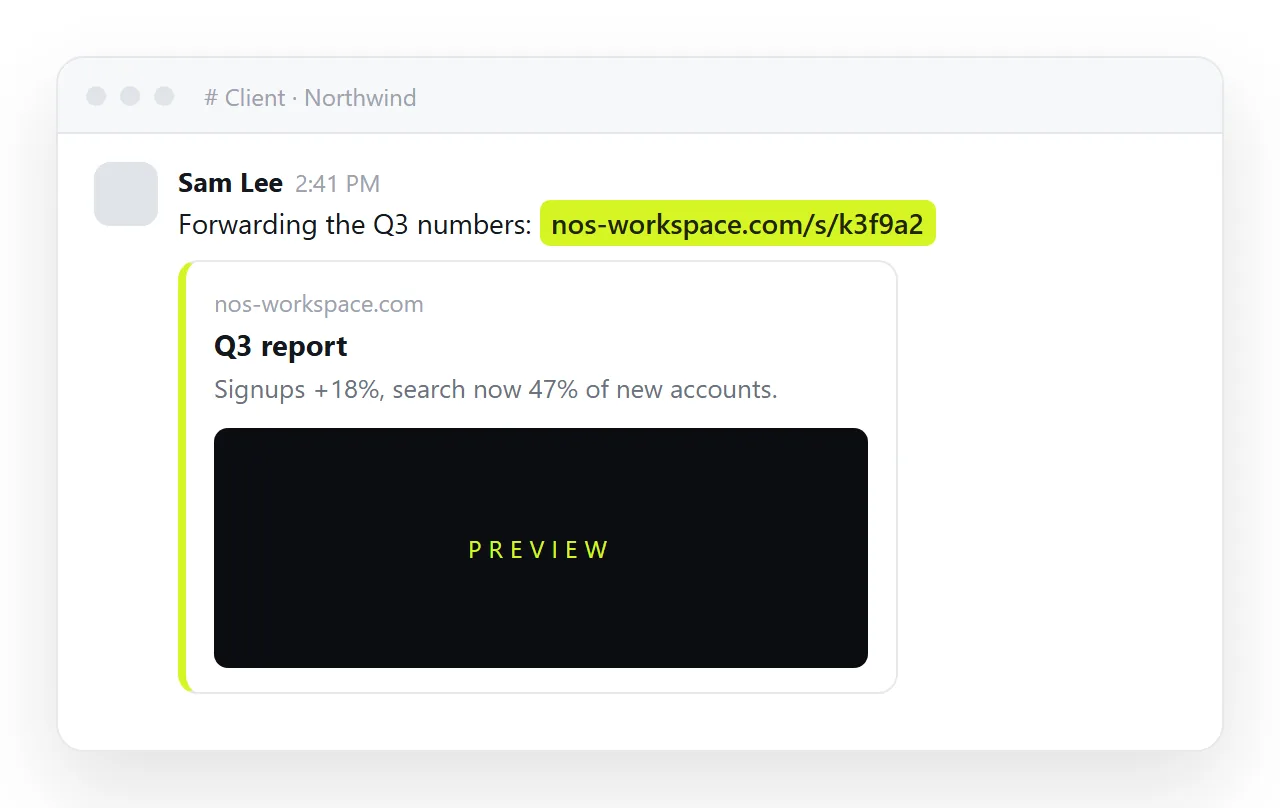
A link forwarded twice is the same document, and the third reader sees the corrected version without anyone telling them. The sender's effort is identical; the outcome is a wrong number in a meeting versus a right one.
Making the link as easy as the attachment
The one thing an attachment does better on the day is that it needs no setup: the file is there, you attach it. A link needs the page to exist at an address first.
That is one paste into a document and one click on Share, after which the link is the easier of the two forever, because there is never a v2 to attach. Turning HTML into a link is the setup.
When the reader asks for the file anyway
Some readers will. Send it, dated and named, and send the link in the same message with one line saying the link is the current version. The file satisfies the request; the line makes sure the next question comes to the page rather than to the copy.
Choosing between a link and an attachment: 4 steps
- Ask whether the document will change. If yes, a link. A copy is wrong the moment the document is corrected, and it does not say so.
- Ask whether the reader might be on a phone. If yes, a link. An attachment lands in a file manager, and an HTML file is close to unopenable there.
- Ask whether it must be readable offline or kept as a fixed record. If yes, send a file as well as the link, dated and named, and say which is the master.
- Send the link with one line saying what it is. Share, then Share link, then Create link. The title on the page becomes the preview card; the line in the message is what makes it get clicked. Turning HTML into a link is this step.