If you want a Notion alternative and your team is already on Google Workspace, start by admitting that the suite covers most of it. Docs, Sheets, Slides and Sites handle the everyday writing, and you are already paying for them.
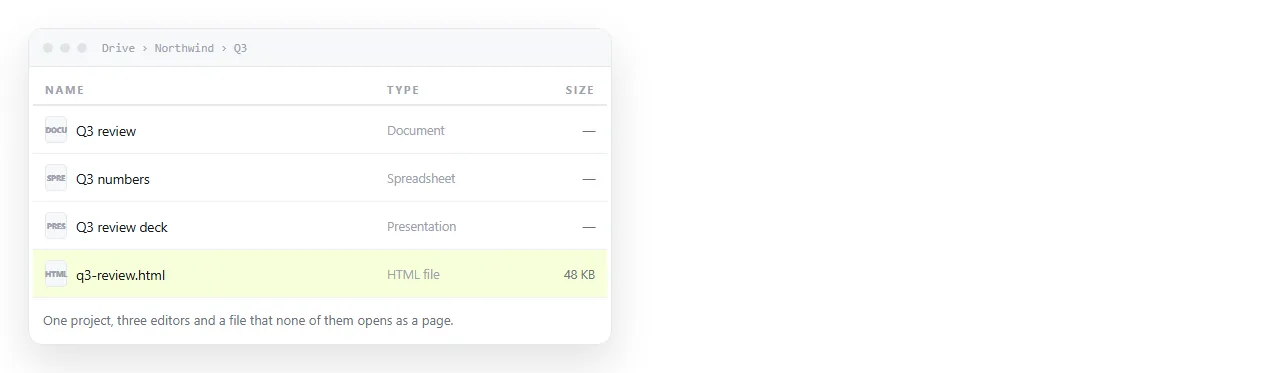
The part they do not cover is narrow and specific. A page that has to render as a page, with charts, a dark theme or a script, has nowhere obvious to go.
What Google Workspace already replaces
Map the Notion habits onto tools you have before buying anything new.
| Notion habit | Google Workspace equivalent | How close it is |
|---|---|---|
| Meeting notes page | Google Doc | Equivalent, with better comment threads |
| Database of projects | Sheet with filter views | Data yes, presentation no |
| Wiki home page | Google Sites | Slower to edit, fine for a handbook |
| Shared deck | Slides | Equivalent |
| Embedded dashboard | Nothing native | This is the gap |
| Public page for clients | Sites, or Docs publish to web | Renders as a document, not a page |
Four of the six rows are a straight swap. The last two are where teams keep drifting back to a separate tool.
The gap, stated plainly
Google Workspace treats a document as a document. That is the right decision for most writing, and it is why the suite is quiet and predictable.
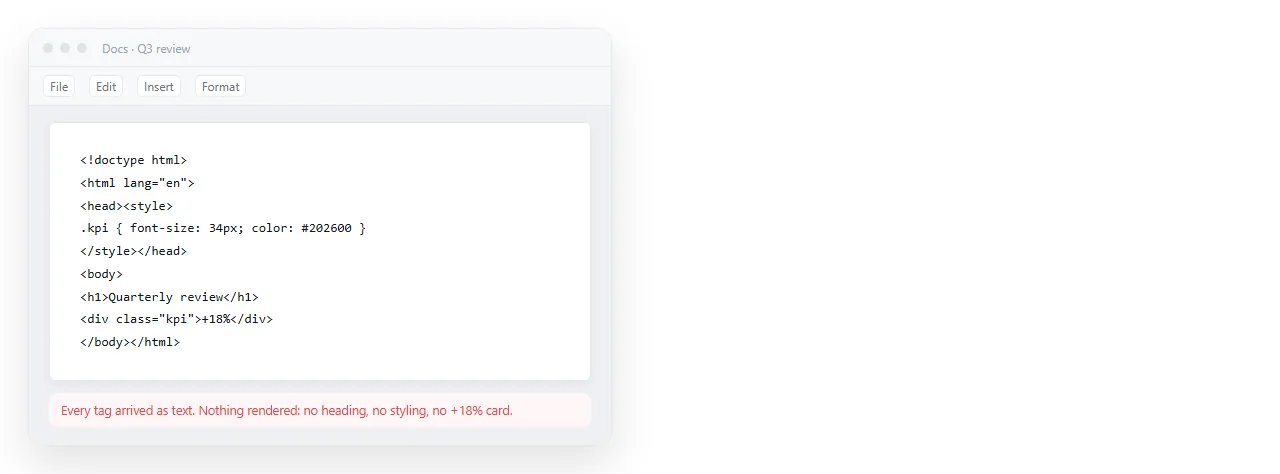
It also means pasted HTML is content, not markup. Paste a chart page into a Doc and you get the tags as text, or a flattened approximation.
Sites can embed HTML, but inside a sandboxed frame with its own rules. A page that worked when you opened the file locally can behave differently once it is framed.
Where the HTML actually comes from
This matters more than it used to. Ask an assistant for a dashboard, a one pager or a pricing sheet and you get back a complete HTML file.
You then need somewhere that renders it as written and gives it an address. That is a different job from writing a document, and it is why the gap keeps reappearing.
The same applies to anything exported from a reporting tool, a notebook, or a designer's handoff. The artefact is a page, so it wants to be served as a page.
A three tool split that holds up
Rather than looking for one product that beats Notion at everything, split by what the content is.
- Writing that is read top to bottom goes in Google Docs. Proposals, notes, policies, anything with comment threads.
- Numbers being worked on go in Sheets. Keep it as the working surface, not the presentation surface.
- Anything that must render as a page goes in a document that accepts HTML. Paste it, take the link, send the link.
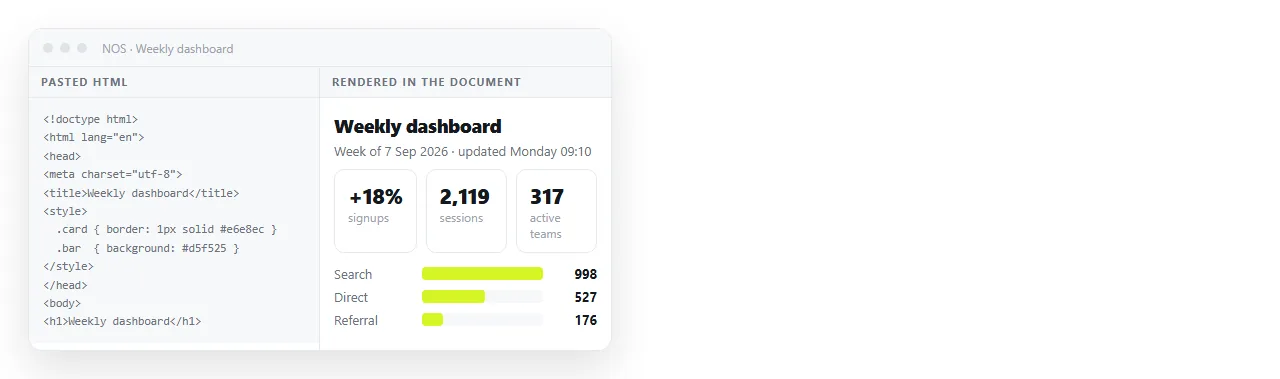
The third one is what NOS does. Paste the HTML into a document and it renders exactly as written, dark theme, charts and scripts included.
Sharing, which is where suites usually differ
Google's sharing model is the reason many admins refuse new tools, and it is a good reason. Anything you add should be explainable in one sentence.
In NOS the address comes from Share, then Share link, then Create link. The link is unlisted by default, so it opens for whoever holds it and is not listed anywhere.
Tick Public on the web only when the page should turn up in search results. Everything else stays link only, which is the behaviour most internal readers expect.
The address does not move when you edit. A link sent in March still points at the current version in June, which is the failure mode that attachments never solve.
Cost, honestly
Google Workspace is already on the invoice, so every job it covers is free at the margin. That is the strongest argument against adding a second general purpose wiki.
The NOS free plan is three documents. That is enough to test whether the HTML gap is real for your team before anyone talks about seats.
If three documents cover it, you have replaced Notion with tools you mostly already pay for. If it does not, at least you now know which job you are buying for.
Choosing per document
| If the thing you are making | Put it in |
|---|---|
| Is prose with comments on it | Google Docs |
| Is a working spreadsheet | Google Sheets |
| Is a handbook page nobody edits weekly | Google Sites |
| Is a chart or dashboard someone must read | A document that renders HTML |
| Came out of an AI chat as a complete file | A document that renders HTML |
| Is going to a client who should not see a file picker | A link to a rendered page |
The pattern is consistent. Text belongs in the suite, and pages belong at an address.
Moving off Notion without a migration project
Do not export everything at once. Sort by what people actually open.
- Pages opened weekly get rebuilt in Docs or Sheets by hand. There are fewer than you expect.
- Pages nobody has opened in six months get exported to a zip and archived. Do not rebuild them.
- Pages that are really dashboards get pasted into a document that renders HTML, then linked from wherever people look.
- Embedded things get checked individually, because embedding HTML in Notion and embedding it elsewhere fail in different ways.
If you are running the same comparison against Atlassian rather than Notion, the Confluence alternative breakdown covers the same split with different defaults. For the difference between parking a file on a host and keeping it editable, see static host versus document.
To test the gap in a minute, paste a page into the HTML to link tool and see whether the result is what your Google based workflow has been missing.