If you already pay for Microsoft 365, the Notion alternative you are looking for is mostly a combination of apps you own rather than a new subscription.
The stack is not a single workspace, which is the reason people go looking elsewhere. Split by job, though, the coverage is better than its reputation.
Notion alternative jobs mapped to Microsoft 365 apps
| Job | App in the stack | Reasonable fit |
|---|---|---|
| Free form notes | OneNote | Yes, especially personal and meeting notes |
| Lightweight shared pages | Loop | Yes, and components sync across chats |
| Structured intranet | SharePoint | Yes, with someone owning the structure |
| Tracked tables with views | Lists | Yes, this is the database shaped job |
| Long documents | Word in a library | Yes, with version history |
| Outbound pages for clients | None cleanly | This is the gap |
The last row is where the stack is honestly weak, and it is worth being specific about why rather than hand waving.
Why outbound pages are the gap
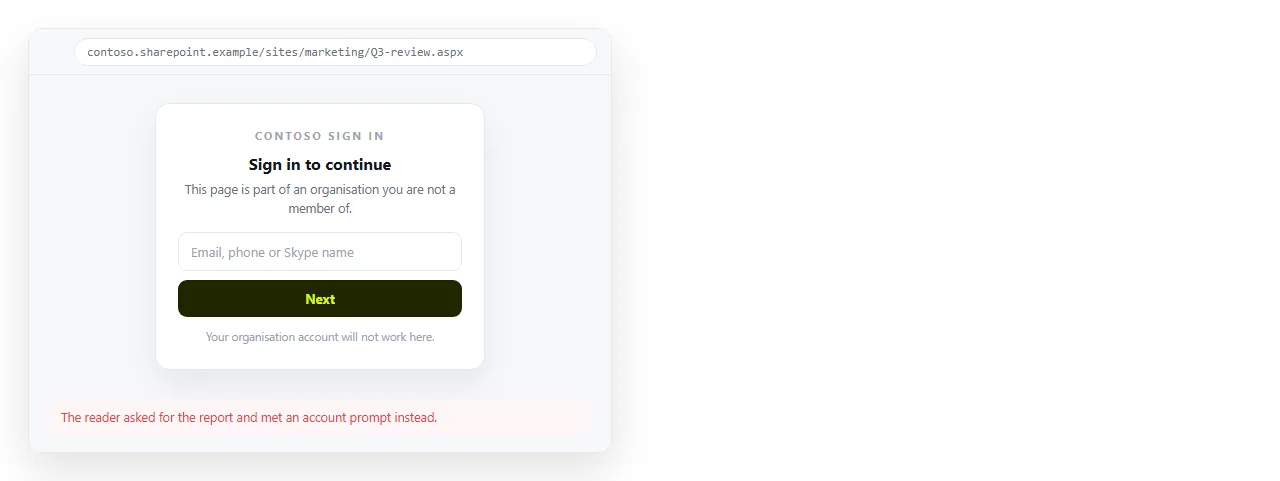
Everything in the stack assumes a tenant. Permissions, identity and sharing are all built around who is inside the organisation.
That is the correct design for internal work and an obstacle for a page a client should open in one click without signing in to anything.
External sharing can be configured, and in many companies it is deliberately restricted. Getting an exception approved for one report is slower than the report took to write.
The workable answer is to keep internal knowledge in the stack and publish outbound pages separately. The split is clean because those documents were leaving the tenant anyway.
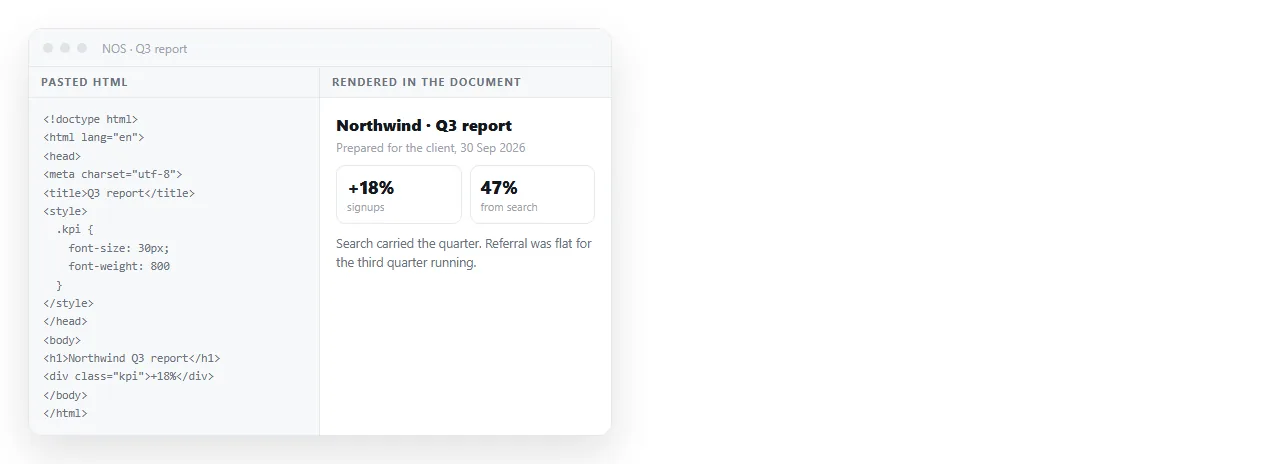
Paste the finished HTML into a NOS document and it renders as written, including dark theme, charts and scripts. Share, then Share link, then Create link gives it an address.
The reader needs no account and no guest invitation. The text stays editable afterwards, and the address does not move when a figure changes.
Link to the page from SharePoint or a Teams channel so the internal trail still leads to it. Sharing HTML in Teams covers what happens to files and links in a channel.
What the stack does better than most alternatives
It is worth naming these, because comparison articles tend to skip them and they are the reason switching is often the wrong call.
Identity is already solved. Accounts, groups and leavers are handled by the same directory as everything else, so access dies with the account.
Retention and legal hold are configured centrally, which matters if your industry requires it and is painful to bolt on elsewhere.
No new vendor review. Adding a tool means a procurement and security assessment. Using one you already own means neither.
Offline desktop editing through the Office applications, which no browser first workspace matches.
Getting the stack to work well first
Before adding anything, three habits fix most of what people dislike about SharePoint and OneNote.
- Decide where each document type lives and write it down. Most complaints about the stack are really complaints about not knowing where to look.
- Use Lists for anything with a status column. Tracking in a table inside a page is where trackers go stale.
- Name pages the way people search. Search in the stack rewards plain titles and punishes clever ones.
Do these and the remaining gap is genuinely narrow, which makes the case for a second tool easier to argue.
It also removes the most common objection, which is that the team never really used what they had. That objection is usually fair, and answering it first is what gets an addition approved.
A fourth habit helps if your pages carry numbers: keep the source of a figure in Lists or a workbook, and let the page quote it. Pages that restate numbers by hand go stale quietly.
When a second tool is justified
- The reader is outside the tenant and should not meet a sign in prompt.
- The page has charts or a layout that must render exactly as designed.
- The link is going into a proposal or a printed document and must keep working for years.
- The content changes and you do not want to resend anything.
If none of those apply, stay in the stack. Adding a parallel wiki is the change people regret, because knowledge then lives in two places and neither is complete.
Comparing on the things that decide it
When you do evaluate an addition, judge it on four points rather than a feature grid.
What the outside reader sees. Open a shared page in a private window and look.
What a correction costs. If the address changes when the content does, every revision means a new link.
Where the content sits relative to your policy on customer data.
How it is linked from the intranet, since a page nobody can find internally may as well not exist.
The team comparison works through the same four points without the Microsoft framing, and client reports in HTML covers the document type that exposes the gap most often.
The short version
Use OneNote, Loop, SharePoint and Lists for internal work, because you already pay for them and they are configured for your identity.
Add a way to publish outbound pages with a link that needs no account. That is one narrow gap, and filling it does not fragment your knowledge base.