The right Notion alternative for teams is the one that answers four questions well: seat cost as you grow, permissions for outsiders, search across old work, and what a reader without an account sees.
Feature comparisons rarely decide anything, because every workspace tool in this category has pages, tables and comments. The differences show up in month six.
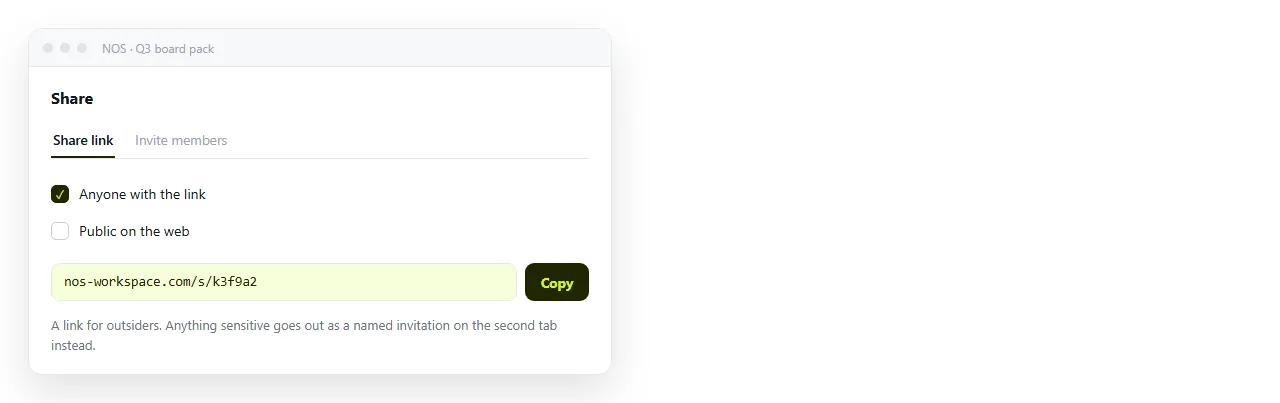
The four questions
1. What does this cost at the headcount you will have. Per seat pricing is fine at eight people and a line item at eighty. Price the team you expect next year, including part timers and contractors who need read access.
2. What happens to people outside the company. Clients, agencies and candidates should not need an account to read a page. If your workspace forces one, every external share becomes a small negotiation.
3. Can anyone find a document from last quarter. Search quality and a naming habit matter more than the editor. A workspace nobody can search becomes a place documents go to be lost.
4. What does the reader actually see. Open a shared page in a private window. That view is the product as far as a client is concerned.
Notion alternative categories for teams, judged honestly
| Option | Outsider access | Upkeep | Where it gets expensive |
|---|---|---|---|
| Hosted block workspace | Link or guest seat | None | Seats, and guest limits |
| Self-hosted open source | Depends on the product | Your team maintains it | Engineer time |
| Microsoft 365 stack | Tenant guests | None, if you already run it | Nothing new, licences exist |
| HTML native documents | Public link, no account | None | Seats |
The Microsoft 365 comparison is worth reading first if your company already pays for that stack, because the honest answer there is often that you have the tools already.
The document types a team actually produces
Most team workspaces hold four kinds of thing, and they do not have the same requirements.
- Internal reference. Onboarding, policies, runbooks. Wants hierarchy, permissions and search.
- Working notes. Meeting records, decisions. Wants speed and a date.
- Structured lists. Trackers with filters. Wants database views.
- Outbound pages. Client reports, proposals, updates. Wants controlled rendering and a link anyone can open.
A single tool that is merely adequate at all four is often worse than two that are each strong. Splitting along the internal and outbound line is where most teams end up.
The reason is that the two halves are judged differently. Internal pages are judged on whether a colleague can find them, and outbound pages are judged on how they look to someone who has never seen your company.
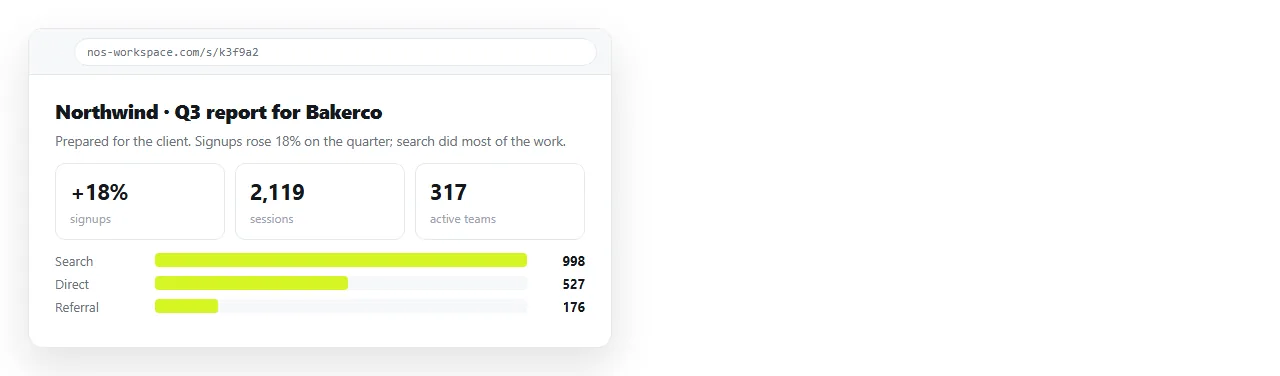
Where the HTML native option earns a seat
For that fourth category the deciding factor is what the reader sees, and how a correction is handled.
Paste the markup into a NOS document and it renders as written, including dark theme, charts and scripts. The page gets an address through Share, then Share link, then Create link.
The reader needs no account. The text remains clickable and correctable by whoever owns the document, without touching code.
When a figure changes you fix it in place and the address does not move, so the link already sent to the client points at the corrected page. Client reports in HTML and weekly updates cover the two most common shapes.
Permissions, stated in plain terms
- Invite named people when opening the document should require being on a list. This is the only setting that behaves like access control.
- Unlisted link when the audience is known but accounts are a nuisance. It is not indexed, and it can be forwarded.
- Public on the web when the page is meant to be found, such as a public changelog or a job description.
- Review quarterly. Old links accumulate. Documents that were fine to share in March may not be in September.
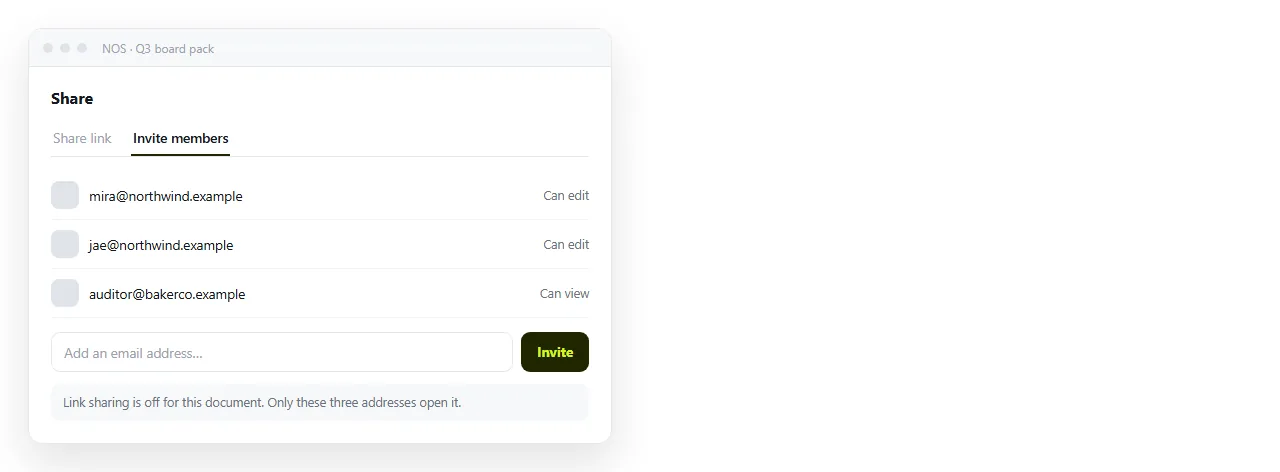
A useful habit is a quarterly link review. Someone opens the list of documents shared outside the company and confirms each one should still be open.
It takes an hour and it is the only thing that stops a workspace accumulating forgotten public pages.
A migration order that does not strand links
- Inventory before you move. List the documents people opened in the last ninety days. The rest is archive, and archives can wait.
- Move one type first. Outbound pages are the usual starting point, because they have few internal links and an obvious quality test.
- Keep the old workspace readable. Read only for a quarter costs little and prevents a scramble.
- Fix links in the direction of travel. Point old pages at new ones, not the reverse.
- Decide about databases early. Structured tables rarely survive a move intact, and pretending otherwise stalls the project.
What to measure after a month
Ask three things and believe the answers.
Did the number of "which version is current" messages go down. Did anyone outside the company get stuck opening a page. Can a new joiner find the onboarding document without asking.
If those three improve, the switch was worth it. If they did not, the problem was the filing habit, not the tool, and no alternative fixes that. Onboarding docs as HTML is a reasonable place to test the habit on one real document.