An onboarding HTML template has to solve one problem above all: onboarding documents go stale because they are written by someone who has just finished doing the thing and will not do it again, and the errors are found by people who have been at the company four days and have no authority to change anything.
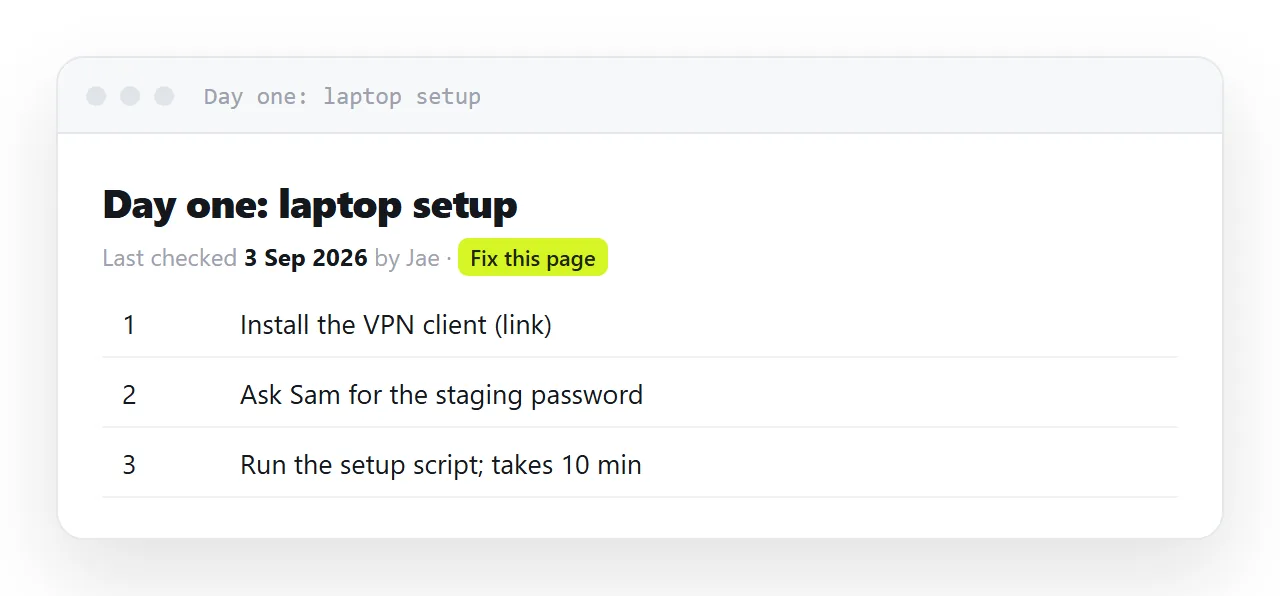
The fix is not a better document; it is a document that shows its age and lets the person who found the error correct it.
This guide covers making staleness visible, letting the reader fix it, one page per task, the who-to-ask page, and the four steps to set it up.
Onboarding documentation has a specific failure mode. It is written by someone who has just finished doing the thing and will not do it again, and the errors are discovered by people who have been at the company four days and no authority to change anything.
So it rots, and everyone knows it rots, and the response is to warn new joiners that it might be out of date — which transfers the problem to the person least equipped to solve it.
The onboarding HTML template: make staleness visible
<h2 id="dashboard-access">Getting dashboard access</h2>
<p class="checked">Last confirmed working: 12 Sep 2026 · Mina</p>
Per section, not per page. A twelve-section document is twelve separate claims about the world, and they age at different rates.
A dated line does something a general warning cannot: it tells the reader how much to doubt this section. "Confirmed three weeks ago" is trustworthy; "confirmed last February" is a prompt to ask someone.
Let the reader fix it
This is the structural point. If correcting a wrong step means raising a request with whoever owns the document, the correction does not happen — the new joiner works around it and the next person hits the same wall.
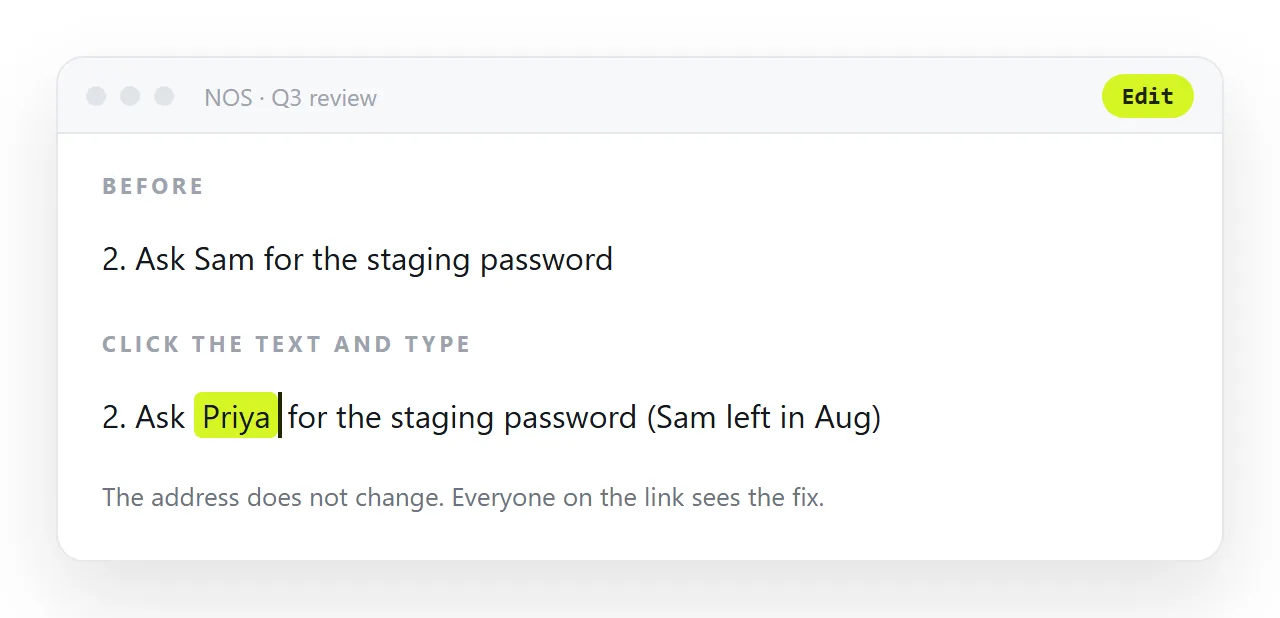
The document has to be editable by the person who just discovered the error. That means:
- No markup to edit. A new joiner will not open a code editor to fix a step.
- No approval step for a factual correction.
- One address, so the fix is immediately live for the next person.
In NOS the page's text is clickable text. The person on day four who found that the access request form moved corrects the sentence, and the next joiner reads the corrected version. No request, no markup, no waiting for whoever wrote it originally.
One page per task
A new joiner is not reading a handbook. They are looking for one thing:
/onboarding/dashboard-access
/onboarding/local-setup
/onboarding/deploy-process
/onboarding/who-to-ask
Each page answers one question and can be linked directly in a chat reply — which is how onboarding information actually spreads. A single long handbook cannot be linked usefully, so people paste screenshots of sections instead.
What belongs in it
Decisions and their reasons. "We use this queue rather than that one because of the ordering guarantee" is not recoverable from anywhere else, and it is the thing a new person most needs.
Steps that involve people. Who approves access, who to ask about billing, which channel is for what. Not in any repository.
Things that surprised you. The environment variable nobody mentions, the two-hour propagation delay, the setting that has to be changed first. Each of these costs every new joiner half a day.
What does not belong
Anything derivable from the code. It will be wrong within a month and the code is authoritative anyway.
Screenshots of user interfaces. They age faster than any text and cannot be corrected by a reader — the interface changes and the screenshot silently lies. Describe the path in words: "Settings, then Access, then Request".
Long introductions. Nobody reads the paragraph about company culture while trying to get their laptop working.
The "who to ask" page
The highest-value page and the easiest to write:
<table>
  <thead><tr><th scope="col">If you need</th><th scope="col">Ask</th></tr></thead>
  <tbody>
    <tr><td>Dashboard or data access</td><td>Mina</td></tr>
    <tr><td>Anything about billing</td><td>Jae</td></tr>
    <tr><td>Deploys and infrastructure</td><td>#platform channel, not a person</td></tr>
  </tbody>
</table>
Nine rows of this saves more time than thirty pages of process description, because the real question behind most onboarding confusion is "who do I ask".
Where onboarding pages should live
Next to the other documents the team uses, not in a separate wiki nobody opens after their first week.
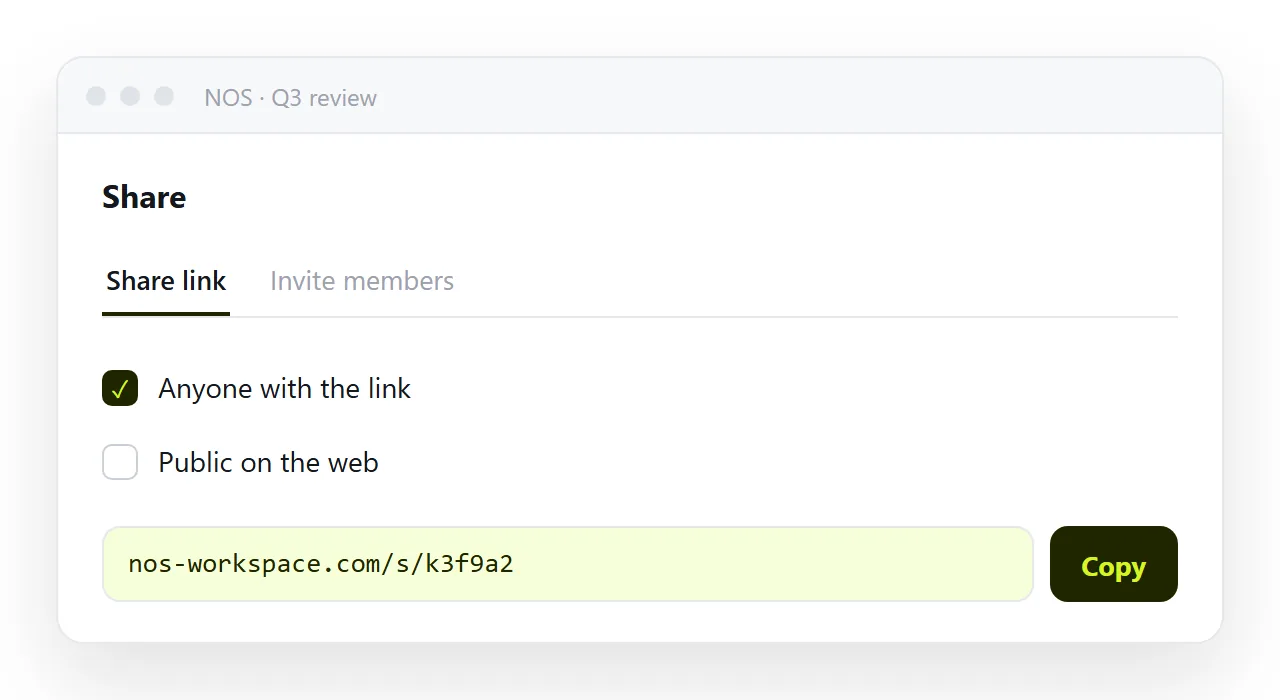
When the onboarding page for access sits beside the access request form and the who-to-ask page, the new joiner stays in one place, and the person who changes the process sees the onboarding page that describes it and fixes it in passing.
A monthly check, not a rewrite
Pick two sections a month and confirm they still work, then update the date. Ten minutes, and it keeps the dates honest — which is the whole mechanism. A document where every date is recent is a document people trust; one where the dates are eighteen months old is at least telling the truth about itself.
What ages, and how fast
| Content | Ages | So |
|---|---|---|
| Interface screenshots | Fastest | Describe the path in words instead |
| Exact click sequences | Fast | Name the destination, not every step |
| Tool names and links | Medium | Date the section |
| Who to ask | Medium | Easiest to fix, highest value |
| Decisions and their reasons | Slowest | The most worth writing |
| Anything derivable from the code | Immediately wrong | Leave it out |
The top and bottom rows are the same advice: do not document what something looks like, document what it is for.
The mechanism that keeps it honest
Per-section dates, and a reader who can correct what they find. Those two together are the whole system — a date tells the reader how much to doubt the section, and an editable page means the person who discovered the error is the person who fixes it.
That second half only works if correcting a sentence does not require reading markup, which is the same requirement as editing generated HTML without code. And one page per task, each at its own address, so the answer can be pasted into a chat reply.
Setting up onboarding pages that stay honest: 4 steps
- Put a last-checked line at the top of every page. Date and name. It tells the reader how much to trust what follows and tells the owner when to look again.
- Split it into one page per task. Set up the machine, get access, the first week, who to ask. Short pages get checked; long ones do not.
- Paste each page into a NOS document and link them from one index. Share, then Share link, then Create link. The text stays clickable, so the joiner who finds the wrong channel name fixes it on day four. Turning HTML into a link is this step.
- Check monthly, do not rewrite. Open each page, confirm or fix, update the date line. Ten minutes a month.