Wedding invitation HTML reaches guests as a page, not as a file. Give the page an address and send that link, because the .html file itself does almost nothing useful on a guest's phone.
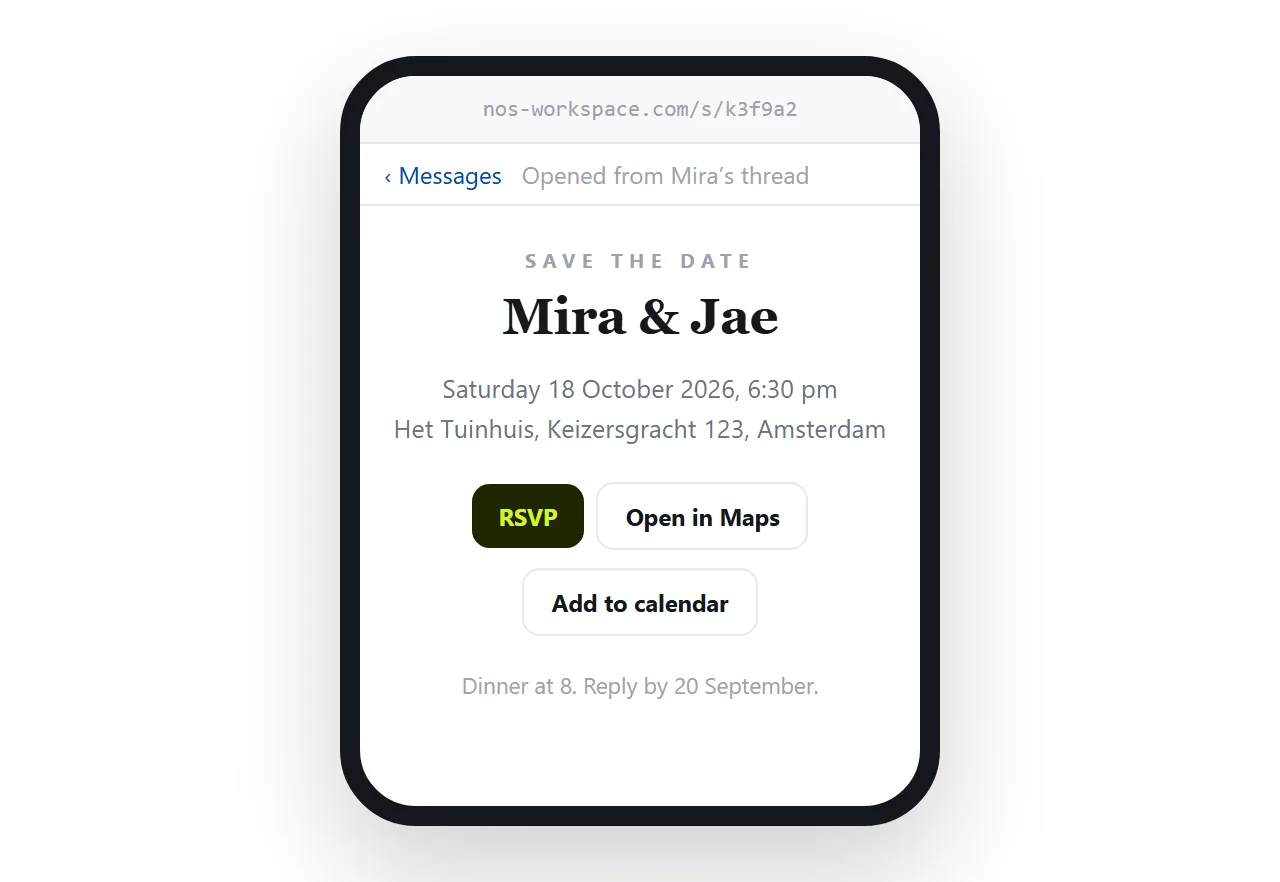
Guests open invitations on phones, in messaging apps, often while doing something else. The design work is wasted if the first tap produces a download rather than a page.
What goes in wedding invitation HTML
An invitation is a short page, which makes it easy to keep self-contained. Keep it to one file with everything inside.
- The facts, high up. Names, date, day of the week, start time, venue name. A guest scanning for one detail should not have to read a paragraph.
- The address as text, not only as a map image. Text can be copied into a navigation app.
- A link out to the map, rather than an embedded map that may not load.
- Directions and parking, below the facts.
- A reply route. A mail link or a form address. Keep one, not three.
- Dress code, if there is one. Guests ask, and they ask individually.
<meta charset="utf-8">
<meta name="viewport" content="width=device-width,initial-scale=1">
<title>Mina and Joon, 14 March 2027</title>
The <title> becomes the browser tab and the text on the preview card in chat. Put the names and date in it.
Formats guests actually open
| You send | Guest sees the invitation | Detail changes later |
|---|---|---|
| A link to the rendered page | Yes, one tap, any device | Edit the page, link unchanged |
| An image of the invitation | Yes, but text is not selectable | Re-export and resend |
| A PDF | Usually, after a download | Resend to everyone |
The .html file |
Rarely on a phone | Resend to everyone |
| A paper card only | Yes | Reprint |
The middle rows are not wrong, they are just frozen. Weddings change details more often than people expect, and the frozen formats mean a second message to everyone.
Make it survive the phone
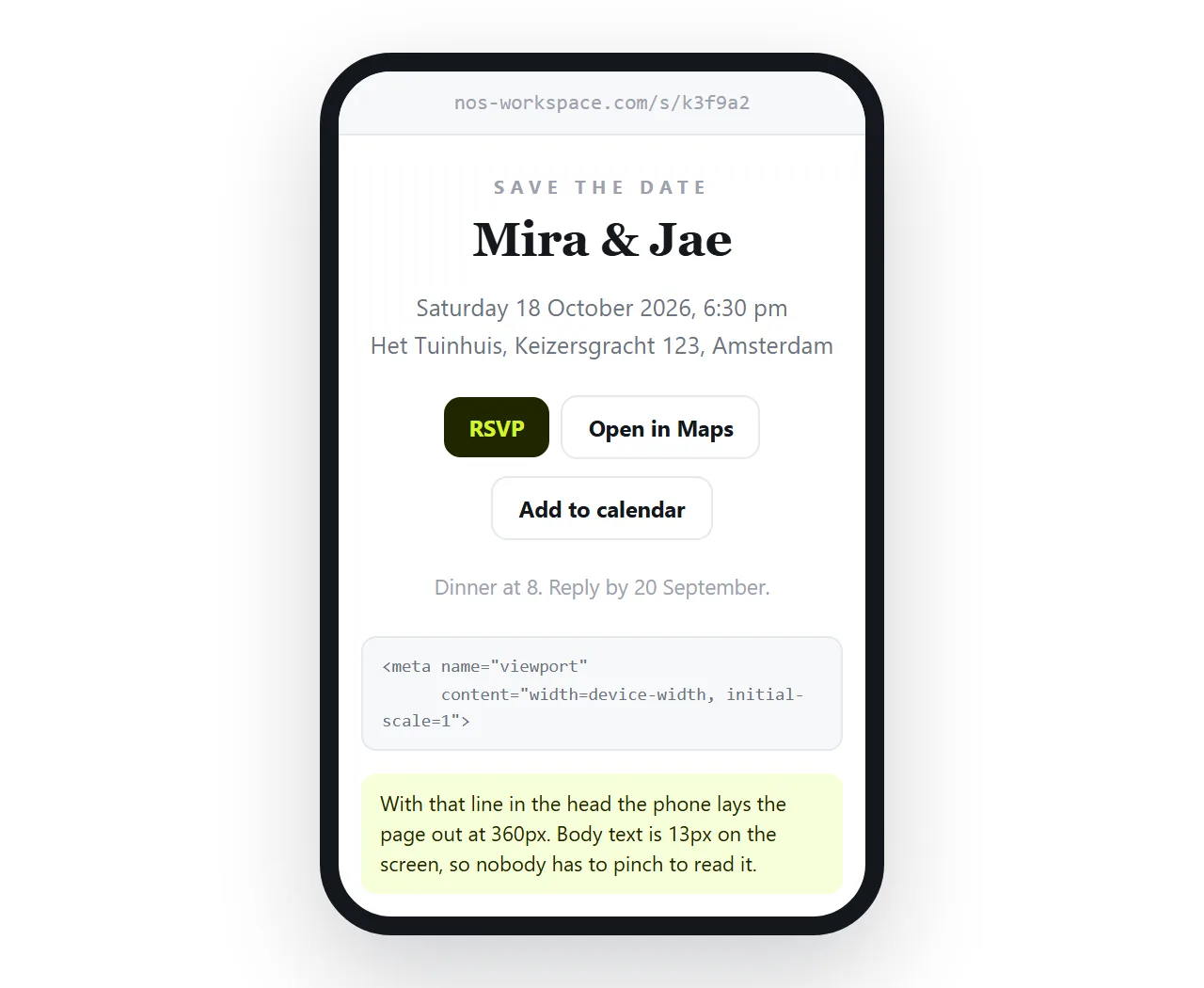
Three things decide whether an invitation is readable on a small screen.
The viewport line. Without the viewport meta tag the page is laid out at desktop width and shrunk, so the names are unreadable.
One column. Side by side panels collapse badly. Use a media query to stack, or design in one column from the start and skip the query.
Web fonts with a fallback. A script face is often the whole look, but a web font that fails to load leaves the page in a default serif. Name a real fallback in the font stack.
Images deserve the same care. A photo referenced by folder path stops working the moment the page leaves your computer, which is why images go missing in HTML. Use a full address or embed the image as base64.
Turning it into a link
- Open the file somewhere neutral. The HTML file opener has never seen your folder. What survives there survives for guests.
- Paste the HTML into a document. It renders exactly as written, as a page of its own.
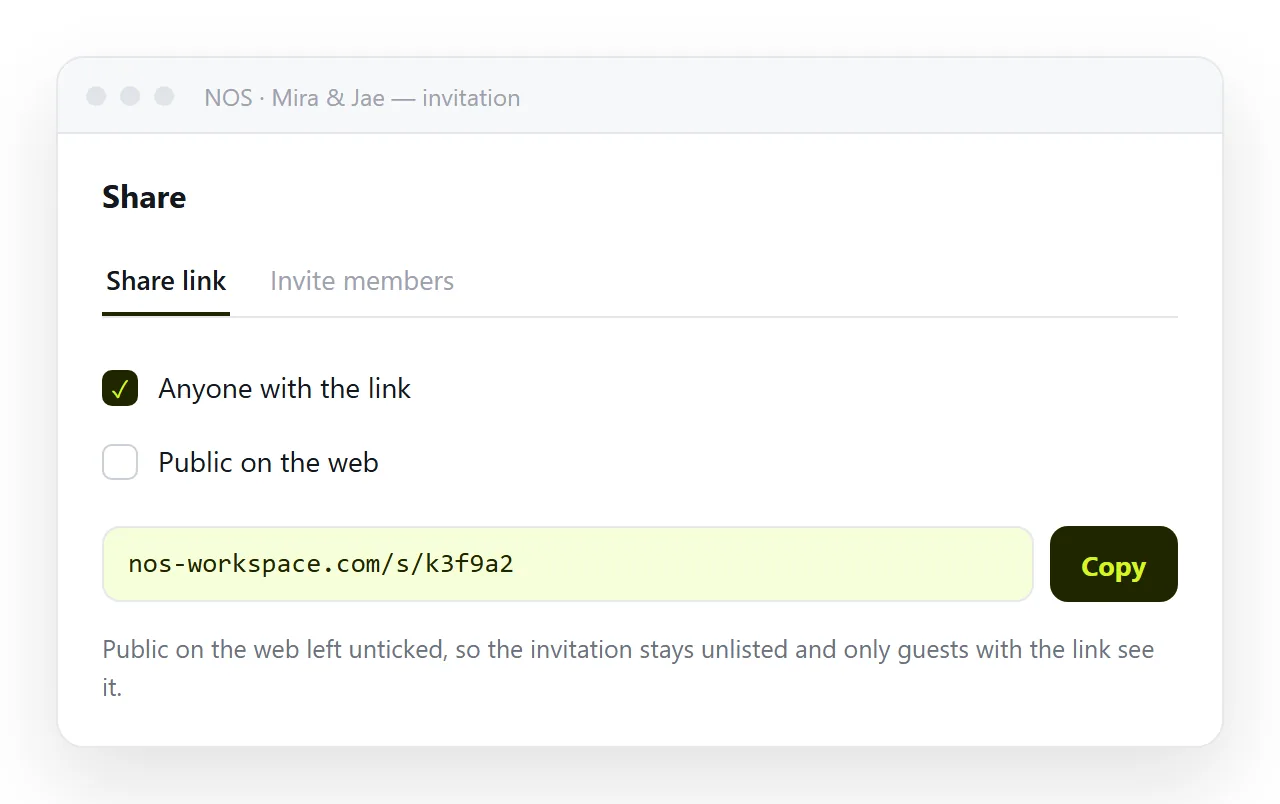
- Create the share link. Share, then Share link, then Create link. It is unlisted by default, which is what you want for an invitation.
- Send the link. It opens in a tap and shows a preview card in most messaging apps.
If you want a card with the couple's photo when the link is pasted into a chat, add Open Graph tags to the page.
Corrections without a second announcement
This is the practical reason to use a link. Venues move the start time. Parking arrangements change. A relative's name is spelled wrong.
With a link, you click the text in the rendered document, fix it, and the address you already sent now shows the correction. Nobody receives a "please ignore the previous message" note.
With a file or an image, every copy in every chat thread is still wrong, and you have no way to know who read which one.
An unlisted link is not a password. It works for anyone who has it, so assume it will be forwarded, which is usually fine for an invitation.
Two cautions. Do not put a home address on a page you also tick Public on the web for. And if you are collecting replies, use a form rather than listing guest names on the page itself.
For the same pattern applied to other events, see HTML for event invites and turning an invitation into a link.
If the invitation came from an AI chat
Generated invitation HTML is usually one self-contained file, which is the right shape. Two checks before sending.
Copy the complete file, including the closing tag, because chat panes truncate. Then open it once on its own to confirm the fonts and images resolved rather than pointing at something that only existed in the chat.
After that, paste and share as above. Changing the names or the date afterwards is an edit you can make without touching code.
A short pre-send check
Run this before the link goes into the family group chat.
- Open the link on a phone, not only on the machine you built it on.
- Confirm the date, the day of the week and the start time agree with each other.
- Tap the map link and see where it lands.
- Check the reply route actually reaches you.
- Read the names out loud. Spelling errors in names are the one mistake nobody forgives.
Send it to one person first and ask what they see. That catches a blocked font or a missing photo before two hundred people find it.
Some guests will want a paper copy, and some will ask for a PDF to forward on.
Print the page from the browser and save as PDF. Add a small print block first so the page prints on white with the decorative background dropped.
Keep the link as the live version and treat the PDF as a snapshot. If a detail changes later, the page changes and the PDF does not, so do not circulate the PDF widely.