An HTML invitation template has one job and a hostile environment: it is read on a phone, in a hurry, once.
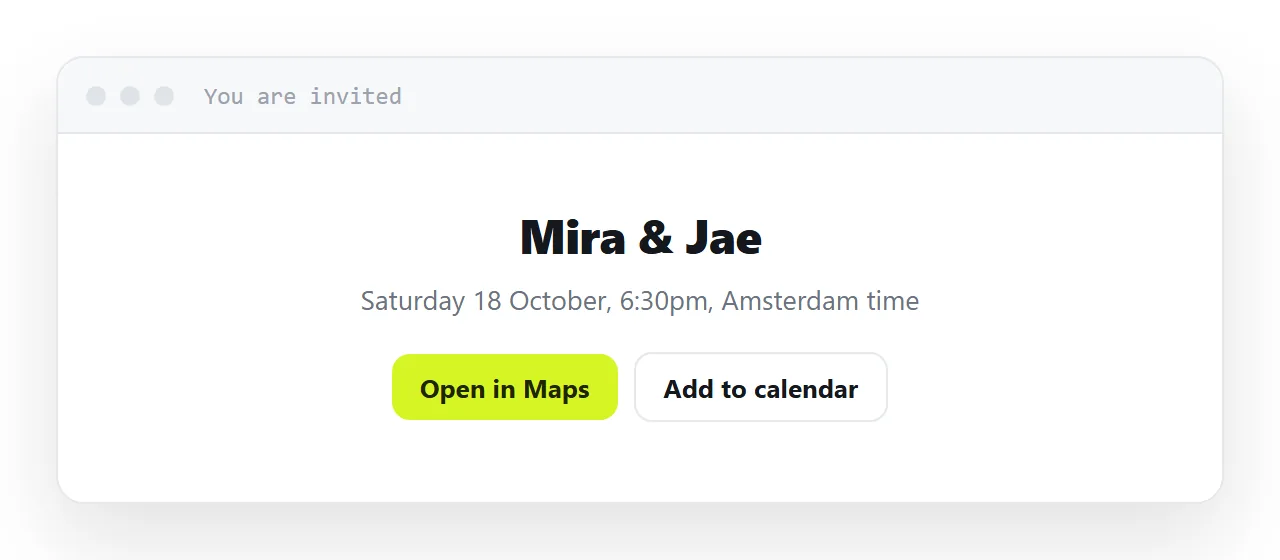
Send it as a picture and the address is not tappable and the date cannot be copied into a calendar; send it as a page at an address and both work.
This guide covers the five details that decide whether guests turn up, the honest options for collecting replies, what happens when the time changes, and the four steps to put the invitation at one address.
An invitation has one job and a hostile environment: it is read on a phone, in a hurry, once. If the address is hard to read or the date is ambiguous, people do not ask — they just do not come.
The HTML invitation template: a page, not a picture
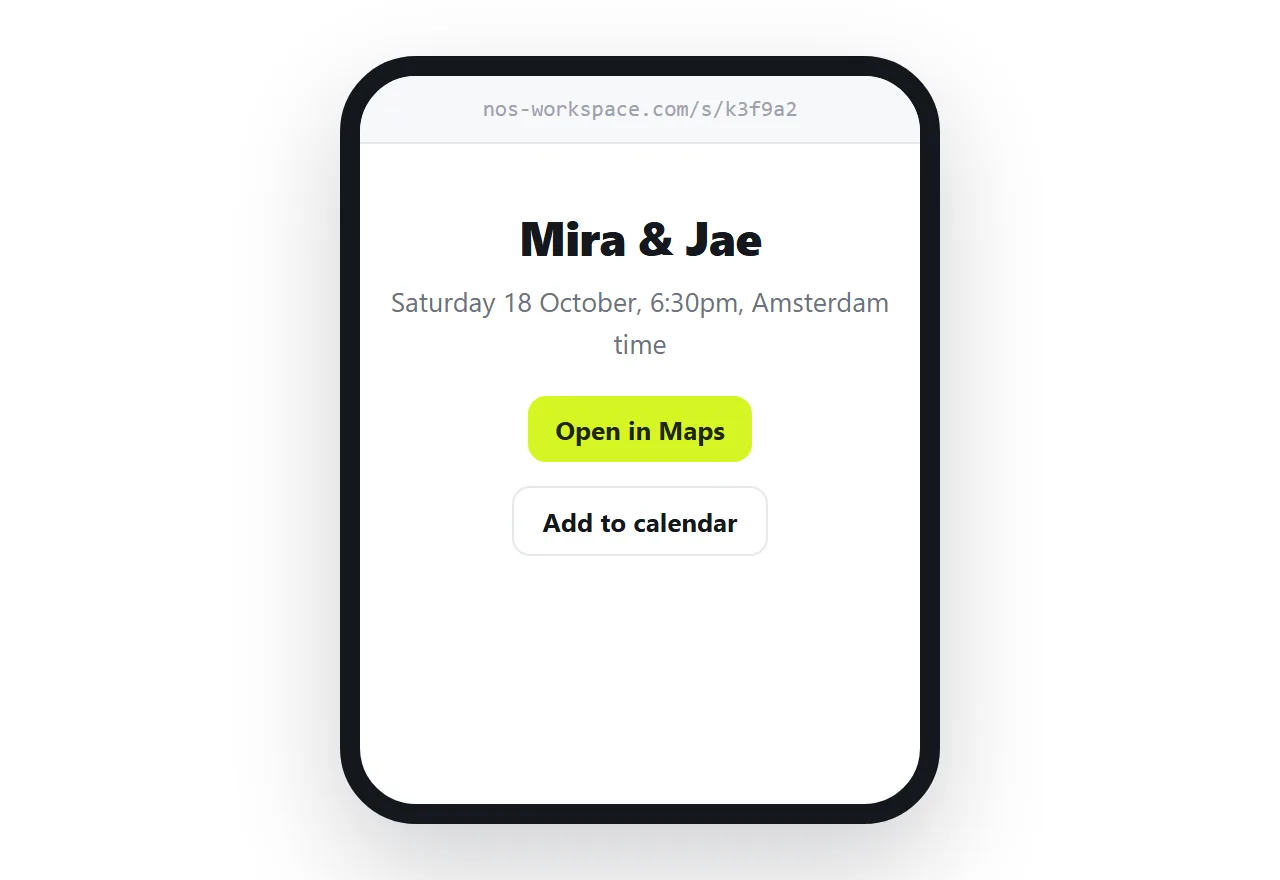
An invitation as an image means pinching to read the venue, no way to tap through to a map, and nothing to add to a calendar. As a link it opens at the reader's own screen width, shows a preview card in whatever app you sent it through, and can carry everything a guest needs to act.
Publishing the page gives you the address.
The details that decide whether people turn up
An unambiguous date line
<p class="when">
  <strong>Saturday 18 October, 6:30pm</strong><br>
  Doors from 6:00 · ends around 10:00
</p>
Spell out the weekday. 18/10 means two different days depending on the reader's country, and a guest who has to work it out is a guest who might get it wrong.
An address that is tappable
<a href="https://maps.google.com/?q=52.3676,4.9041">
  Keizersgracht 174, Amsterdam
</a>
Use coordinates rather than a place name where you can — place names get resolved to the wrong branch. One tap should open the guest's own maps app with the destination already set.
A calendar file
<a href="event.ics" class="btn">Add to calendar</a>
An .ics file is read by every calendar application there is. One tap and the event is in, with the right time zone, which removes the single most common cause of somebody arriving an hour out.
BEGIN:VCALENDAR
VERSION:2.0
BEGIN:VEVENT
DTSTART:20261018T163000Z
DTEND:20261018T200000Z
SUMMARY:Autumn dinner
LOCATION:Keizersgracht 174, Amsterdam
END:VEVENT
END:VCALENDAR
Times in Z are UTC. Get that conversion right once and every guest's calendar shows the correct local time automatically.
A preview card worth tapping
<meta property="og:title" content="Autumn dinner — Sat 18 Oct, 6:30pm">
<meta property="og:description" content="Keizersgracht 174. Reply by the 10th.">
<meta property="og:image" content="https://example.com/invite.png">
In a chat app the card is the invitation for most recipients — see Open Graph tags. Put the date in the title, because that is the part people screenshot.
One column, generous type
An invitation is the clearest case for designing at phone width first. One column, 17px or larger body text, and the date, address and reply instruction all visible without scrolling.
Collecting replies — the honest version
A plain HTML page cannot receive a submission. There is nowhere for the data to go. Your realistic options:
| Route | Works | Cost |
|---|---|---|
| Reply to the message | Always | You tally by hand |
mailto: link |
Usually | Opens their mail app, which some people abandon |
| Link out to a form service | Always | An extra page, and a second service |
| A form posting to your own endpoint | Yes | You are now running an endpoint |
For anything under about fifty guests, the first row is genuinely the best option. See turning a form into a link for why the middle rows are more work than they look.
When the time changes
It always does. With a link, you change the page and every guest who opens the invitation sees the new time — including the ones who received it a month ago and will look at it again the morning of.
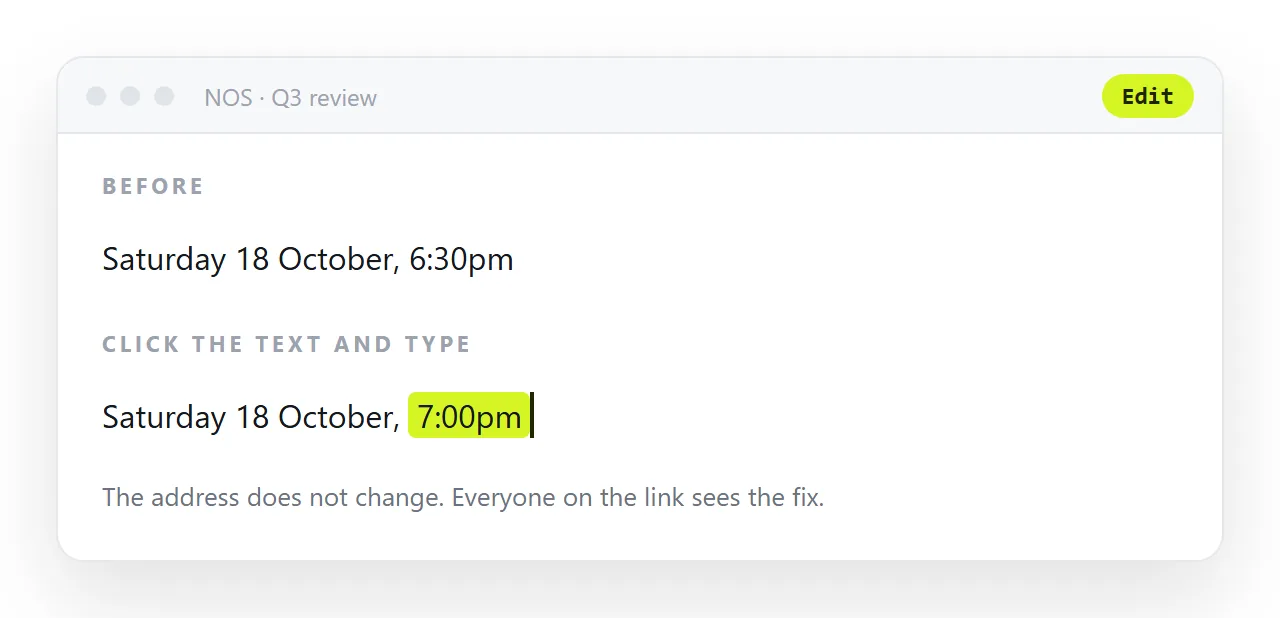
In NOS the invitation page keeps its address while the text inside it stays clickable and correctable. Change the hour, and the invitation people already have in their messages is the corrected one. No second message, and nobody arriving for the old time.
The reply instruction
Say exactly how to reply and by when, in one line, near the top: "Reply to this message by 10 October." Guests reply through the channel the invitation came in, so the instruction should name that channel rather than an email address they have to type.
If numbers matter for a booking, say so, and say what happens after the date. An invitation with a clear reply line gets replies; one that assumes people will work it out gets a headcount the morning of.
Making the page load fast at the bus stop
An invitation is opened on whatever connection the guest has at that moment. Keep it light. One hero image, resized to the width it is shown at and saved as WebP, not the four-megabyte original from the camera.
A system font rather than an embedded one. No script unless it does something. A page under half a megabyte opens before the guest has finished reading the message that carried it.
Who can see it
An unlisted share link works for anyone who has it, which for an invitation is what you want: guests forward it to partners and nobody has to log in. Just remember that it is a link, not a password.
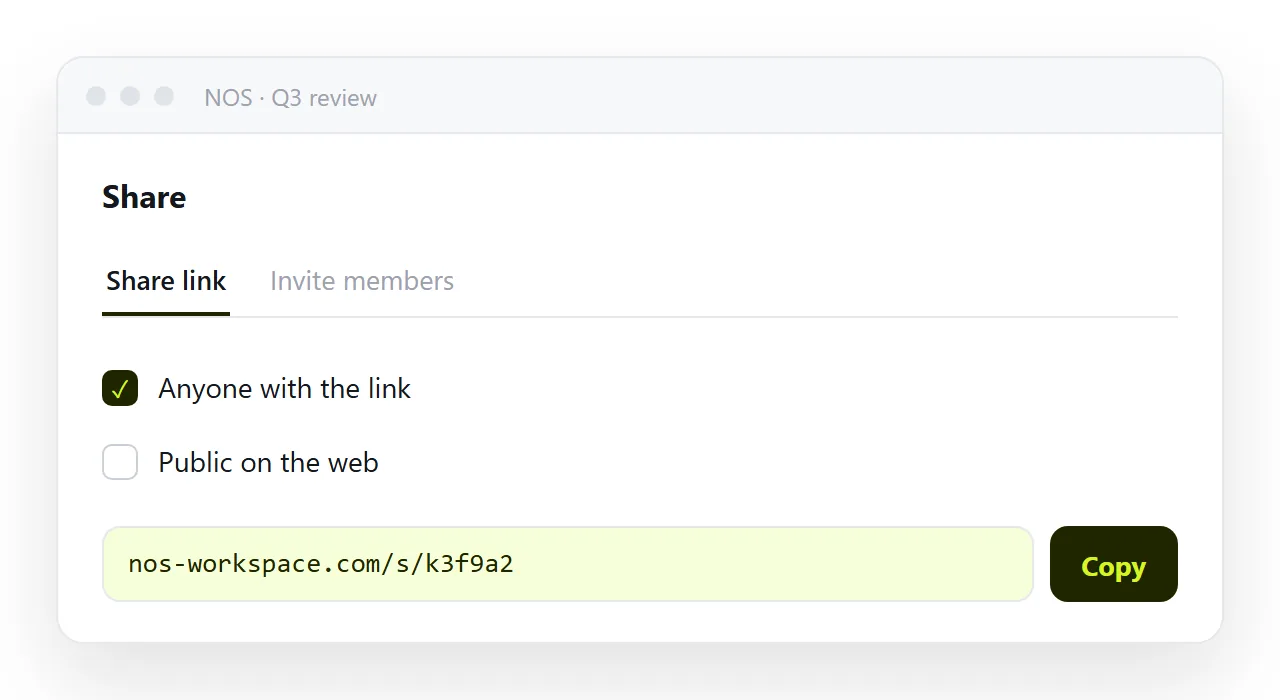
Keep the page to what you would be comfortable with a guest's friend seeing, and put anything private, the door code, the exact address of a home, in the reply thread rather than on the page.
Sharing the invitation as a link: 4 steps
- Write the date with the weekday and the time zone.
Saturday 18 October, 6:30pm, never18/10. - Make the address a map link and add a calendar file. One tap opens the guest's own maps app with the destination set; one tap on the
.icsputs the event in their calendar at the right local time. - Paste the invitation into a NOS document and copy the share link. Share, then Share link, then Create link. Put the date in the page's title so the preview card in chat carries it. Turning HTML into a link is this step.
- When the time changes, change the page. Every guest who looks at the invitation again, including the morning of, sees the new time. No second message, and nobody arriving for the old one.