An event link is one address holding everything about an event, so attendees can check details, forward it, and find it again on the day.
The value is not the first send. It is the fourth time someone needs the address and cannot find your email.
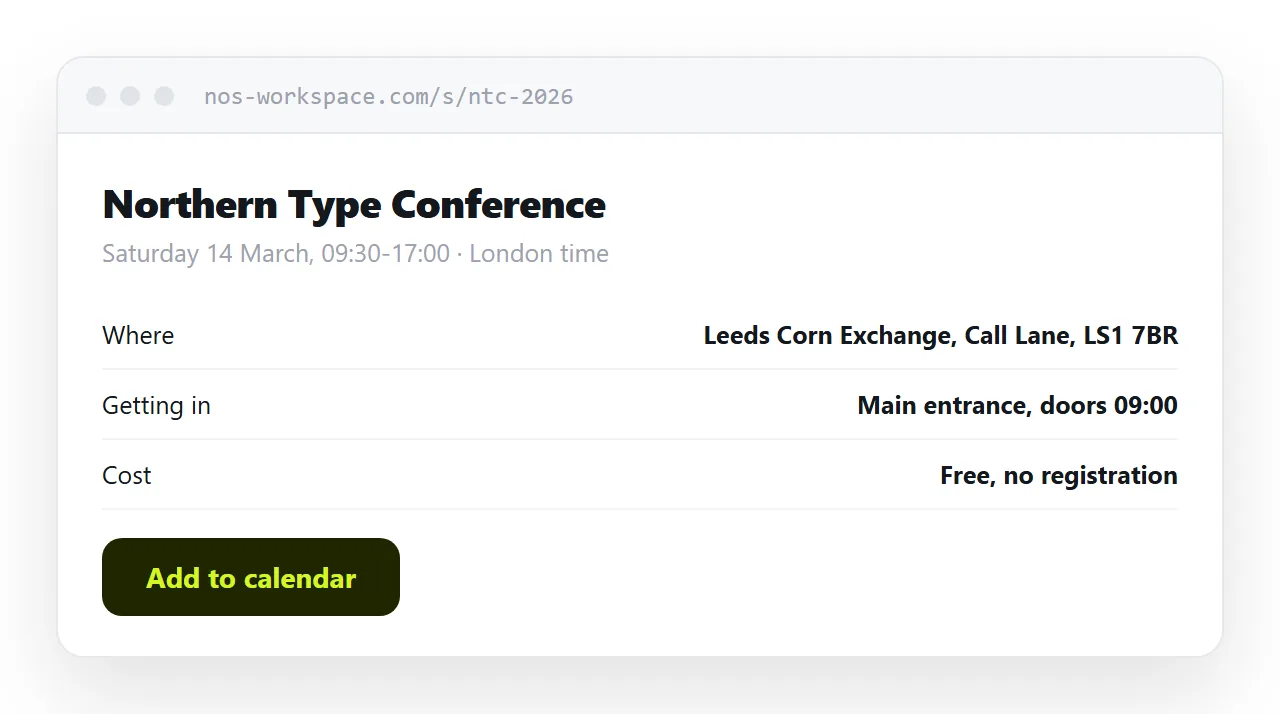
This guide covers the six questions to answer, handling changes, where a ticketing system becomes necessary, and what to do with the page afterwards.
The six questions
Every event generates the same enquiries. Answer them in the first screen and the enquiries stop.
| Question | What to put |
|---|---|
| What is it | One line, no jargon. Forwarded readers have no context |
| When | Date, start and end, with the time zone named |
| Where | Full address, linked to a map. Or the joining link |
| How do I get in | Door, floor, who to ask for, any code |
| What does it cost | A number, or the word free |
| Who do I ask | A name and a direct address |
The fourth is the one most often left out and most often needed. An attendee standing outside a locked office building at 09:25 is looking for it.
<header class="event">
<h1>Northern Type Conference</h1>
<p class="when"><time datetime="2026-03-14T09:30">Saturday 14 March, 09:30-17:00</time>
· London time</p>
<p class="where">Leeds Corn Exchange, Call Lane, Leeds LS1 7BR</p>
<p class="entry">Main entrance, ask at the desk. Doors 09:00.</p>
<p class="cost">Free, no registration</p>
<p><a href="/ev/ntc-2026.ics" download>Add to calendar</a></p>
</header>
The time element with a machine-readable datetime helps search engines show the event correctly and costs nothing to include.
Offer a calendar download
An .ics file gets the event into whatever calendar the attendee uses, with the time zone correct.
That single download does more for attendance than any reminder you send, because it puts the event where they will look. Details in calendar invite link.
Changes are the reason for the address
Venues move. Start times shift. A speaker drops out and the running order changes.
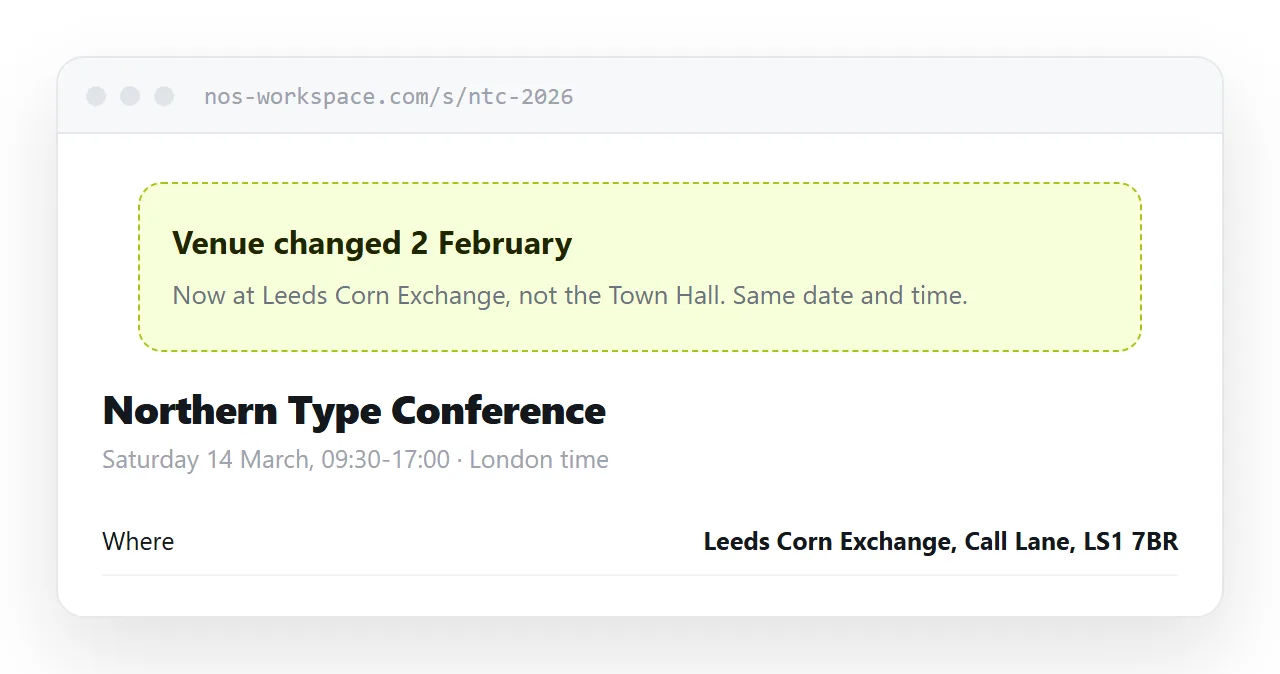
With a message, your correction reaches the people you originally emailed and nobody else. Everyone who was forwarded the event still has the old details, and some of them will turn up at the wrong place.
With a page, you edit it. Put a dated line at the top saying what changed, so somebody who read it last week notices the difference rather than assuming they misremembered.
Remote and hybrid
If any part is remote, the joining details belong on the page rather than in a separate message.
The link, the dial-in number, and the code. Attendees look for these two minutes before the start, on a phone, and a page they already have open is the one place they can reliably find them.
For hybrid events, say plainly which parts are remote-accessible. Nothing annoys a remote attendee more than joining for a session that turned out to be in-room only.
When you need ticketing
The line is capacity.
A free talk, an open meetup, an internal briefing: a page is enough. People come or they do not, and nothing has to be enforced at the door.
Paid entry, limited places, or allocated seating need a system that records who has been admitted, because a page has no memory and cannot stop a link being forwarded. That distinction is covered in ticket link.
Between the two sits the event where you want a rough headcount. A simple form is enough for that, and it does not need to be a ticketing platform.
Afterwards, make it the record
The instinct is to take an event page down once the event has passed. Do not.
Add what came out of it: the slides, a recording, the notes, photographs. People search for a talk weeks later, and an event page that became a record is worth more than the announcement ever was.
Mark clearly that it has happened, with the date, so nobody turns up.
Put it at an address
Answer the six questions, name the time zone, offer a calendar download, and create a share link.
Use that one address in every message, poster and post. When something changes, change the page.