A base64 image in HTML is a picture written into the src attribute as text instead of referenced as a file: data:image/webp;base64, followed by the encoded bytes.
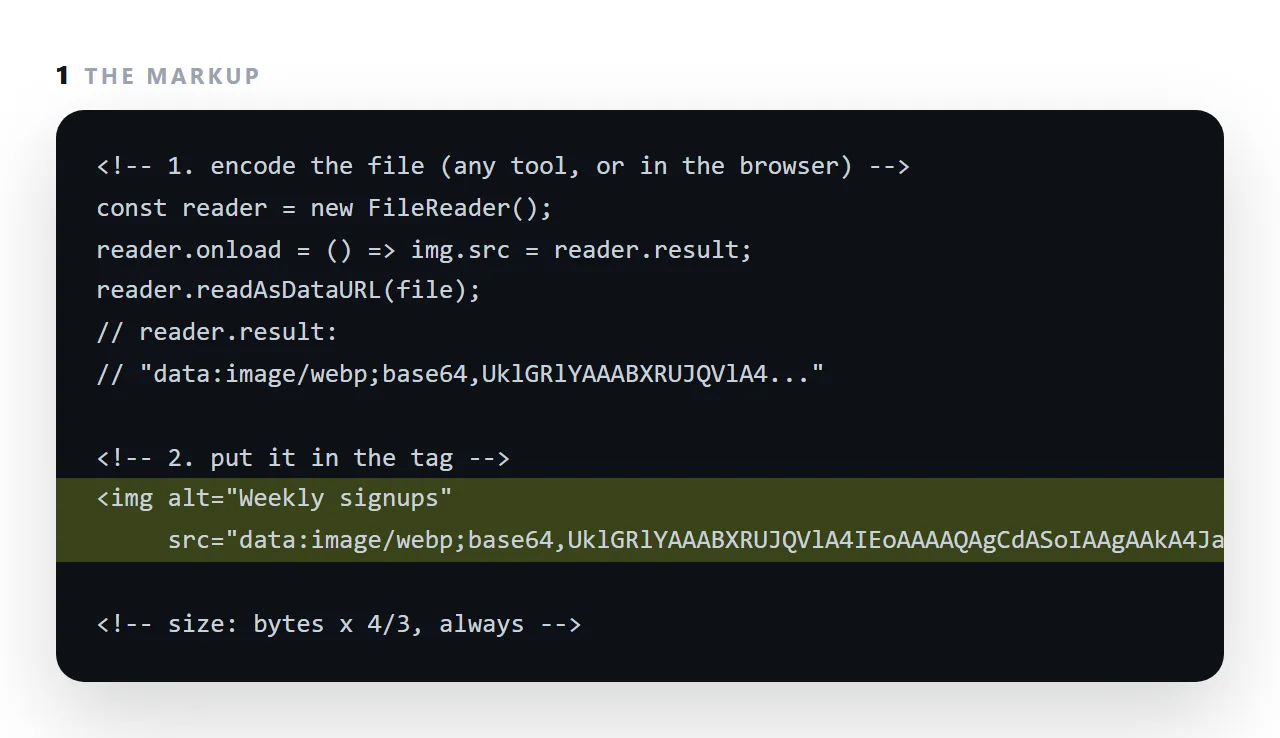
The image is then part of the HTML, and sending the file alone sends the picture.
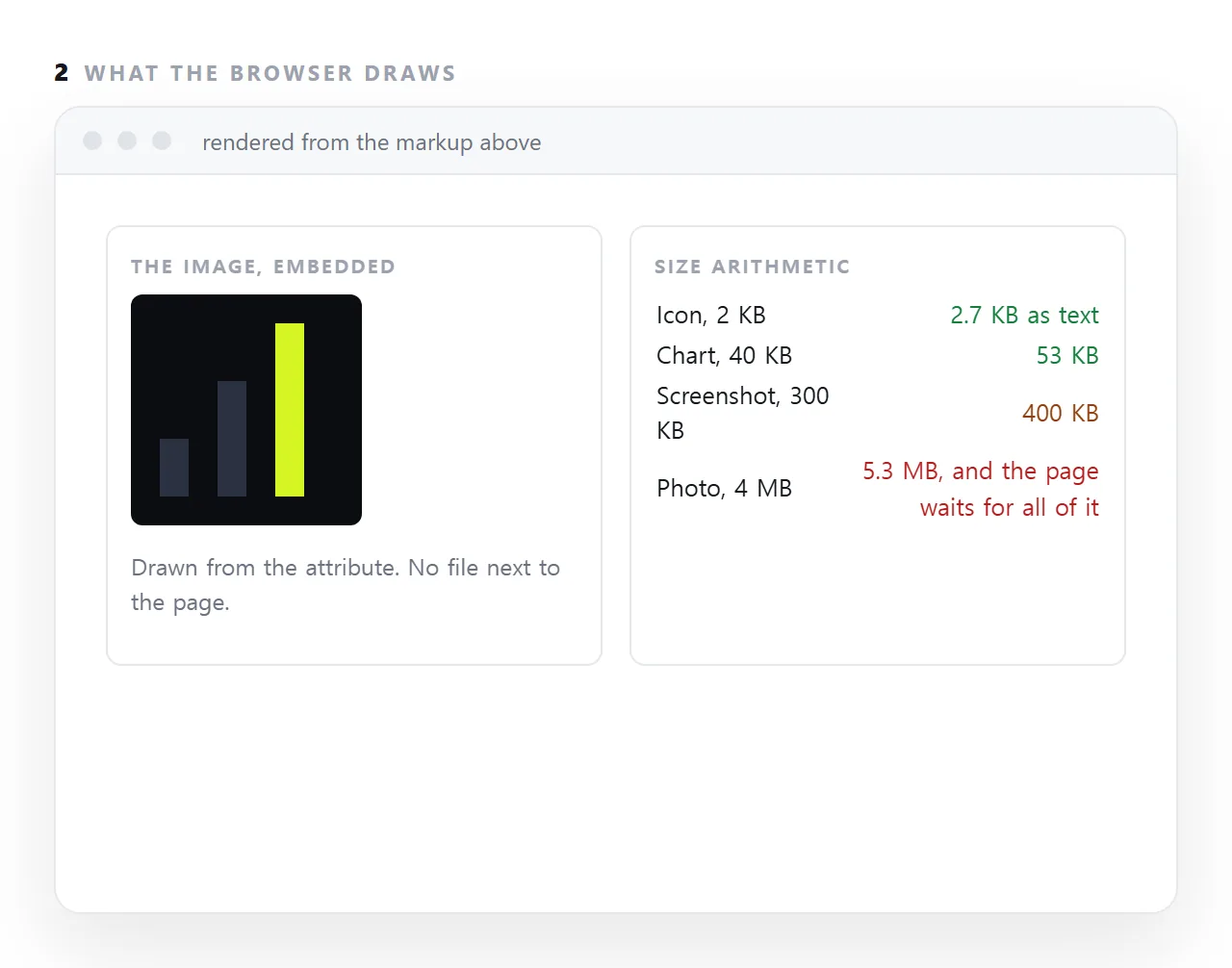
That is exactly what a page that will be emailed or pasted needs for its icons and small charts, and exactly wrong for photographs, which grow by a third and hold up rendering.
This guide covers producing the string, compressing first, the arithmetic, and when a full address is the better choice.
<img src="data:image/png;base64,iVBORw0KGgoAAAANSUhEUgAAAAEAAAAB..." alt="Weekly signups">
The picture is now inside the HTML. Nothing can separate them — no folder to keep together, no address to go stale.
Producing a base64 image
In a shell
base64 -w0 chart.png > chart.b64
-w0 prevents line breaks. Without it the output is wrapped at 76 characters and a newline inside a src attribute breaks it.
In a browser
<script>
  var r = new FileReader();
  r.onload = function () { console.log(r.result); };
  r.readAsDataURL(file);   // gives the full data URI, prefix included
</script>
readAsDataURL returns the complete string starting data:image/png;base64, — the least error-prone route, since there is no prefix to assemble by hand.
Assembling it by hand
data:image/png;base64,<the base64 text>
data:image/jpeg;base64,<the base64 text>
data:image/webp;base64,<the base64 text>
The media type must match the actual file. A JPEG labelled as PNG will not display, and nothing explains why.
Compress first
This is the step people skip, and it is the one that matters most.
A screenshot from a phone can be several megabytes. Encoded, it is a third larger again as text inside your HTML. The same image resized to twice its display width and saved as WebP might be 80KB, which encodes to about 107KB.
Order of operations:
- Resize to roughly twice the display width — no more.
- Compress — WebP for photographs and flat colour, PNG for screenshots with fine text.
- Then encode.
Encoding an uncompressed image is how a one-page report becomes a 12MB file.
When embedding is worth it
| Case | Verdict |
|---|---|
| A small icon or logo | Yes — removes a request |
| A favicon in a single-file page | Yes |
| A diagram in a report sent as one file | Yes |
| A page that must work with no network | Yes |
| A page rendered in a restricted preview | Yes — outside requests are blocked |
| A photograph | No |
| A portfolio with eight images | No |
| Any page served normally from a site | No |
Why photographs are the wrong case
Three costs that compound:
No progressive rendering. The image is part of the document, so the browser has nothing to show until the whole document has arrived. Separate images appear one by one as they load.
No independent caching. A separate image is cached once and reused. An embedded one is re-downloaded with every copy of the page.
No lazy loading. loading="lazy" cannot defer something already inside the document, so images below the fold are paid for whether or not anyone scrolls.
Prefer SVG where the content allows
For icons, logos, charts and diagrams, inline SVG beats base64 on every axis: smaller, sharp at any zoom, colourable by your CSS so it follows dark mode, and readable as text in the file rather than an opaque blob.
Reach for base64 only when the content is genuinely a photograph or a raster screenshot.
The blocked case
A strict Content-Security-Policy that omits data: from its image directive blocks data URIs. So an embedded icon can work locally and vanish once published. If images disappear after deployment and the console mentions a policy, that is the cause.
Three base64 mistakes that cost the most
Skipping the compression step. A screenshot saved from a phone is three or four megabytes; encoded, it is five, and the page shows nothing until the last character has arrived. Resize to the display width and save as WebP first, and the same image is forty kilobytes.
Losing the type. data:;base64, with no image/png or image/webp leaves the browser guessing, and some do not guess.
Embedding the same image twice. A logo that appears in the header and the footer is encoded twice, doubling its cost. Put it once in an inline SVG symbol or a CSS rule and reference it.
Where the string comes from, concretely
On a Mac or Linux terminal, base64 -i chart.webp prints the string. On Windows PowerShell, [Convert]::ToBase64String([IO.File]::ReadAllBytes("chart.webp")). In a browser, an <input type="file"> and FileReader.readAsDataURL return the complete data URI with the type already in front.
Any of the three takes seconds; the part that takes judgement is deciding which images deserve it.
Embedding an image as base64: 4 steps
- Resize and compress the image first. To the width it is shown at, as WebP or a compressed PNG. Encoding makes whatever you start with a third larger.
- Encode it. Any base64 tool, a one-line shell command, or
FileReader.readAsDataURLin the browser. - Put it in the
srcwith its type.data:image/webp;base64,then the string, pluswidth,heightandalton the tag. - Keep photographs out. Anything over about 100 KB goes at a full
https://address instead, or the page becomes megabytes of text that has to arrive before anything draws.