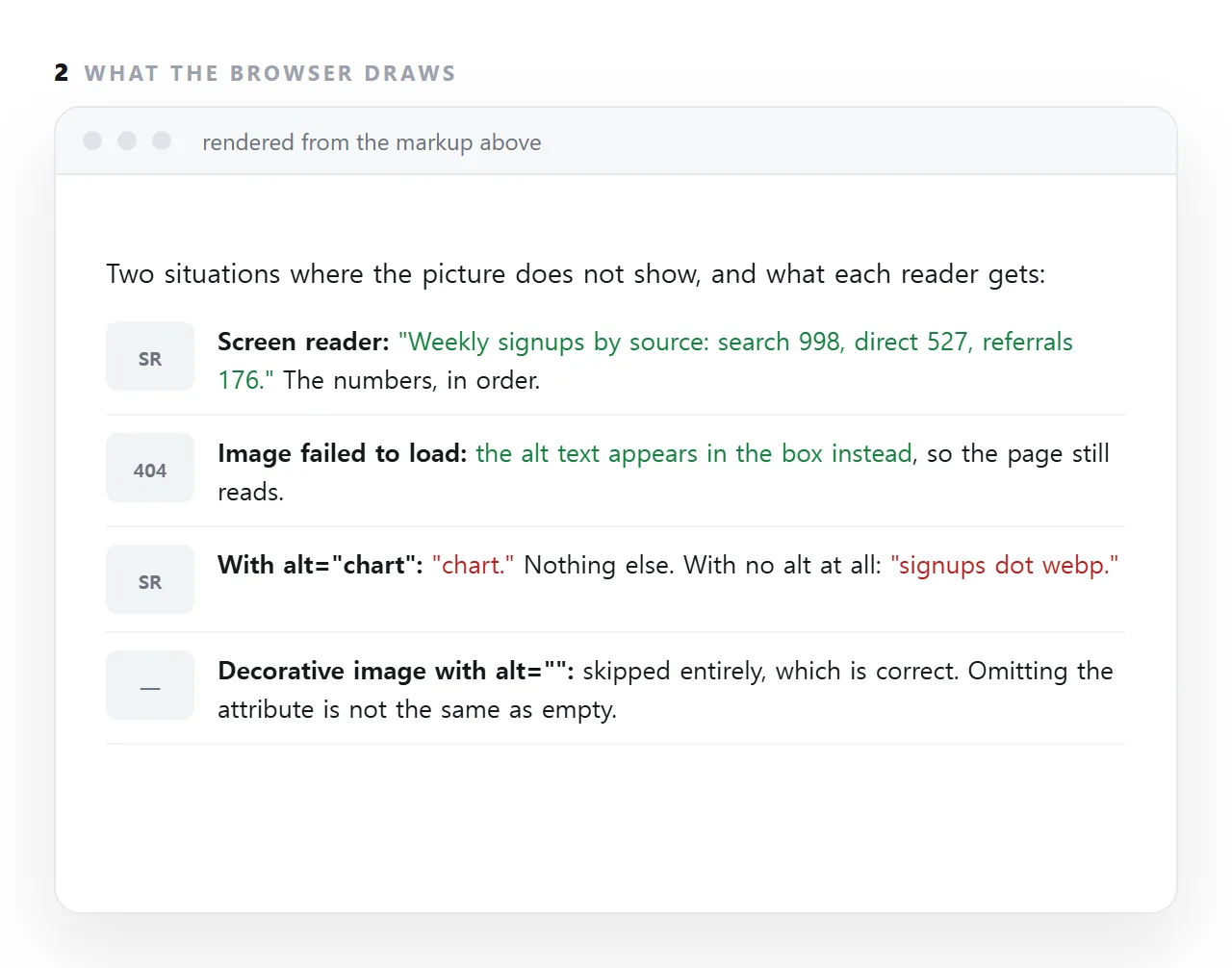
Alt text in HTML is the alt attribute on an image, and it does two jobs: a screen reader speaks it in place of the picture, and the browser shows it in the box when the image file fails to load.
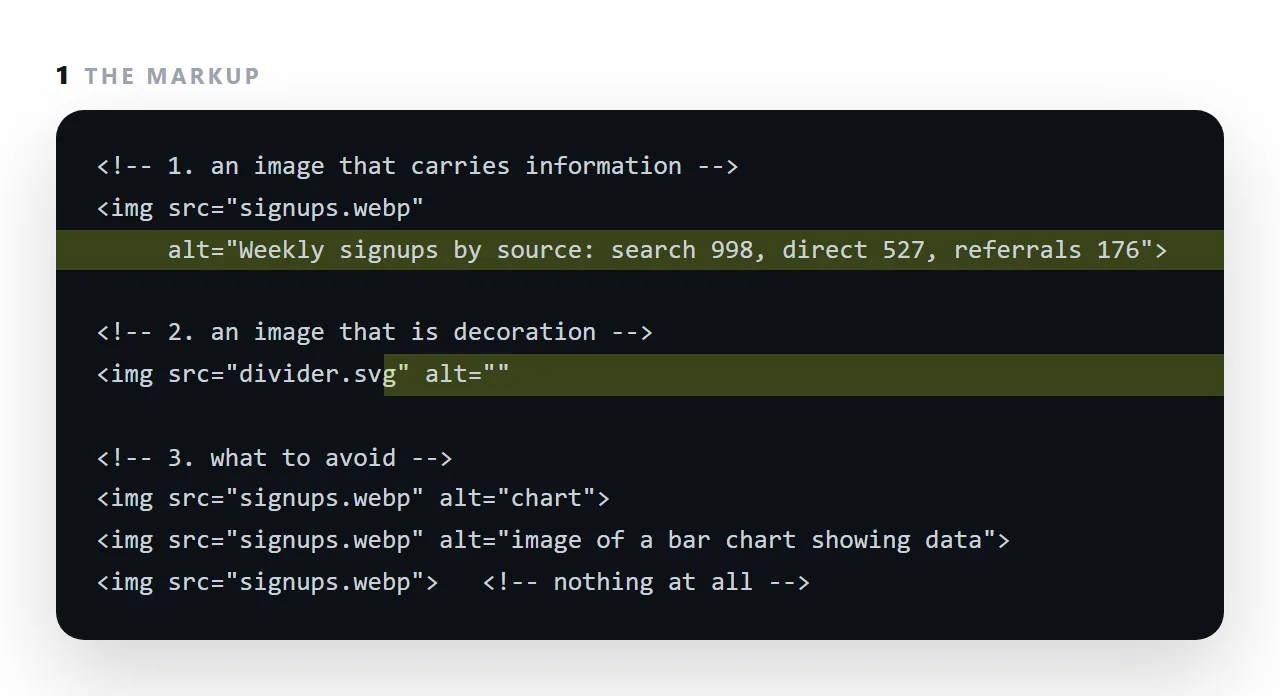
Both jobs want the same thing, the information the image carries, in words. "Chart" tells nobody anything; "Weekly signups by source: search 998, direct 527" tells both readers what they would have seen.
This guide covers writing the information rather than a description, why an empty alt is a real answer for decoration, why omitting the attribute is the one wrong choice, and charts and diagrams specifically.
<img src="chart.png" alt="Signups by source: search 998, direct 527, referrals 176">
Two audiences read that. Someone using a screen reader, and everyone whose image failed to load — which is a larger group than people expect, since a broken path is the most common fault in a page that has travelled.
Alt text: write the information, not the description
The test: if you deleted the image and left only the alt text, would the page still make sense?
| Image | Poor | Good |
|---|---|---|
| A bar chart | alt="chart" |
alt="Signups by source: search 998, direct 527, referrals 176" |
| A product photo | alt="image of a chair" |
alt="Oak dining chair, spindle back, natural finish" |
| A screenshot | alt="screenshot" |
alt="The settings panel, with sharing switched off" |
| A team photo | alt="photo of people" |
alt="The four people who built the first version, 2024" |
| A logo in a link | alt="logo" |
alt="NOS home" |
| A decorative divider | alt="divider" |
alt="" |
Two patterns visible there. Say what the image tells the reader. And for an image inside a link, describe the destination rather than the picture, because that is what the reader is choosing.
Empty alt is a real answer
<img src="flourish.svg" alt="">
alt="" means "decorative, skip it". A screen reader passes over it silently, which is correct for anything that adds no information.
The important distinction:
alt=""— deliberately decorative, skipped.- No
altattribute at all — unknown, so some screen readers read the filename aloud.alt-final-v2-compressed.pngis worse than nothing.
Always include the attribute. Leave it empty when there is nothing to say.
Charts and diagrams
An image of a chart conveys nothing without sight, and alt="bar chart" conveys nothing either. Two options:
State the values.
<img src="signups.png" alt="Signups by source, week of 7 Sep: search 998, direct 527, shared links 418, referrals 176. Total 2,119.">
State the conclusion, when there are too many values to list.
<img src="trend.png" alt="Signups rose steadily from January to September, roughly doubling, with a dip in July.">
For anything more complex, use inline SVG with a wrapper label and a caption — the caption then serves every reader:
<figure role="group" aria-label="Signups by source: search 998, direct 527, referrals 176">
  <svg aria-hidden="true" viewBox="0 0 720 160">…</svg>
  <figcaption>Signups by source, week of 7 Sep. Total 2,119.</figcaption>
</figure>
Things not to write
"Image of", "picture of", "graphic of." The reader is already told it is an image. Those three words are repeated on every one.
A keyword list. alt="html viewer online free tool preview" is unreadable when spoken and reads as spam to search engines.
A duplicate of the caption. If a figcaption already says it, the alt can be empty — otherwise the same sentence is announced twice.
Length
One sentence is usually right. Screen readers do not wrap alt text, so a paragraph is read as one long unbroken utterance with no way to skim.
If the image genuinely needs a paragraph — a complex diagram, a data table as a picture — put the explanation in the surrounding text where everyone can read it, and keep the alt short.
The secondary benefit
Alt text is how image search understands a picture, so good alt text does help you be found. Write it for the person who cannot see the image, and the search benefit follows. Writing it for search produces text that serves neither.
Charts, screenshots and diagrams
A chart's alt is its numbers: "Signups by source: search 998, direct 527, referrals 176". A screenshot's alt is what it shows, not what it is: "The Share window with the Share link tab selected", not "screenshot of a dialog".
A diagram's alt is its meaning: "A file on a disk becomes a served page, which becomes an address". If the alt would be a paragraph, the image needs a caption or a table beside it, and the alt can point to that.
Alt text and the fallback case
The second job, the text shown when the image fails to load, is the one people forget, and it is the one that matters when an HTML file is sent.
A page whose images referenced a folder that did not travel shows empty boxes; the same page with good alt text shows the numbers where the chart would have been, and still reads. Images not showing covers the cause; alt text covers the damage.
Writing alt text: 4 steps
- Ask what the image tells the reader. A chart: the numbers. A screenshot: what it shows. A product photo: the product.
- Write that, in one sentence, without "image of". The screen reader already announces that it is an image.
- Use
alt=""for decoration. Dividers, background shapes, a logo repeated in a footer. The reader skips them, which is right. - Never leave the attribute out. A missing
altmakes the screen reader read the file name. Empty is a decision; absent is a mistake. For charts, anaria-labelon the figure with the values does the same job.