A free Confluence alternative is easy to find and hard to compare, because the word free means three different things on the shortlist you are about to build.
Some tools are free because the code is open and you run the server. Some are free up to a number of users. Some are free up to a number of documents.

The three kinds of free
| Kind | Example shape | Runs out when | Hidden cost |
|---|---|---|---|
| Open source, self run | Wiki.js, Outline, BookStack, DokuWiki | Never, in licence terms | Server, upgrades, backups, your time |
| Free up to a user count | Hosted wikis with a small team tier | You hire | A sudden per seat bill |
| Free up to a content count | A workspace with a document limit | You publish a lot | Predictable, and easy to test first |
The middle kind is the one that surprises people. The limit moves with headcount, which is exactly when you are least willing to migrate again.
What self hosted free actually costs
Open source wikis are good software and the licence really is free. The cost lands elsewhere.
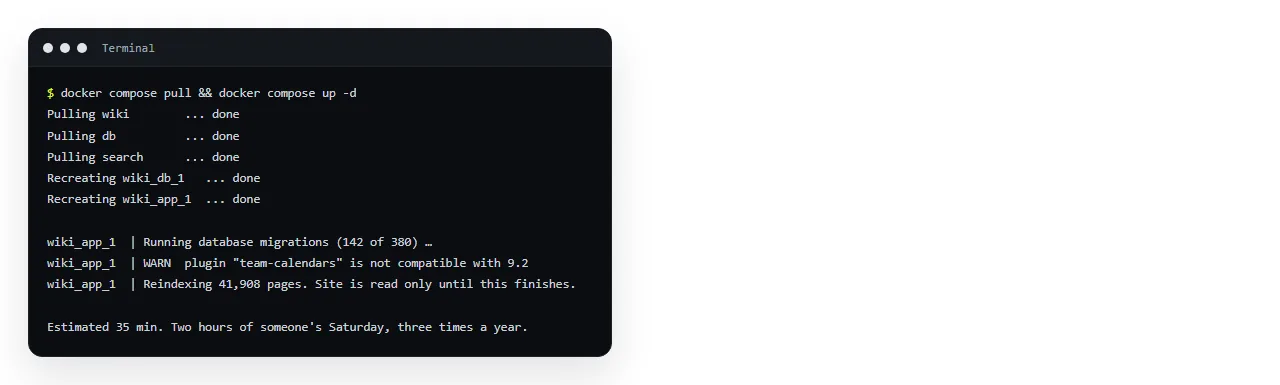
You need a server, a database, TLS certificates, a backup that has been restored at least once, and a person who notices when the version goes out of support.
For a team with an existing platform group, that overhead is close to zero because the machinery already exists. For a five person team without one, it is the most expensive option on the list.
The question that decides it faster than any feature table
How many pages does your team actually read each week?
Pull the view report from your current wiki. In most teams the answer is between five and twenty pages, and the rest is archive.
If the live set is that small, you do not need a wiki platform. You need a handful of pages that are correct, findable and at stable addresses.
That reframing is what makes free plans with a document limit workable rather than a trap.
Using a document limit deliberately
A NOS free workspace holds three documents. That sounds restrictive until you map it onto the live set above.
Three documents will hold a runbook, a current status or dashboard page, and an onboarding page. Those are usually the three that carry the reads.
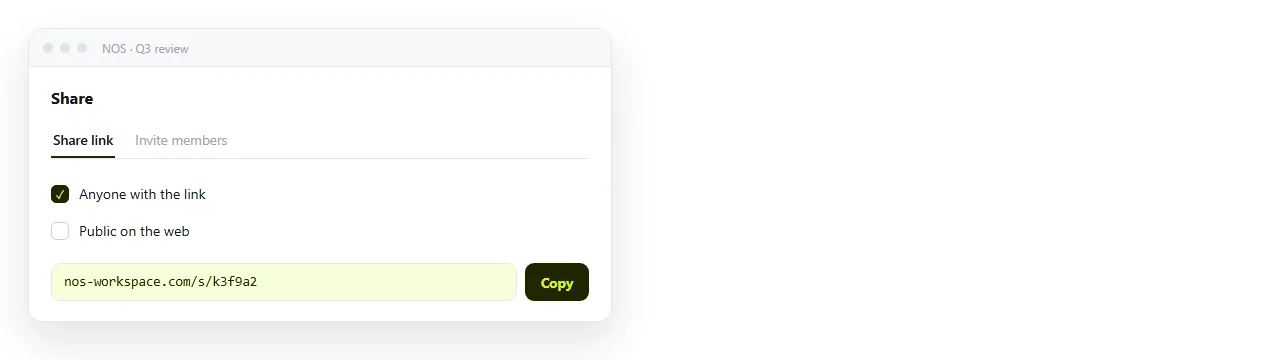
Each document has its own address. Share, then Share link, then Create link, and the link is unlisted by default so only people holding it can open it.
Tick Public on the web only for pages that should turn up in search, such as customer facing release notes.
The part free wikis handle worst
Interactive pages. A dashboard exported from a reporting tool, a chart, an AI generated one pager, a calculator.
In most wikis these need a plugin, a macro or a sandboxed frame, and each of those behaves differently from the file you tested. Free tiers are usually where plugin support is cut first.
Pasting the HTML into a document that renders it avoids the whole category. It renders exactly as written, dark theme, charts and scripts included.
Correcting it does not mean regenerating the export either. You click the text in the document and change it, and the link keeps pointing at the same address.
A free stack that does not collapse at month three
- Prose in whatever document tool your company already pays for. Google Docs and Office are already on the invoice.
- Tables people edit in a spreadsheet, for the same reason.
- Pages that must render in a document that accepts HTML, three of them on a free workspace.
- Archive as an exported zip in storage, not rebuilt.
Nothing here has a per seat cliff, because none of it is a wiki platform. That is the point.
Export before you need it
Whatever you are on now, run the export today and look at what comes out. This is the cheapest insurance available and almost nobody does it.
Wiki exports vary from clean markdown to a zip of HTML with rewritten links. The difference decides how much of a migration is copy and paste versus retyping.
If the export is poor, that is an argument for moving sooner rather than later, because the archive only grows.
Store the export somewhere your team can search. An archive nobody can grep is the same as no archive.
What free tiers usually cut first
Knowing the pattern helps you predict where a free plan will pinch.
- Plugins and integrations. The first thing removed, and the thing interactive pages depend on.
- Audit logs and access reports. Fine until someone asks who changed a page.
- Version history depth. Some plans keep a short window rather than everything.
- Support. Community forums instead of a ticket queue, which is a real cost during an outage.
None of these are unreasonable. They just need to be checked against what you actually rely on rather than assumed.
When to stop looking at free
Free stops being the right frame at three markers.
- Someone is on call for the wiki. That is a salary line, and a paid hosted plan is usually cheaper.
- You need audited permissions. Free tiers rarely carry the controls an auditor asks for.
- The archive matters legally. Retention obligations need a product with retention features, not a zip.
- More than a handful of people write daily. High write volume is where structure starts earning its cost.
Until one of those is true, a free stack assembled from tools you already have will outperform a migration.
If the reason you want free is that the server must be yours, self hosted Confluence alternatives covers that route properly. For the wider decision, choosing a Confluence alternative by job sorts the content first.
Teams already on Google's suite should read the Google Workspace comparison, since most of the writing is already covered there. To test the interactive page part in a minute, paste an exported report into the HTML to link tool.