An HTML pricing table as a page solves the problem a PDF creates, which is that the copy you sent last year is still being quoted back at you. Two documents get conflated here, and separating them solves most of the trouble.
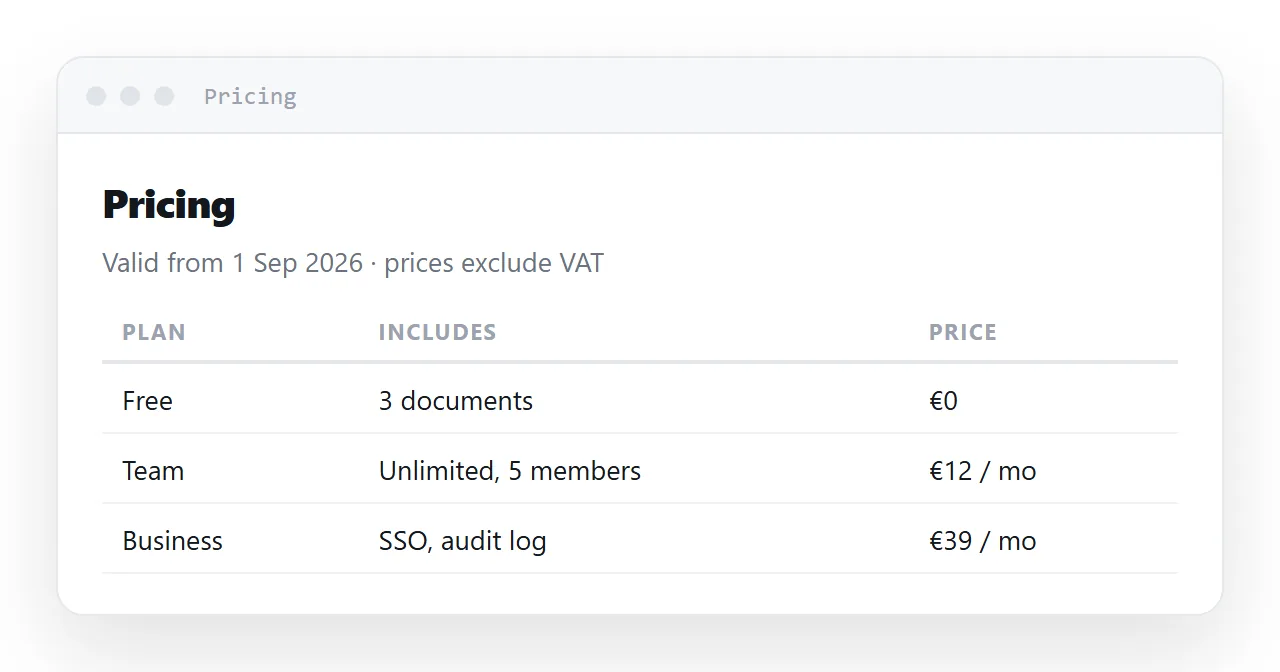
The price list is one page, always current, dated at the top. A quote is its own fixed page with a customer's name and a validity date.
This guide covers both shapes, the table details that matter, exclusions next to the number, a calculator for per-unit pricing, and the four steps to set them up.
Two documents get conflated here, and separating them solves most of the trouble.
A price list is the current state of the world. It should always show today's prices.
A quote is a commitment made on a date to one customer. It should never change.
Give them different shapes.
The HTML pricing table: one page, always current
/pricing
One address. Dated, and corrected in place.
<p class="when">Prices effective 1 September 2026 · excludes tax</p>
At the top, not in a footnote. This is the line that stops a figure being quoted a year later as though it were current — and the reason a PDF price list is a liability: the copy in somebody's downloads folder has no way to say it is out of date.
The quote: its own dated page
/quotes/2026-114-northwind
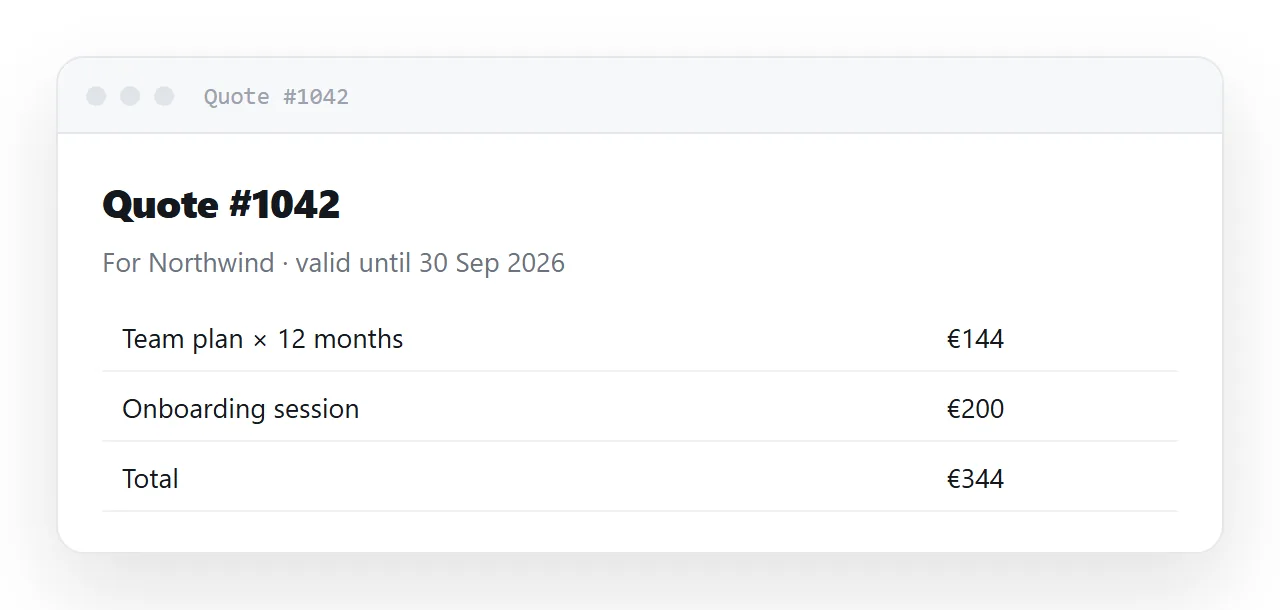
Its own address, its own validity window, and never edited after it is sent.
<h1>Quote #2026-114</h1>
<p class="meta">Prepared for Northwind Ltd on 12 September 2026 · valid 30 days</p>
If the customer wants a change, that is a new quote with a new number and a new address. The old one stands as a record of what was offered when — which is the whole point of a quote.
Table details that matter
td.amount { text-align: right; font-variant-numeric: tabular-nums; }
Right-aligned tabular figures. A column of prices then forms a straight edge and can be compared at a glance; without it, magnitudes are genuinely harder to read.
<tfoot>
  <tr><td colspan="3" class="amount">Subtotal</td><td class="amount">$588.00</td></tr>
  <tr><td colspan="3" class="amount">Tax (10%)</td><td class="amount">$58.80</td></tr>
  <tr><td colspan="3" class="amount grand">Total</td><td class="amount grand">$646.80</td></tr>
</tfoot>
Using tfoot rather than more body rows means the totals are announced as totals by a screen reader, and repeated correctly if the table is printed across sheets.
State the exclusions next to the number
<p class="fine">
  Excludes tax and any third-party fees. Assumes all seats active for the
  full period. Volume above 50 seats is quoted separately.
</p>
Immediately under the figure, not at the bottom of the page. A price quoted without its conditions is the source of most billing arguments, and a footnote at the end of a long page has not been read.
Add a calculator for per-unit pricing
For anything priced per seat, per unit or per period, let the reader enter their own numbers:
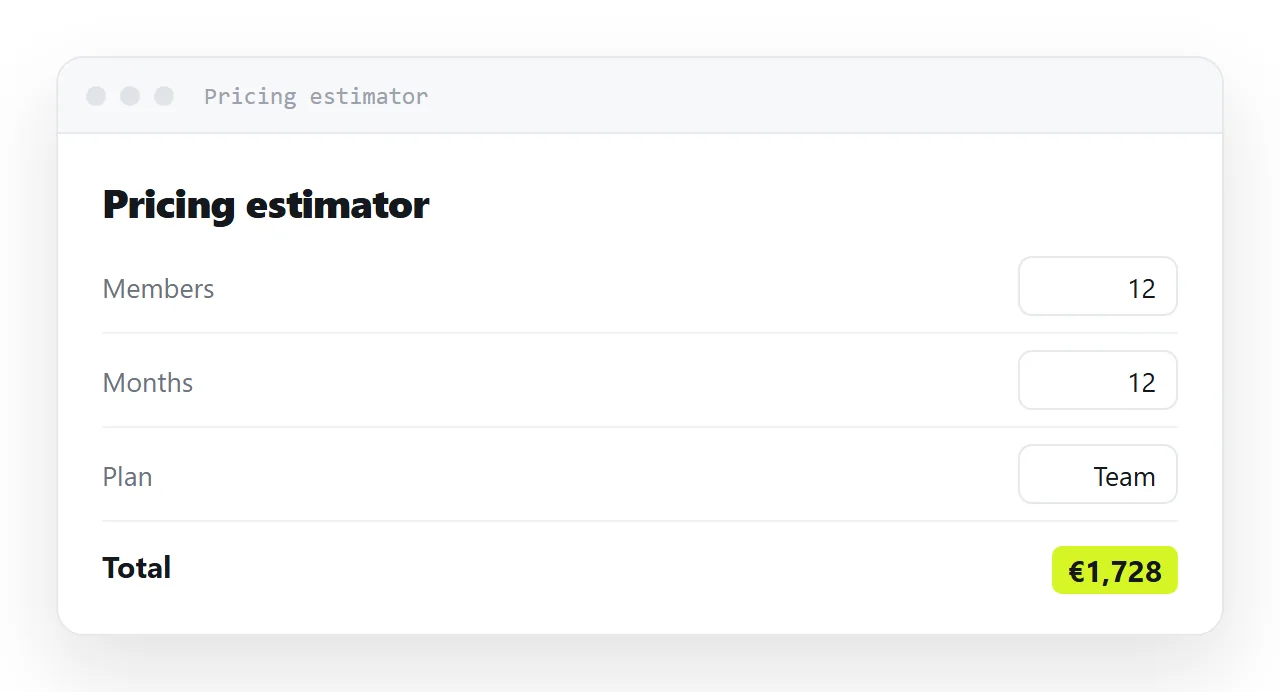
<label>Seats <input id="seats" type="number" value="12" min="1" inputmode="decimal"></label>
<p>Your monthly total: <output id="total">—</output></p>
See sharing a calculator for the working version and the details — || 0 after parseFloat, the input event rather than change, and pre-filling from the address so you can send a link with the customer's own numbers already in it.
That last one is the useful trick: ?seats=40 in the link means the first thing they see is their own price, not a table they have to do arithmetic on.
The old copy problem, closed
A customer holding a two-year-old PDF has a document that looks exactly as valid as today's. A customer holding the link opens today's list, and the date at the top tells them so.
Quotes are the exception by design: the quote page is the one that should not move, so it is its own address, dated, and closed after its validity date with one line at the top saying so.
Why the link matters commercially
A price list as a file is a document you cannot recall. Every version you have ever emailed is still in circulation, still looks official, and will be produced in a negotiation.
A dated page at one address means there is one current list, it says when it became current, and the copy someone has is the copy you are standing behind.
In NOS the price list is a document whose text is clickable text — changing a figure is typing over it, the address does not move, and the effective date is edited in the same action.
Two documents, two shapes
| Price list | Quote | |
|---|---|---|
| Address | One, permanent | One per quote |
| Changes | Corrected in place | Never after sending |
| Shows | Today's prices | What was offered on a date |
| Needs | An effective date | A number and a validity window |
| If a figure changes | Edit the page | Issue a new quote |
| Superseded by | Nothing — it is current | A later quote |
Conflating them is what produces an argument about whether a price was promised. Keeping them separate costs nothing and settles it in advance.
What to check before sending either
- The effective or validity date is at the top, not in a footnote.
- Every figure has its exclusions next to it.
- Numbers are right-aligned with tabular figures, so a column can be read at a glance — see sharing a table.
- A calculator is present if anything is priced per unit, pre-filled from the address where possible.
Currency and tax, stated once
Say which currency and whether tax is included at the top of the list, once, in the date line, and let every row inherit it. A table that repeats "excl. VAT" in every cell is noise; one that never says it produces a dispute at invoice time.
Setting up the price list and quotes: 4 steps
- Make the price list one page with a date at the top. "Prices effective 1 Sep." Exclusions next to the number, not in a footnote.
- Make each quote its own fixed page. Customer name, quote number, valid-until date, and one line saying the page does not change.
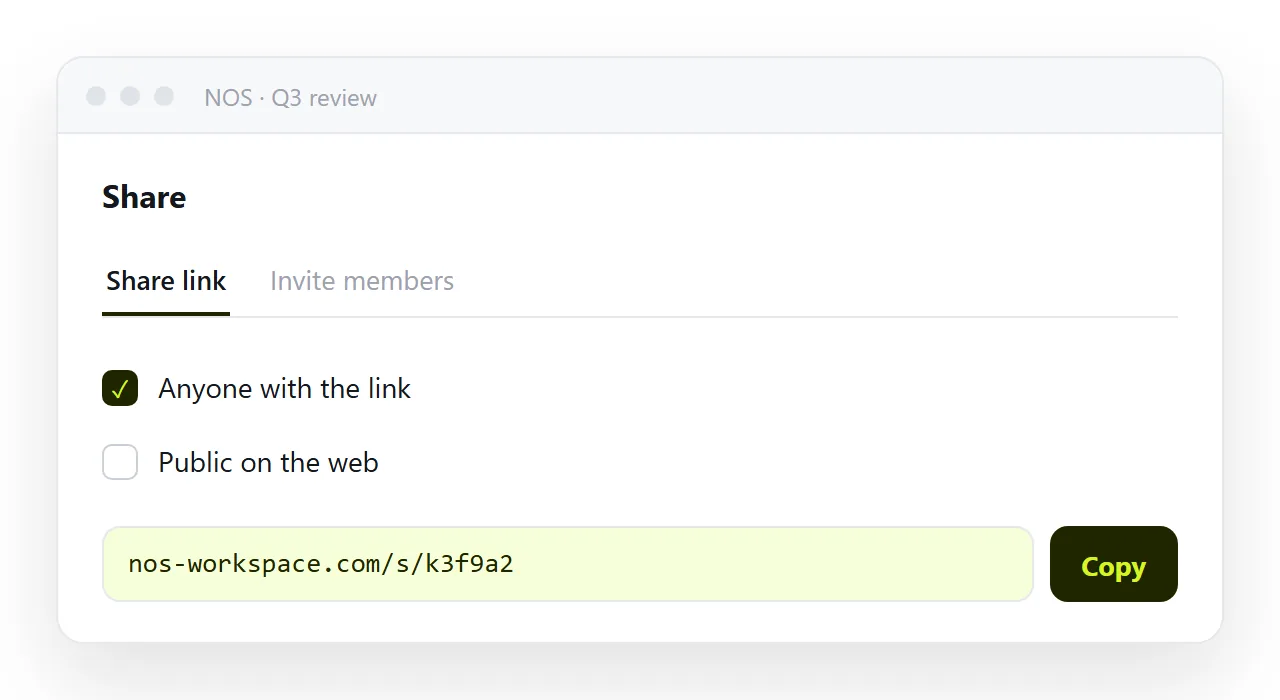
- Paste both into NOS documents and share the links. Share, then Share link, then Create link. The list address goes on the website and in every signature; the quote address goes to one customer. Turning HTML into a link is this step.
- Change the price on the list, never on a sent quote. Every copy of the list link shows the new price the moment you type it. The quote stays what was agreed.