An HTML countdown timer is three parts: a target time, an interval that recalculates the remaining milliseconds, and a function that formats them into days, hours, minutes and seconds.
All of it runs in the browser. There is no server component, which is why a countdown is one of the few genuinely self-contained pages you can write.
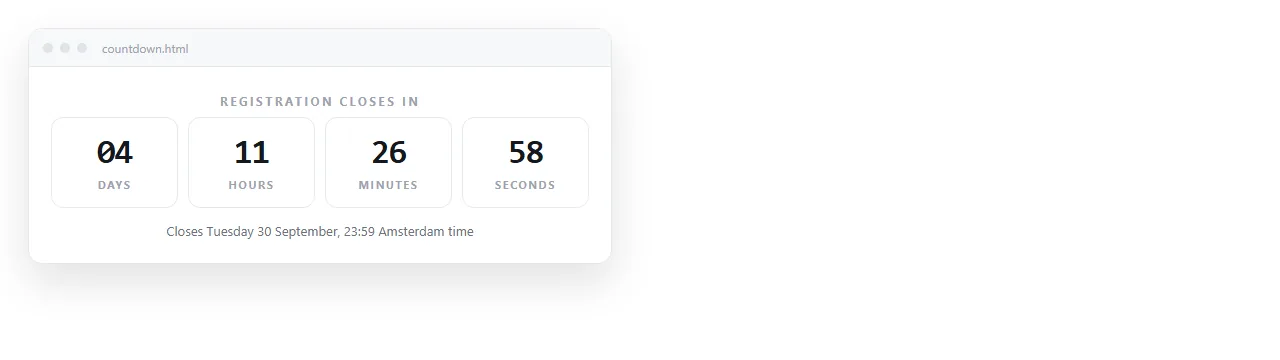
A working HTML countdown timer
Short enough to read in one pass.
<div id="cd" style="font-family:system-ui,sans-serif;font-size:32px;"></div>
<script>
  var target = new Date('2026-12-01T09:00:00Z').getTime();
  var el = document.getElementById('cd');
  var tick = setInterval(function () {
    var left = target - Date.now();
    if (left <= 0) {
      clearInterval(tick);
      el.textContent = 'Now open';
      return;
    }
    var s = Math.floor(left / 1000);
    var d = Math.floor(s / 86400);
    var h = Math.floor((s % 86400) / 3600);
    var m = Math.floor((s % 3600) / 60);
    el.textContent = d + 'd ' + h + 'h ' + m + 'm ' + (s % 60) + 's';
  }, 1000);
</script>
Two details are load bearing. The Z on the target string, covered next. And clearInterval at zero, without which the page keeps running a timer that counts upward into negative numbers.
The time zone mistake
This is the failure that reaches production most often, because it is invisible to whoever wrote the page.
A string written as 2026-12-01T09:00:00 has no zone, so browsers read it against the viewer's local clock. You see the right number. A colleague eight hours away sees a number eight hours out, and both of you think the page is fine.
| Target string | What it means | Safe to ship |
|---|---|---|
2026-12-01T09:00:00Z |
09:00 UTC, same moment everywhere | Yes |
2026-12-01T09:00:00+09:00 |
09:00 in a +9 zone, same moment everywhere | Yes |
2026-12-01T09:00:00 |
09:00 on the viewer's own clock | No |
December 1, 2026 |
Parsed inconsistently across browsers | No |
Write the offset every time, and state the zone on the page in words as well, so the reader knows which 09:00 is meant.
Formatting that does not jump
A timer that changes width every second is distracting. Two fixes, both small.
Pad each unit to two digits, so 9 becomes 09. And if the layout still shifts, set the number blocks in a monospace font or give each a fixed width.
For units, decide whether to hide leading zero days. A countdown reading 0d 0h 4m 12s is noisier than 4m 12s.
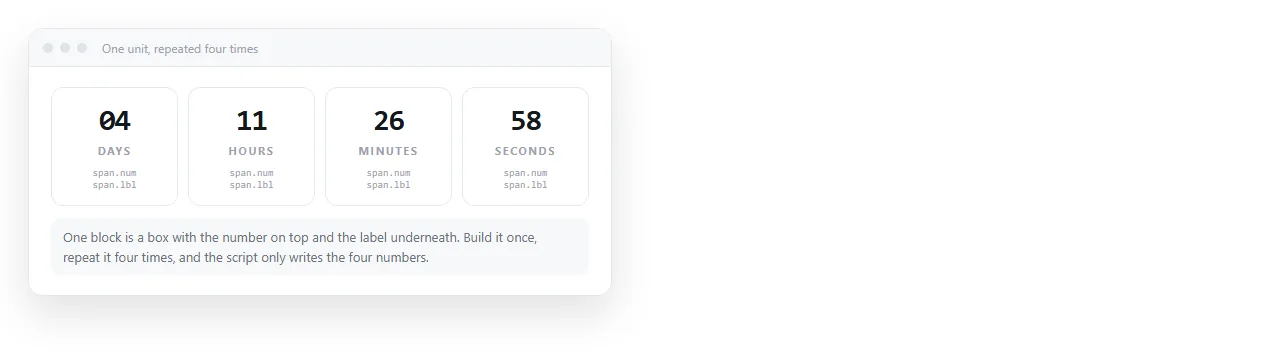
Say what the deadline is, in words
A ticking number is a countdown, not an announcement. On its own it tells the reader how long is left without telling them what the actual moment is.
Write the date, time and zone next to the timer. Readers planning around it need the fixed point, and anyone whose script failed to run still gets the information.
It also gives you a fallback. If the countdown element is empty because of a typo in an element id, the page still communicates the deadline.
The end state
Deciding what happens at zero is part of building the timer, not an afterthought.
- A launch. Replace the timer with the link that is now live.
- An event. Replace it with the joining details or the room.
- An offer. Replace it with the message that applies after the deadline, not an expired timer.
- A recurring deadline. Advance the target rather than stopping.
Leaving a stopped timer at 0d 0h 0m 0s reads as a broken page.
What a browser countdown cannot do
Be clear about the limits before you attach anything important to it.
The arithmetic uses the device clock. A viewer whose clock is wrong sees a wrong number, and a viewer who changes their clock changes what the page says.
That is fine for a launch page. It is unacceptable for anything you intend to enforce, such as closing a form at a deadline. Enforcement has to happen wherever the submission is received, not in the browser that shows the count.
Mail is a separate case entirely. Scripts do not run in mail clients, so a script based timer shows nothing. HTML countdown timer for email covers the served image approach used there.
Putting the timer where people can see it
A countdown that lives as a file on your laptop is not doing its job. It needs an address.
Paste the HTML into a NOS document. It renders as written, script included, so the timer runs for whoever opens the page. Create the share link with Share, then Share link, then Create link.
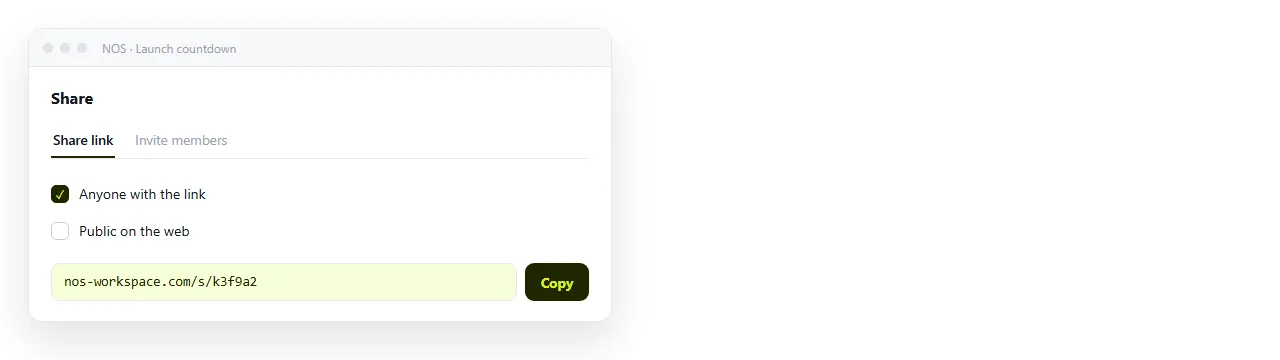
Leave it unlisted for an internal deadline. Tick Public on the web for a launch page you want indexed.
Editing later does not move the address. When the date slips, change the target string in the document and the link you already sent points at the new date.
Sending the file instead is the hard path
Emailing the .html file has the usual attachment problems, and one extra that is specific to countdowns.
A file is a frozen copy. If the date changes, every copy you sent is now wrong, and you have no way to correct the ones already downloaded. With a link there is one page, and it is always current.
Reusing the timer inside other pages
Once the countdown works, it usually wants to sit inside something else: an event invite, a launch page, a status page.
Two ways to do that. Paste the script directly into the larger page, which is the shortest route when you control the whole file.
Or keep the timer as its own page and place it in an iframe. That is the route when the host page is a tool you cannot add scripts to. HTML countdown timer embed widget covers the embed case.
The second option also survives a change of date better. One page is the source, and every page that frames it updates at once.
For the surrounding page itself, HTML for event invites and invitation to link cover the layout and the sharing route.