A free HTML countdown timer embed widget is a small self-hosted page containing the timer, placed on other pages with an iframe.
Hosted widget services do the same thing and add three dependencies: their branding, their script domain, and their continued existence. Writing the page yourself takes about ten minutes and removes all three.
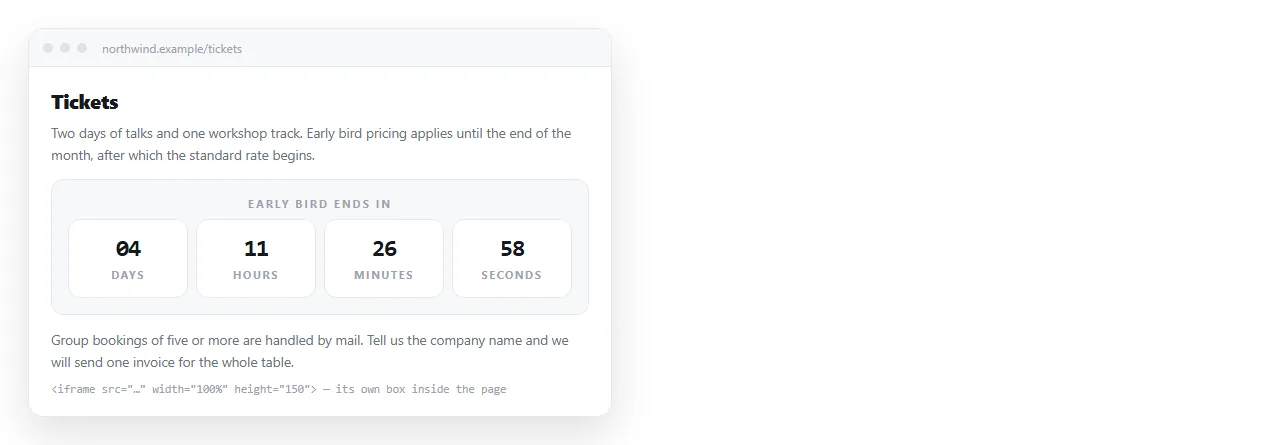
A free HTML countdown timer embed widget versus a hosted one
| Hosted free widget | Page you host | |
|---|---|---|
| Branding line | Usually present | None |
| Extra script domain | Yes | None |
| Styling control | Their options | Full |
| Works if provider shuts down | No | Yes |
| Time to set up | Minutes | Minutes |
| Analytics on the widget | Theirs | None, unless you add it |
Neither choice is wrong. If you need a widget for one weekend campaign, a hosted one is fine. If it is going on a page that stays up, own the file.
The widget page
A widget page is a normal countdown page with the page furniture removed. No headings, no margins, nothing that assumes it is being read on its own.
<!doctype html>
<html>
<head>
<meta charset="utf-8">
<meta name="viewport" content="width=device-width,initial-scale=1">
<style>
  html,body{margin:0;padding:0;background:#111;color:#fff;
            font-family:system-ui,sans-serif;}
  .box{display:flex;gap:12px;justify-content:center;padding:16px;}
  .u{min-width:64px;text-align:center;}
  .n{font-size:30px;line-height:1;}
  .l{font-size:11px;opacity:.7;text-transform:uppercase;}
</style>
</head>
<body>
  <div class="box" id="cd"></div>
  <script>
    var target = new Date('2026-12-01T09:00:00Z').getTime();
    var el = document.getElementById('cd');
    function unit(n, label) {
      return '<div class="u"><div class="n">' + n +
             '</div><div class="l">' + label + '</div></div>';
    }
    var tick = setInterval(function () {
      var left = target - Date.now();
      if (left <= 0) {
        clearInterval(tick);
        el.innerHTML = '<div class="u"><div class="n">Open now</div></div>';
        return;
      }
      var s = Math.floor(left / 1000);
      el.innerHTML = unit(Math.floor(s / 86400), 'days') +
        unit(Math.floor((s % 86400) / 3600), 'hours') +
        unit(Math.floor((s % 3600) / 60), 'min') +
        unit(s % 60, 'sec');
    }, 1000);
  </script>
</body>
</html>
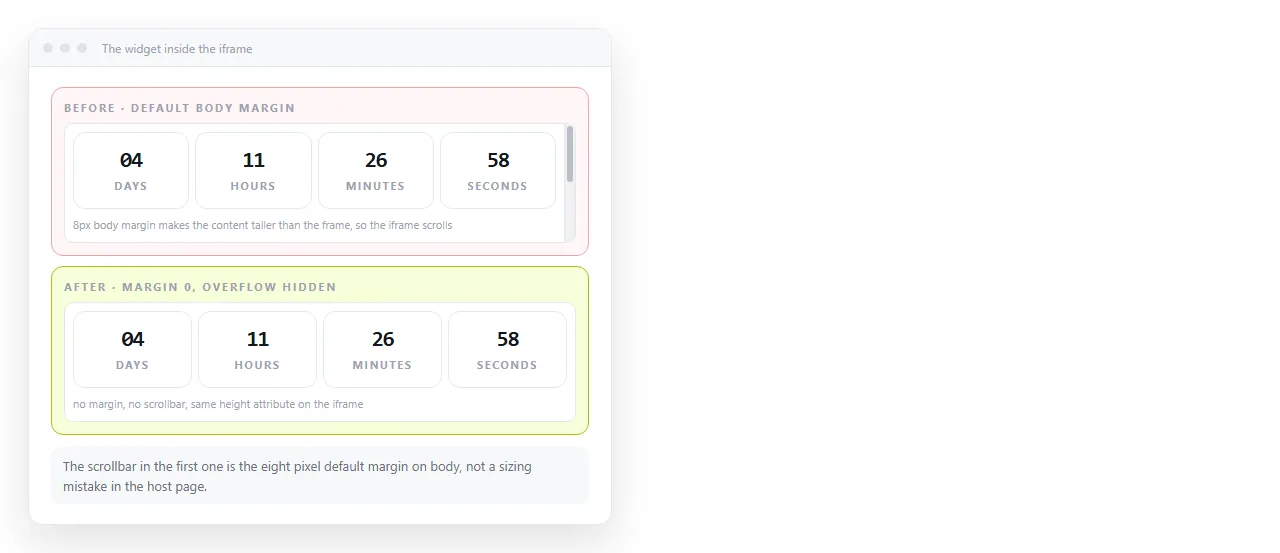
The margin:0 line matters more than it looks. Default body margins inside an iframe are the usual reason a scrollbar appears in a box that should fit.
Giving the widget an address
An iframe needs a URL. The widget page has to be served from somewhere.
Paste the file into a NOS document. It renders as written, script included, as a page of its own. Then Share, Share link, Create link, and that address is your widget source.
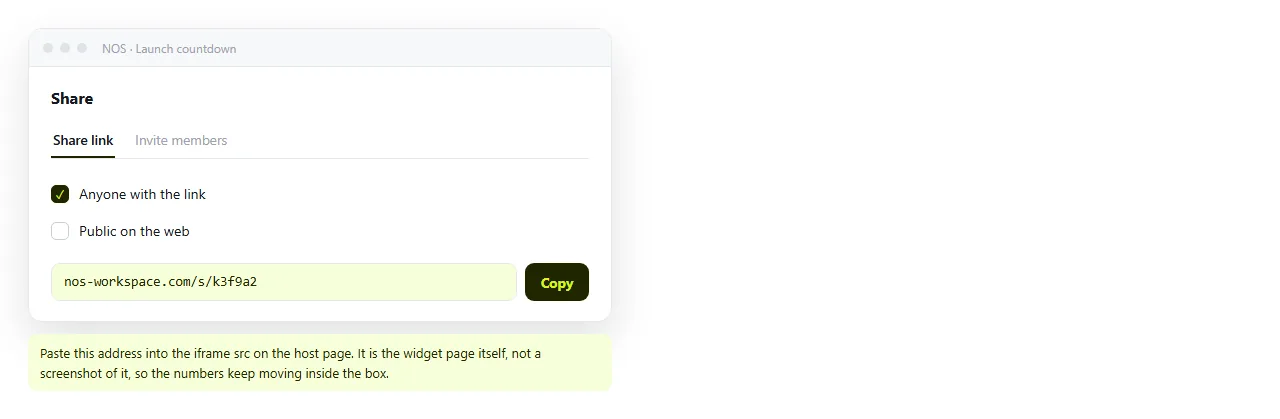
Tick Public on the web if the host page is public, so nothing about the embed depends on who holds the link.
The embed
On the host page, one element:
<iframe src="https://your-widget-address"
        title="Countdown to launch"
        width="420" height="90"
        style="border:0;max-width:100%;"
        loading="lazy"></iframe>
Four attributes earn their place. title is read by screen readers, border:0 removes the default frame, max-width:100% stops it overflowing on a phone, and loading="lazy" avoids fetching it before it is scrolled to.
If the frame and the host page are on different origins, they cannot read each other's contents. That isolation is the point. Iframe covers the boundary in more detail.
What the widget page should not contain
A widget is framed inside someone else's layout, so a few habits from full pages become bugs.
Do not set a page background that fights the host. Either match the host colour, or make the widget background transparent and let the host show through.
Do not include navigation, headings or footers. The frame is a component, not a page, and anything extra is dead space you are paying for in iframe height.
Do not load fonts from elsewhere. A web font request inside a frame delays the first render of the numbers, which is the one thing the widget exists to show.
Do not assume a fixed viewport width. The host may place the frame in a narrow column, so the widget layout has to hold at around 300 pixels.
Styling it to match the host
Two practical routes, and the choice depends on how many pages embed it.
For a single host, hard code the colours in the widget page to match. Simplest, and nothing else to maintain.
For several hosts, read the colours from the frame address. Parse the query string in the widget and apply the values, so one page serves a dark version and a light one.
var params = new URLSearchParams(location.search);
document.body.style.background = '#' + (params.get('bg') || '111');
document.body.style.color = '#' + (params.get('fg') || 'fff');
Then the embed becomes ?bg=ffffff&fg=111111 on the end of the iframe source. Note the & inside HTML markup.
Sizing without a scrollbar
Work top down:
- Open the widget address on its own and note how tall the content actually is.
- Set the iframe height to that number plus a few pixels.
- Resize the browser to phone width and check the widget does not wrap into a second row.
- If it wraps, reduce the unit widths inside the widget rather than growing the frame.
A fixed height iframe cannot grow with its contents across origins, so the widget layout has to be stable at every width you support.
Embedding in tools rather than pages
Many places you would want the timer are not pages you write.
- Notion and similar documents. They accept an embed by URL. Paste the widget address into an embed block. Embedding HTML in Notion covers the general case.
- A CMS with a raw HTML block. Paste the iframe markup directly.
- A CMS that strips iframes. Nothing to do at the page level. Link to the timer page instead.
- Mail. Scripts never run. Use the served image approach.
Keeping it correct after launch
Dates move. That is the real argument for owning the page.
The widget lives at one address, so changing the target string in the document updates every page that embeds it at once. No re-upload, no cache busting on a file name, and no hunting for the pages that used it.
Decide the end state before you publish. A widget that sits at zero forever reads as abandoned, so swap in the live link or the post deadline message when the count runs out.
A short checklist before you embed it
Run these once. They catch nearly every reported problem with an embedded countdown.
- Open the widget address directly. It must render on its own, outside any host page.
- Confirm the target string carries a time zone, either a trailing
Zor an explicit offset. - Check the widget at 320 pixels wide and at 800, so the host can place it anywhere.
- Confirm no scrollbar appears at the height you set on the frame.
- Watch it pass a minute boundary, so you know the interval is actually running.
- Decide and test what the widget shows after the target time passes.
The fifth item catches a surprising number of broken timers, because a static first render looks correct until you watch it.
For the arithmetic, the time zone rule and the formatting, see HTML countdown timer. If the widget is going on a page you are also building, HTML for event invites covers what usually surrounds it.