What is an iframe? It is the HTML element that puts one document inside another: a box on your page, and a second page drawn inside the box. The two stay separate.
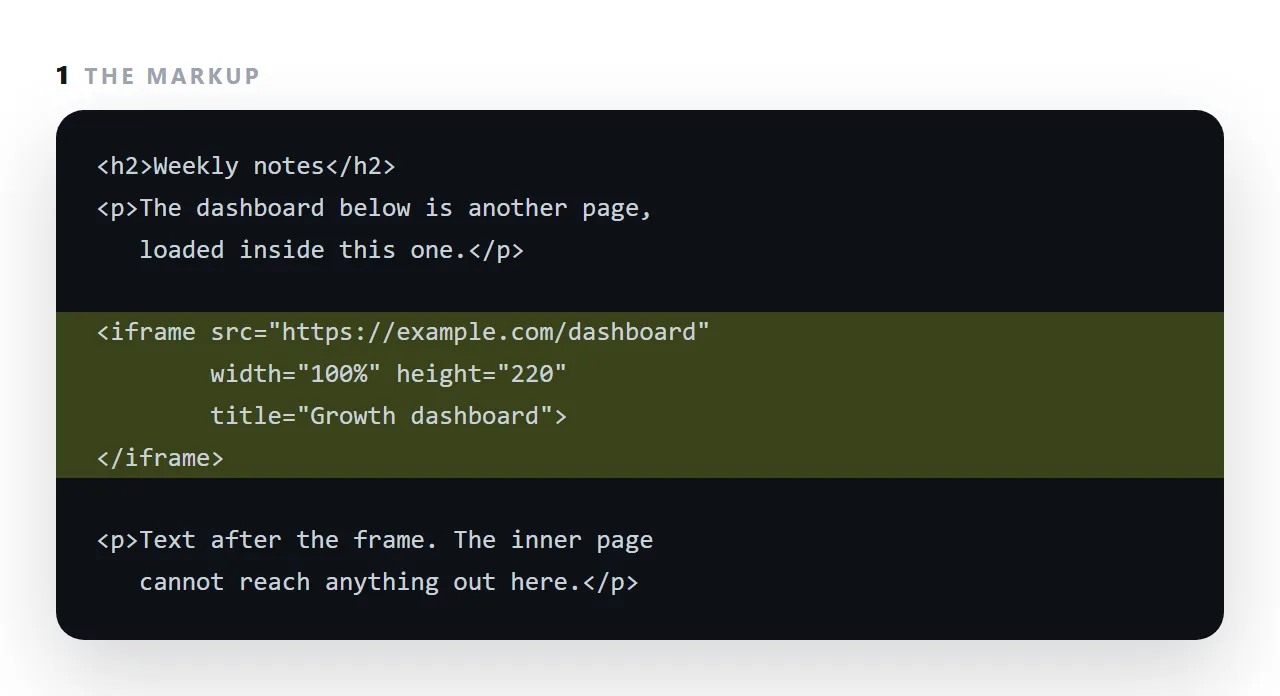
The inner page cannot read your cookies or change your layout, and you cannot easily make the box grow to fit what is inside. Every embed you have seen, a map, a video, a form from another service, is an iframe.
This guide covers what the separation means, the height problem, the attributes worth setting, how to stop others framing your page, and when a link is better than a frame.
An iframe is a window in your page showing a different page.
<iframe src="https://example.com/report" title="Quarterly report"></iframe>
Two complete documents now exist. Each has its own address, its own styles, its own scripts, and its own idea of what "the page" is.
What an iframe's separation means
The browser keeps the two apart unless they share an origin — the same scheme, host and port.
| Same origin | Different origin | |
|---|---|---|
| Outer page reads inner content | Yes | Blocked |
| Inner page reads outer content | Yes | Blocked |
| Shared cookies and storage | Yes | No |
| Messages between them | Directly | Only via postMessage |
That block is the feature. It is why you can embed a form from another service without that service being able to read your page, and why a preview of pasted HTML cannot reach your account.
The height problem
This is the practical annoyance, and it catches everyone.
A frame's height is set by the outer page. The frame cannot grow to fit its contents, because the outer page is not allowed to measure a cross-origin document.
<iframe src="..." style="width:100%;height:480px;border:0"></iframe>
480px is a guess. Too small and the inner page scrolls inside a little box; too large and there is empty space underneath.
Three ways round it:
- Design the inner page to a known height — a band rather than a full document.
- Accept internal scrolling, which is tolerable on a desktop and poor on a phone.
- Use
postMessage— the inner page reports its height and the outer page resizes. Works only if you control both.
There is no CSS-only solution. If the content is tall, a link is better than a frame.
Attributes worth setting
<iframe
src="https://example.com/report"
title="Quarterly report"
loading="lazy"
sandbox="allow-scripts"
referrerpolicy="no-referrer"
style="width:100%;height:480px;border:0"
></iframe>
title is read by screen readers — a frame without one is announced as "frame", which tells the listener nothing. loading="lazy" defers loading until the reader scrolls near it. sandbox restricts what the inner page may do — see the sandbox attribute, and note that adding allow-same-origin alongside allow-scripts removes most of the protection.
Stopping others framing you
Content-Security-Policy: frame-ancestors 'self'
A response header, so it is set by whatever serves the page. It prevents another site putting your page in a frame and overlaying it — an attack that works by getting the reader to click something they cannot see. Any page with a sign-in form or a destructive action should set it.
When not to use one
- The content is tall. The height problem has no good answer; link instead.
- Readers are on phones. A frame inside a page on a small screen means two scroll contexts fighting each other.
- You want the text to count as yours. Framed content belongs to the framed page for search purposes.
Where you have already seen one
Every HTML preview on this site is an iframe with srcdoc and a sandbox — the pasted page is rendered as a genuine page, running its own scripts, inside a box that cannot reach anything of yours.
That is the arrangement an iframe is genuinely best at. See srcdoc for the version that takes HTML directly rather than an address.
Three iframe mistakes that cost the most
No title. A screen reader announces an untitled frame as "frame", which tells the listener nothing. title="Growth dashboard" is one attribute and fixes it.
A fixed height that is wrong on a phone. The frame is 600px tall on a laptop and the phone shows 600px of a page that reflowed to 1,400px, with a scroll bar inside a scroll bar. Either size the frame with viewport units, or link to the page instead of framing it on narrow screens.
Framing a page that refuses frames. Many sites send a header that blocks framing, and the box comes up blank with no message. Check the page in a frame before publishing; if it is blank, it is a link, not an embed.
Where you meet iframes without noticing
A map on a contact page. A video player. A payment form that keeps card details on the processor's page rather than yours. A document embedded in a wiki.
In every case the reason is the same: the content belongs to another origin, and a frame is the only way to show it in place without giving it access to the surrounding page.
The embed guide for document tools shows the same mechanism from the other side.
Using an iframe well: 4 steps
- Write the frame with a title and a size.
src,width,height, and atitlefor screen readers. The height is yours to set; the frame does not grow to fit its content. - Restrict it if the inner page is not yours.
sandboxwith only the permissions the content needs, andloading="lazy"if it sits below the fold. - Give the reader a way out. A visible link to the inner page's own address, so the frame is a preview rather than a small box to scroll inside on a phone.
- Ask whether a link would do. If the reader only needs the other page, send its address. A page in NOS has one: Share, then Share link, then Create link.