The iframe sandbox attribute is a list of permissions for the page inside a frame, starting from nothing allowed. An empty sandbox blocks scripts, forms, popups, navigation of the parent, and access to your origin; each token you add grants one of those back.
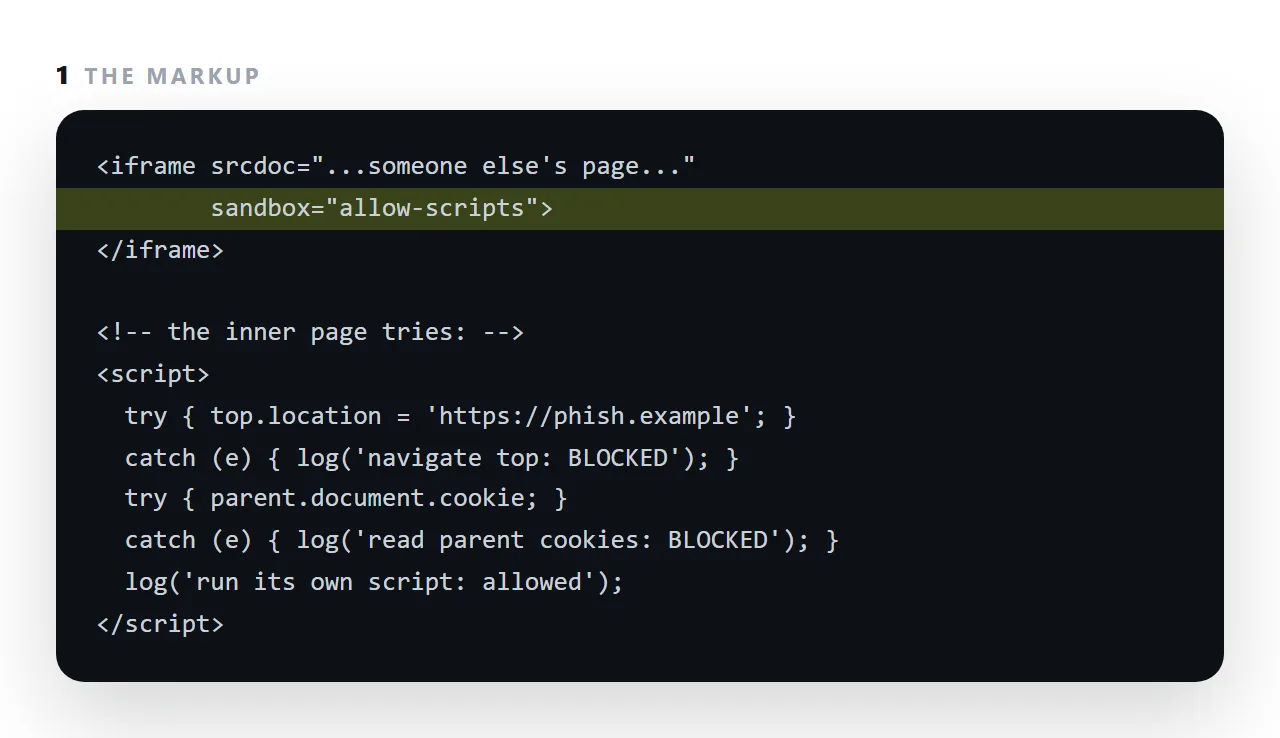
It is what lets a viewer draw a file you do not trust: the page runs, and it cannot reach your accounts.
This guide explains every value, the one combination that undoes the protection, a working configuration for previews, what breaks under a sandbox and why, and how it differs from a Content Security Policy.
sandbox inverts the default. Instead of an embedded page being allowed everything, it is allowed nothing, and you hand back specific capabilities.
<!-- maximum restriction -->
<iframe sandbox src="..."></iframe>

<!-- scripts only -->
<iframe sandbox="allow-scripts" src="..."></iframe>
What each sandbox value grants
| Value | What it allows | Give it when |
|---|---|---|
allow-scripts |
JavaScript runs | The page has any interactivity |
allow-same-origin |
Treated as your origin — cookies, storage | Almost never, with untrusted content |
allow-forms |
Form submission | The page contains a form |
allow-popups |
Opening new windows | The page links out with target="_blank" |
allow-modals |
alert, confirm, prompt |
The page uses them |
allow-downloads |
Triggering a download | A CSV or file export button |
allow-top-navigation |
Navigating the whole window | Effectively never |
allow-popups-to-escape-sandbox |
New windows are unsandboxed | Effectively never |
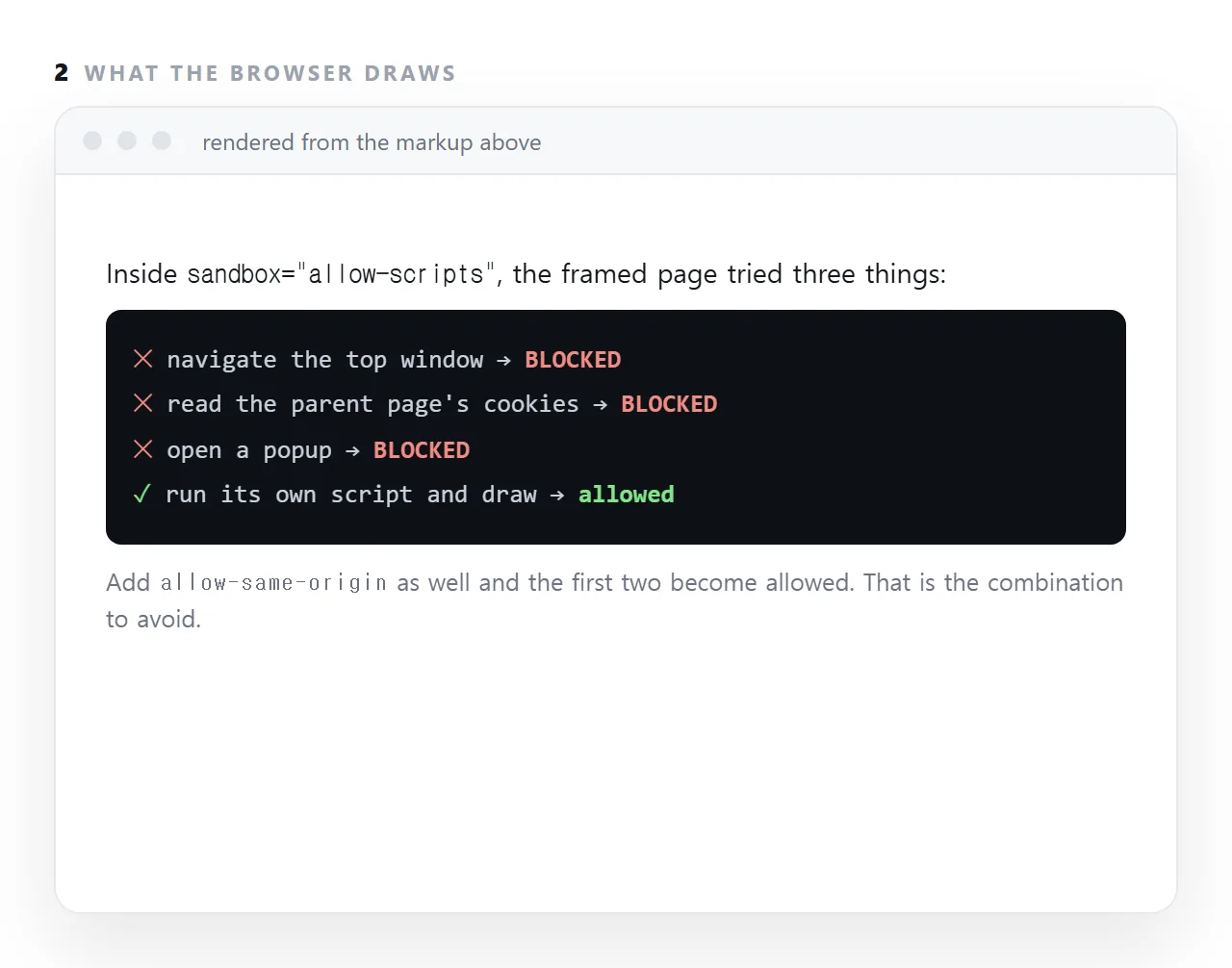
The combination to avoid
<!-- do not do this with content you did not write -->
<iframe sandbox="allow-scripts allow-same-origin" srcdoc="..."></iframe>
Those two together put the framed code in your origin and let it run. It can then read your cookies and storage, and — because it is same-origin — reach up and remove its own sandbox attribute. The protection is not weakened, it is gone.
The browser does not warn you. This is the single most important thing to know about the attribute.
A working preview configuration
<iframe
  sandbox="allow-scripts allow-popups allow-forms allow-modals"
  srcdoc="..."
  title="Preview"
></iframe>
Charts animate, tabs switch, calculators calculate, links open in new tabs, forms submit, dialogs appear. And with no allow-same-origin, the page has an opaque origin — no access to your cookies, your storage, or the surrounding document.
That is the configuration behind the previews on this site, which is why it is safe to drop in a file a stranger sent you.
What breaks under a sandbox, and why
Storage throws. With an opaque origin, localStorage.setItem raises an exception rather than returning an error. Unguarded, that stops the rest of the script — so a page becomes not just unable to save but unable to sort or filter either. Wrap every storage call in try/catch. See local storage.
Cookies do not persist. Nothing to do about it; the frame has no origin to attach them to.
Some APIs refuse. Anything requiring a permission — camera, location, clipboard write — is unavailable, by design.
Sandbox versus Content-Security-Policy
They solve adjacent problems from opposite directions.
sandbox is set by the embedding page and restricts what the embedded content may do. Content-Security-Policy is a header set by the serving page and restricts what that page itself may load and run.
Use both when you are embedding untrusted content on a page that matters.
Rule of thumb
Start with sandbox and nothing else. Add one value at a time until the content works. Never add allow-same-origin next to allow-scripts for anything you did not write yourself.
What each restriction feels like from inside
A page inside sandbox="allow-scripts" runs, but some of what it tries fails quietly.
Reading or writing localStorage throws, which halts the script unless the call is wrapped in a try block, and that one failure is why a sandboxed editable table can stop sorting as well as saving. A form with no allow-forms submits nothing.
A link with target="_blank" and no allow-popups opens nothing. A request to another origin may be refused. None of this is a bug in the page; it is the wall doing its job, and each token grants back one hole in it.
Which tokens a preview actually needs
For an HTML viewer that draws pasted files, allow-scripts alone is enough: charts draw, tabs switch, calculators compute. Add allow-forms if pasted forms should be testable, allow-popups if links should open in a new tab, and allow-modals only if alert boxes matter.
Leave allow-same-origin off for anything you did not write yourself.
The file opener and the viewer on this site run with scripts allowed and same-origin denied, which is why a file you were sent can be opened here before you trust it.
Reading a sandbox attribute you did not write
When a page you are embedding into, or a tool you are pasting into, shows a frame with a sandbox list, the list tells you what your page will and will not be able to do there. No allow-scripts: your chart will not draw.
No allow-forms: your calculator's inputs work but a real form will not submit. No allow-popups: links that open a new tab do nothing.
Design the page for the most restrictive frame it will meet, which usually means everything inside one file and no reliance on storage or popups, and it will render everywhere.
Sandboxing a frame: 4 steps
- Start with an empty
sandbox. Nothing allowed. Add tokens only for what the content needs. - Add
allow-scriptsfor anything interactive. Charts, tabs and calculators need it. On its own it is safe, because the framed page runs as an opaque origin. - Never add
allow-same-originto a page you do not control. Together withallow-scriptsit lets the framed page remove its own sandbox and read your cookies and storage. - Test what broke. Local storage throws, outside fonts may not load, forms cannot submit without
allow-forms. Decide each one on purpose. The file opener runs exactly this configuration.