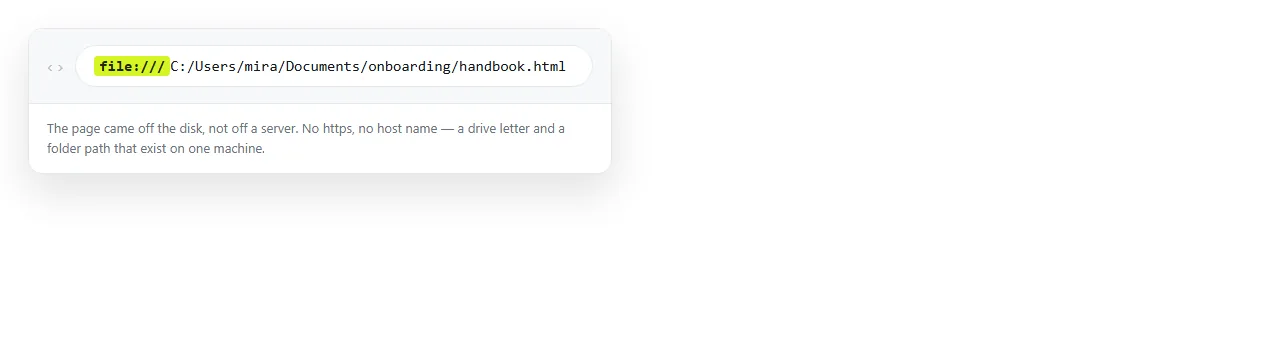
An HTML link to a local file uses the file: protocol, and it only works when the page doing the linking was itself opened from disk.
<a href="notes.txt">Notes</a>
<a href="file:///C:/Users/you/Documents/notes.txt">Notes</a>
The first form is a relative link and is almost always the better one. The second names an exact location on one particular machine.
The rule that decides everything
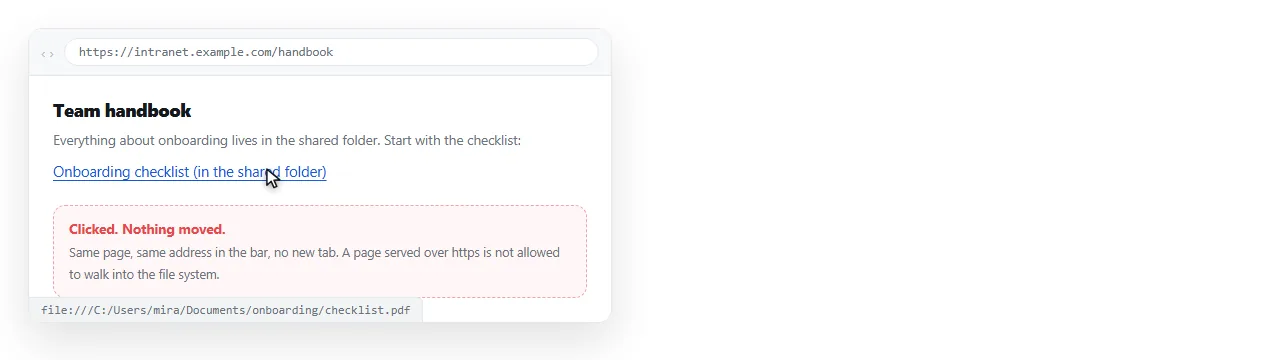
Browsers treat the local disk as a separate world from the web. A page served over http or https cannot navigate to a file: address, and cannot load one either.
This is a security boundary, not a bug. Without it, any website could probe the contents of your drive by linking at guessed paths and watching what happens.
The block is usually silent. The click registers, nothing navigates, and a line appears in the developer console that nobody is looking at.
| Page is loaded from | Link points at | Result |
|---|---|---|
Disk (file:) |
A neighbouring file | Works |
Disk (file:) |
An absolute file path | Works on that machine only |
Web (https:) |
Any file: address |
Blocked, usually silently |
Web (https:) |
A web address | Works |
Disk (file:) |
A web address | Works |
Read the third row twice. It is the one that catches people, because the link was tested in the second row.
Why it works while you build and fails after
You write the page, double click it, and every link to the folder next to it opens. The address bar says file:, so you are in row one or two.
Then you upload the page, or paste it into a document, or attach it to an email. Now the page is in row three and every one of those links is dead.
The file protocol explains the difference in full. The short version is that the page moved worlds and the links did not.
Paths that break for ordinary reasons
Even inside the one world where local links work, paths are fragile.
Spaces. file:///C:/My Documents/report.pdf stops at the space. Write My%20Documents.
Backslashes. Windows uses them, URLs do not. A file URL always uses forward slashes, however the path appears in Explorer.
Three slashes. file:/// is correct. The empty section between the second and third slash is where a hostname would go.
Case. Windows ignores case, macOS and Linux often do not. A path that works on your laptop can fail on a colleague's.
Drive letters. C: on your machine is not C: on theirs, and on a Mac there are no drive letters at all.
When a local link is still the right answer
There are real cases, and they share one feature: the page never leaves the disk.
- A folder index. An
index.htmllisting the files beside it, opened by whoever has the folder. Use relative paths only. - A local documentation bundle shipped as a zip, where the reader unpacks the whole thing.
- A page on a machine with no network, built for that machine.
- An offline archive kept alongside its assets.
In every one of these the correct form is a relative path, not an absolute one. Relative and absolute paths sets out why the relative form survives being moved and the absolute form does not.
What to do instead for other people
If anyone besides you will click the link, the local path is not a candidate. Three routes, in order of how often they fit.
- Put the file at a web address. Upload it wherever the page is served from and link to the URL. This is the answer for PDFs, spreadsheets and images. Linking to a PDF covers the download behaviour.
- Fold the content into the page. Small images can become data URIs, and styles can become inline CSS. A self-contained HTML file has nothing left to link at.
- Give the page an address and share the link. If the thing you wanted people to open is the page itself, turning HTML into a link removes the problem entirely.
The network drive variant
The same reasoning applies to a path on a shared drive, with one extra failure mode: the reader has to have the drive mounted under the same letter or name.
That is rarely true across a whole team, and never true on a phone. Linking to a network drive covers what survives and what does not.
How to tell which problem you have
Open the page and look at the address bar before changing any markup.
If it starts with file: and the link still fails, the path is wrong: check spaces, slashes and case. If it starts with http, the path is irrelevant and the protocol is the problem.
Making that distinction first saves a lot of time, because the two cases have nothing in common except the symptom.
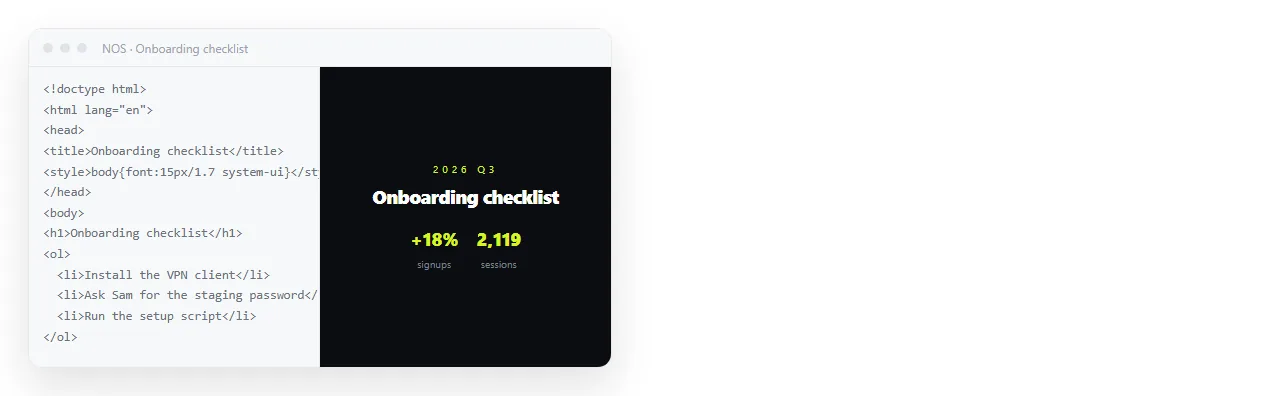
In a NOS document the pasted HTML renders at an address, so any link that assumed a folder next to it needs a real URL. Links to hosted files, anchors inside the page and ordinary web links all work as written.
Finding the local links in a page you inherited
Pages that were built on one machine tend to hide several of these, and they are easy to spot in the source.
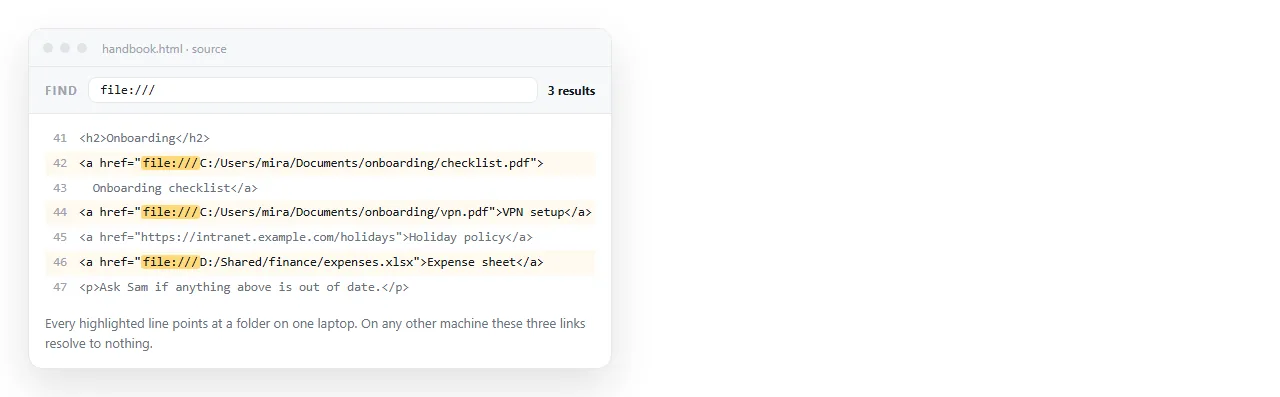
- Search for
file:. Every match is a link that only works from disk. - Search for a drive letter such as
C:/orC:\. Those name one computer. - Search for
../. Deep relative paths break as soon as the page moves up or down a folder. - Search for a username in a path. It is the clearest sign the link was written from someone's home folder.
Fix them in one pass rather than waiting for reports. A reader who clicks a dead link usually does not tell you; they assume the page is broken and stop.