The file:// protocol is the address scheme a browser uses when it opens a page straight from a disk rather than from a server, and a page opened that way behaves differently in ways that look like bugs.
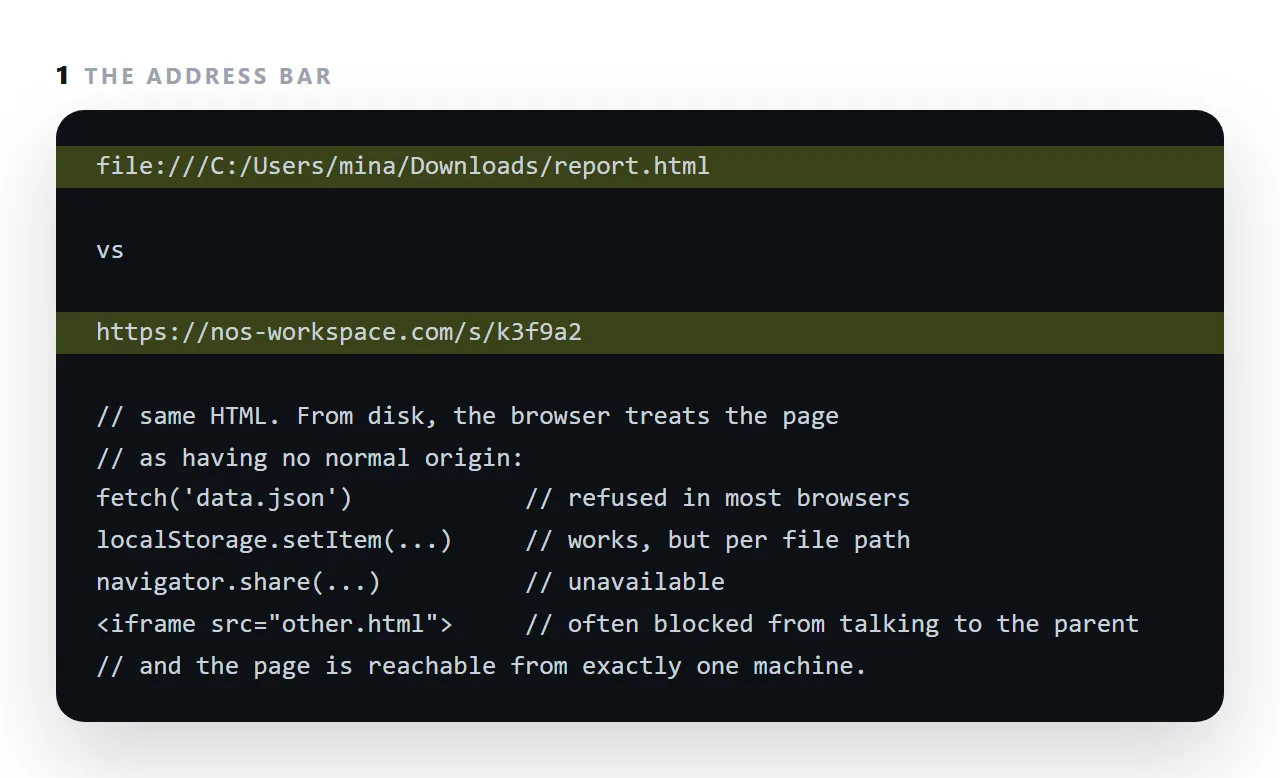
It has no normal origin, so scripts that fetch a neighbouring file are refused; some features, sharing, service workers, parts of storage, are unavailable; every stylesheet, font and image must be physically next to the file; and the page is reachable from exactly one machine.
This guide covers why file pages are restricted, what does not work, and why the fix is an address rather than a workaround.
file:///C:/Users/you/Desktop/report.html
file:///Users/you/Desktop/report.html
That in the address bar is the browser saying: this page is not on the web.
Why file:// pages are restricted
Web pages are kept apart by origin — scheme, host and port. A file on a disk has no host, so it has no origin in the usual sense. Every rule built on origins therefore has no clear answer for it.
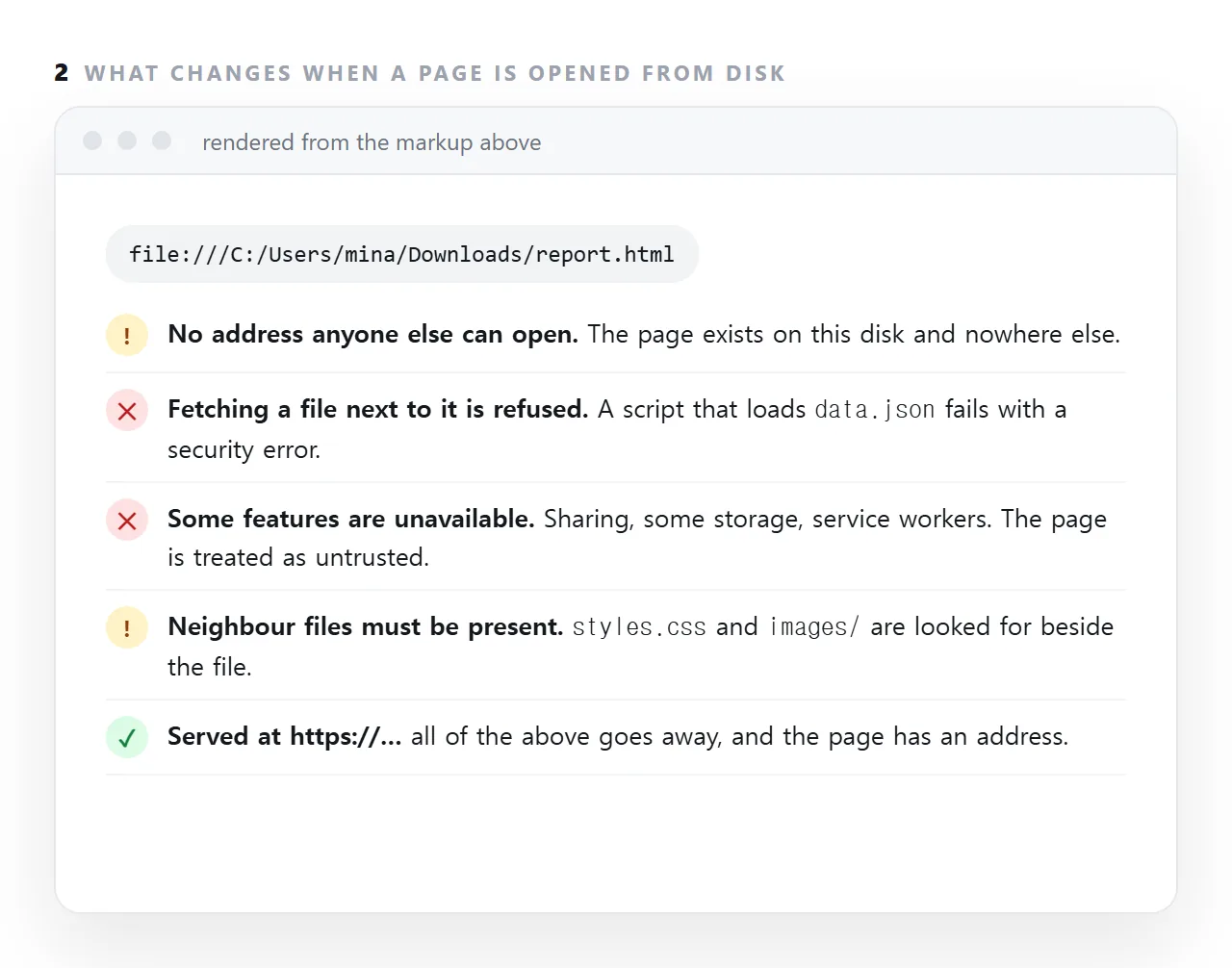
Browsers resolved that by treating local pages as their own opaque case and withholding capabilities rather than guessing. See CORS for what origins are protecting.
What does not work
| Feature | Over file:// |
Why |
|---|---|---|
fetch() of a local file |
Blocked | Would let any downloaded page read your disk |
ES modules (type="module") |
Blocked | Module loading is origin-based |
| Service workers | Blocked | Require a secure origin |
localStorage |
Varies | No origin to key against |
| Cookies | Effectively not | Same reason |
| Clipboard, camera, location | Blocked | Require a secure origin |
| Inline scripts and styles | Work | No request involved |
The first row is the one that catches people: a page that loads its data from a neighbouring data.json works when served and is blocked when opened from a disk.
What does work
Quite a lot, which is why single-file pages are a reasonable format:
- Inline CSS and JavaScript
- Embedded images and inline SVG
- contenteditable and any DOM manipulation
- Requests to full
https://addresses, in most browsers - Printing, and printing to PDF
A self-contained page avoids every restriction above, because it makes no requests at all.
Serving a folder locally, in one line
cd /path/to/your/folder
python3 -m http.server 8000
Then open http://localhost:8000. Now the page has an origin and every restriction lifts.
This is the fastest way to test whether file:// was your problem: if the page works on localhost and not from the disk, it was.
Why your recipients cannot use the file at all
Beyond the technical restrictions, a file:// page has a more basic limitation: there is no address to give anybody. The path exists on your machine only.
Which produces the familiar set of problems:
- Phones cannot open it — there is no local-page concept
- Chat apps show a file card rather than a preview — nothing to fetch
- Mail filters treat the attachment with suspicion
- Relative paths point at folders that did not travel
All four come from the same fact. It is a file, and the reader needed a page.
The transition
Serving the same HTML over https lifts every restriction and gives you something to send. Publishing the page is the whole of it — the file does not change at all.
Why the restrictions exist
A page opened from disk can, in principle, read other files on the same disk, which a web page must never be able to do.
Browsers responded by giving file pages an origin that matches nothing, including other file pages, so a script in one cannot read another, and by withholding the features that assume a real origin.
The side effect is that a perfectly ordinary page with a fetch('data.json') works from a server and fails from a double-click, with a security error that looks like a bug in the page.
The phone case
On a phone, file:// barely exists for a user: there is no double-click, the browser is registered for web addresses, and a downloaded HTML file lands in a file manager with no obvious way to open it. Opening an HTML file on a phone covers what does work, and the answer that works everywhere is the same as on a desktop: give the page an address.
Getting a page off file://: 4 steps
- Recognise the symptom. Works in the editor's preview, fails when double-clicked, and the address bar starts with
file://. - Make the page self-contained. Styles inside, images embedded or at
https://addresses, no script that fetches a neighbouring file. The checklist. - Test in a viewer that renders from a string. The HTML viewer draws the file without a file:// origin, which is closer to how the reader will see it.
- Serve it at an address. A NOS document is
https://for everyone: Share, then Share link, then Create link. That removes every file:// restriction at once.