What is HTTPS? It is the ordinary web protocol, HTTP, carried over an encrypted connection with a certificate attached.
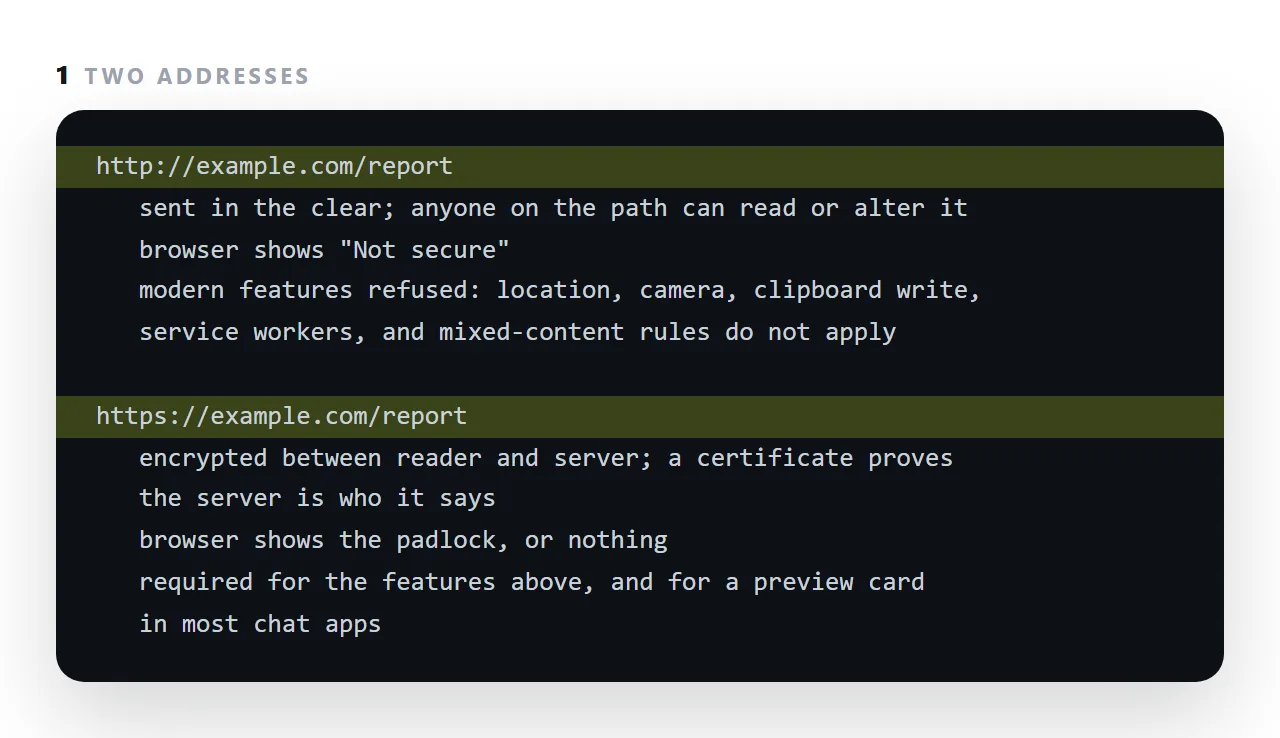
The encryption means nobody between the reader and the server, on public wi-fi or at an internet provider, can read the page or change it on the way. The certificate means the server at that address is the one the address belongs to.
Browsers now mark plain http pages "Not secure", refuse them features like clipboard access and location, and chat apps will not draw a preview card for them.
This guide covers what HTTPS provides, what it does not, the padlock, and why every shared page should have it.
HTTPS is HTTP inside an encrypted, authenticated channel. It provides three things.
What HTTPS provides
Confidentiality. Nobody on the network path can read the traffic — not the coffee shop, not the network operator, not an intermediary.
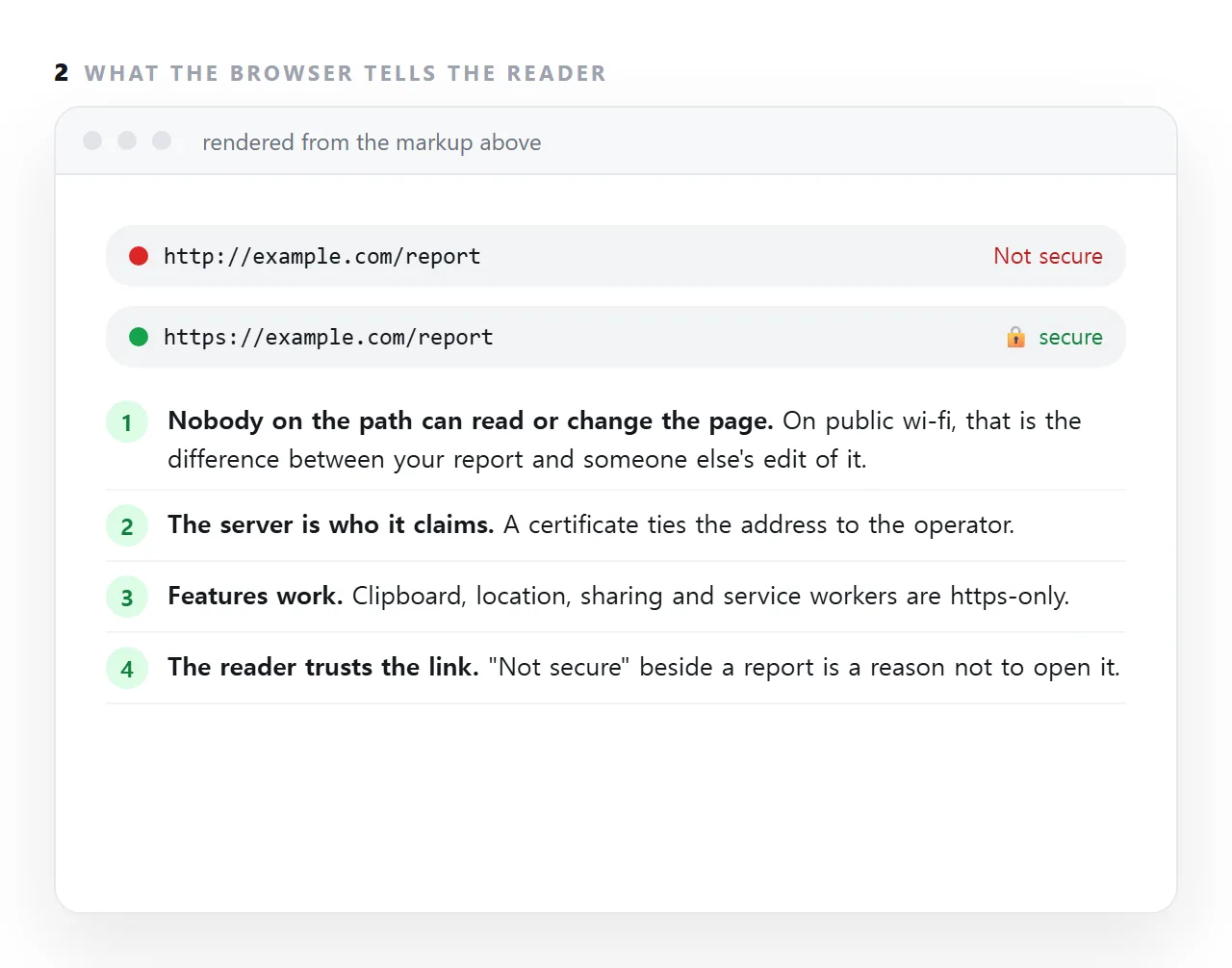
Integrity. Nobody can alter it either. Without this, an intermediary can inject a script into any page you load, and the page will run it.
Authentication of the host. The certificate proves the server holds a private key for that hostname. You reached the host you asked for.
What it does not provide
Any statement about the site's intentions. A certificate certifies a hostname, not honesty. A phishing site obtains one in minutes and displays the same padlock.
This matters because "look for the padlock" was taught as safety advice for years. It never meant that, and it means even less now that certificates are free and instant. The padlock means: the connection is private. That is all.
Anything about what the server does with your data once it has it.
Why a static page with no forms still needs it
Three reasons.
Integrity. Over http, anything on the path can rewrite your page before it arrives. Your carefully checked report can reach the reader with an extra script in it, and there is no way for either of you to know.
Browser features are gated on it. Service workers, the clipboard API, geolocation, camera access — all require a secure origin. A page on http cannot use them, and neither can a page on file://.
Browsers mark it. http pages are shown as "Not secure" in the address bar, which readers notice.
The related failure
Once a page is on https, anything it loads over http is blocked — see mixed content. Scripts and stylesheets fail silently, so the symptom is an unstyled or non-working page with nothing visibly wrong.
The console names it precisely. Check there first.
The headers worth adding
Strict-Transport-Security: max-age=31536000; includeSubDomains
Tells the browser to use https for this host for the next year, even if a link says otherwise. It removes the initial http request that a redirect would otherwise have to catch — and that request is where an interception can happen.
Be deliberate about includeSubDomains: it applies to every subdomain, including any internal one still on http.
X-Content-Type-Options: nosniff
Referrer-Policy: strict-origin-when-cross-origin
The first stops the browser guessing content types — see MIME types. The second stops full addresses leaking to other sites in the referrer header, which matters if your addresses contain anything identifying.
Certificates are free
Automated certificate authorities issue and renew them at no cost, and most hosting handles it without configuration. There is no remaining argument for serving a public page over http.
If you are choosing where to put a page, "does it serve https automatically" is a reasonable minimum requirement — and it is met by default nearly everywhere now, including when publishing a page rather than hosting a file.
What this means for sharing
A page at an https address is ordinary browsing for the recipient: no warning, no download, no decision. That is part of why a link works where a file does not — see the browser warning on a downloaded HTML file, which exists precisely because a local file has none of the guarantees on this page.
The headers worth having, and what each prevents
| Header | Prevents |
|---|---|
Strict-Transport-Security |
The initial http request an interception could use |
X-Content-Type-Options: nosniff |
A file being guessed into a different type — see MIME types |
Referrer-Policy |
Your full addresses leaking to other sites |
Content-Security-Policy |
An injected script running — see Content-Security-Policy |
frame-ancestors |
Another site framing your page to capture clicks |
None of these require a certificate decision; they are lines of configuration. The first one depends on https already working, which is why it comes after rather than instead.
Checking what you are serving
curl -sI https://example.com | grep -i -E "strict-transport|content-type|referrer|content-security"
One command, and the answer is unambiguous. Worth running once after any hosting change — the usual way these get lost is a migration where the new configuration was written from memory.
The padlock, and what people read into it
The padlock says the connection is encrypted and the certificate matches the address. It does not say the site is honest, well-run, or the one you meant to visit; a look-alike domain can have a perfectly valid certificate.
Browsers have accordingly made the padlock quieter over the years and made the absence of https louder, with a "Not secure" label that most readers now take as a reason to close the tab.
For a shared document, the practical consequence is simple: an http link to a report looks like a risk, and an https link looks like a page.
Certificates, briefly
A certificate is issued to a domain by an authority the browser trusts, after the authority checks that whoever is asking controls the domain.
Free, automated issuance has made this a background process for any modern host: the certificate is obtained and renewed without anyone thinking about it.
If you are running your own server, that automation is the thing to set up first; if you are publishing a document through a host, it is already done.
Getting a page onto HTTPS: 4 steps
- Serve every page over https. Any modern host does this by default with a free certificate. A NOS document is https from the first share: Share, then Share link, then Create link.
- Redirect http to https. So an old link or a typed address lands on the secure version rather than a warning.
- Make every resource in the page https too. Otherwise the page has mixed content and the browser blocks parts of it silently.
- Do not read the padlock as trust in the content. It proves the connection and the server, not that the page is honest. A phishing page can have a padlock; what it cannot have is your domain's certificate.