An HTML checklist is a list of checkboxes with labels tied to them, and it takes no script to build:
<ul class="check">
  <li>
    <input type="checkbox" id="c1">
    <label for="c1">Viewport meta tag present</label>
  </li>
  <li>
    <input type="checkbox" id="c2">
    <label for="c2">Images embedded, not folder paths</label>
  </li>
</ul>
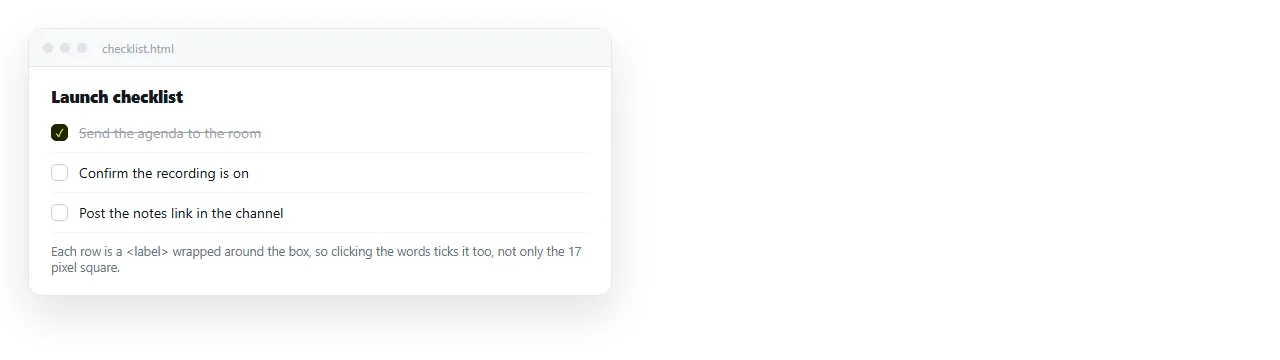
The for attribute is the part people skip, and it is the part that matters most on a phone. With it, tapping the words toggles the box. Without it, the reader has to hit a 13 pixel square.
Styling the checked rows
CSS can react to the checked state without any script, as long as the label comes after the input.
<style>
  .check { list-style: none; padding: 0; }
  .check li { display: flex; gap: 8px; align-items: center; padding: 6px 0; }
  .check input:checked + label { color: #8a90a0; text-decoration: line-through; }
</style>
The + selector means "the label immediately after a checked input". If your markup nests the input inside the label, use :has(:checked) on the label instead.
Do not rely on the strike-through alone. Keep the checkbox visible, because the line through text is invisible to a screen reader and hard to see in bright sunlight on a phone.
Why the ticks disappear
This is the question behind most checklist pages, so it is worth being blunt about it.
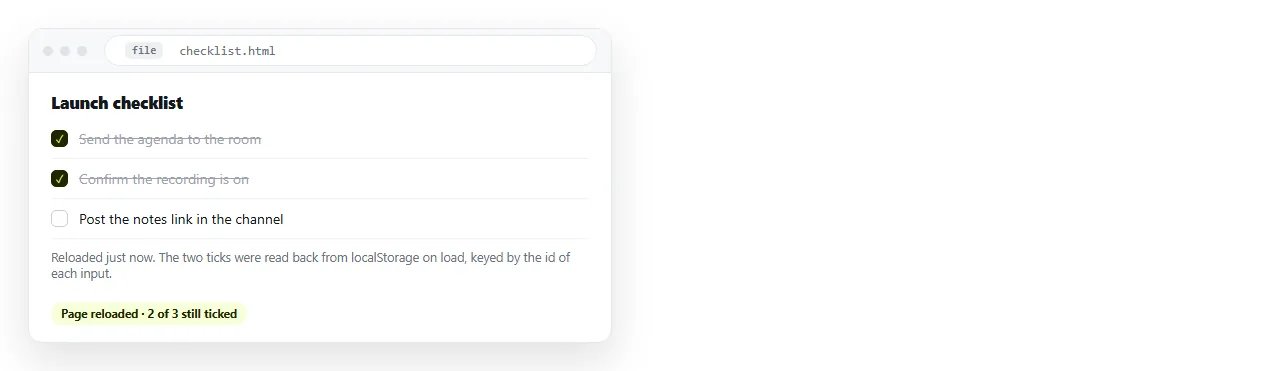
A checkbox tick is state in the rendered page. It is not written into the HTML file, and nothing is saving it. Reload, and the page is rebuilt from the file, which never knew the box was ticked.
| Where the state lives | Survives reload | Shared between people | Needs |
|---|---|---|---|
| Nowhere (default) | No | No | Nothing |
| Local storage | Yes, same browser | No | A few lines of script |
| URL parameters | Yes, if the link is kept | Yes, if you resend the link | Script, and a long address |
| A saved document | Yes | Yes | Editing rights on the document |
Pick the row that matches who the list is for. A personal pre-flight checklist wants row two. A release checklist that three people work through wants row four.
Keeping ticks in local storage
For the personal case, twelve lines is enough:
<script>
  const boxes = document.querySelectorAll('.check input[type=checkbox]');
  const KEY = 'checklist-v1';
  const saved = JSON.parse(localStorage.getItem(KEY) || '{}');
  boxes.forEach(b => {
    if (saved[b.id]) b.checked = true;
    b.addEventListener('change', () => {
      saved[b.id] = b.checked;
      localStorage.setItem(KEY, JSON.stringify(saved));
    });
  });
</script>
Two limits to know before you rely on it.
The state belongs to one browser on one device, so the same person on a laptop and a phone sees two different lists.
It is also keyed to the address, so moving the page somewhere else starts the list empty. Local storage covers both in more detail.
Bump the KEY value when you change the items. Otherwise a reader who ticked the old item three keeps that tick against whatever item three has become, which is worse than starting clean.
Showing how far along it is
A count at the top makes a long checklist usable, and it pairs with a bar.
<p><span id="done">0</span> of <span id="total">12</span> complete</p>
<progress id="bar" value="0" max="12"></progress>
Update both in the same change handler you already have. An HTML progress bar goes through the tag options if the bar needs styling.
For checklists with more than about fifteen items, group them under subheadings and give each group its own count. A single list of forty boxes gets abandoned around box nine.
When the checklist is for a team
The moment two people are working the same list, per-browser storage is the wrong answer. Their ticks are invisible to each other, and nobody can tell whether an item is undone or just unseen.
Paste the checklist HTML into a NOS document. It renders as written, and because the document itself is editable, ticking an item is a change to the shared content rather than to one browser.
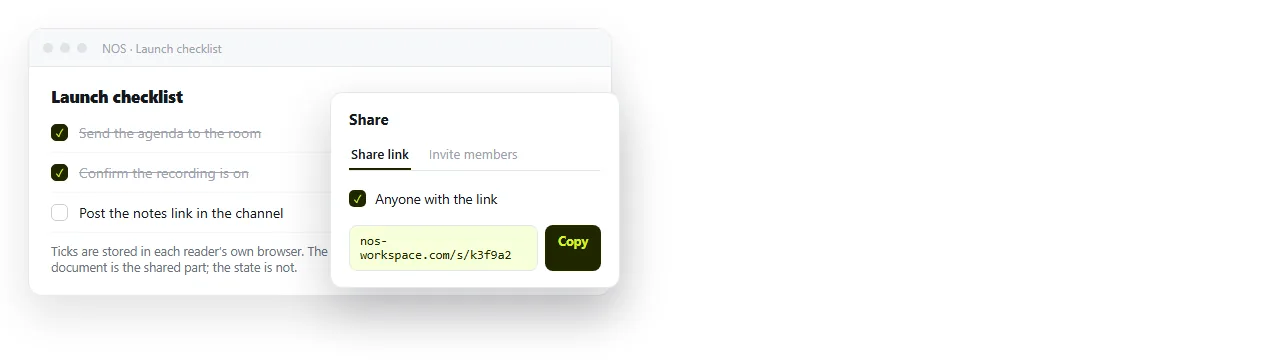
Share, then Share link, then Create link, and send that line.
The address does not change when the list does, so the link from the start of the project still opens the current state. Turning HTML into a link is the same step for any page.
For lists where each row also carries an owner and a due date, an editable HTML table is the better shape. Columns beat a label with three facts jammed into it.
Writing items people can actually tick
The markup is the short part. Wording is where most checklists fail, and three rules cover nearly all of it.
One action per item. If an item contains the word "and", it is two items, and half of it gets done while the box sits ticked.
Write the finished state, not the activity. "Viewport meta tag present" can be verified. "Check mobile" cannot, so nobody knows when to tick it.
Say who or where when it matters. An item that needs someone else's account belongs to that person, and hiding that in the label means it stalls silently.
Length matters too. A pre-flight list of eight items gets run every time. The same list at forty items gets skimmed once and then ignored, which is worse than not having one.
Quick checklist for your checklist
- Is every label tied to its input with
for? - Does tapping the text toggle the box on a phone?
- Is the completed state shown by something other than colour alone?
- Have you decided where the ticks live, rather than leaving it to chance?
- Is the CSS and script inside the file, so it survives being shared?
Open the finished page in the HTML file opener to confirm the last one. If the list renders unstyled there, the stylesheet is not travelling with it.