To change an SVG color from HTML, put the SVG markup inline in the page and set fill in CSS. That is the whole answer, and the reason your current CSS does nothing is almost certainly that the SVG is not inline.
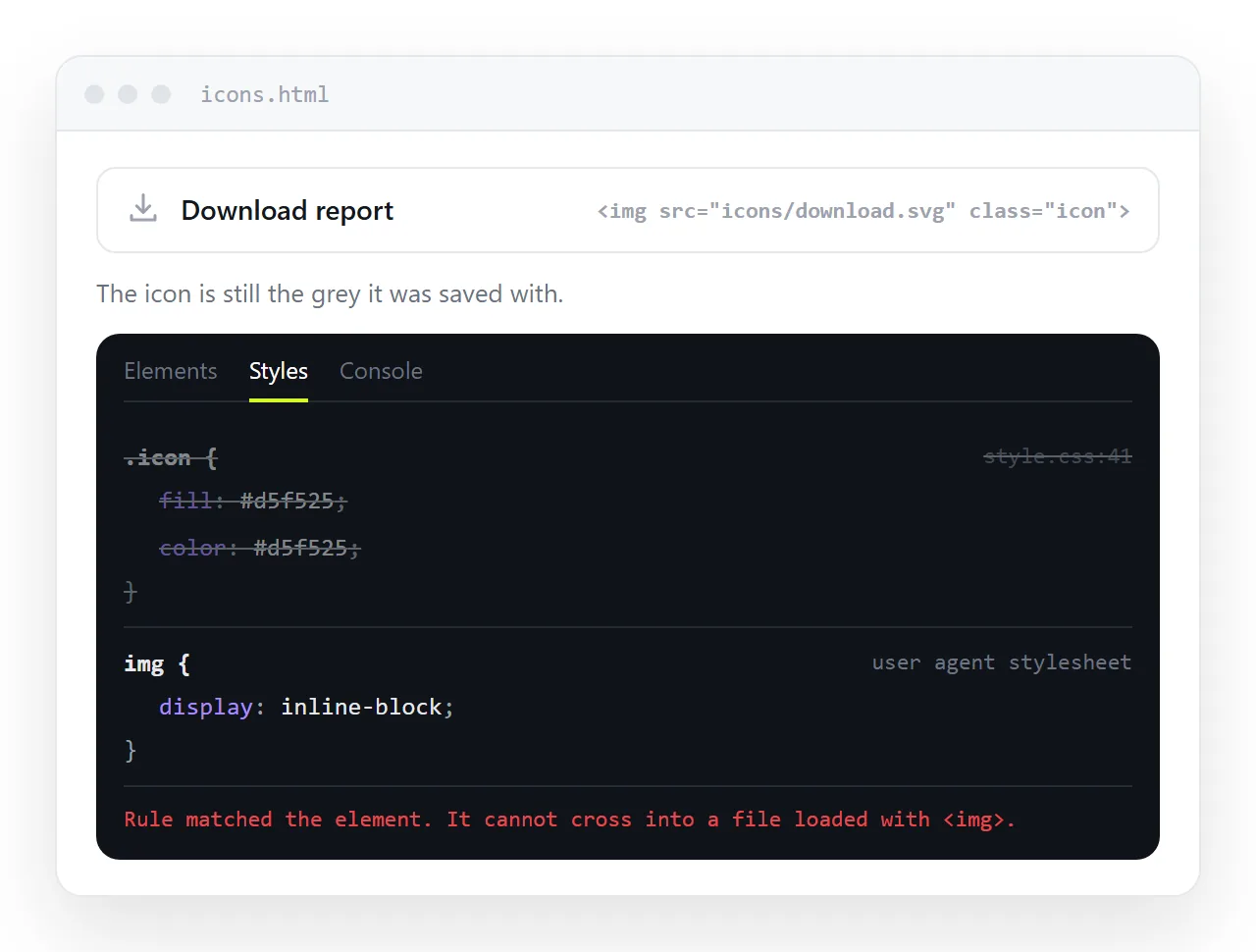
Why the img tag blocks it
An <img src="icon.svg"> is a separate document. The browser renders it in its own context, and the styles on your page do not cross that boundary. The same is true for background-image and, for styling purposes, most <object> uses.
So this does nothing:
img.icon { fill: #22d3ee; } /* no effect, ever */
The four ways to load an SVG, and which are stylable
| How it is loaded | Your page CSS applies | Notes |
|---|---|---|
Inline <svg> in the HTML |
Yes | Full control, one icon per copy |
<img src="icon.svg"> |
No | Cached, simple, unstyleable |
CSS background-image |
No | Same limit, plus no alt text |
<use href="#id"> from an inline sprite |
Yes | One definition, many instances |
If you want colour control, the first and last rows are the options. Everything below is about them.
Inline, then fill
Paste the SVG markup where the icon goes. SVG in HTML covers the paste itself.
<svg class="icon" viewBox="0 0 24 24" aria-hidden="true">
  <path d="M12 2 2 22h20L12 2z"/>
</svg>
.icon { width: 20px; height: 20px; fill: #22d3ee; }
.icon:hover { fill: #f472b6; }
One warning. If the exported file already carries fill="#000" on the path, that presentation attribute is a real attribute, and a CSS rule beats it. But an inline style="fill:#000" on the path does not lose to your stylesheet, and you have to delete it.
currentColor is usually what you want
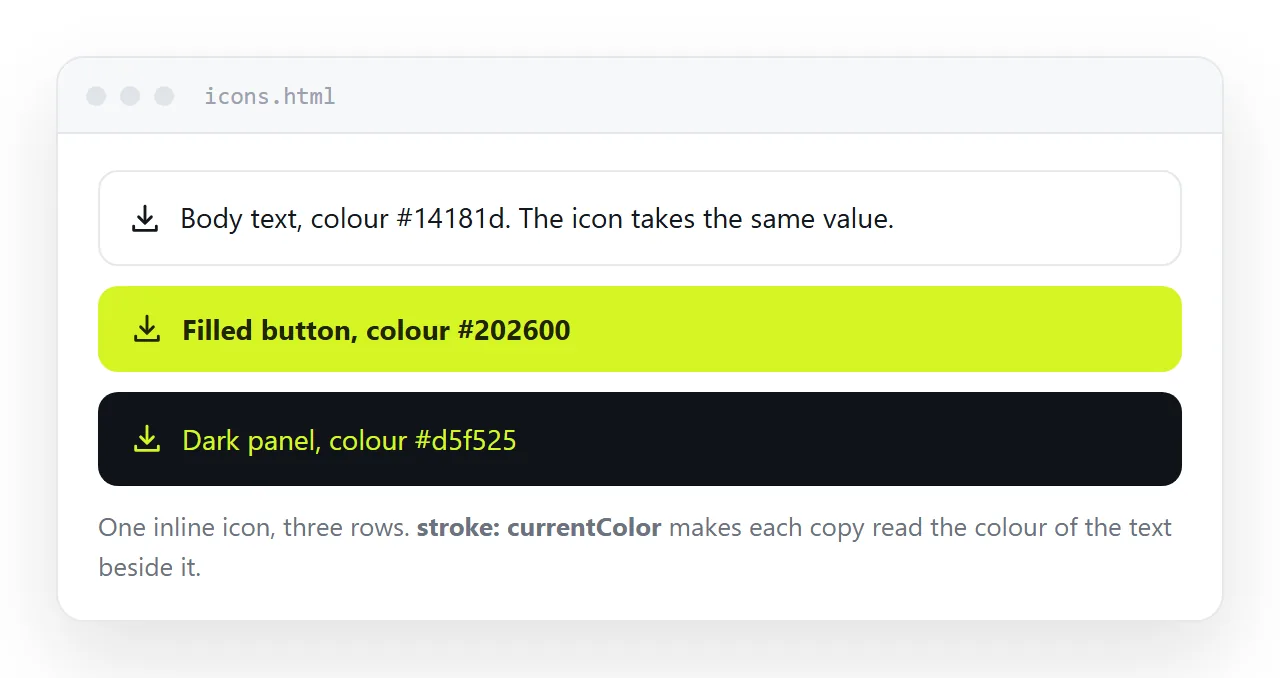
Hard coding a hex in the icon means a second copy for every context. currentColor removes that.
<svg viewBox="0 0 24 24" fill="currentColor" width="20" height="20">
  <path d="M12 2 2 22h20L12 2z"/>
</svg>
Now the icon takes the color of whatever contains it. In a paragraph it matches the text. In a button it matches the label. In dark mode it flips with everything else, with no extra rule.
Fill against stroke
This trips people up more than the img tag does.
- Solid icons are a filled shape.
fillcontrols them,strokedoes nothing visible. - Line icons, the 1.5px outlined style, are usually
fill="none"withstroke="currentColor". Settingfillon those changes nothing.
Look at the source before writing the rule. If you see stroke-width anywhere, set stroke, not fill.
.line-icon { fill: none; stroke: currentColor; stroke-width: 1.5; }
Two colours in one icon
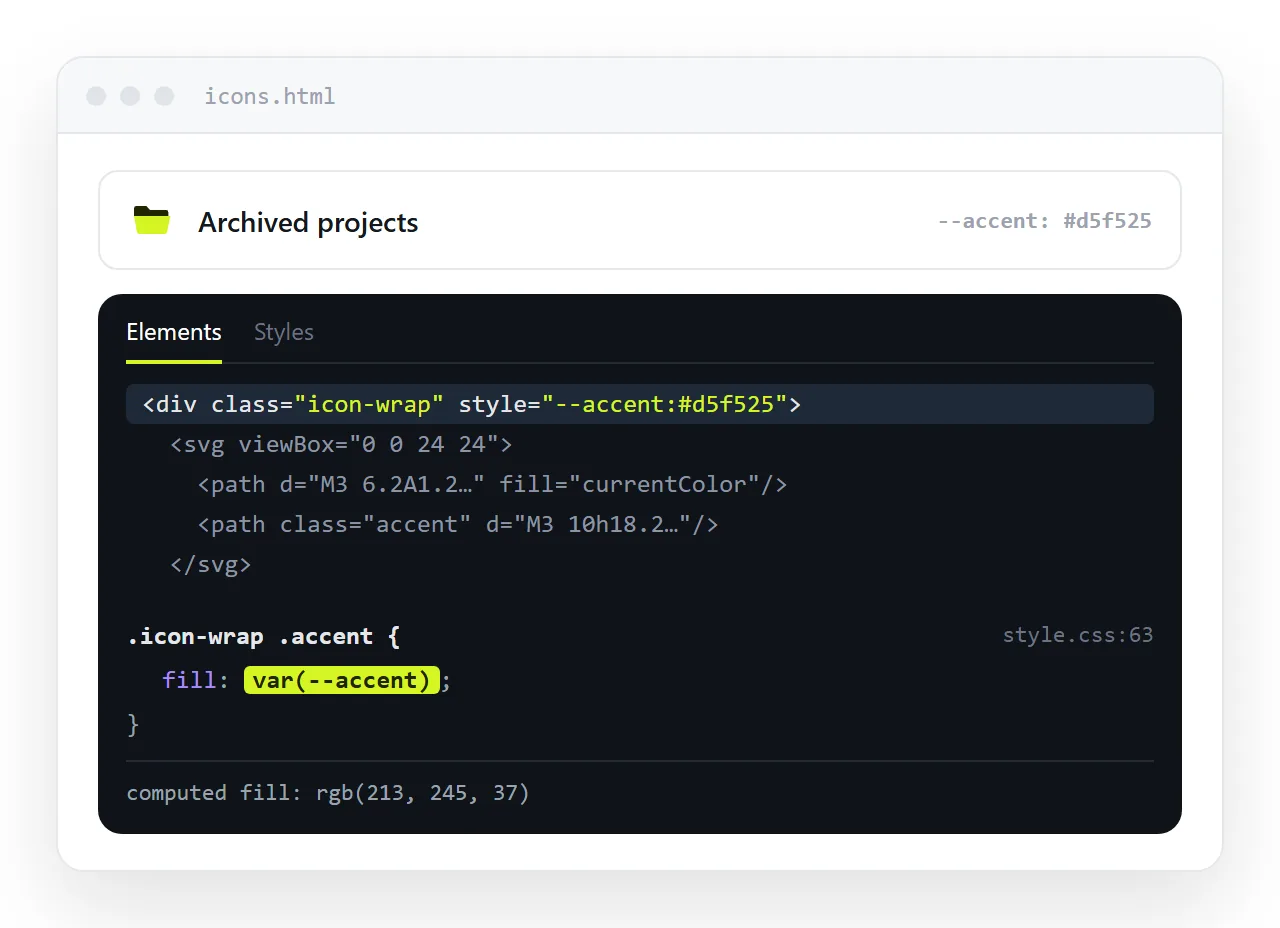
When an icon has a body and an accent, give the paths CSS variables and set them from outside.
<svg viewBox="0 0 24 24" width="24" height="24">
  <path class="body" d="..." />
  <path class="accent" d="..." />
</svg>
.body   { fill: var(--icon-body, currentColor); }
.accent { fill: var(--icon-accent, #38bdf8); }
.danger { --icon-accent: #ef4444; }
The fallback after the comma means the icon still draws if nobody sets the variable. Put the variable on a wrapper and every icon inside it changes together.
The sprite pattern, when the same icon repeats
Inlining works until you need the same icon forty times. Then define it once and reference it.
<svg style="display:none">
  <symbol id="i-check" viewBox="0 0 24 24">
    <path d="M20 6 9 17l-5-5" fill="none" stroke="currentColor" stroke-width="2"/>
  </symbol>
</svg>

<svg class="icon"><use href="#i-check"/></svg>
<svg class="icon" style="color:#ef4444"><use href="#i-check"/></svg>
Because the symbol uses currentColor, each instance takes its own colour from its own color. That is the cheapest way to get a consistent icon set in a single self-contained file.
Specificity, and why your rule loses
When the colour refuses to change even though the SVG is inline, the cause is one of four things. Work down the list in order.
- An inline
styleattribute on the path. It beats any stylesheet rule short of!important. Delete it from the markup. - A
<style>block inside the SVG. Design exports often ship one, with class names like.cls-1. Those rules sit in the same cascade as yours, so a later or more specific rule wins. - You set
fillbut the shape is stroked. Covered above, and the most common of the four. - The rule targets the
<svg>and the<path>has its ownfill. Fill inherits, but only where the child has not declared its own value.
/* targets the shapes, not just the wrapper */
.icon, .icon path, .icon circle, .icon rect { fill: currentColor; }
That selector is blunt and it settles most cases. Prefer fixing the markup once if the icon is yours, since a blanket rule will also recolour a two tone icon into one flat shape.
If you cannot inline it
Sometimes the SVG arrives as a file you do not control. CSS filters can push it around.
.icon-white { filter: brightness(0) invert(1); }
That reliably produces pure white or pure black. Matching a specific brand colour with hue-rotate and saturate is guesswork and rarely lands exactly.
A cleaner fallback is to fetch the file and insert its text into the document, which turns it into inline SVG at runtime. Treat filters as the last option, not a plan.
Checking the result
Open the page somewhere that has never seen your stylesheet. If the icon turns black again, the colour was coming from a rule that did not travel with the markup, which happens when the CSS lives in an external stylesheet and the file moves.
Pasting the HTML into a NOS document is a fast check. It renders the markup as written, including the SVG and its rules, and gives the page an address.
The icons keep their CSS, so a colour that survives there will survive for the reader. Correcting a shade later is an edit to the page, not another export from the design tool.