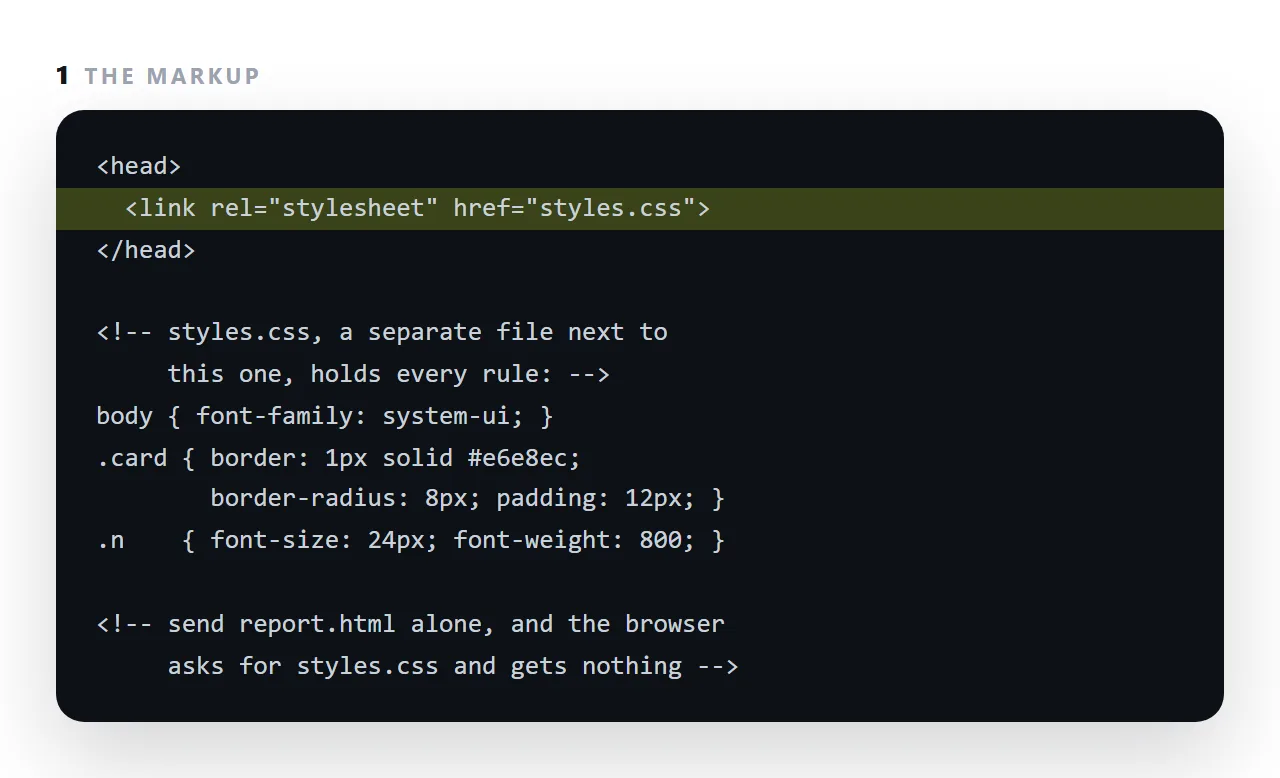
An external stylesheet is a CSS file that the page links to with <link rel="stylesheet" href="styles.css">, so one set of rules can style many pages.
That is the right shape for a website, where the same header and typography appear on every page and one edit should change all of them.
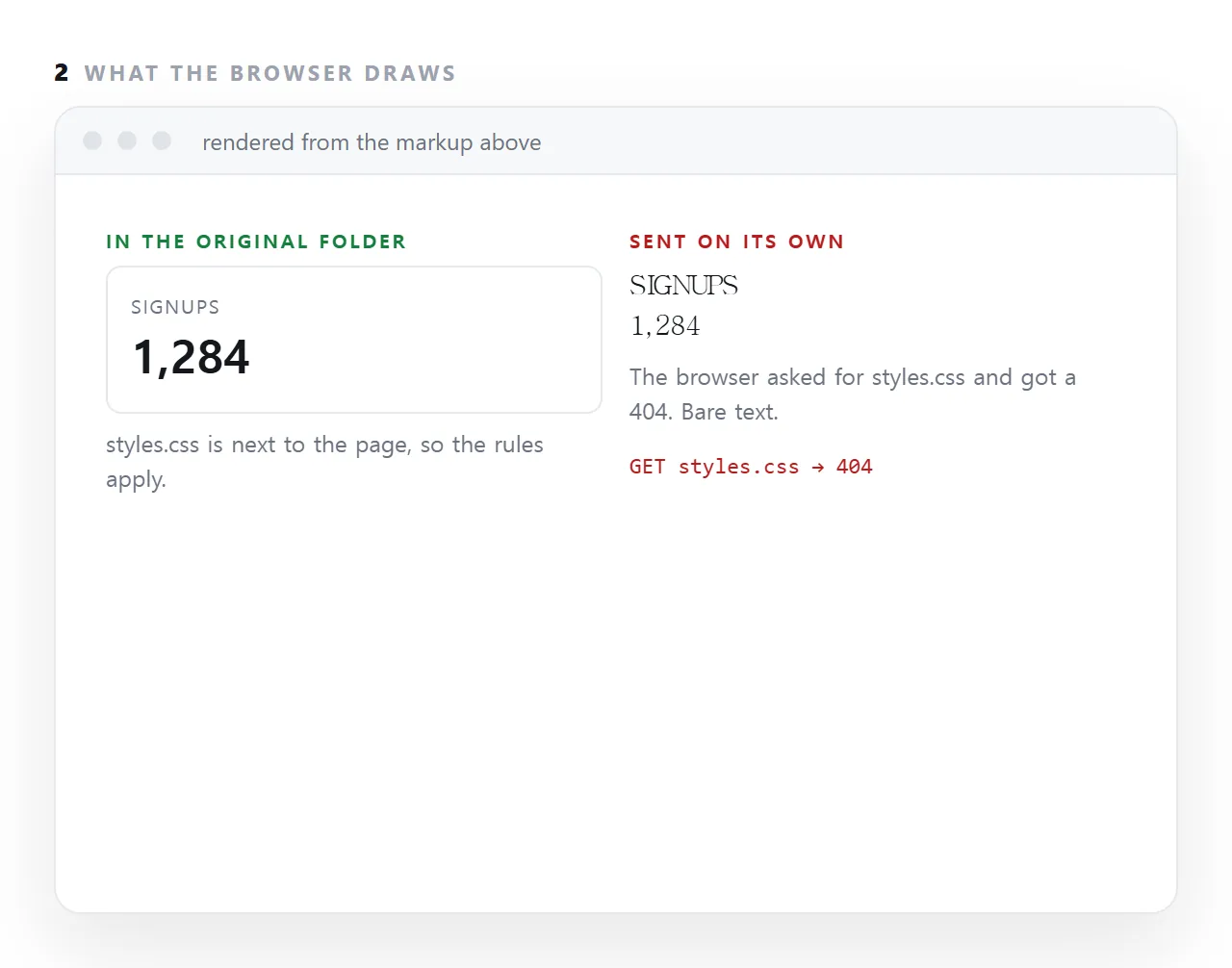
It is the wrong shape for a single page that will be emailed, pasted or published on its own, because the page asks for a file that is not next to it any more and renders as bare text.
This guide covers the case for it, the case against it for a single page, and how to choose.
<link rel="stylesheet" href="styles.css">
That says: fetch styles.css from next to this page and apply it. One file, many pages.
The case for an external stylesheet
Caching. The browser downloads the stylesheet once. Every subsequent page on the site reuses it from cache, so only the first page pays.
One place to change. Adjust the card border once and every page follows.
Smaller documents. The markup carries no styling, so each page is smaller.
For a site with more than a handful of pages, these are decisive.
The case against it, for a single page
The reference is a path, and paths only resolve where the neighbour exists.
Four situations where it breaks:
- Sent as a file. You attach the HTML, the CSS stays behind, the recipient gets unstyled text. This is the single most common cause of missing styles.
- Dropped in a preview. A preview frame has no document address to resolve a relative path against, so nothing loads.
- Pasted into another document. The
linktag is stripped along with everything else. - Case mismatch.
Styles.cssandstyles.cssare the same file on your machine and two different files on most servers. Works locally, 404 once published.
Which to use
| Situation | Use |
|---|---|
| A site with several pages | An external stylesheet |
| One page, going to someone as a file | A <style> block |
| A page to be embedded or previewed | A <style> block |
| A page generated by an assistant | A <style> block |
| An email | Inline styles |
The test is simple: will this page ever be alone? If yes, the CSS has to be inside it.
The flash of unstyled content
A stylesheet blocks rendering while it downloads — the browser will not paint until it arrives, precisely to avoid showing unstyled content. On a slow connection that means a pause, and if the download fails partway you can get a visible flash.
A <style> block cannot do this. The rules arrive with the markup, so there is no window in which the page exists without its styling. For a single page this is a real, if small, advantage.
If you do keep it external
<link rel="stylesheet" href="https://example.com/styles.css">
Use a full https:// address rather than a relative path. It then resolves from anywhere — inside a frame, from a copy on another machine, from a file opened locally. You have traded the neighbour-file problem for a dependency on that address continuing to exist, which is the better trade if you control the address.
Watch for mixed content: an http:// stylesheet on an https page is blocked outright, and the symptom is an unstyled page with nothing visibly wrong.
Inline the critical part, defer the rest
For a site where both matter:
<head>
  <style>
    /* just enough for the first screen */
    body { margin: 0; font-family: -apple-system, sans-serif; }
    .bar { border-bottom: 1px solid #e7e7ea; height: 52px; }
  </style>
  <link rel="stylesheet" href="/full.css">
</head>
The first screen paints immediately from the inline block; the rest arrives with the file. Worth the complexity for a site, not for a document.
Why the missing file fails silently
The browser asks for styles.css, the server or the disk answers with a 404, and the page renders anyway, because a missing stylesheet is not an error that stops rendering.
Nothing appears on screen to say the file was not found; the only trace is a red line in the Network panel. That silence is why the failure is so common: the author never sees it, because on their machine the file is there.
When the external file is still right, and how to keep it working
A documentation site with two hundred pages should share one stylesheet: one edit, every page updated, and the browser caches the file once.
Keep the link relative so the site can move, add a version to the file name so an edit is fetched rather than served stale, and make sure the server sends the stylesheet with the right content type.
And when one page from that site has to be sent on its own, fold the rules into it for that copy; the self-contained HTML guide has the checklist.
Deciding between an external file and a style block: 4 steps
- Count the pages. Many pages sharing rules: an external file. One page: a
<style>block inside it. - If the page will be sent, fold the CSS in. Copy the contents of
styles.cssinto a<style>tag in the head and remove the<link>. That is most of what makes a page self-contained. - Check in a viewer that has never seen your folder. The HTML viewer has no access to your files. If it is styled there, it is styled for the reader.
- For a site, add cache busting to the link. A version in the file name, so an edited stylesheet is fetched rather than served stale from the cache.