Inline CSS is a rule placed on the element itself, in a style attribute, rather than in a stylesheet: <p style="color:#b91c1c">.
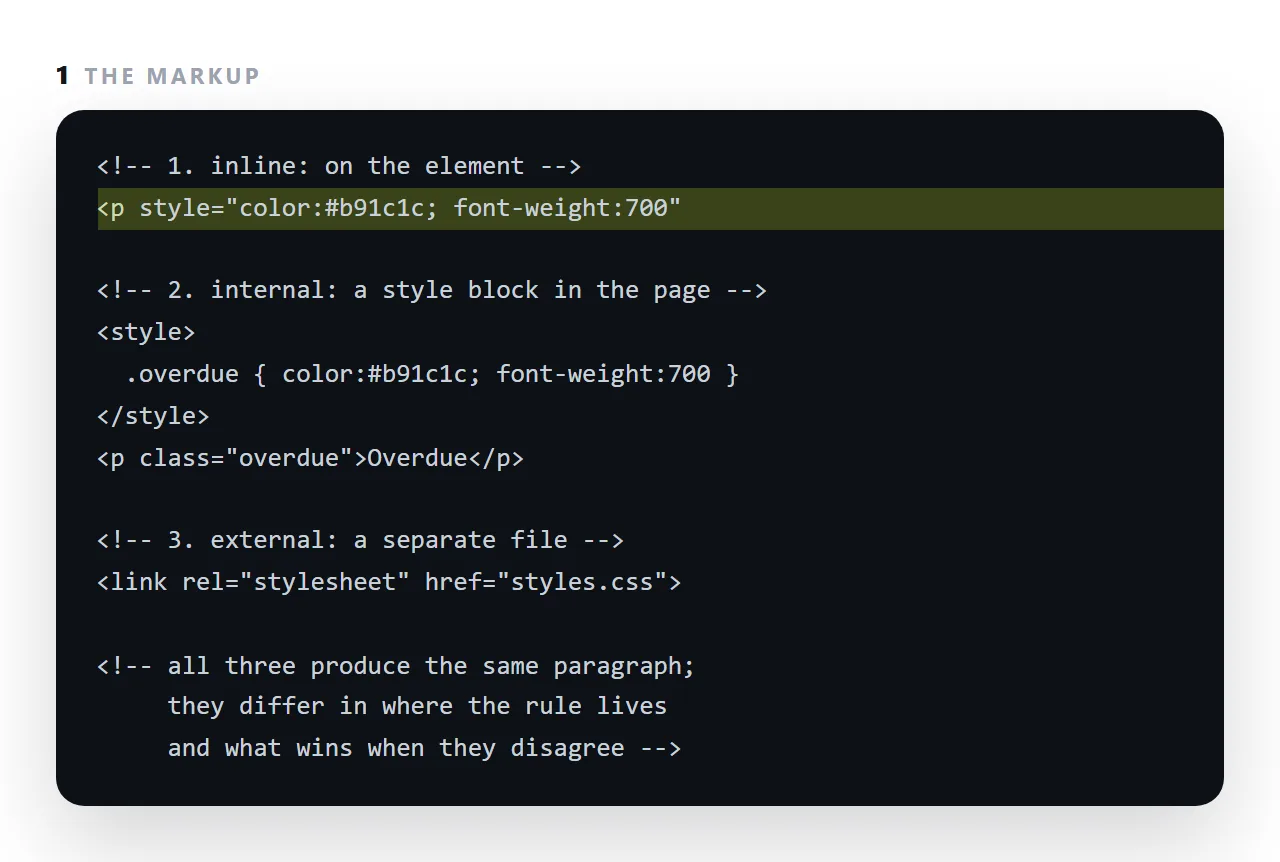
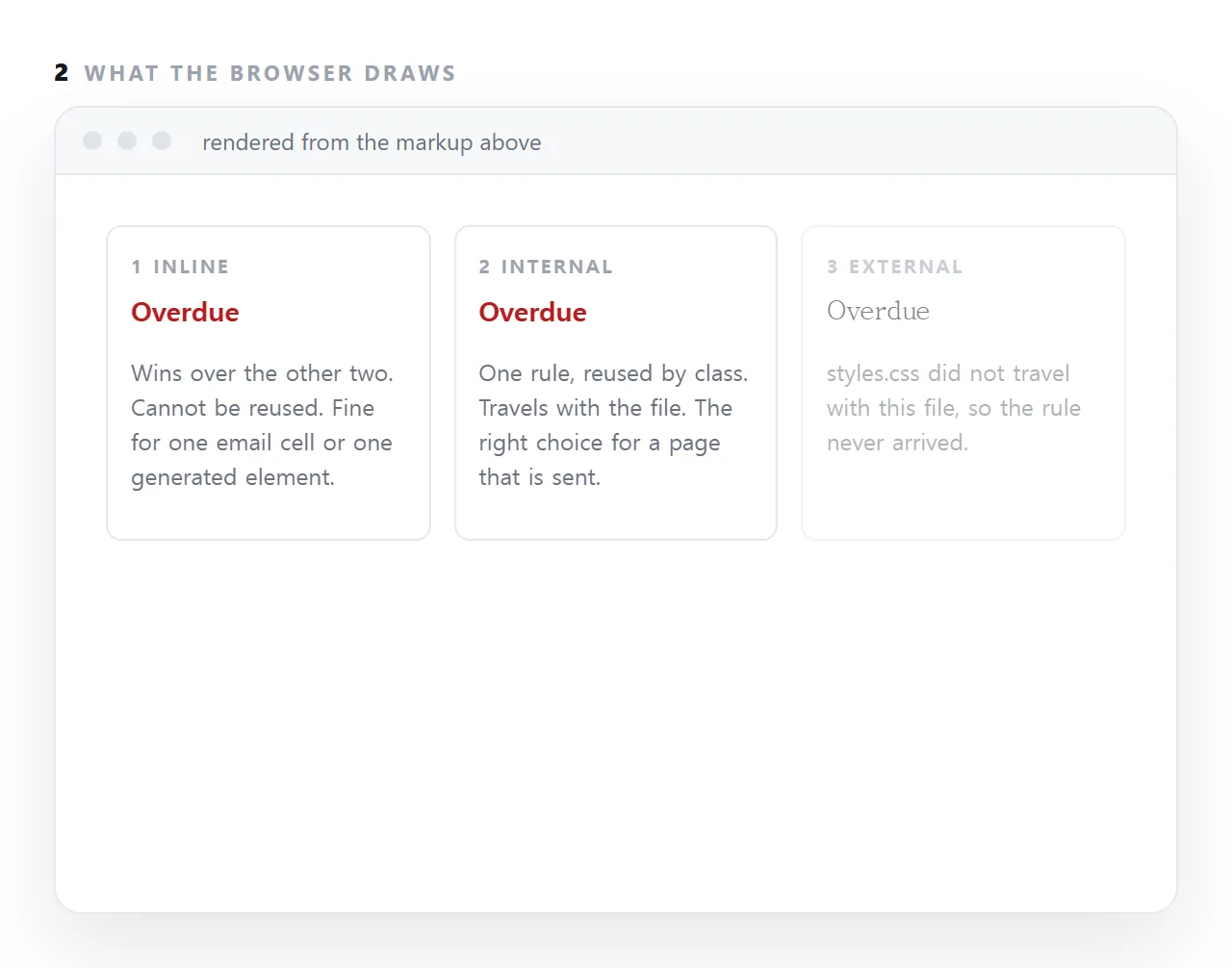
It has the highest specificity of any ordinary rule, so it wins whatever the stylesheet says, and it cannot be shared between elements. Those two facts decide where it belongs.
This guide covers the two cases where inline is correct, why it is wrong the rest of the time, specificity concretely, and how inline, internal and external styles relate for a page that will be sent as one file.
Three places CSS can live:
<!-- inline: one element -->
<p style="color:#52525b;font-size:14px">…</p>

<!-- a style tag: this document -->
<style> p { color:#52525b; font-size:14px } </style>

<!-- an external file: many documents -->
<link rel="stylesheet" href="styles.css">
Inline wins any conflict between them, because the browser treats it as the most specific possible rule.
The two cases where inline CSS is correct
1. A value computed at runtime
<span class="track"><i class="fill" style="width:78%"></i></span>
The 78% comes from data. It cannot live in a stylesheet, because a stylesheet cannot know it. Everything else about the bar — colour, height, radius, transition — belongs in a class:
.fill { display: block; height: 100%; background: var(--accent); border-radius: 6px; }
That split is the right pattern for every chart: the number inline, the appearance in a class.
2. Email
Email clients strip <style> blocks unpredictably and support a small, inconsistent subset of CSS. Inline styles on every element is the only approach that survives, which is why marketing email still looks like 2004 markup. See sending HTML by email for why sending a page as a link avoids the whole area.
Why it is wrong the rest of the time
It repeats. The same declaration on forty rows is forty copies. One class is one copy — this is the main reason generated pages hit length limits.
It cannot hold conditions. No media queries, no :hover, no :focus, no prefers-color-scheme. Anything responsive or interactive is unreachable inline.
<!-- impossible inline -->
<div style="@media (max-width: 600px) { ... }">
It is hard to override. Overriding an inline style from a stylesheet requires !important, which then has to be overridden by another !important. Two steps from there the cascade is unreadable.
It cannot be cached separately. A stylesheet is downloaded once and reused across pages. Inline styles come with every copy of every document.
Specificity, concretely
| Source | Wins against |
|---|---|
!important in a stylesheet |
Everything except another !important inline |
style="…" |
Every normal selector |
#id |
Classes and elements |
.class |
Elements |
p |
Nothing |
Debugging note: if a rule refuses to apply and the inspector shows it struck through, look for a style attribute on the element. That is the cause more often than a specificity miscalculation.
For a single self-contained file
A page that must travel alone should use a <style> block in the head, not inline styles everywhere. You get both properties at once: everything inside one file, and rules that can be reused and can hold media queries.
<head>
  <style>
    * { box-sizing: border-box; }
    body { font-family: -apple-system, "Segoe UI", sans-serif; margin: 0; }
    .card { border: 1px solid #e7e7ea; border-radius: 12px; padding: 15px; }
    @media (max-width: 700px) { .cards { grid-template-columns: 1fr; } }
  </style>
</head>
That is the arrangement to ask for in any prompt — see self-contained HTML.
Decision table
| Situation | Inline | <style> block |
External file |
|---|---|---|---|
| A width computed from data | Yes | ||
| An email body | Yes | ||
| One page sent as a file | Yes | ||
| A page to be embedded or previewed | Yes | ||
| A page generated by an assistant | Yes | ||
| A site with several pages | Yes | ||
| A hover or focus state | Yes | Yes | |
| A media query | Yes | Yes | |
| Dark mode | Yes | Yes |
The bottom three rows are impossible inline, which is the hard limit rather than a preference.
The specificity consequence
An inline style beats every selector in a stylesheet, so overriding one needs !important — and then overriding that needs another !important. Two steps in, nobody can predict which rule wins.
Practical debugging note: when a rule refuses to apply and the inspector shows it struck through, look for a style attribute on the element before recalculating specificity. That is the cause more often than a selector mistake.
For a single-file page, a <style> block in the head gives you everything inline gives you — nothing to fetch, self-contained — while keeping media queries and states available. There is no case where scattering inline styles through a document is better than that, except email.
How inline styles interact with everything else
An inline rule beats any selector in a stylesheet, however specific, unless the stylesheet rule carries !important.
That is why a generated page full of inline styles is so hard to restyle: a new stylesheet does nothing until every attribute is removed or overridden one by one.
It is also why a bar chart's widths belong inline, they are per-element values that no stylesheet should override, and why a colour scheme does not, because it should be changeable in one place.
The email exception, in detail
Mail clients render a small subset of CSS and many of them strip <style> blocks from the head, so a marketing email is built with every rule inlined on the element it applies to.
That is a constraint of the medium, not a style choice, and tools exist to inline a stylesheet automatically before sending.
For a page that is read in a browser, the same technique is pure cost. Email versus link covers what survives an inbox.
Choosing where a rule lives: 4 steps
- Use inline for values computed per element. A bar's width, a colour driven by data. The value belongs to that element and no other.
- Use inline for email. Mail clients strip style blocks in many cases; inline is what survives the paste.
- Use a
<style>block for everything else on a page you will send. Reusable, readable, and it travels with the file, which is what a self-contained page needs. - Use an external file only for a site of many pages. Never for a single page that will be sent on its own, because the file does not come along.