A ChatGPT response cut off mid-tag means the answer hit a length limit before the closing tag, and the file will not render. Asking for the rest usually produces a second block that does not join cleanly to the first.
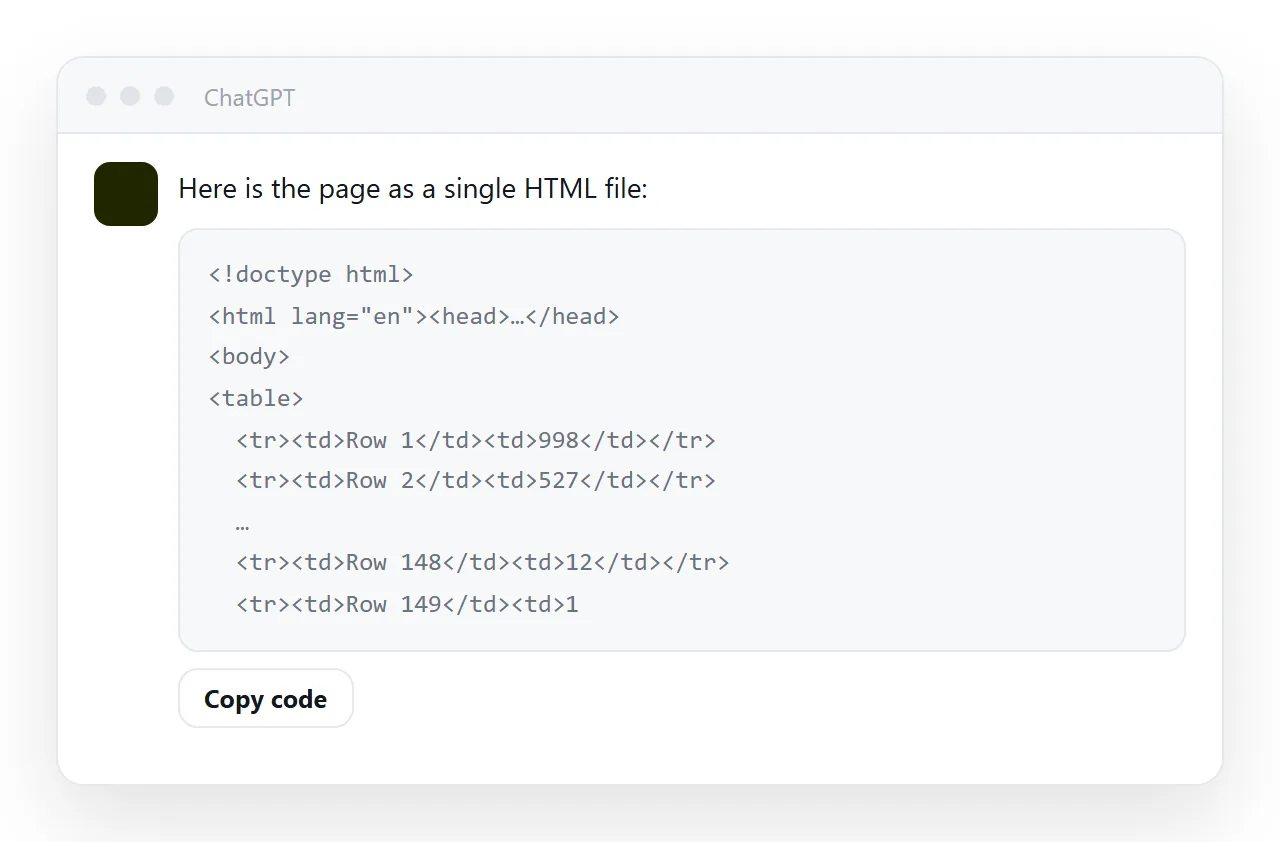
The reliable fix is to ask for less page: almost all of the length in a truncated file is not content but repetition, an inline style on every element, a row of markup for every row of data, or an image embedded as text.
This guide covers getting the rest when you must, where the length actually goes, and the prompt that keeps pages under the limit.
The answer ends with something like <div class="ca and stops. That is a length limit, not a mistake in your prompt.
Getting the rest when the ChatGPT response is cut off
Ask for the continuation
Continue the file from exactly where you stopped. Do not repeat anything.
Then join the pieces. Whether that works cleanly depends on where the split landed:
| Split point | Joining |
|---|---|
| Between two elements | Clean — paste them together |
| Inside a tag | Repair the tag by hand |
| Inside a CSS rule | Repair the rule by hand |
| Inside a string in a script | Usually needs a rewrite of that line |
After joining, check the file opens with <!DOCTYPE html> and closes with </html>, and render it in the HTML viewer before trusting it.
Better: ask in pieces deliberately
First, give me only the <head> including all the CSS.
Now the <body> markup only.
Now the <script> only.
Three short answers instead of one truncated one, each complete in itself. More reliable than continuing from a cut.
Making the page smaller
The real fix is that generated pages are longer than they need to be, in three specific ways.
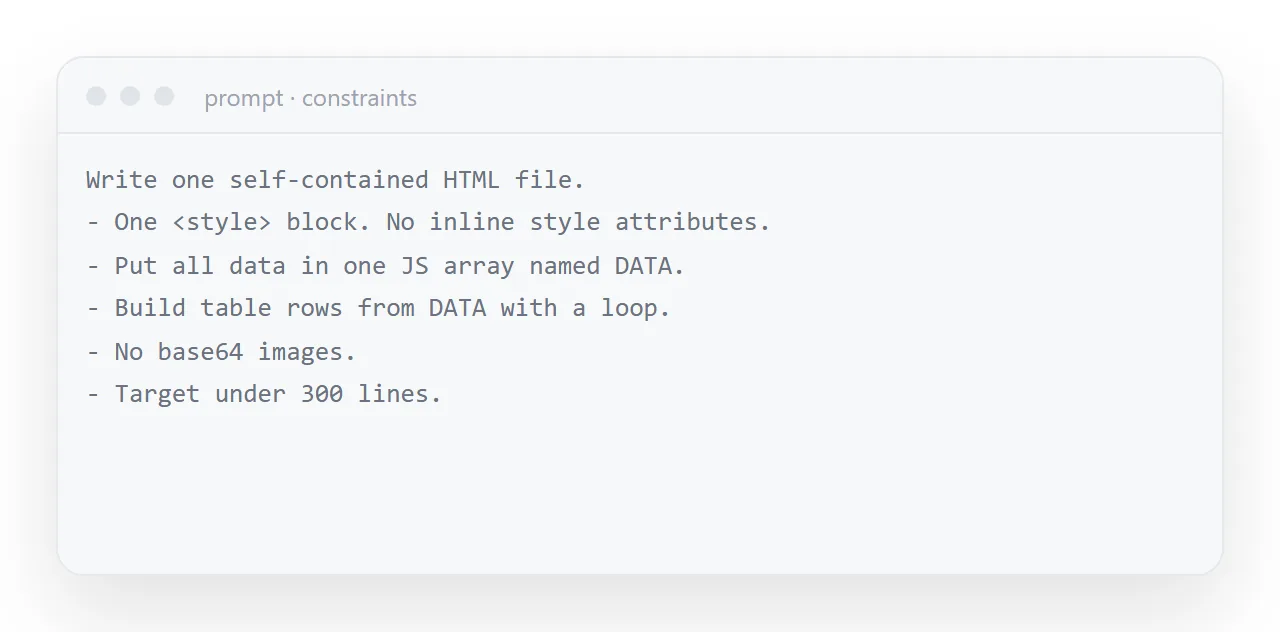
1. Repeated markup
Twelve cards written out as twelve blocks of markup is twelve times the text. Written as data plus a loop it is one block:
<script>
  var CARDS = [
    { label: 'Signups', value: '1,284', delta: '+12.4% vs last week' },
    { label: 'Active teams', value: '317', delta: '+6 new' },
  ];
  document.getElementById('cards').innerHTML = CARDS.map(function (c) {
    return '<div class="card"><div class="l">' + c.label + '</div>' +
           '<div class="v">' + c.value + '</div>' +
           '<div class="d">' + c.delta + '</div></div>';
  }).join('');
</script>
Shorter, and it gives you one place to edit next week's numbers instead of twelve.
2. Inline styles on every element
<!-- found, repeated 40 times: -->
<div style="display:flex;align-items:center;gap:11px;margin:8px 0">

<!-- want: -->
<div class="row">
One CSS rule replaces forty copies of the same declaration. See inline CSS for when inline is actually right — it is narrower than people think.
3. Embedded images
A base64 image is enormous as text. One screenshot can be a megabyte of characters, which on its own will exhaust the answer.
Ask for no embedded images. Use SVG for diagrams and icons — it is compact, sharp at any size, and can be coloured by your CSS.
The prompt that avoids the problem
Keep the file compact:
- all repeated content (cards, rows, table data) in one DATA array,
  rendered by a short loop
- classes in a single style tag, never inline styles
- no base64 images; inline SVG for any icon or diagram
- no comments in the CSS
How to see where the length goes
Save the file and look at its size, then remove one thing at a time: delete the base64 image and check the size again, then the inline styles, then the repeated rows.
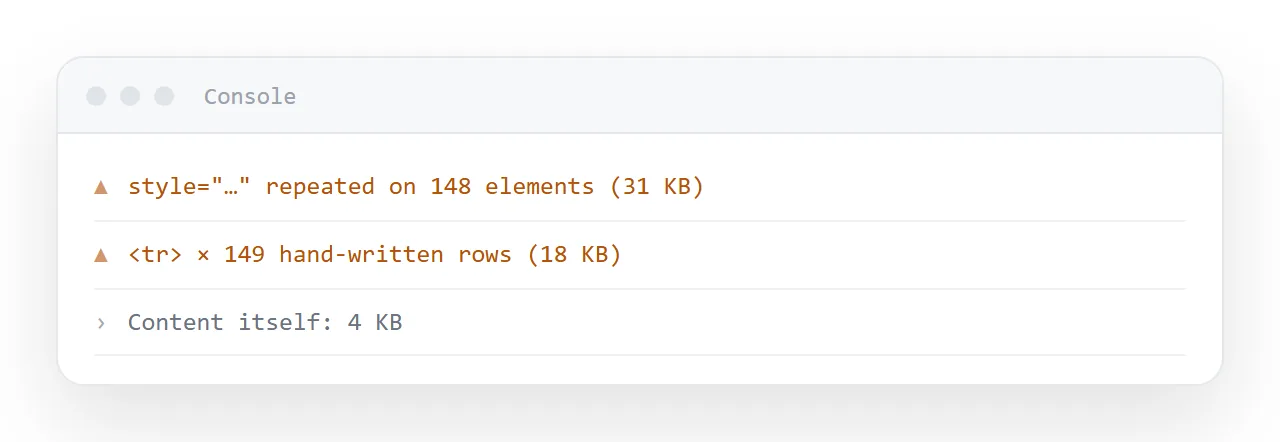
In a typical cut-off file the content is under ten percent of the bytes. Once you know which of the three is the culprit, the fix is a prompt line rather than an edit.
A page this long may be two pages
Worth asking. A generated file that keeps hitting the limit is often trying to be a dashboard, a report and an appendix at once. Three pages that each do one thing are easier to read, easier to keep current, and each has its own address you can send to the person who needs only that part.
That is straightforward once pages are cheap to make. In NOS each pasted page is a document with its own address, so splitting one long page into three is three pastes — and the three sit next to each other, searchable together.
Where the length actually goes
| What | Typical share of a long generated file | Fix |
|---|---|---|
| An embedded image | Can be most of the file on its own | Do not embed; use a separate file or SVG |
| Repeated markup for rows and cards | Large | One data array plus a short loop |
| Inline styles on every element | Large | Classes in a <style> block |
| CSS comments | Small | Remove in the output |
| The actual content | Usually the smallest part | Nothing |
The bottom row is the point. When a generated page hits a length limit, almost none of the length is the thing you wanted.
Splitting is often the right answer
A file that keeps hitting the limit is frequently trying to be three documents — a summary, a detail table and an appendix. Three pages each doing one thing are easier to read, easier to keep current, and each has an address you can send to the one person who needs that part.
That only works if pages are cheap to make. Publishing a page is a paste, so splitting one long file into three is three pastes — and the three sit next to each other, searchable together, rather than in three folders.
A limit you can plan for
Length limits vary by assistant and by plan, and they change. Rather than learning the number, keep the file well under it: a page that renders rows from data and carries its styles in one block is a few hundred lines however much data it shows. If a page still runs long, that is the signal it is two pages.
Getting a complete file: 4 steps
- Ask for the continuation once, from the exact line. Quote the last complete line and ask for everything after it, then join the two blocks by hand. Expect to fix the seam.
- Better: ask for the page in named pieces. The head with all styles first, then the body one section at a time, each block complete on its own.
- Remove what made it long. One
<style>block instead of an inline style on every element, rows rendered from aDATAarray, images at full addresses instead of embedded. - Check it renders, then publish. The HTML viewer shows a broken file at once. Then paste it into a NOS document and share it: Share, then Share link, then Create link.