To fix HTML code quickly, render it, narrow the window, open the console, and run down a list of ten.
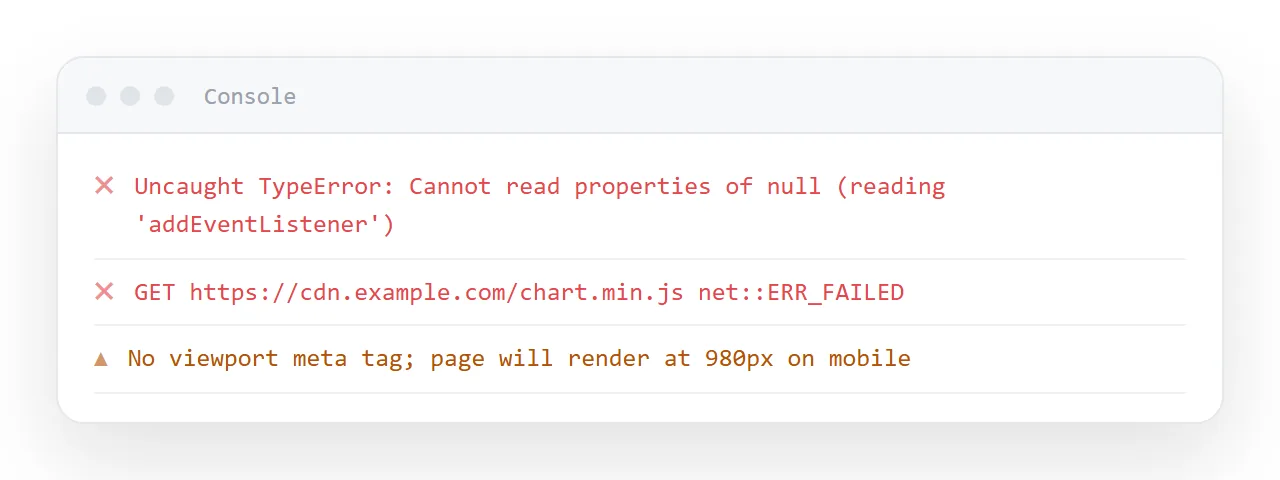
Generated pages are structurally sound and situationally wrong: the same defects recur across assistants and across prompts, which makes them quick to clear once you know the order. Nine of the ten are a single line.
This guide gives the three actions that find most of it, the ten checks ordered by how often they bite, and why the fix should be made by hand rather than by asking for a regeneration.
Generated HTML is structurally sound and situationally wrong. The same ten defects recur, so a fixed checklist clears them faster than reading the file.
To fix HTML code: the three actions that find most of it
- Render it — the HTML viewer.
- Narrow the window to about 360px.
- Open the console (F12) and read the first error only.
Now the list, ordered by how often it bites.
1. No viewport line
<meta name="viewport" content="width=device-width,initial-scale=1">
Without it a phone renders at desktop width and shrinks everything, so the text is unreadably small. Everything else can be right and the page is still useless on the device most readers use. See the viewport meta tag.
2. Outside dependencies
Search for src="http, href="http and @import. Every hit is a bet on someone else's address staying alive, and every one fails inside restricted previews where outside requests are blocked.
Ask for it self-contained, or replace the dependency — system fonts instead of a font service, SVG instead of an icon library, plain divs instead of a chart library.
3. Fixed widths
/* found: */ .wrap { width: 1200px; }
/* want:  */ .wrap { max-width: 1200px; width: 100%; }
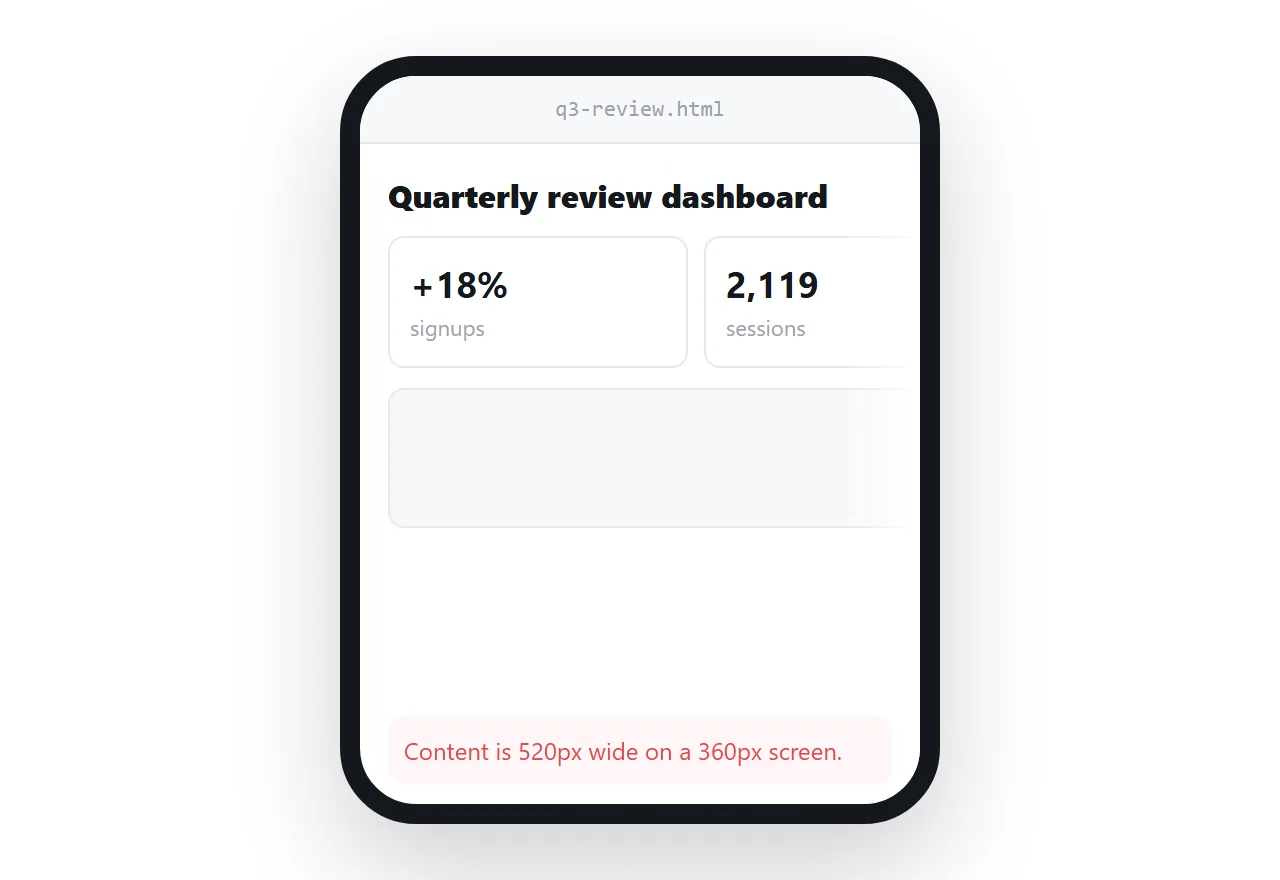
width forces; max-width permits. One word, and the page stops overflowing on a phone.
4. Script before the elements it uses
<head>
  <script>document.getElementById('go').onclick = ...</script>
</head>
getElementById returns nothing, because the element has not been drawn. Move the script to just before </body>. This is the most common cause of "it renders but nothing works".
5. Invented data
Every figure you did not supply was constructed. Plausible figures survive review and get quoted, which is the expensive failure. Replace them or mark the page as a sample.
6. Missing box-sizing
* { box-sizing: border-box; }
Without it padding is added outside the declared width, so a column set to 50% overflows as soon as it gets breathing room. One line at the top of the stylesheet. See box-sizing.
7. Bars with no height
/* found: */ .fill { width: 70%; }        /* on a <span> — invisible */
/* want:  */ .fill { display: block; height: 100%; width: 70%; }
Inline elements ignore width and height, and nothing reports an error. An empty chart with no explanation.
8. Contrast too low
Generated palettes lean on light grey text — #999 on white is comfortable on a good monitor and unreadable on a laptop outdoors. Body text wants roughly #52525b or darker on white.
9. No page title
<title>Weekly overview — week of 7 Sep</title>
Document is the default. It is what the browser tab shows, what every preview card shows, and what you will search for later. It is also the difference between a link that looks legitimate and one that looks like spam.
10. Missing alt text
<img src="..." alt="Weekly signups by source, search highest">
Two reasons: screen readers, and the fact that alt text is what displays instead of the image when it fails to load. See alt text.
Which checks matter for which page
A report needs 1, 5, 8 and 9 first: viewport, invented data, contrast, title. A dashboard adds 2 and 7, the library and the bars. A form adds 4, the script placement, because a form whose script ran early submits nothing. Run all ten anyway; it is a minute. But if you only have thirty seconds, the numbers above are the order.
Fix it yourself, do not regenerate
The strong temptation with any of these is to ask the assistant to fix it. Resist it for small changes: assistants rewrite rather than patch, so a request to correct one date frequently returns a page with a different layout — and you lose the version you had already approved.
Which means editing has to be easy
If fixing a word means opening markup, the fixes queue up behind whoever can read markup — and the person who noticed the error is usually not that person.
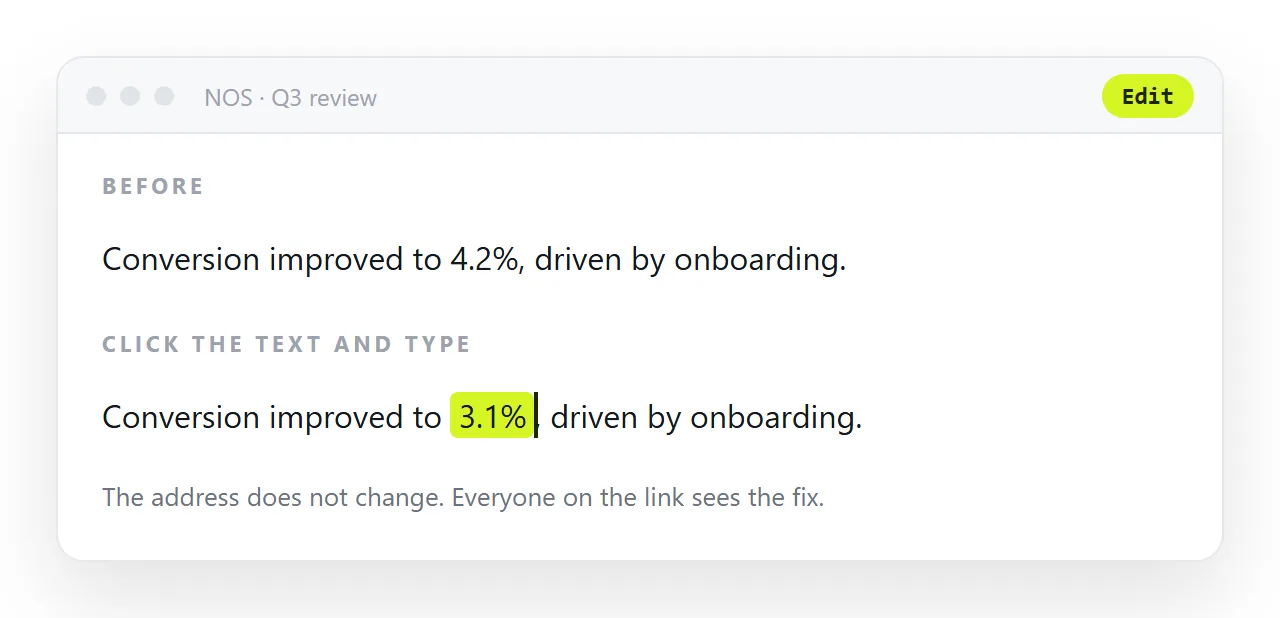
In NOS the pasted HTML renders exactly as written, with nothing reformatted, and the text inside is clickable text. A wrong date is fixed by typing over it. No regeneration, no layout drift, and the address you already sent keeps pointing at the corrected page.
The list as a table
| # | Check | Fix | Cost |
|---|---|---|---|
| 1 | Viewport meta tag | Add the line | One line |
| 2 | Outside dependencies | Make it self-contained | Minutes |
| 3 | Fixed widths | max-width |
One word each |
| 4 | Script placement | Move before </body> |
One cut and paste |
| 5 | Invented data | Replace or mark as sample | The real work |
| 6 | Missing box-sizing |
Add the rule | One line |
| 7 | Bars with no height | display: block |
One line |
| 8 | Low contrast text | Darken to #52525b or below |
One value |
| 9 | No page title | Write one | One line |
| 10 | Missing alt text | Describe the content | A minute |
Nine of the ten are single lines. The fifth is the only one that takes judgement, and it is the only one that can embarrass you in a meeting.
Then get it out of the chat
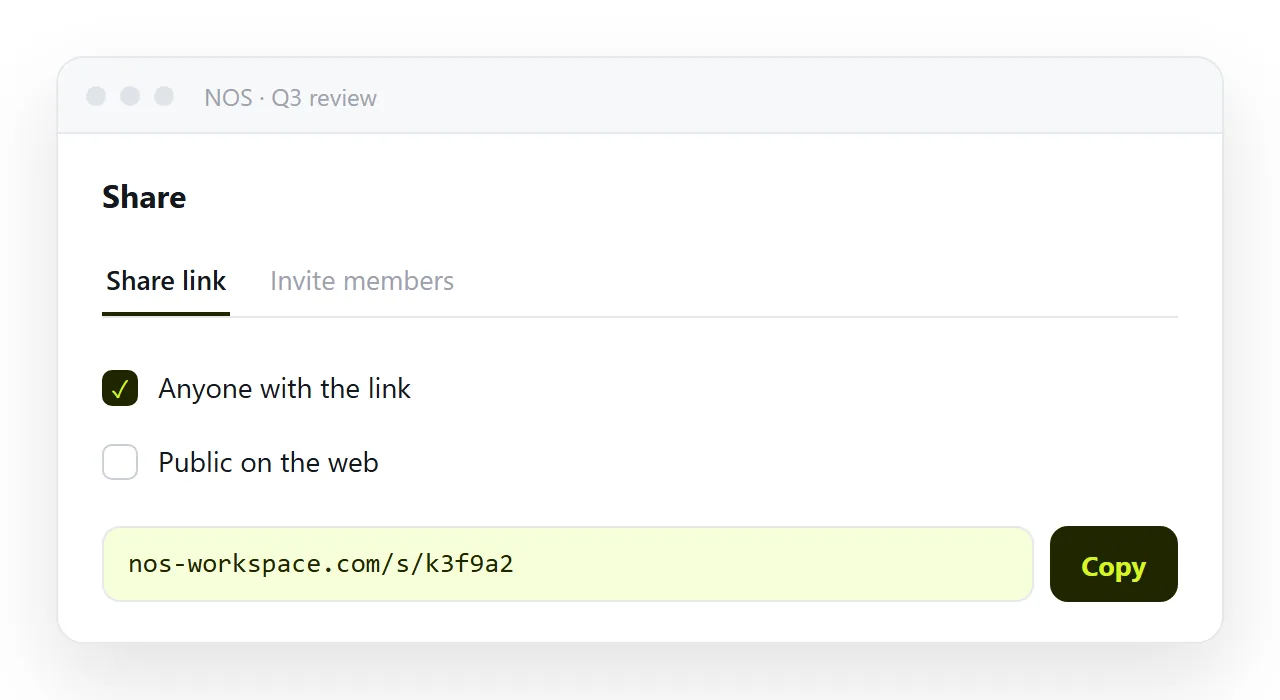
A checked page still lives inside a conversation. Getting it to the people who need it means an address — and editing the text without regenerating, so the next correction does not undo the ten fixes above.
Keeping the fixes when you generate the next page
Once you know which of the ten your assistant tends to produce, put the fixes in the prompt: "viewport meta, box-sizing border-box, all CSS in one style tag, no external libraries, scripts before the closing body tag, body text #52525b or darker, a descriptive title".
That line removes six of the ten before the file exists. The dashboard prompt is one worked example of the same idea.
Fixing the page: 4 steps
- Render it, narrow it, open the console. The HTML viewer at 360px wide, F12, and the first error only.
- Run the ten checks in order. Viewport line, outside dependencies, fixed widths, script placement, invented data,
box-sizing, bars with no height, contrast, page title, alt text. - Fix by hand, do not regenerate. One line each. Asking the assistant to fix one returns a different page and loses the version you had approved.
- Put the page at an address with clickable text. Paste it into a NOS document and share the link. Share, then Share link, then Create link. The next wording fix is a click, not a code edit, and the ten fixes above stay in place.