HTML CSS not working gives you the page that renders as a 1995 document: the text is right, the structure is right, and every bit of design is gone. The CSS is not missing; it is somewhere the page cannot get to.
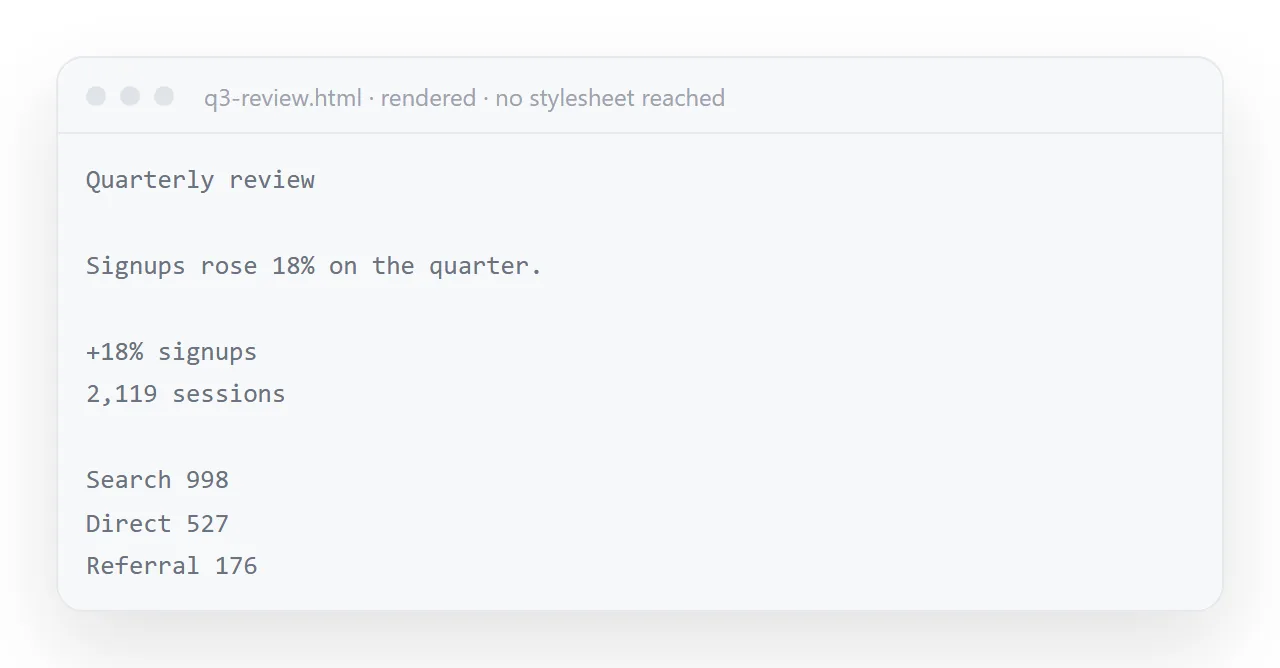
Four causes cover it: a stylesheet referenced as a separate file, utility class names that expect a framework that is not on the page, a fragment copied without its style block, and a font that failed while everything else loaded.
This guide shows how to tell them apart from the markup and the fix for each.
The text is right, the structure is right, and it looks like a 1995 document. The CSS is not missing — it is somewhere the page cannot get to.
HTML CSS not working, cause 1: a referenced stylesheet
<link rel="stylesheet" href="styles.css">
That says "a file called styles.css sitting right next to this one". The assistant wrote the markup and the stylesheet as two separate blocks, you copied one, and the reference now points at nothing.
Fix: put the CSS inside the file.
<head>
  <style>
    /* everything here */
  </style>
</head>
Or ask for it that way, which is the better habit — see external stylesheets for when separate files are the right choice and why it is not this case.
Cause 2: utility class names with no framework
This is the one that catches people, because nothing in the markup looks wrong:
<div class="flex items-center gap-4 rounded-xl bg-white p-6 shadow-sm">
  <h2 class="text-xl font-semibold tracking-tight">Weekly overview</h2>
</div>
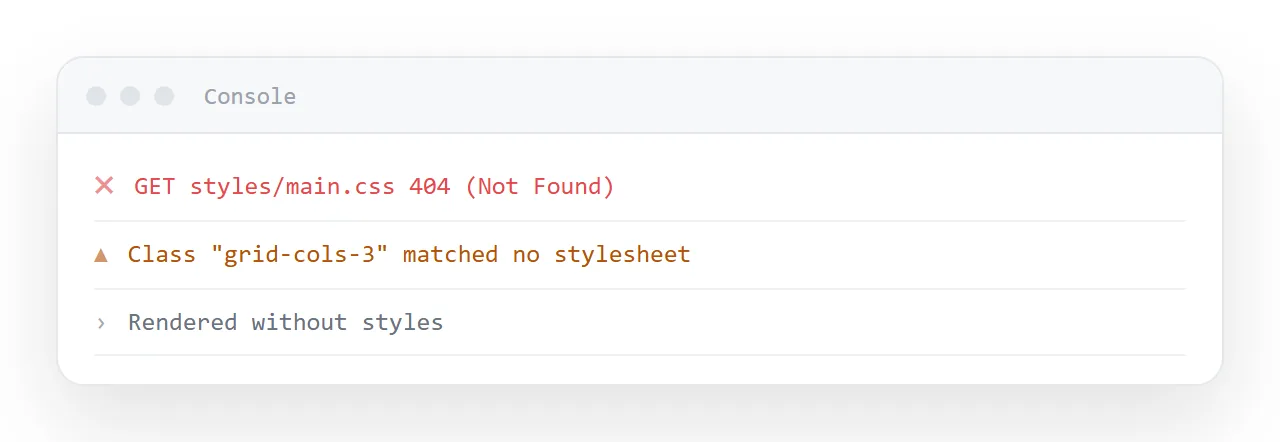
Those class names come from a CSS framework. Without it they are meaningless strings, and the page renders with no styling whatsoever — no spacing, no colour, no layout. There is no error, because unknown class names are not an error.
How to spot it: lots of short hyphenated class names and no <style> block worth the name.
Fix: ask for plain CSS. Loading the framework from an outside address works and reintroduces an outside dependency, plus the development build of a framework is large.
Plain CSS in a single style tag. No Tailwind, no Bootstrap,
no utility class frameworks.
Cause 3: you copied part of the answer
Assistants often present a page in pieces — markup, then styles, then script — especially in a long conversation. Copying the markup block alone gets you the content and none of the design.
Fix: "give me the complete file as one block". Then check it starts with <!DOCTYPE html> and ends with </html>.
Cause 4: only the font failed
Subtler, because the page is styled — layout, colour and spacing all present — and it looks wrong anyway. The design assumed a typeface the page cannot load, so everything falls back to a default serif.
Fix: a system font stack.
body { font-family: -apple-system, "Segoe UI", Roboto, "Helvetica Neue", Arial, sans-serif; }
No download, nothing to fail, and it matches the reader's own system.
Telling them apart
| What you see in the markup | Cause |
|---|---|
<link rel="stylesheet"> |
1 — referenced file |
| Many short class names, no style block | 2 — framework expected |
Starts with <div>, no doctype |
3 — fragment copied |
A full style block, but @font-face or a font service link |
4 — font only |
Why the framework case is worth recognising on sight
Utility class names are the one cause that leaves no trace: no error, no missing file, no failed request, because an unknown class name is not a mistake as far as the browser is concerned.
If you have ever spent twenty minutes looking for a bug in a page that had none, this was probably it.
The tell is the shape of the markup: dozens of short hyphenated words in every class attribute and a <style> block that is short or absent.
Preventing all four
Two lines in the prompt:
All CSS in one <style> tag inside <head>. Plain CSS only — no frameworks.
System font stack, no external fonts. Give me the complete file in one block.
Checking in ten seconds
Paste it into the HTML viewer. The viewer has no framework and no access to your folder, which makes it exactly the environment your reader will have — if the styling survives there, it survives everywhere.
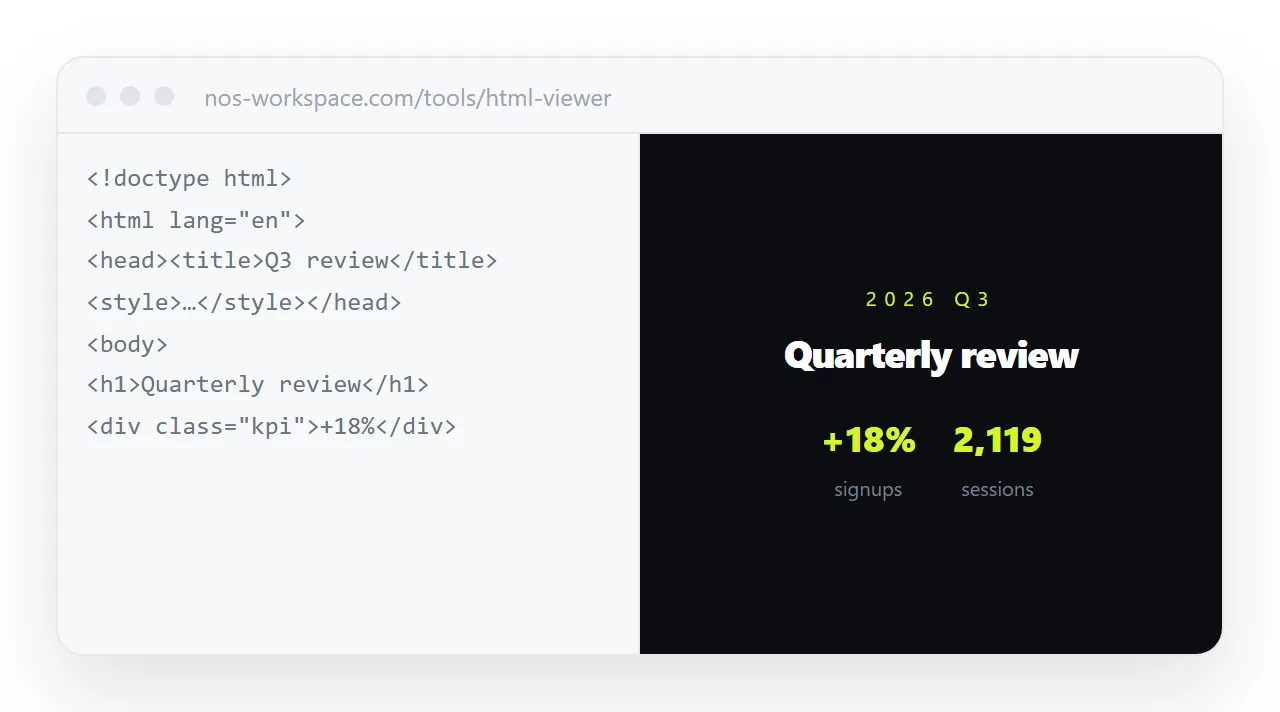
Then publish it. In NOS the pasted HTML renders exactly as written, with nothing reformatted or re-styled, so the page your reader opens is the page you approved.
Half-styled pages
Sometimes only part of the design is missing: the cards have borders but no spacing, the table has colours but no alignment.
That is usually cause two in a milder form, a page that has a real style block for some things and framework class names for the rest, because the assistant mixed the two.
Search the class attributes for short hyphenated names that do not appear in the style block; each one is a style that was never written. Ask for the file again with "plain CSS only" and the mixture goes away.
Styles that are there and still wrong
A style block that references a colour variable never defined, a rule with a typo in the selector, a media query that hides the section at the width you are viewing: all three leave the page styled and wrong in one place.
The element inspector shows which rules apply to an element and which were crossed out; the crossed-out rule is the clue.
Getting the styles back: 4 steps
- Look at the head of the file. A
<link rel="stylesheet">means a file that did not travel. No<style>block at all means a fragment or a framework. - Look at the class names. Many short hyphenated names and no real style block means a framework was expected and is not there.
- Ask for plain CSS inside the file. One
<style>tag in the head, no frameworks, a system font stack, the complete file in one block. - Check in the viewer, then publish. The HTML viewer has no framework and no access to your folder. If it is styled there, it is styled everywhere. Then move the finished page into a NOS document and share its address: Share, then Share link, then Create link.