Mixed content is what a browser calls an http resource inside an https page: an image, a font, a stylesheet or a script fetched over the unencrypted scheme by a page that was itself delivered securely.
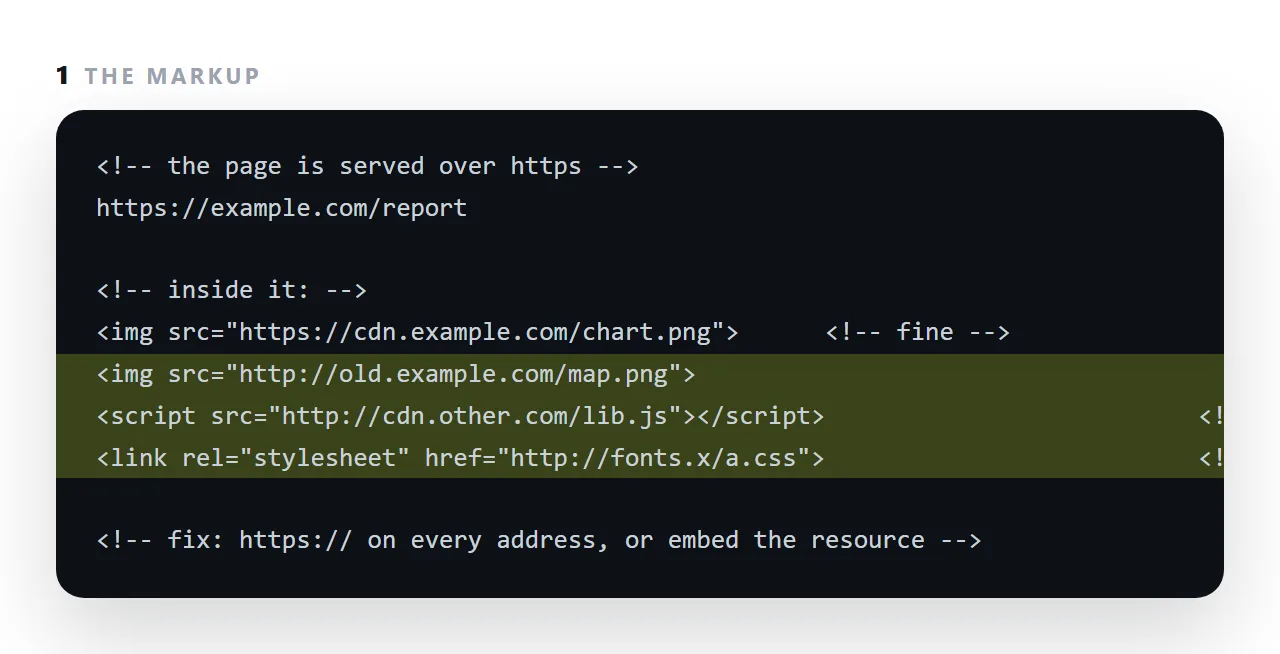
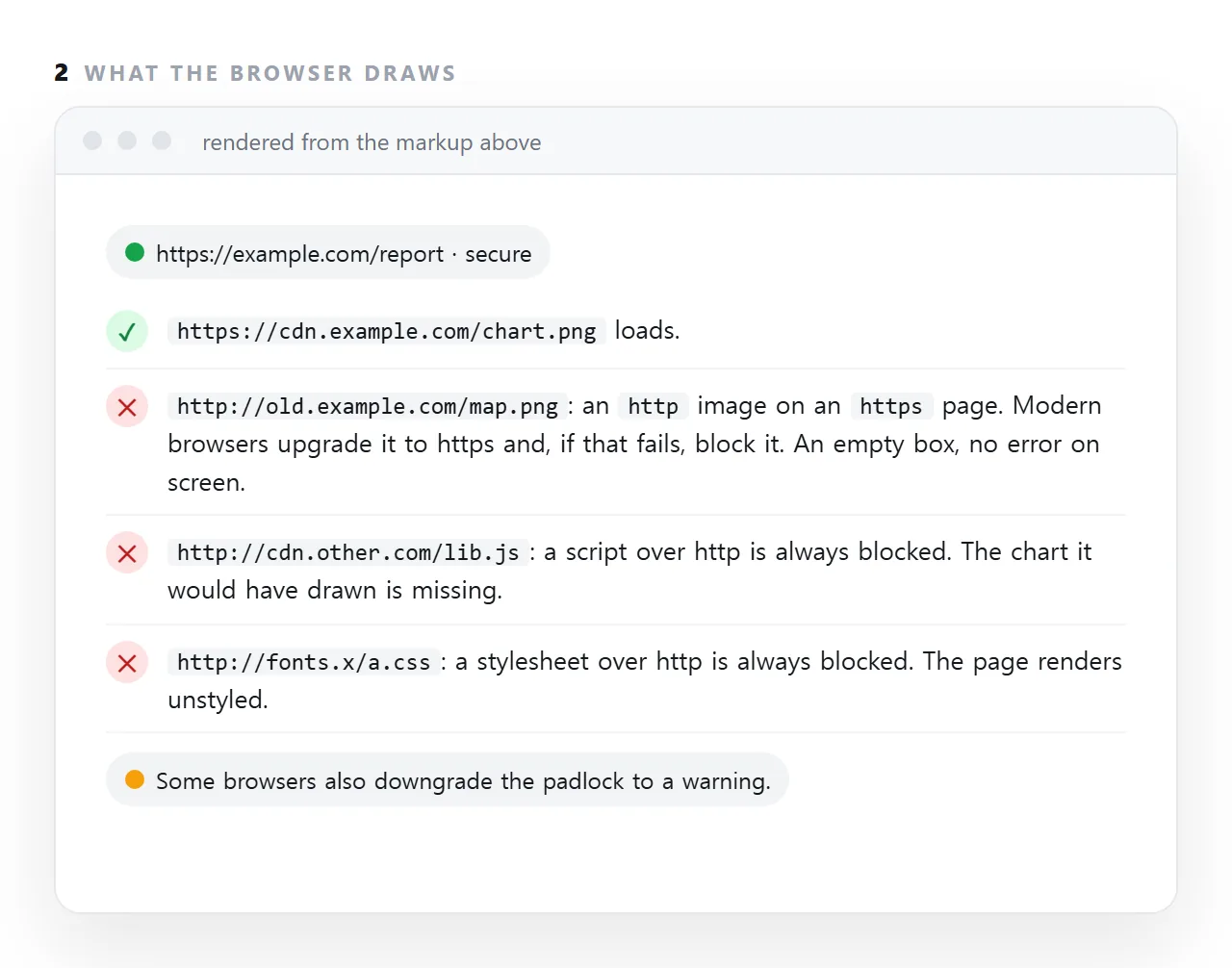
Browsers refuse the script and the stylesheet without asking, upgrade the image to https and block it if that fails, and show nothing on screen but a gap and a console line.
It is one of the five reasons images do not show and a common reason a chart library never arrives. This guide covers why the rule exists, what is blocked and what is upgraded, and the fix.
<!-- on a page served over https -->
<script src="http://example.com/chart.js"></script>   <!-- blocked -->
<link rel="stylesheet" href="http://example.com/a.css"> <!-- blocked -->
<img src="http://example.com/logo.png">                <!-- upgraded, or blocked -->
The page is secure; these parts are not. Browsers block the ones that could change the page.
Why blocking mixed content is not pedantry
An http request can be modified in transit by anything on the network path. If that request is for a script, whoever modified it now controls your page — the padlock remains, the address is right, and the page is running somebody else's code.
So a secure page loading an insecure script is not slightly less secure. It is as insecure as the script.
What is blocked, what is upgraded
| Resource | Behaviour |
|---|---|
| Script | Blocked |
| Stylesheet | Blocked |
| Font | Blocked |
fetch / XHR |
Blocked |
| Frame content | Blocked |
| Image | Upgraded to https; blocked if that fails |
| Audio / video | Upgraded; blocked if that fails |
Anything that can alter the page is refused. Passive content — images, media — is attempted over https first, which usually works because most hosts serve both.
Why the symptom misleads
Blocked resources fail quietly unless the console is open. So:
- A blocked script means "the page renders but nothing works" — which sends people looking at their JavaScript.
- A blocked stylesheet means "the page has no styling" — which sends them looking for a missing file.
- A blocked font means "the typeface fell back" — which sends them checking font names.
In each case the cause is four characters in an address. Open the console first; the message says exactly what was blocked.
Finding every instance
grep -n 'http://' index.html
What to look for: http:// immediately after a quote mark. http:// inside body text, in a comment, or in a JSON-LD @context value is harmless — those are identifiers, not requests.
The usual hiding places:
/* in CSS */
background-image: url("http://example.com/bg.png");
@import url("http://example.com/base.css");
@font-face { src: url("http://example.com/f.woff2"); }
CSS is where these survive longest, because nobody greps stylesheets.
Fixing it
Preferred: use https. Nearly every host serves it now. Change four characters.
Protocol-relative addresses — //example.com/x.js — inherit the page's scheme. They work, and they break when the file is opened locally, because // then resolves to file://. Avoid them; write https explicitly.
Host it yourself if the remote host genuinely has no https. A host without https in the current decade is not a host to depend on anyway.
A stopgap while migrating:
Content-Security-Policy: upgrade-insecure-requests
The browser rewrites http requests to https automatically. It papers over the references rather than fixing them, and it fails for any host that genuinely has no https. Useful during a migration, not as an end state.
In a single-file page
The same rule applies, plus one extra: a page opened from a disk over file:// may behave differently from the same page served over https, so a mixed-content problem can appear only after publishing.
The safest answer for a page that has to travel is to have no outside requests at all — see self-contained HTML. Embedded images and a system font stack cannot be mixed content, because there is nothing to request.
Why images are treated more gently than scripts
An image over http can be tampered with on the way, but the damage is a wrong picture. A script over http can be replaced with anything, and it runs with the page's full permissions, so the browser blocks it without asking.
Stylesheets can carry enough to rewrite the page, so they are blocked too. Images, audio and video are "optionally blockable": browsers first try the same address over https, and if that fails, block it and demote the padlock.
The distinction is why a page can look almost right with mixed content: the words and the pictures are there and the chart is missing.
Generated pages and old links
Assistants and older templates still write http:// addresses for libraries and fonts from habit, and pages copied from an old site carry them along. A page that was fine on a local http server breaks the moment it is published at https. Search the file once for http:// before it goes anywhere.
Fixing mixed content: 4 steps
- Open the console on the https page. Each blocked resource is listed with its
http://address. - Change
http://tohttps://on each one. Most hosts serve both; the address usually just works. - If the host has no https, move or embed the resource. Copy the image somewhere that serves https, or embed it as a data URI.
- Search the file for
http://before publishing. One search catches all of them before a reader sees a gap, and a self-contained file has none to find.