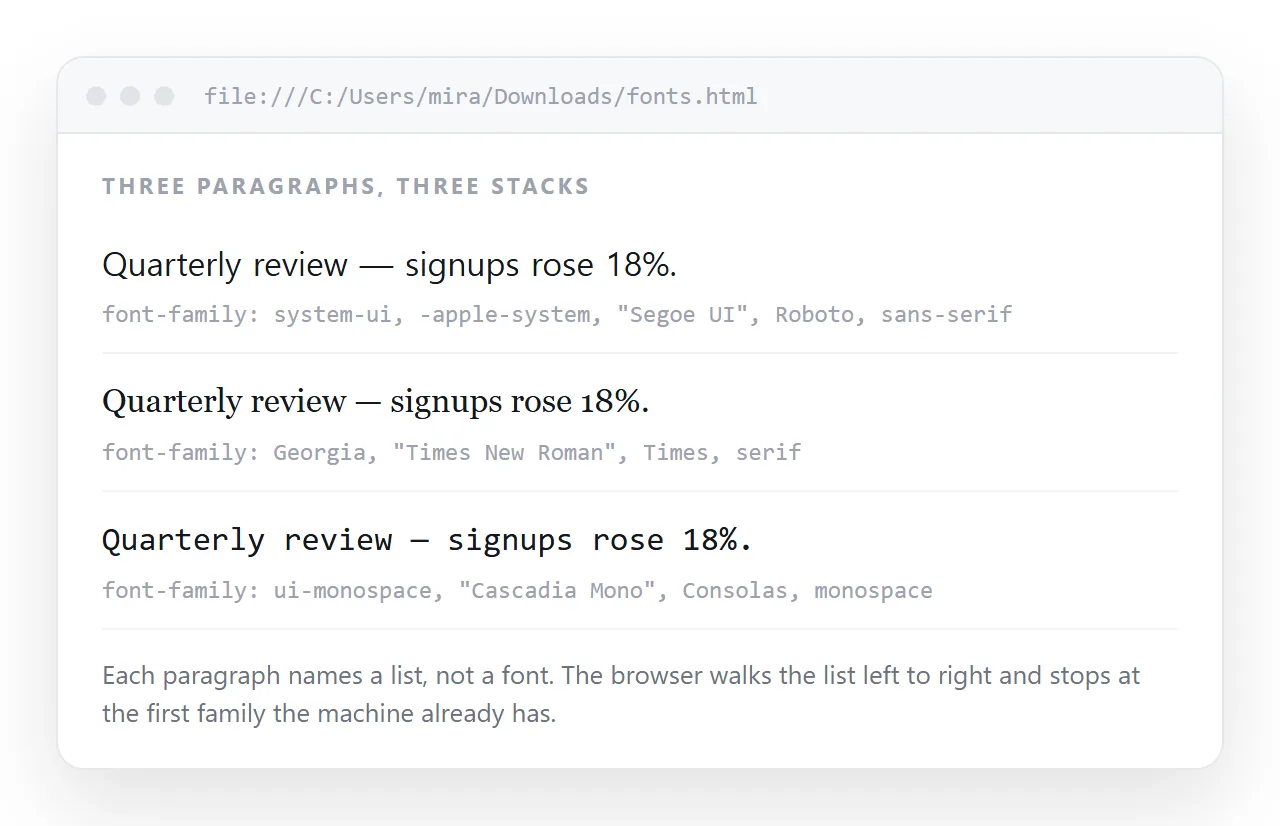
An HTML font family list is the comma separated value of font-family, and the browser uses the first name on it that the device actually has.
body {
  font-family: "Segoe UI", Roboto, Arial, sans-serif;
}
The list is a fallback chain, not a preference blend. Reading stops at the first match.
The one rule that cannot be broken
The last entry must be a generic keyword. There are five in common use.
| Generic | Resolves to | Use for |
|---|---|---|
sans-serif |
The device's default sans | Interface text, most body copy |
serif |
The device's default serif | Long reading, print-like documents |
monospace |
The device's fixed-width font | Code, tables of figures |
system-ui |
The interface font itself | Matching the host operating system |
ui-monospace |
The interface fixed-width font | Code in interface chrome |
A generic always resolves, because the browser guarantees a mapping. Without one at the end, a device missing every named font falls back to whatever the user set, which can be anything.
Ready-made stacks
System interface text. Matches the device, downloads nothing.
font-family:
  -apple-system, BlinkMacSystemFont, "Segoe UI", Roboto,
  "Helvetica Neue", Arial, "Noto Sans", sans-serif;
Reading serif. For reports and long documents.
font-family: Charter, Georgia, Cambria, "Times New Roman", Times, serif;
Monospace for code and figures.
font-family:
  ui-monospace, SFMono-Regular, "SF Mono", Menlo, Consolas,
  "Liberation Mono", monospace;
Each list works because the names are ordered from most specific to most widely available. The final generic catches everything left.
Quoting rules
- Quote names with spaces:
"Times New Roman","Segoe UI","Helvetica Neue". - Quote names beginning with a digit or containing punctuation.
- Do not quote generic keywords.
"sans-serif"in quotes is read as a family literally named that, which no device has. - Single-word names are fine either way.
Georgiaand"Georgia"both work.
A single bad quote invalidates the whole declaration, and the element falls back to its inherited font with no error shown.
Per-character fallback
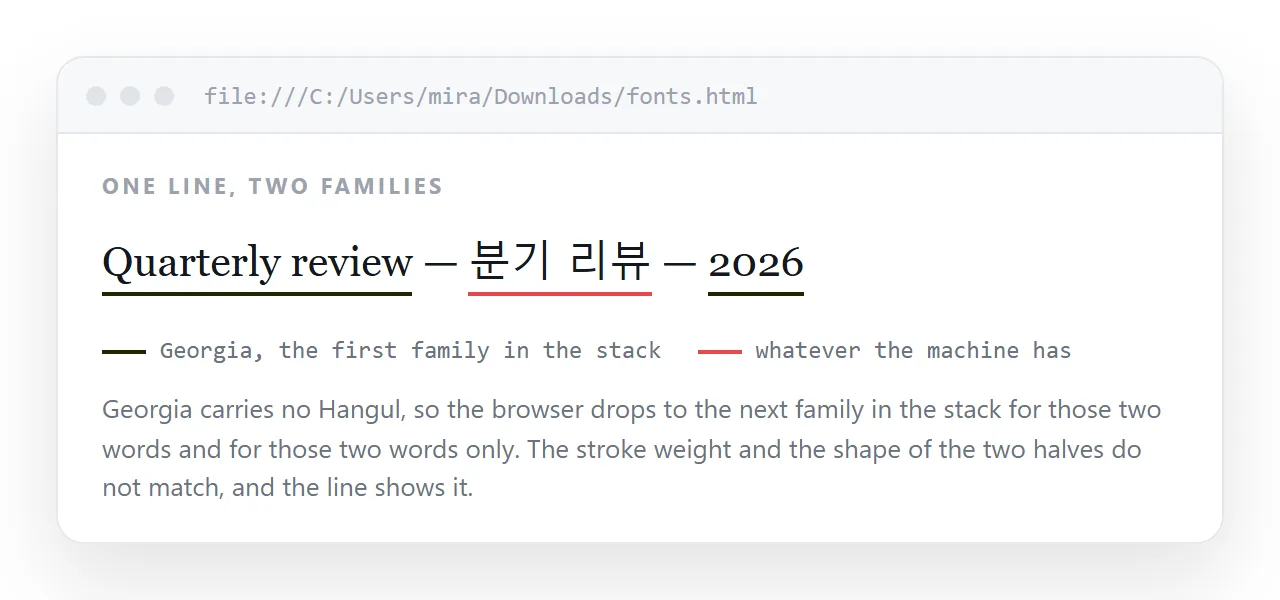
The chain applies glyph by glyph, not once for the whole page. A paragraph in Georgia with a Korean word in it uses Georgia for the Latin letters and the next matching family for the Korean.
That is why a list ending in "Noto Sans", sans-serif covers more scripts than one ending in Arial, sans-serif. Add a broad-coverage family before the generic when the content is multilingual.
Applying the list without repeating it
Set it once on :root or body and let inheritance carry it. Override only where the font genuinely changes.
:root {
  --font-ui: -apple-system, "Segoe UI", Roboto, Arial, sans-serif;
  --font-mono: ui-monospace, Menlo, Consolas, monospace;
}
body { font-family: var(--font-ui); }
code, pre { font-family: var(--font-mono); }
Custom properties keep the long stack in one place. Changing the brand face later becomes a one-line edit.
Building a list that holds up
Order the names from most specific to most available, and stop at four or five.
- Your preferred face, if you have one and it is either installed or loaded.
- The platform equivalents.
"Segoe UI"for Windows,-apple-systemfor Apple devices,Robotofor Android. - A broadly installed fallback.
ArialorHelveticafor sans,Georgiaor"Times New Roman"for serif. - A wide-coverage family when the content is multilingual, such as
"Noto Sans". - The generic keyword.
Longer lists do not help. Every name after the first that resolves is dead weight, and each one is a chance to introduce a typo that invalidates the declaration.
Metrics differ between fallbacks
Two fonts at the same font-size are rarely the same visual size. Georgia at 16px reads noticeably larger than Times New Roman at 16px, because the x-height differs.
That matters when a fallback is likely to be used. A layout tuned to the first name in the list can break when the second one loads instead.
| Adjustment | Effect |
|---|---|
size-adjust in @font-face |
Scales the fallback to match the primary |
ascent-override |
Aligns the line box height |
line-height in unitless form |
Scales with whichever font resolved |
A unitless line-height: 1.6 is the low-effort version of this. It scales with the resolved font size rather than freezing at a pixel value tuned to one face.
Weights and the list
A stack can resolve the family and still miss the weight. If font-weight: 600 is requested and the resolved family has only 400 and 700, the browser synthesises a bolder version, which usually looks worse than 700.
h2 { font-weight: 700; }        /* safe on system stacks */
.lead { font-weight: 400; }     /* rather than 350 or 450 */
On a system stack, stay on 400, 600 and 700. Intermediate weights are worth requesting only when you control the loaded file.
When a font-family list is the wrong tool
If the page must use one exact typeface, a list cannot guarantee it. That needs a loaded web font, which brings a file the page depends on.
For an HTML file you intend to send, that dependency matters. A font referenced by a folder path does not travel, which is the usual cause of fonts not loading on someone else's machine.
Checking what actually rendered
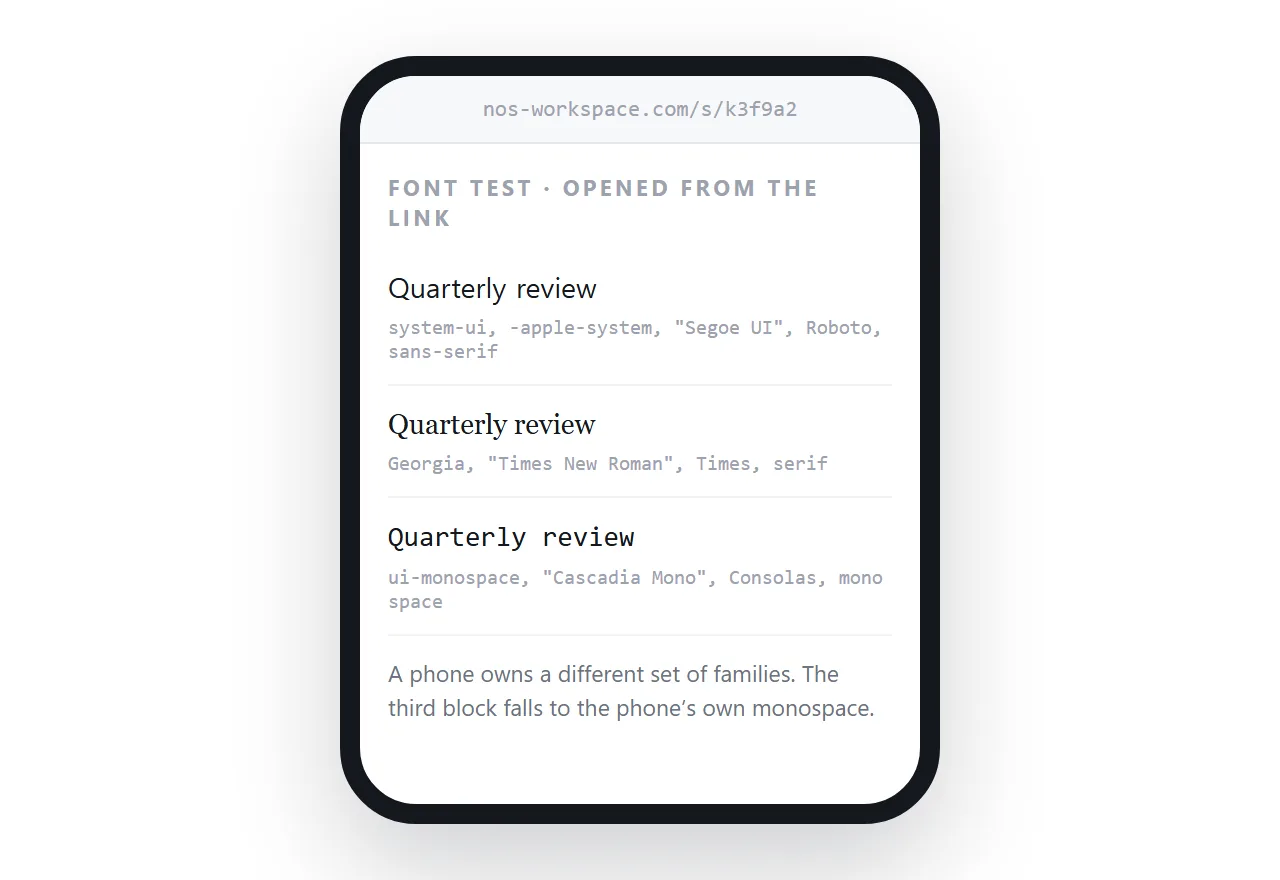
Your machine has fonts other people's do not. A stack that looks right locally can resolve to a different family for a reader.
Open the file in the HTML file opener first, since it has never seen your project. Then paste the HTML into a document and share it as a link, so a colleague on another operating system can confirm what they see.
Because a system stack loads nothing, the page stays self-contained and renders the same whether it is opened from a file or from an address.
Next: how to change the font in HTML for the markup side, and HTML font color for the other half of type styling.