An HTML accordion without JavaScript is a set of <details> elements, each with a <summary> as its clickable heading.
<details open>
  <summary>What is included</summary>
  <p>Everything in the standard plan, plus onboarding.</p>
</details>

<details>
  <summary>Delivery times</summary>
  <p>Two working days to most addresses.</p>
</details>
That is the entire implementation. No script, no CSS required, and it works in every current browser.
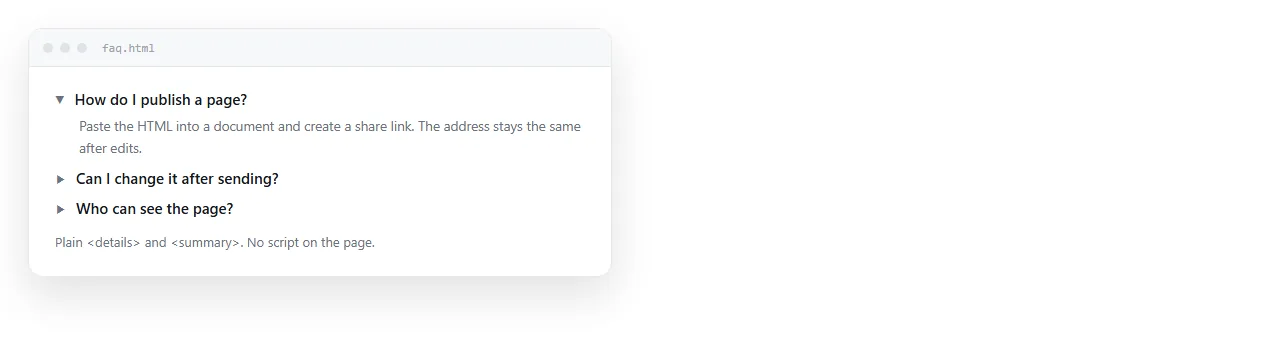
The browser supplies more than the toggle. The summary is focusable, Enter and Space operate it, and screen readers announce the expanded or collapsed state without you adding ARIA.
Making the group exclusive
A real accordion usually closes the other sections when one opens. The name attribute does that.
<details name="faq"><summary>Billing</summary><p>...</p></details>
<details name="faq"><summary>Access</summary><p>...</p></details>
<details name="faq"><summary>Cancelling</summary><p>...</p></details>
Same name, same group, and it behaves like a radio group. Only one stays open.
Support for this arrived relatively recently. Where it is missing the attribute is ignored and the sections open independently, which is a degradation rather than a break.
| Behaviour you want | Markup |
|---|---|
| All sections independent | <details> with no name |
| One open at a time | Shared name on every section |
| First section open on load | open on that one element |
| Everything open on load | open on all of them |
Styling it
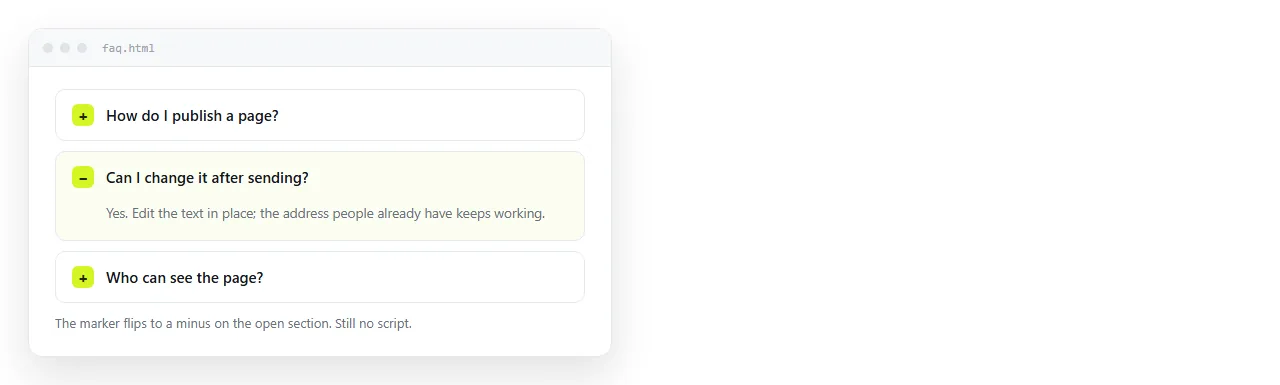
The default rendering is plain. Four rules make it look intentional.
details {
  border: 1px solid #e5e7eb;
  border-radius: 8px;
  margin-bottom: 8px;
}

summary {
  padding: 12px 16px;
  cursor: pointer;
  font-weight: 600;
  list-style: none;              /* removes the triangle */
}

summary::-webkit-details-marker { display: none; }

summary::after {
  content: "+";
  float: right;
  font-weight: 400;
}

details[open] summary::after { content: "−"; }
details > *:not(summary) { padding: 0 16px 16px; }
list-style: none on the summary is what removes the disclosure triangle, which is the same mechanism as a list without bullets.
If you remove the triangle, put something else in its place. A summary with no indicator looks like a heading, and readers do not click headings.
The details[open] selector is the hook for anything that should change while a section is expanded: a background tint, a different border, a rotated chevron.
Where an accordion without JavaScript beats tabs
Both hide content until asked. They suit different shapes of content.
- Accordion, when sections are long, independent, and read in any order. A FAQ, a policy document, a specification.
- Tabs, when sections are short, parallel, and compared against each other. Plans, regions, variants.
- Accordion, when the page is read on a phone. Vertical stacking works at any width; a tab strip runs out of room.
- Tabs, when only one section is relevant per reader and the rest is noise.
The accordion also degrades better. With CSS disabled, every section is visible and readable, which is not true of the radio-based tab pattern.
Three things to know before shipping
- Printing drops closed sections. A closed
detailsprints as its summary line. If the page will be printed, either open the sections first or write a print stylesheet that accounts for it. - Find-in-page is inconsistent. Recent browsers expand a closed section when the search matches text inside it. Older ones do not find the text at all, so do not bury anything critical.
- Animation is not automatic. A height transition on
detailsdoes nothing, because the element goes from zero to auto. Newer CSS features address this; without them, accept the instant open or move the content into a wrapper you can animate.
details { transition: background-color .15s; }
details[open] { background: #f9fafb; }
A small colour change on open reads as responsive without needing a height animation at all.
Writing summaries people will open
The markup is the small part. Whether an accordion works depends almost entirely on whether the summary lines describe what is inside them.
A collapsed section is a promise. If the label is vague, the reader either opens everything, which defeats the point, or opens nothing and misses the content.
- Write the answer into the label where you can. "Delivery takes two working days" beats "Delivery".
- Keep labels parallel. All questions, or all noun phrases, not a mixture.
- Front-load the distinguishing word. Readers scan the first two or three words of each line and nothing else.
- Open the first section by default. It shows what an expanded section looks like and confirms the rest are clickable.
- Do not collapse short content. Two sentences behind a click is an obstacle, not an organisation.
The failure case is a page of eight identically shaped labels where the reader has to open each one to find out which is relevant. That is worse than the same eight sections written out in full.
Checking it away from your folder
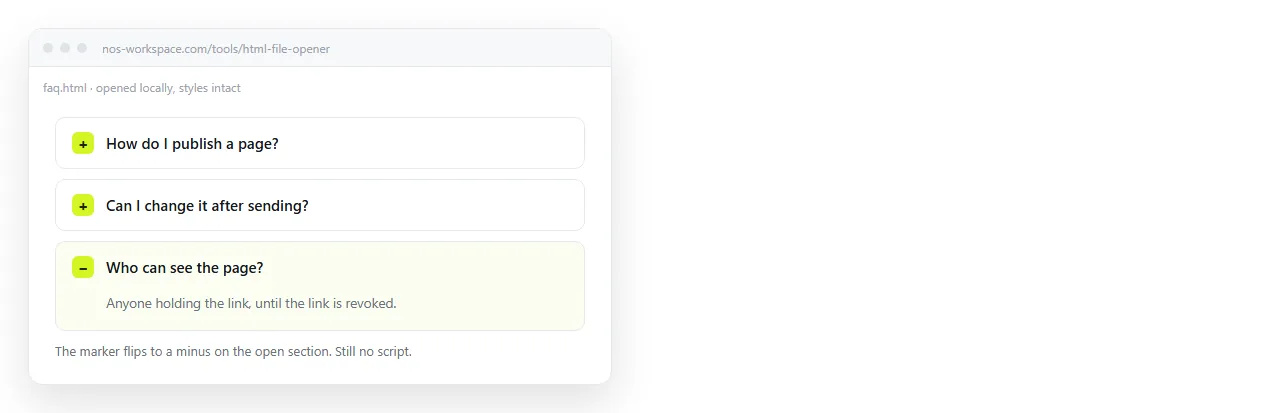
Open the file in the HTML file opener and click each summary. If the triangles are back and the borders are gone, the CSS is in a separate file that did not come along.
Then press Tab until focus reaches a summary and press Enter. If nothing happens, something in the page is intercepting the key, which on a script-free page means a stray tabindex or a nested interactive element.
Sending the page on
A collapsible document only works while it is a live page. As a PDF the sections are frozen, as a screenshot only the open one survives, and as an .html attachment it often does not arrive at all.
Paste the HTML into a NOS document. It renders as written, accordion behaviour included, at its own address. Share, then Share link, then Create link.
The reader opens one link and can expand whichever section they need. Corrections happen by clicking the text in the document, and the address does not move.
So the link you sent last month still points at the current version. Semantic markup is worth a pass afterwards if the page is long.