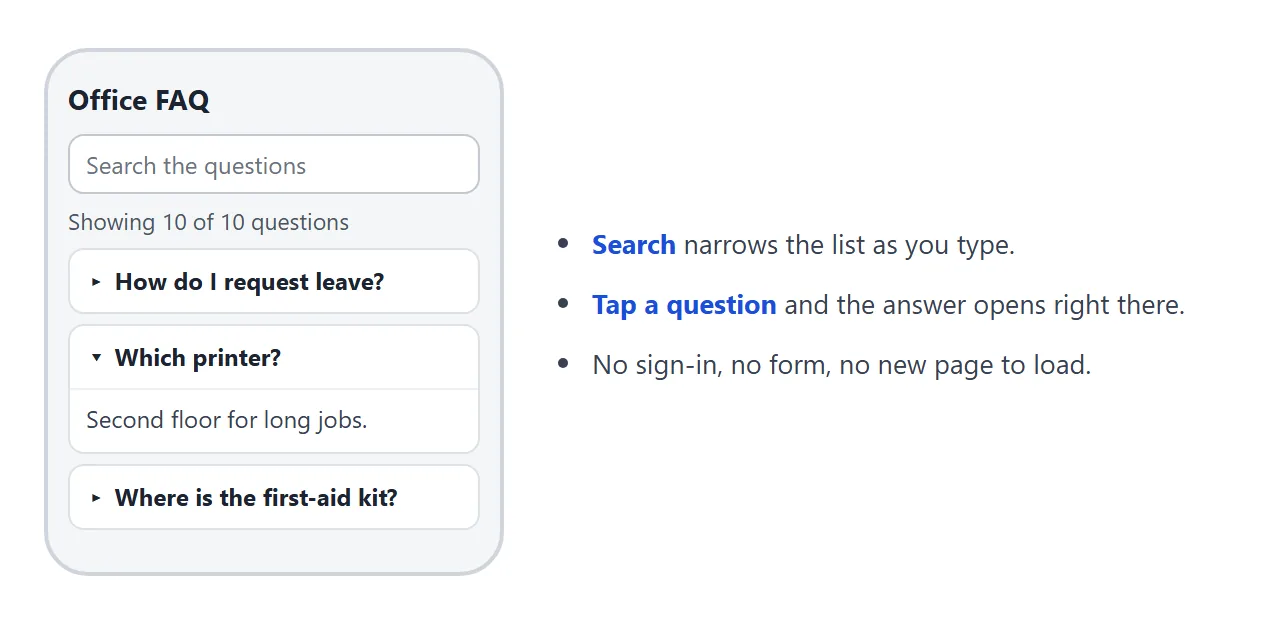
An FAQ template is one page with a list of questions, where tapping a question opens its answer right underneath. Nobody fills in a form and nothing loads.
Ask an AI to build it, keep the questions in one block you can edit, and send the page as a single link.
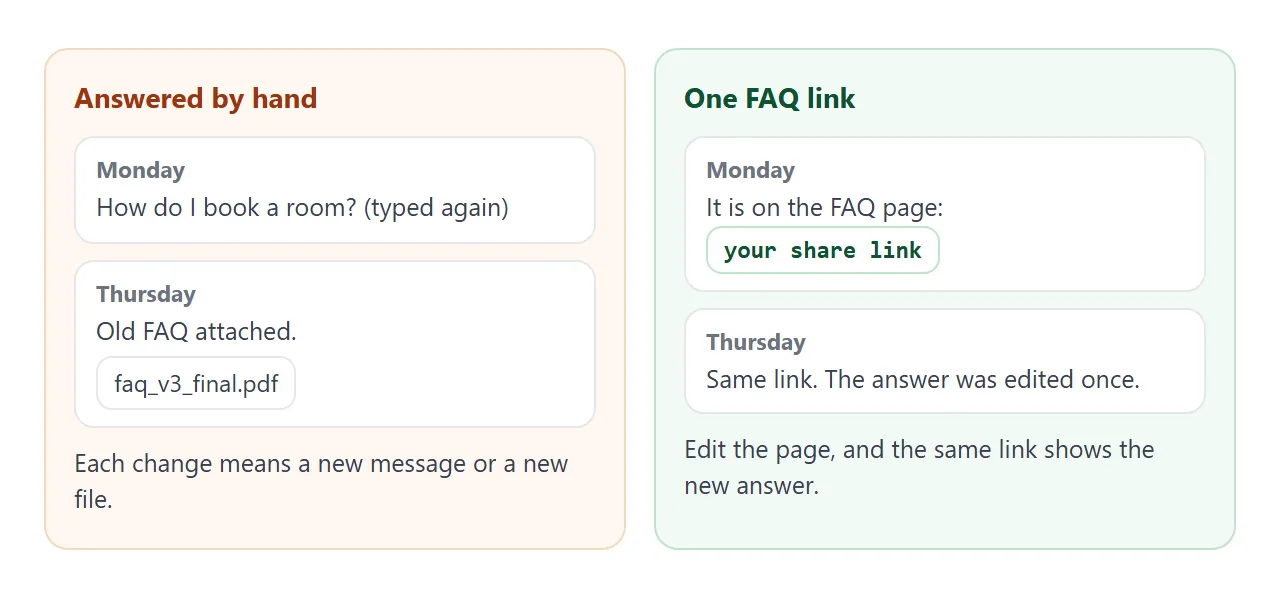
The same questions reach a team lead or a shared inbox again and again: where to book a room, how a return works. Each reply is typed fresh, or an old document is attached that may be out of date.
A page turns the reply into a link.
Here is a finished office FAQ for a made-up studio. Type a word in the search box, tap a question, or use Open all.
<!doctype html>
<html lang="en">
<head>
<meta charset="utf-8">
<meta name="viewport" content="width=device-width, initial-scale=1">
<title>Office FAQ</title>
<style>
  * { box-sizing: border-box; }
  body { margin: 0; font-family: system-ui, sans-serif; color: #1f2937; background: #f5f6f8; line-height: 1.5; }
  main { max-width: 680px; margin: 0 auto; padding: 20px 16px 28px; }
  h1 { font-size: 22px; margin: 0 0 4px; }
  .sub { margin: 0 0 16px; color: #4b5563; font-size: 15px; }
  .bar { display: flex; gap: 8px; flex-wrap: wrap; margin-bottom: 8px; }
  input[type=search] { flex: 1 1 200px; min-width: 0; font: inherit; font-size: 16px; padding: 10px 12px; border: 1px solid #c3c8d1; border-radius: 8px; background: #fff; }
  button { font: inherit; font-size: 15px; padding: 10px 14px; border: 1px solid #c3c8d1; border-radius: 8px; background: #fff; cursor: pointer; }
  button:hover { background: #eef1f5; }
  .count { font-size: 14px; color: #4b5563; margin: 0 0 10px; }
  details { background: #fff; border: 1px solid #dde1e8; border-radius: 10px; margin-bottom: 8px; }
  summary { cursor: pointer; padding: 12px 14px; font-weight: 600; font-size: 16px; list-style-position: inside; }
  summary .tag { display: inline-block; margin-right: 8px; padding: 1px 8px; border-radius: 999px; background: #e6efff; color: #1d4ed8; font-size: 12px; font-weight: 700; vertical-align: 1px; }
  details[open] summary { border-bottom: 1px solid #eef0f4; }
  .ans { padding: 10px 14px 14px; margin: 0; font-size: 16px; }
  #none { display: none; padding: 14px; background: #fff; border: 1px dashed #c3c8d1; border-radius: 10px; font-size: 15px; }
</style>
</head>
<body>
<main>
  <h1>Brightwater Studio: office FAQ</h1>
  <p class="sub">Answers to the questions we get most. Not here? Ask in the #office channel.</p>

  <div class="bar">
    <input type="search" id="q" placeholder="Search the questions" aria-label="Search the questions">
    <button type="button" id="open">Open all</button>
    <button type="button" id="close">Close all</button>
  </div>
  <p class="count" id="count" aria-live="polite"></p>
  <div id="list"></div>
  <p id="none">Nothing matches. Try one word, or ask in the #office channel.</p>
</main>

<script>
  // Change the questions here. One line per question: topic, question, answer.
  const FAQ = [
    ['IT', 'How do I reset my laptop password?', 'Open the IT desk page and choose Reset password. If you are locked out, ask in #it-help and someone will reset it the same day.'],
    ['IT', 'Which printer should I use?', 'Use the printer on the second floor for anything over ten pages. The one by reception is for single sheets and labels.'],
    ['Time off', 'How do I request leave?', 'Send the dates to your manager and add them to the team calendar. The request counts once your manager replies yes.'],
    ['Time off', 'Who do I tell if I am sick?', 'Message your manager before 9:30 and write the same in #office, so the team knows who is out.'],
    ['Expenses', 'How do I claim a train ticket?', 'Photograph the receipt, fill in the claim sheet and send both to finance. Claims sent by the 25th are paid with that month\'s salary.'],
    ['Expenses', 'Can I expense a team lunch?', 'Yes, if it was agreed with your manager first. Put the names of everyone who ate on the receipt.'],
    ['Rooms', 'How do I book a meeting room?', 'Add the room to the calendar invite as a guest. If the room declines, it is taken.'],
    ['Rooms', 'Can I bring a visitor?', 'Yes. Tell reception the day before, and meet your visitor at the front desk.'],
    ['Office', 'Where is the first-aid kit?', 'In the kitchen, in the cupboard above the kettle. The names of the trained first aiders are on the kitchen door.'],
    ['Office', 'Who do I ask about a parking pass?', 'Ask the office manager. Passes are given out by request and listed on the shared sheet.']
  ];

  const list = document.getElementById('list');
  const box = document.getElementById('q');
  const count = document.getElementById('count');
  const none = document.getElementById('none');

  // Build one <details> per question. The browser handles opening and closing.
  const items = FAQ.map(([topic, q, a]) => {
    const d = document.createElement('details');
    const s = document.createElement('summary');
    const tag = document.createElement('span');
    tag.className = 'tag';
    tag.textContent = topic;
    s.append(tag, q);
    const p = document.createElement('p');
    p.className = 'ans';
    p.textContent = a;
    d.append(s, p);
    list.append(d);
    return { d, text: (topic + ' ' + q + ' ' + a).toLowerCase() };
  });

  function filter() {
    const words = box.value.toLowerCase().split(/\s+/).filter(Boolean);
    let shown = 0;
    items.forEach(({ d, text }) => {
      const hit = words.every((w) => text.includes(w));  // every word must appear
      d.hidden = !hit;
      if (hit) shown++;
    });
    count.textContent = 'Showing ' + shown + ' of ' + items.length + ' questions';
    none.style.display = shown ? 'none' : 'block';
  }

  box.addEventListener('input', filter);
  document.getElementById('open').addEventListener('click', () => items.forEach(({ d }) => { d.open = true; }));
  document.getElementById('close').addEventListener('click', () => items.forEach(({ d }) => { d.open = false; }));
  filter();
</script>
</body>
</html>
The page is plain HTML with a small script. Each question is a details element, the part of HTML made for "click to show more". MDN describes it as a disclosure widget: the content is visible only when the widget is toggled open.
What goes in the template
Four parts are enough. This order is an editorial choice, not a standard.
- A search box – so a long list stays usable. It shows how many questions match.
- A topic label on each question – IT, time off, expenses. People often know the topic before they know the wording.
- The question in their words – copy it from the message that arrived, not from your own tidy version.
- A short answer – two or three sentences. If it needs more, link to the fuller page.
Put one line under the list that says where to ask next. For longer lists, an FAQ page you can link to one answer at a time goes deeper on where questions come from and how to keep the page short.
Make it with AI
Paste this prompt into ChatGPT, Claude or Gemini. Put your own questions and answers at the bottom.
Write ONE self-contained HTML file: an FAQ page for [my team / my customers], read on a phone.
Rules:
- Plain HTML, CSS and JavaScript in one file. No images, no external files, no form that sends data.
- One column. Add a viewport meta tag. Text at least 16px.
- Use one details element with a summary for each question, so tapping opens the answer in place.
- Put every question in one list at the top of the script, with the comment "Change the questions here". Each line has a topic, a question and an answer.
- Add a search box that hides questions that do not match, and a line "Showing X of Y questions".
- Add Open all and Close all buttons.
- End with one line saying where to ask if the answer is not here: [my email or chat channel].
- If I did not give you an answer, write TODO. Do not invent policies, dates or numbers.
My questions and answers:
...
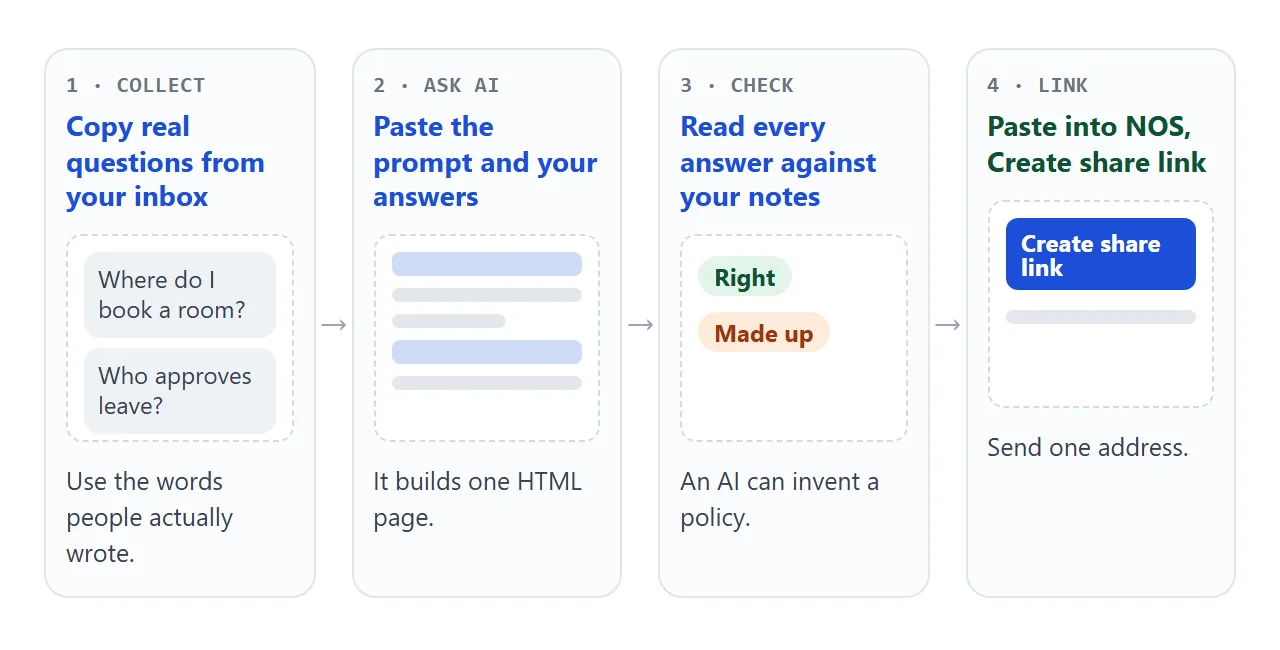
An AI is good at the layout and loose with facts. Read the page the way a new colleague or customer would.
- Every answer. Compare it with your real policy or your notes.
- Every TODO. Replace it or delete the question.
- Invented extras. Deadlines, amounts or promises you never gave.
- The search. Type a word from one answer and check the count changes.
- The phone. Open it on your own phone before you send it.
If the page looks wrong, fixing AI-generated HTML covers the usual causes.
Send it as a link
Paste the HTML into a NOS document and choose Create share link. HTML to link walks through it.
The result is a page anyone with the link can open in a browser, on a phone too, with no account. They can read it but not edit it. The script runs, so search and Open all work for them.
To change an answer, open the page in NOS, edit its line in the block at the top of the script, and save. The same link shows the new version. Someone who already has the page open may need to reload.
Nothing a visitor does on the page is saved or sent to you. Open all, search and tap only change their own screen.
Forms that send data to a server are blocked, so there is no "ask a question" box. Give an email address as plain text instead.
A version for customers
A customer FAQ often has a second reader: whoever answers the inbox. This version groups the questions under topic buttons, and each answer has a Copy answer button.
<!doctype html>
<html lang="en">
<head>
<meta charset="utf-8">
<meta name="viewport" content="width=device-width, initial-scale=1">
<title>Customer FAQ</title>
<style>
* { box-sizing: border-box; }
body { margin: 0; font-family: system-ui, sans-serif; color: #2b2622; background: #faf6f1; line-height: 1.5; }
main { max-width: 680px; margin: 0 auto; padding: 20px 16px 28px; }
h1 { font-size: 22px; margin: 0 0 4px; }
.sub { margin: 0 0 14px; color: #5f564e; font-size: 15px; }
.chips { display: flex; flex-wrap: wrap; gap: 8px; margin-bottom: 14px; }
.chip { font: inherit; font-size: 15px; padding: 8px 14px; border: 1px solid #d8cdc1; border-radius: 999px; background: #fff; cursor: pointer; }
.chip[aria-pressed=true] { background: #7a4b2a; border-color: #7a4b2a; color: #fff; }
details { background: #fff; border: 1px solid #e6dccf; border-radius: 10px; margin-bottom: 8px; }
summary { cursor: pointer; padding: 12px 14px; font-weight: 600; font-size: 16px; list-style-position: inside; }
.body { padding: 4px 14px 14px; }
.ans { margin: 0 0 10px; font-size: 16px; }
.copy { font: inherit; font-size: 14px; padding: 6px 12px; border: 1px solid #d8cdc1; border-radius: 8px; background: #fff; cursor: pointer; }
.copy:hover { background: #f3ebe1; }
.state { margin-left: 8px; font-size: 14px; color: #2f6b3f; }
.more { margin-top: 14px; padding: 12px 14px; background: #fff; border: 1px dashed #d8cdc1; border-radius: 10px; font-size: 15px; }
</style>
</head>
<body>
<main>
<h1>Alder & Pine Candles: help</h1>
<p class="sub">Pick a topic. Each answer has a Copy answer button, handy when you reply to a customer.</p>
<div class="chips" id="chips"></div>
<div id="list"></div>
<p class="more">Still stuck? Email help@alderandpine.example and put your order number in the subject.</p>
</main>
<script>
// Change the questions here. One line per question: topic, question, answer.
const FAQ = [
['Orders', 'Can I change my order after I place it?', 'Yes, until it is packed. Email us with your order number and say what to change.'],
['Orders', 'Where is my order confirmation?', 'It goes to the email you used at checkout. Check the spam folder, then write to us and we will resend it.'],
['Delivery', 'How long does delivery take?', 'Orders are packed within two working days. After that, the courier\'s page shows the delivery date.'],
['Delivery', 'Do you deliver to a parcel locker?', 'Yes. Choose the locker as the delivery address at checkout and add the locker code in the note field.'],
['Returns', 'Can I return a candle I have lit?', 'No. Unused candles in the original box can be sent back. If a lit candle arrived damaged, send us a photo and we will sort it out.'],
['Returns', 'How do I start a return?', 'Email us your order number and the items. We reply with the return address and what to put in the parcel.']
];
const TOPICS = ['All', 'Orders', 'Delivery', 'Returns'];
const chips = document.getElementById('chips');
const list = document.getElementById('list');
let topic = 'All';
function copy(p, state) {
const text = p.textContent;
const fallback = () => { // select the text so the reader can press Ctrl+C or Cmd+C
const r = document.createRange();
r.selectNodeContents(p);
const sel = getSelection();
sel.removeAllRanges();
sel.addRange(r);
state.textContent = 'Selected. Press Ctrl+C to copy.';
};
if (navigator.clipboard && navigator.clipboard.writeText) {
navigator.clipboard.writeText(text).then(() => { state.textContent = 'Copied'; }, fallback);
} else {
fallback();
}
}
function draw() {
list.textContent = '';
FAQ.filter((f) => topic === 'All' || f[0] === topic).forEach(([, q, a]) => {
const d = document.createElement('details');
const s = document.createElement('summary');
s.textContent = q;
const body = document.createElement('div');
body.className = 'body';
const p = document.createElement('p');
p.className = 'ans';
p.textContent = a;
const b = document.createElement('button');
b.type = 'button';
b.className = 'copy';
b.textContent = 'Copy answer';
const state = document.createElement('span');
state.className = 'state';
state.setAttribute('aria-live', 'polite');
b.addEventListener('click', () => copy(p, state));
body.append(p, b, state);
d.append(s, body);
list.append(d);
});
}
TOPICS.forEach((t) => {
const b = document.createElement('button');
b.type = 'button';
b.className = 'chip';
b.textContent = t;
b.setAttribute('aria-pressed', t === topic);
b.addEventListener('click', () => {
topic = t;
chips.querySelectorAll('.chip').forEach((c) => c.setAttribute('aria-pressed', c === b));
draw();
});
chips.append(b);
});
draw();
</script>
</body>
</html>
The copy button tries to put the answer on the clipboard. Browsers only allow that in some situations. MDN lists a secure context (HTTPS) among them. If it is refused, the page selects the text instead, and the reader presses Ctrl+C or Cmd+C.
Everything is public to anyone with the link, so keep prices and promises you are not ready to stand behind off the page. NOS has no password option.
Ways to give people the answers
| Retype each reply | FAQ file attached | FAQ page as a link | |
|---|---|---|---|
| Effort per question | Type it again | Send the file again | Paste one link |
| Opens on a phone | In the message | After a download | Yes, in the browser |
| When an answer changes | Old replies stay wrong | Send a new file | Edit once, same link |
| Reader can search | No | Depends on the file type | Yes, with the search box |
| Reader needs an account | No | No | No |
An attachment has to be downloaded to be read, and a change means sending a new file. That is a property of files, not of any product. For the general case, see email vs link for documents.
If you are writing for guests rather than a team, a house manual uses the same idea with a different set of questions.
When it does not work
| What you see | Cause | Fix |
|---|---|---|
| The chat shows raw code, not a page | You copied the chat text, not the code block | Copy only the code, from the doctype line to the last html tag |
| An answer is wrong or sounds too sure | The AI guessed a policy | Ask for TODO on anything you did not supply, then fill it in yourself |
| Every question is already open | The AI added the open attribute | Ask it to remove open from each details element |
| Search finds nothing | The search looks only at the question, not the answer | Ask it to search topic, question and answer together |
| An "ask us" form does nothing | Forms cannot send to a server from the link | Show your email address as plain text |
| A logo or photo is missing | Images from other sites are blocked | Ask for no images, or one drawn in SVG |
| Copy answer only selects the text | The browser refused clipboard access | Press Ctrl+C or Cmd+C after the text is selected |