An HTML modal form is a <form method="dialog"> placed inside a <dialog> element and opened with showModal().
That combination gives you the backdrop, the focus trap, Escape to close and a return value, with no library and no click handler on a background overlay.
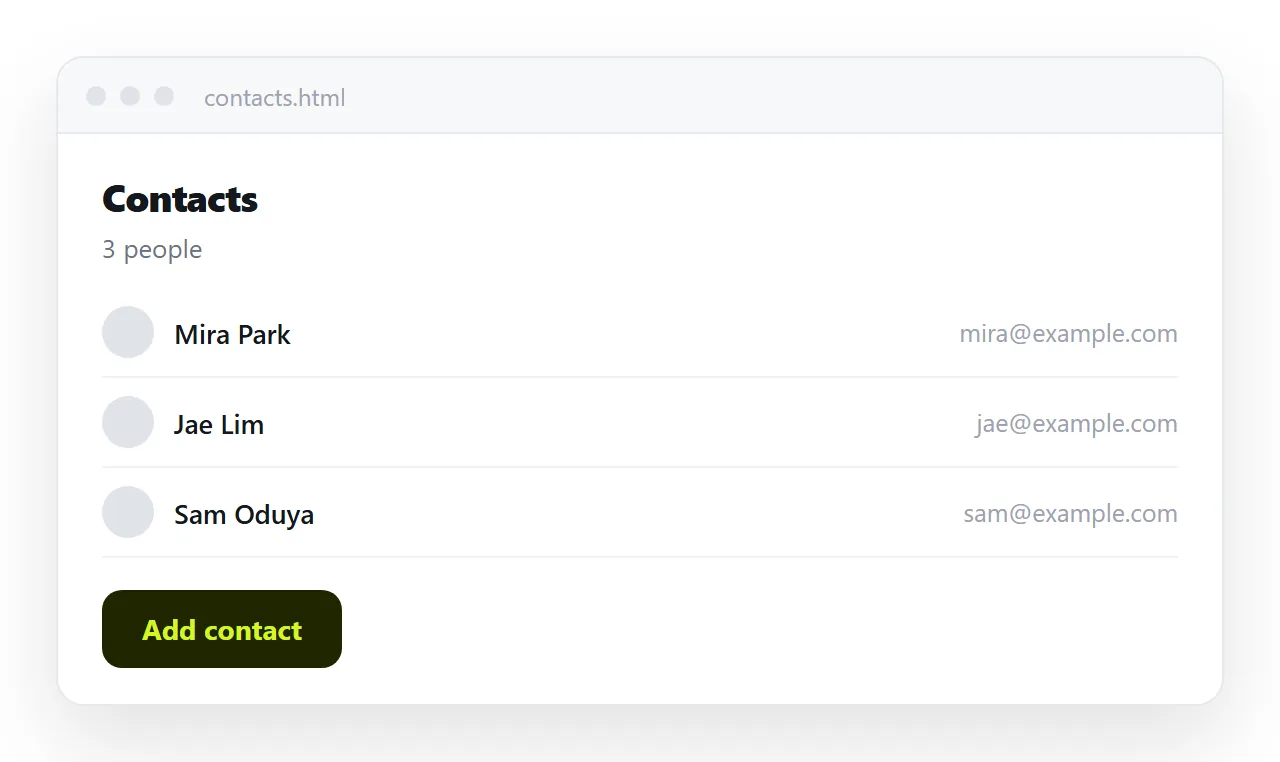
The whole HTML modal form
<button type="button" id="open">Add contact</button>

<dialog id="dlg">
  <form method="dialog">
    <h2>Add contact</h2>

    <label for="name">Name</label>
    <input id="name" name="name" required>

    <label for="email">Email</label>
    <input id="email" name="email" type="email" required>

    <menu>
      <button value="cancel" formnovalidate>Cancel</button>
      <button value="save">Save</button>
    </menu>
  </form>
</dialog>
var dlg = document.getElementById('dlg');
document.getElementById('open').addEventListener('click', function () { dlg.showModal(); });
dlg.addEventListener('close', function () {
  if (dlg.returnValue === 'save') {
    console.log(new FormData(dlg.querySelector('form')).get('name'));
  }
});
Three lines in there do the work that overlay libraries exist for.
method="dialog" makes the submit button close the dialog instead of navigating, and writes the button's value into dialog.returnValue.
formnovalidate on Cancel lets the reader leave a half filled form. Without it, Cancel is blocked by the required fields, which is infuriating and very common.
The close listener is where you read the values. Reading them in the button's click handler works too, but close also catches Escape and the browser's own close paths.
showModal versus show versus the open attribute
| How it is opened | Backdrop | Rest of page inert | Escape closes |
|---|---|---|---|
showModal() |
Yes | Yes | Yes |
show() |
No | No | No |
open attribute in markup |
No | No | No |
Only the first row is a modal. If you set the open attribute in the markup and style a backdrop yourself, you get something that looks modal and lets Tab walk straight out of it into the page behind.
Style the backdrop with the pseudo element:
dialog::backdrop { background: rgba(0,0,0,.6); }
dialog { border: 1px solid #2c2f36; background: #16181d; color: #e6e8eb;
         border-radius: 10px; padding: 1.25rem; max-width: 28rem; width: 92vw; }
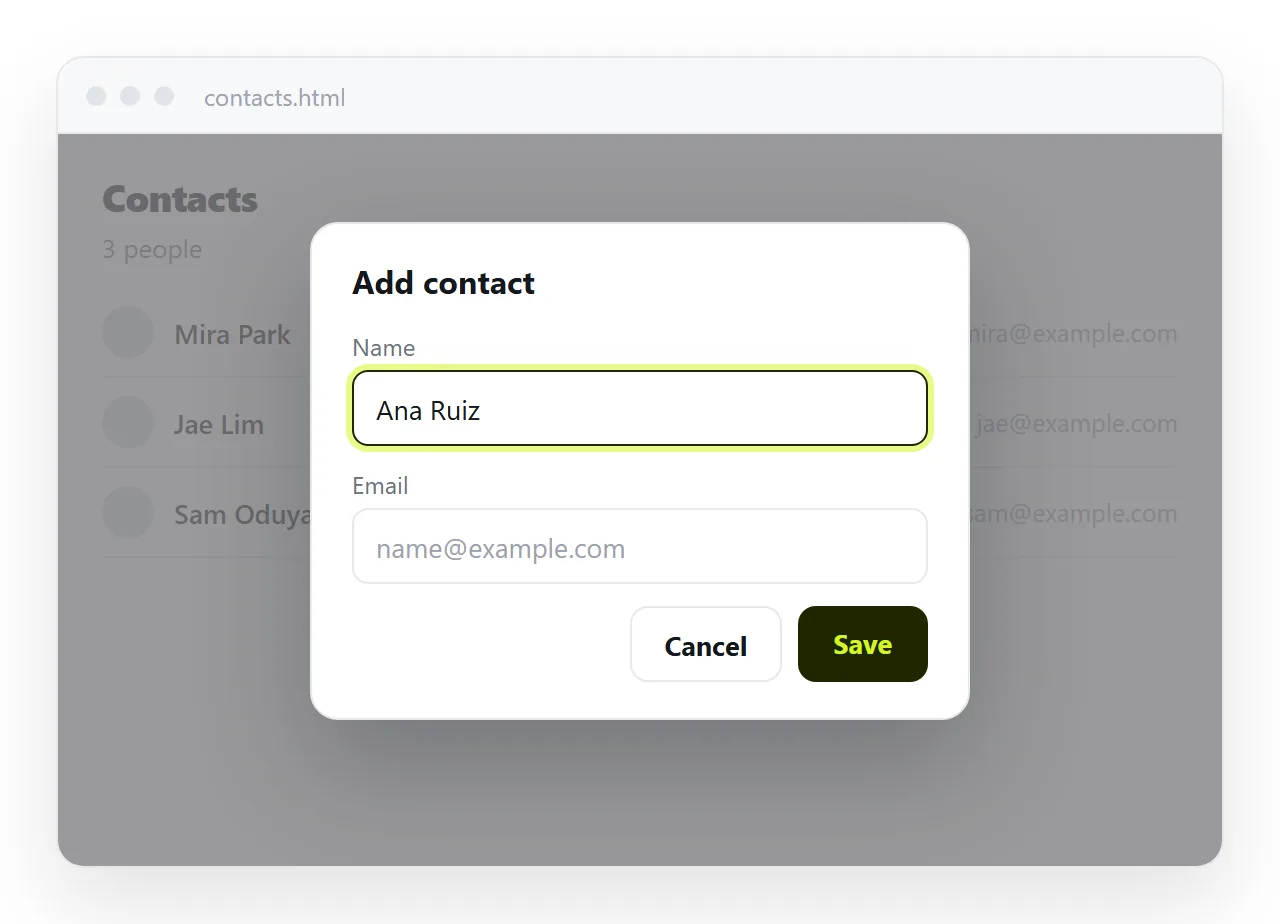
Validation inside a dialog
Required fields, type="email", pattern and min all behave exactly as they do on a page. The browser's message appears anchored to the offending field inside the dialog.
One thing to watch. If a required field is inside a collapsed section of the dialog, the browser cannot anchor a message to an invisible field, and submission fails silently.
Keep every field in a modal visible. If it does not fit, the form is too long for a modal.
You can also validate before closing. Give the save button no value shortcut and check form.reportValidity() yourself if the submission needs an extra rule beyond the built in ones.
Not losing what was typed
Escape fires cancel before close. The default action is to close, and everything typed is discarded.
dlg.addEventListener('cancel', function (e) {
  var f = dlg.querySelector('form');
  if (f.name.value || f.email.value) {
    e.preventDefault();
    if (confirm('Discard this contact?')) dlg.close('cancel');
  }
});
Do not remove Escape entirely. It is the expected way out, and a modal with no keyboard exit is worse than one that occasionally asks a question.
To clear the form between openings, call form.reset() after close. Dialogs keep their contents, so yesterday's half finished entry is still there the next time it opens.
Focus
showModal() moves focus into the dialog and restores it to the trigger on close. It picks the first focusable element, which is usually right.
To control it, mark the field you want with autofocus. Do not put autofocus on the Cancel button, and do not put it on a destructive action.
On a phone, focusing a text input opens the keyboard immediately and covers most of the modal. For a short form that is fine.
For anything with more than three fields it is a reason to use a page instead. Controlling focus order covers the cases where the first focusable element is not the right one.
Sending what was typed somewhere
A dialog closing with returnValue set to save is not a submission. Nothing has left the page.
Three routes from there, in increasing order of work.
| Route | What it needs | Good for |
|---|---|---|
| Write the values into the page | Nothing | Calculators, drafts, previews |
| Post to a form endpoint | A service that accepts posts | Collecting real answers |
| Build a mailto link from the values | Nothing | One-off requests |
For the first, read the FormData in the close handler and write the result into the document. The reader sees their entry appear, which is the feedback that tells them it worked.
For the second, change method="dialog" to a real method and action, and close the dialog yourself after the request resolves. You lose the free close behaviour and gain an actual submission.
Turning a form into a link covers the endpoints in more detail.
When a modal is the wrong container
- More than three or four fields. The reader cannot see the page they were reading, so any form that needs context is being made harder.
- Anything that needs scrolling inside it. Two scroll areas on one screen is a phone problem with no good fix.
- A confirmation with no input. That is a yes no question, not a form, and it can be a much smaller dialog.
- Anything that should be linkable. A modal has no address of its own, so nobody can send someone straight to it.
That last point is the one people find out late. If the form needs to be sent to someone, it wants to be a page with an address, which is what turning a form into a link covers.
Checking it and sending it
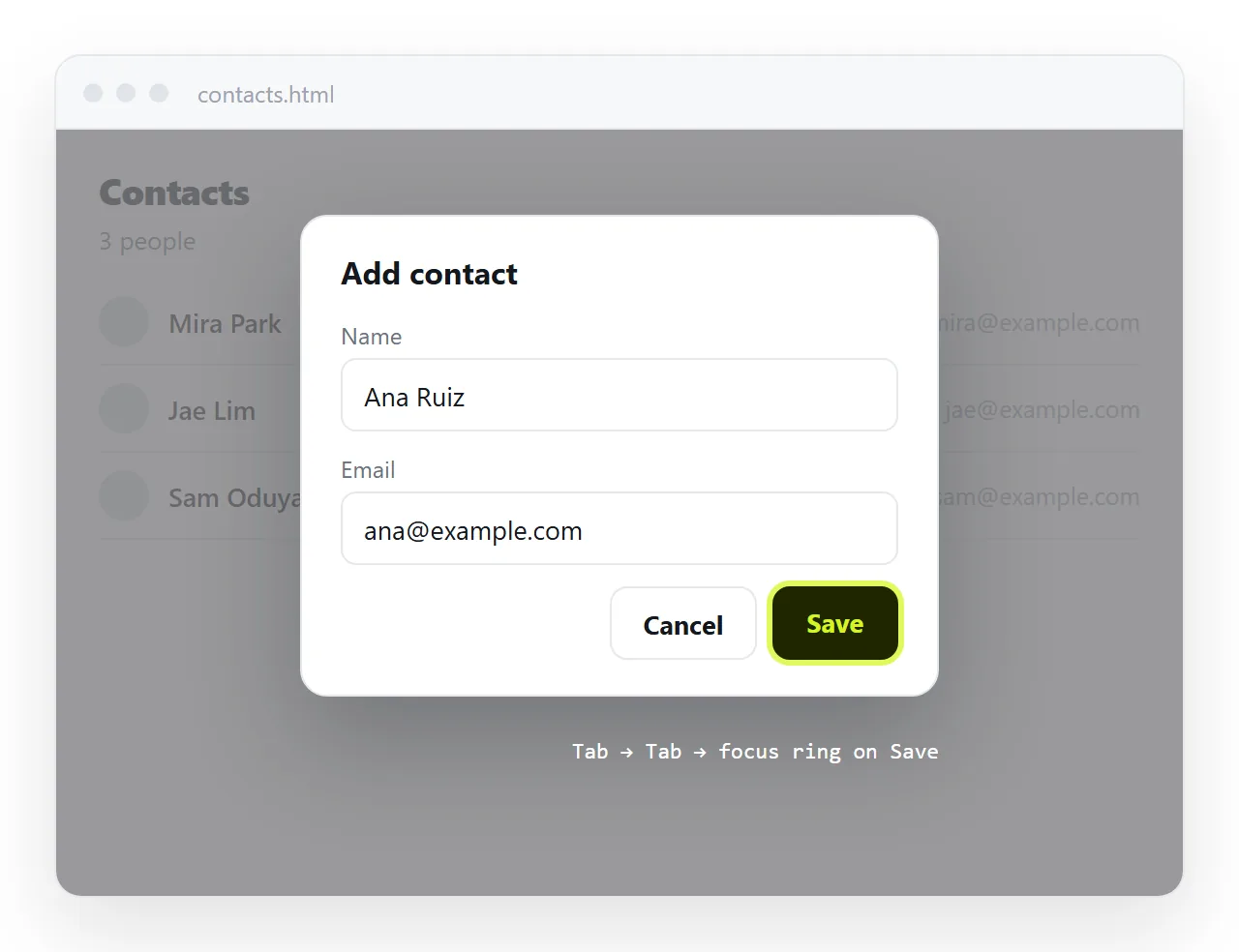
Open the file in the HTML file opener. Open the dialog, press Tab repeatedly, and confirm focus never leaves the dialog. Press Escape. Reopen it and check the fields are in the state you expect.
Then paste the HTML into a NOS document. The dialog, the script and the validation all run at the document's own address, so the reader opens a link and gets a working form.
Editing the page later does not change the address, so a correction to a field label reaches everyone who already has the link. Deeper styling of the container itself is covered in CSS modals.