An HTML yes no button is two <button> elements when the click performs an action, and two radio inputs when the answer is being recorded and submitted.
Getting that split right decides everything else: the keyboard behaviour, what a screen reader announces, and whether the answer survives the submit.
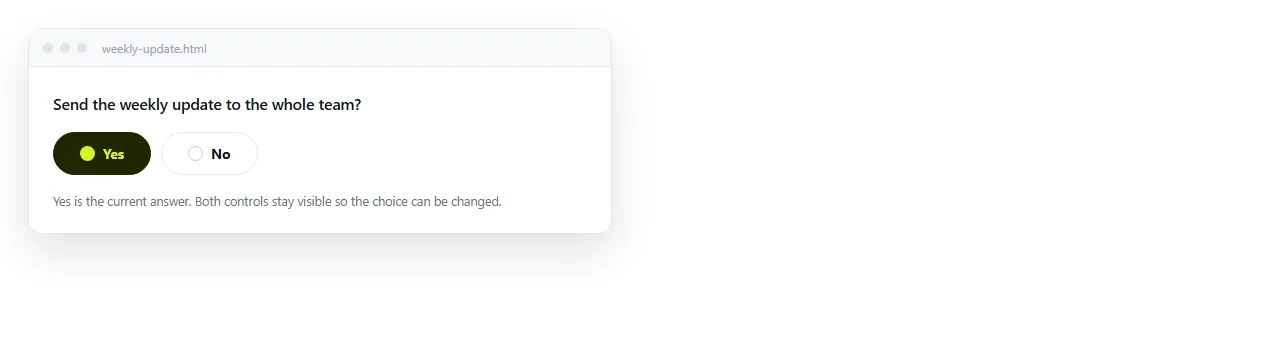
Three things people mean by an HTML yes no button
| What you want | Markup | Answer is kept |
|---|---|---|
| Confirm before something happens | Two <button> elements |
No, it is an action |
| Record an answer in a form | Two radio inputs | Yes, in the submission |
| Reveal a section based on the answer | Two radio inputs plus CSS | In the form, and on screen |
| Remember the answer on this device | Radios plus localStorage |
Until storage is cleared |
The second and third rows are the common ones, and they are the two most often built with plain buttons and a script that does not need to exist.
The action version
<p id="q">Archive this report?</p>
<button type="button" id="yes">Yes, archive</button>
<button type="button" id="no">Cancel</button>
document.getElementById('yes').addEventListener('click', function () {
  document.getElementById('q').textContent = 'Archived.';
});
Two points about the labels. "Yes, archive" tells the reader what they are agreeing to even if they skipped the question, which many people do.
And type="button" is not optional inside a <form>. A button with no type defaults to submit, so the page reloads and the click appears to do nothing.
The recorded answer version
<fieldset>
  <legend>Does the invoice include VAT?</legend>

  <input type="radio" id="vat-y" name="vat" value="yes">
  <label for="vat-y">Yes</label>

  <input type="radio" id="vat-n" name="vat" value="no">
  <label for="vat-n">No</label>
</fieldset>
The fieldset and legend are what tie the question to the two answers. Without them a screen reader announces "Yes, radio button" with no indication of what the question was.
Both inputs share a name, which is what makes them mutually exclusive. Two radios with different names are two separate questions that both happen to say Yes.
Leave both unchecked unless there is a genuine default. A pre-checked Yes is an answer you put in the reader's mouth, and you cannot later tell whether they agreed or never looked.
Styling radios as buttons
.yn input { position: absolute; opacity: 0; }
.yn label { display: inline-block; padding: .5rem 1.25rem; border: 1px solid #2c2f36;
            border-radius: 999px; cursor: pointer; }
.yn input:checked + label { background: #1f6feb; border-color: #1f6feb; color: #fff; }
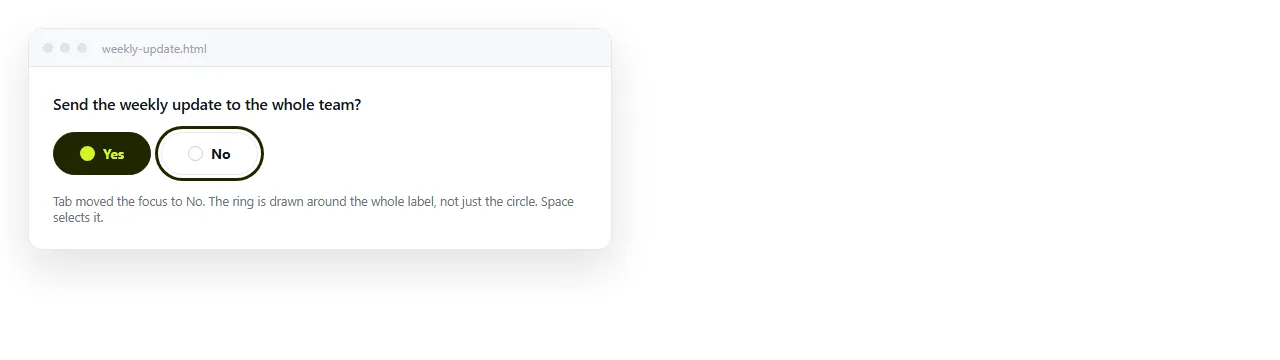
.yn input:focus-visible + label { outline: 2px solid #1f6feb; outline-offset: 2px; }
Note what the first rule does not say. It does not say display: none, because a hidden input is removed from the tab order and the control stops being reachable by keyboard.
opacity: 0 with absolute positioning keeps the input focusable, and the :focus-visible rule puts the focus ring somewhere the reader can see it.
Branching with no script at all
Because a radio can be styled by :checked, a following sibling can react to it.
#vat-y:checked ~ #vat-panel { display: block; }
#vat-panel { display: none; }
The panel has to come after the input in the markup for the sibling combinator to reach it. Inside that constraint it is a complete branch with no JavaScript.
If the branch depends on a dropdown rather than a yes no pair, CSS cannot help, and the script version is in show hide div based on dropdown.
A row of yes no questions
Once there are several questions, the layout matters more than the control.
Put each question in its own fieldset, and keep the Yes and No columns aligned down the page. A reader scanning a checklist is looking at the pattern of answers, not at each row in isolation.
.row { display: grid; grid-template-columns: 1fr auto auto; gap: .75rem; align-items: center; }
Give every question a different name. Repeating a name across questions makes them one group, so answering the third question clears the first two, and the bug looks like a rendering fault rather than a markup mistake.
If the list is long, consider column headers instead of repeating the words Yes and No on every row. The labels still have to exist for screen readers, so keep them and hide them visually rather than deleting them.
.visually-hidden {
  position: absolute; width: 1px; height: 1px;
  clip-path: inset(50%); overflow: hidden; white-space: nowrap;
}
Making the two choices unequal
Yes and No are rarely equally likely or equally safe. When one of them deletes something, do not draw them as twins.
- Give the safe choice the solid fill and the risky one a plain outline.
- Put the risky choice second, so it is not under the pointer by accident.
- Name the action in the label. "Delete draft" beats "Yes" every time.
- Never make the risky choice the default focused control.
When the question is important enough to interrupt, put it in a modal dialog so the rest of the page is inert while it is answered.
Where the answer goes
HTML on its own has nowhere to keep an answer. Three options, and you should pick deliberately.
For the current page load, a variable is enough. For the same reader on the same device, localStorage keeps it across reloads and is cleared with the browser data.
For answers you actually need to collect, the form has to post somewhere. Turning a form into a link covers the routes that do not require you to run a server.
Checking it
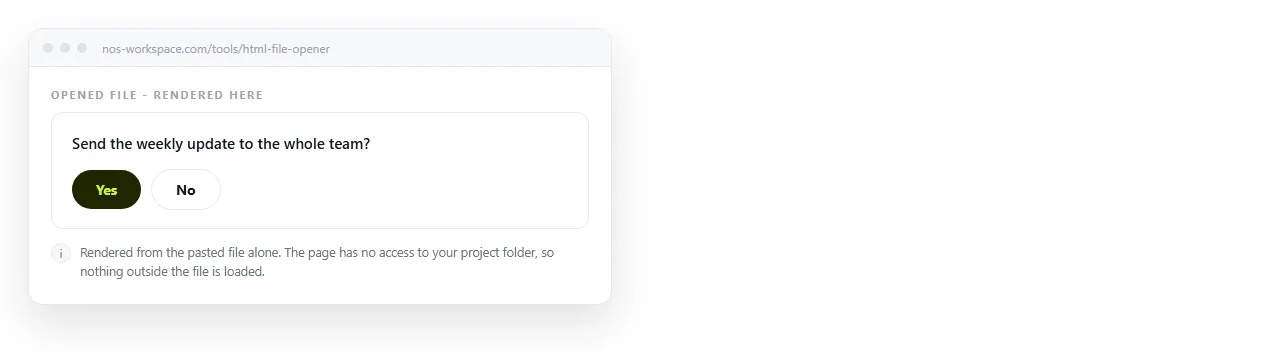
Open the file in the HTML file opener and answer the question using only the keyboard: Tab to the group, arrow between options, Space to choose.
If the arrow keys move between Yes and No, the radios share a name correctly. If they jump elsewhere, they do not.
Then paste the HTML into a NOS document. The controls render and work at the document's own address, so the reader clicks a link and gets the working question rather than a downloaded file.