localStorage in JavaScript is a small key-value store the browser keeps for each origin: a few megabytes of strings that survive a reload and a restart, on that browser, on that machine, and nowhere else.
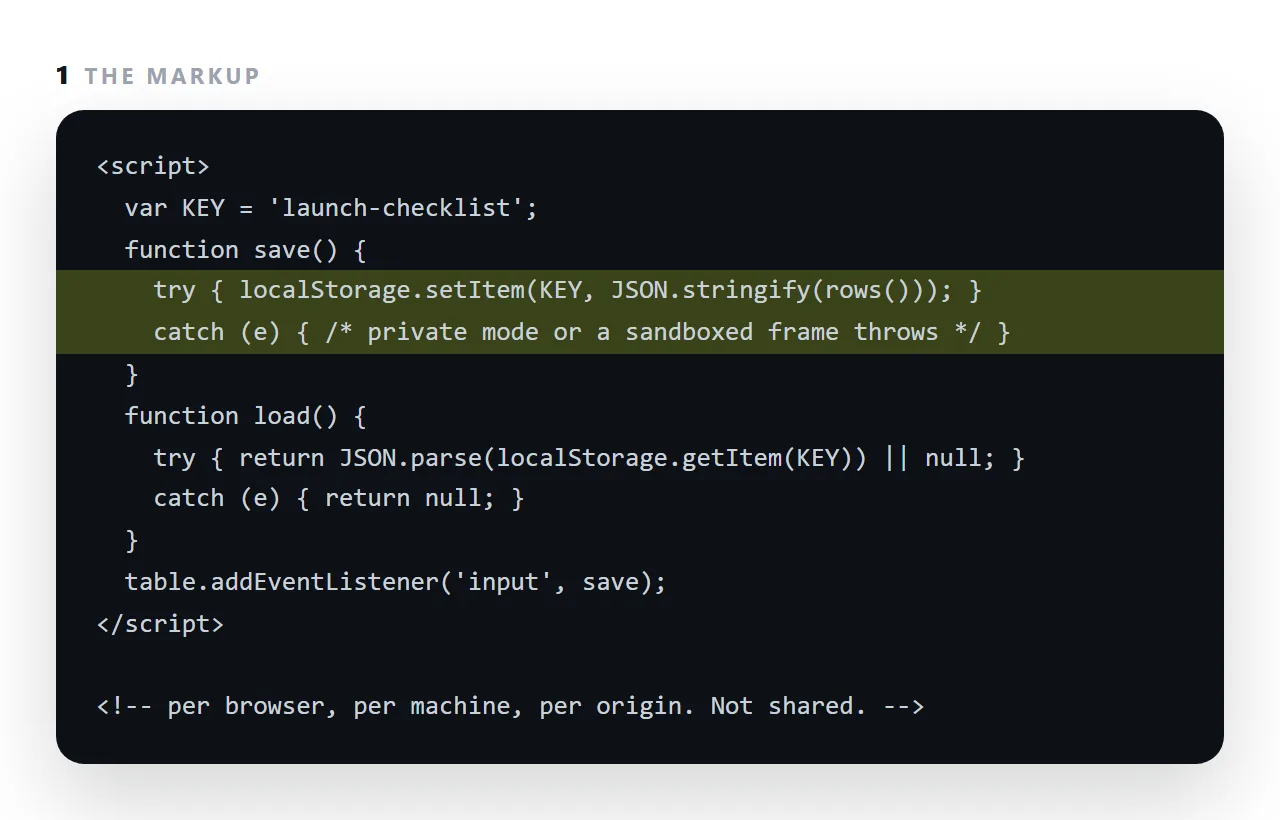
It is how an editable table remembers what you typed and how a page remembers a preference.
It has three hard limits: it throws instead of failing quietly in private browsing and inside a sandboxed frame, so every call needs a try block; it stores only strings, so objects go through JSON; and it is per browser per machine, so nothing in it is ever seen by anyone else.
This guide covers all three and what to use when the data must be shared.
<script>
  localStorage.setItem('theme', 'dark');
  var theme = localStorage.getItem('theme');   // 'dark', or null
  localStorage.removeItem('theme');
</script>
Four methods, text only, persists until something clears it.
Always wrap localStorage in a try block
<script>
  function save(key, value) {
    try { localStorage.setItem(key, JSON.stringify(value)); } catch (e) {}
  }
  function load(key, fallback) {
    try {
      var raw = localStorage.getItem(key);
      return raw ? JSON.parse(raw) : fallback;
    } catch (e) { return fallback; }
  }
</script>
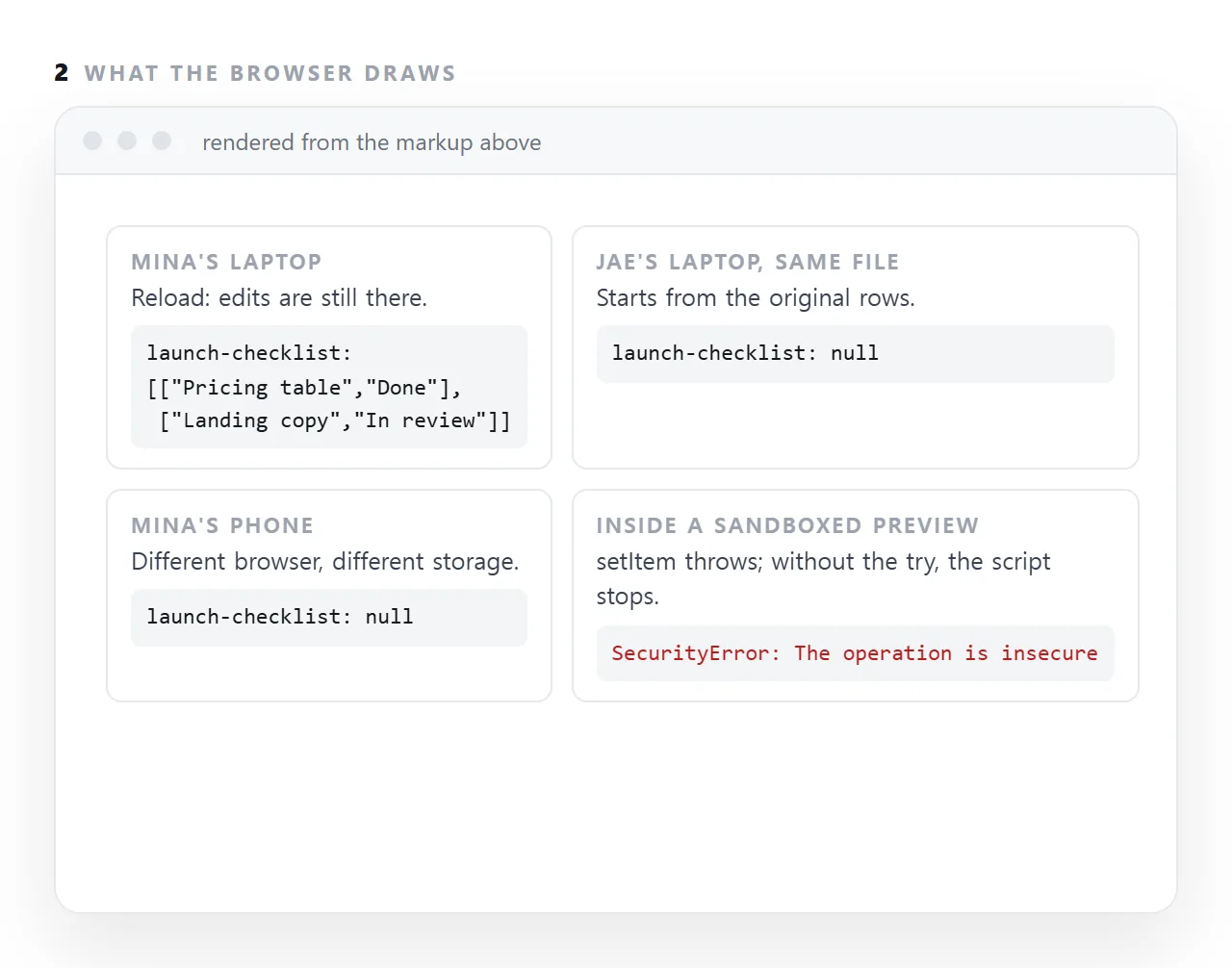
The try is not defensive style, it is required. Storage throws in three ordinary situations:
- Private browsing modes, where some browsers raise on any access.
- Inside a sandboxed frame without
allow-same-origin, because the frame has no origin to store against. - When the quota is exceeded.
An unguarded exception stops the rest of the script. So an editable table whose save call throws becomes unsortable as well as unsaveable — and the visible symptom is "the sort button does nothing", which sends you looking in the wrong place entirely.
JSON.parse needs the same guard: a truncated or hand-edited value throws on read.
Everything is a string
<script>
  localStorage.setItem('count', 5);
  localStorage.getItem('count') === 5;     // false
  localStorage.getItem('count') === '5';   // true
</script>
Numbers come back as text. Objects and arrays need JSON.stringify on the way in and JSON.parse on the way out.
No expiry
There is no built-in "keep for a week". If you need one, store it yourself:
<script>
  save('draft', { value: text, until: Date.now() + 7 * 864e5 });

  var d = load('draft', null);
  if (d && d.until > Date.now()) restore(d.value);
</script>
Namespace your key
<script>
  var KEY = 'table-' + location.pathname;
</script>
Storage is shared across every page on an origin. A key of data in a standalone file will collide with the data key of any other page from the same origin, and one page will quietly overwrite the other's state. Include something page-specific.
Why it cannot be shared storage
This is the limit that matters, and it produces the same failure every time.
Storage belongs to one browser on one machine. So:
- You send a file with editable cells to four people.
- All four type into it.
- Five versions of the truth exist, four of which nobody else can see.
- Someone asks which is current. There is no answer.
Nothing is broken. The model is wrong — the edits are being stored next to each reader instead of next to the document. Shared editing requires the document to live at one address, which is the point made in sharing a table.
localStorage or sessionStorage
| localStorage | sessionStorage | |
|---|---|---|
| Survives closing the tab | Yes | No |
| Shared between tabs | Yes | No |
| Good for | Preferences, drafts | One-visit state, form progress |
What not to put in it
Anything sensitive. Storage is readable by any script running on the origin, which includes a script injected through a vulnerability. Tokens, personal records and anything confidential belong on a server, not here.
Choosing where state lives
| Requirement | Where |
|---|---|
| A preference that should persist | localStorage |
| Progress through one visit | sessionStorage |
| State two people must both see | A document at one address |
| Anything sensitive | A server, never the browser |
| State that should survive a crash | localStorage |
| State that should not leak between tabs | sessionStorage |
The third row is the one people discover late. Neither storage API can hold anything shared, because both belong to one browser on one machine — see sharing a table for what that means in practice.
Quota, and what to do when it is hit
Around 5MB per origin in most browsers, counted as characters. Exceeding it throws, which is a third reason every call needs a guard.
If you are approaching it, you are storing the wrong thing — a document, an image, a full dataset. Store a reference and keep the data where data goes.
<script>
  function used() {
    var n = 0;
    for (var i = 0; i < localStorage.length; i++) {
      var k = localStorage.key(i);
      n += k.length + (localStorage.getItem(k) || '').length;
    }
    return n;   // characters, roughly bytes for ASCII
  }
</script>
What fits, and what does not
Browsers allow about five megabytes per origin, as strings. A table of a few hundred rows is a few kilobytes. A draft document is fine. Images encoded as base64 fill the quota fast and slow every read.
Anything larger, or anything binary, belongs in a file or on a server. And because the quota is shared by every page on the origin, a page that writes carelessly can break another page's saving without either knowing.
Clearing and expiring
Nothing in local storage expires on its own. A page that saves without ever removing leaves its keys behind for years.
Store a timestamp with the value and ignore it when it is old, or remove keys the page no longer uses, and give the reader a visible reset button so the "it is showing old data" question has an answer they can act on.
Using localStorage safely: 4 steps
- Wrap every call in
try.setItemandgetItemboth throw in private mode and inside sandboxed frames; an unwrapped throw stops the rest of the script, which is why a sandboxed table can stop sorting as well as saving. - Store JSON, and version the key.
JSON.stringifyon the way in,JSON.parseon the way out, and a key liketable-v2so an old shape does not break a new page. - Show the reader that it saved, and where. One line: "changes are kept in this browser". Otherwise they assume the whole team can see them.
- Use a shared page when more than one person needs the data. Local storage is one person on one machine. A NOS document at one address is everyone: Share, then Share link, then Create link.