sessionStorage in JavaScript is the same key-value store as localStorage with one difference: its life is a single tab. Values survive a reload and are gone when the tab closes; a second tab on the same page starts with its own empty store.
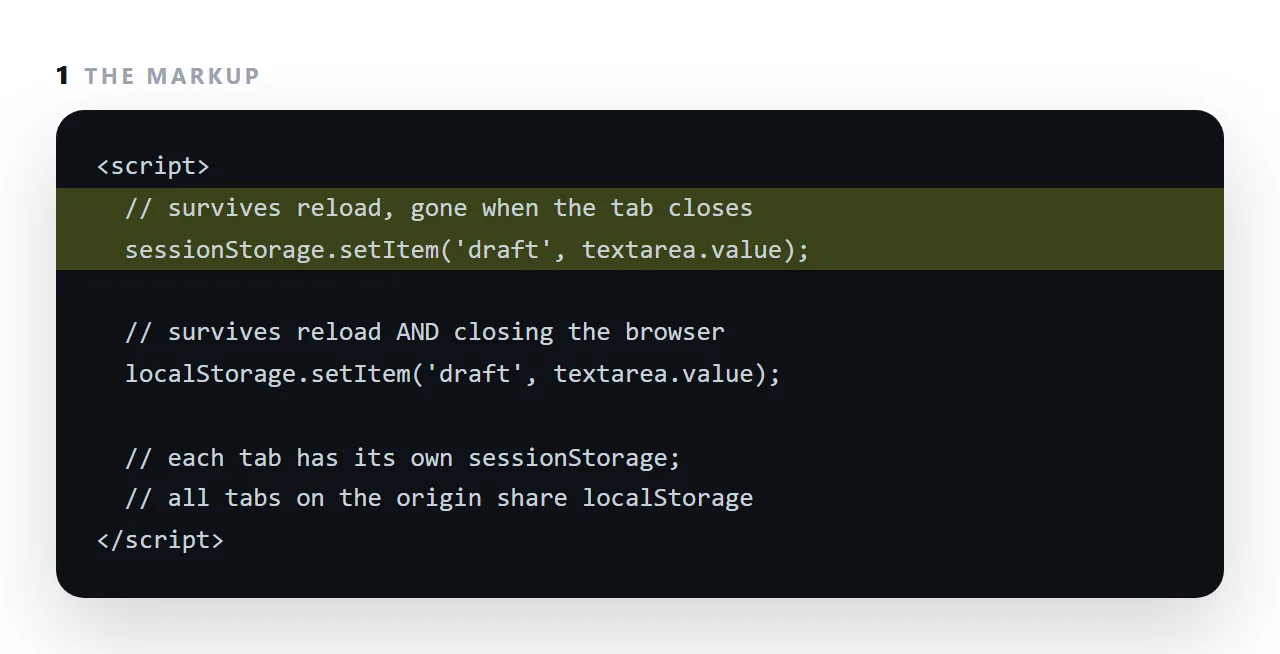
That scope is right for a draft the reader is typing, a step in a multi-page form, or a filter they set for this visit, and wrong for a preference that should be there tomorrow or for anything another person needs to see.
This guide covers the difference precisely, when per-tab is the right scope, the same throwing behaviour as localStorage, and what to use for shared data.
<script>
  sessionStorage.setItem('step', '2');
  var step = sessionStorage.getItem('step');
  sessionStorage.removeItem('step');
</script>
Identical API to localStorage. The difference is how long it lives and who can see it.
sessionStorage versus localStorage, precisely
| sessionStorage | localStorage | |
|---|---|---|
| Survives a reload | Yes | Yes |
| Survives navigating within the tab | Yes | Yes |
| Survives closing the tab | No | Yes |
| Visible to another tab on the same site | No | Yes |
| Copied when the tab is duplicated | A snapshot, then independent | Shared |
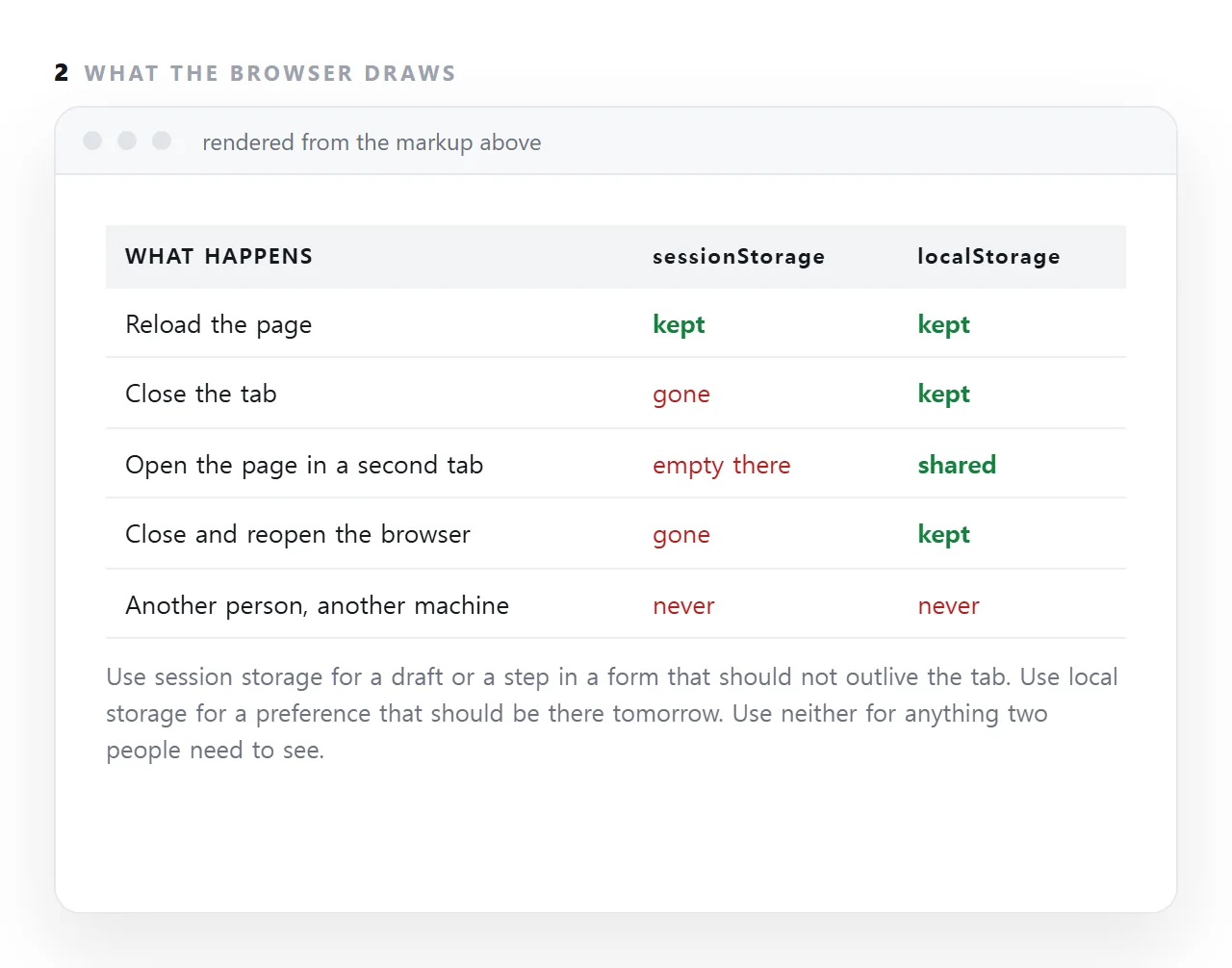
The row that decides most choices is the fourth. Two tabs of the same page have separate sessionStorage and shared localStorage.
When per-tab is the right scope
Progress through a multi-step form
<script>
  function saveStep(n, data) {
    try {
      sessionStorage.setItem('form', JSON.stringify({ step: n, data: data }));
    } catch (e) {}
  }
</script>
If someone opens the same form in two tabs to compare two cases, localStorage would have the two overwrite each other. sessionStorage keeps them apart, which is what the reader expects.
A filter or sort set for this visit
A reader who sorted a table by date probably wants that for now, not permanently. sessionStorage remembers it through a reload and forgets it afterwards, which matches the intent better than a preference that persists for a year.
A scroll position across navigation
<script>
  addEventListener('beforeunload', function () {
    try { sessionStorage.setItem('y', String(scrollY)); } catch (e) {}
  });
  addEventListener('load', function () {
    var y = sessionStorage.getItem('y');
    if (y) scrollTo(0, Number(y));
  });
</script>
Anything that should not leak between tabs
Two calculators open with different scenarios. Two drafts of the same document. Anything where "the other tab changed my values" would be a bug.
When localStorage is right instead
- A theme preference. Should apply everywhere and persist.
- A dismissed banner. Dismissing in one tab should dismiss in all.
- A saved draft. Should survive a browser crash, which
sessionStoragewill not.
Rule of thumb: preferences go in localStorage, in-progress state goes in sessionStorage.
Same guards required
<script>
  try { sessionStorage.setItem(k, v); } catch (e) {}
</script>
Identical failure modes: it throws in private browsing modes and inside sandboxed frames with no origin. Unguarded, the exception stops the rest of your script.
Same string-only constraint, too — serialise objects with JSON.stringify.
Neither is shared between people
Worth restating because it is the mistake that costs real time. Both are per browser, per machine. Neither can hold state that two people need to see.
Nothing in a standalone file can. That requires the document to live at one address — which is the difference between a file everybody has a copy of and a page everybody opens.
Which one, by requirement
| You want it to | sessionStorage |
localStorage |
|---|---|---|
| Survive a reload | Yes | Yes |
| Survive closing the tab | No | Yes |
| Be shared between two tabs | No | Yes |
| Be independent per tab | Yes | No |
| Survive a browser crash | No | Yes |
| Be forgotten automatically | Yes | No |
The two bold rows are the only reasons to choose it, and they are good reasons — a form open twice, two calculator scenarios, a filter that should not become permanent.
The failure worth predicting
<script>
  // wrong: two tabs of the same form overwrite each other
  localStorage.setItem('form', JSON.stringify(data));

  // right: each tab keeps its own progress
  try { sessionStorage.setItem('form', JSON.stringify(data)); } catch (e) {}
</script>
A reader comparing two cases side by side is a normal thing to do, and with the wrong storage the two sets of answers merge into one. The symptom is a user reporting that "the form changed by itself", which is very hard to reproduce unless you know to open two tabs.
Both APIs need the same guard for the same reasons — see localStorage. And neither can hold anything two people share; that needs a document at one address.
Where session storage is the right tool
A form that spans three pages, with the answers kept until the last page submits. A search filter the reader set for this visit and would be surprised to find still set next week.
A "you have unsaved changes" draft that should survive an accidental reload and no more. In each case the value belongs to this visit, and leaving it behind would be the bug.
Duplicated tabs
One exception to "separate per tab": when a reader duplicates a tab, most browsers copy the session storage into the new one at that moment. From then on the two are independent.
A page that assumes a value is unique to one tab can be surprised by the copy, which matters for anything that acts like a lock or a step counter.
Using sessionStorage: 4 steps
- Ask how long the value should live. This tab only: session. Until cleared: local. Beyond this person: neither; a shared page at one address.
- Wrap the calls in
try, as with localStorage. The same failures in private mode and inside sandboxed frames. - Save on input, restore on load. For a draft, write on every keystroke and read it back when the page opens, so a reload loses nothing.
- Tell the reader what happens when they close the tab. One line near the form. A lost draft with no warning is the worst outcome, and it is the one this store produces by design.