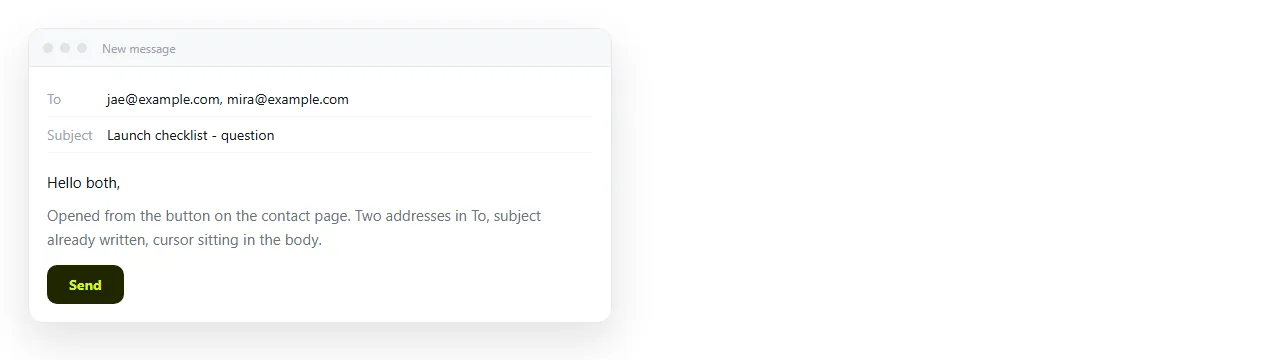
To write an HTML mailto link with multiple recipients, separate the addresses with commas inside the mailto: part.
<a href="mailto:ana@example.com,ben@example.com">Email the team</a>
No spaces after the commas. A space inside an href is a common cause of a link that opens with only the first address filled in.
Comma or semicolon
Use the comma. The specification that defines mailto uses commas, and that is what browsers hand to the mail client.
The semicolon habit comes from Outlook, which uses a semicolon as the separator inside its own address field. That is the client's user interface, not the link syntax.
If a particular client mishandles commas, the fix belongs in that client. Writing semicolons into your HTML breaks the link everywhere else.
Adding cc, bcc, subject and body
Everything after the first address list is a query string.
<a href="mailto:ana@example.com,ben@example.com?cc=lead@example.com&bcc=archive@example.com&subject=Q3%20numbers&body=Figures%20attached.">
  Send the Q3 note
</a>
The first parameter follows a question mark. Every parameter after that follows an ampersand. Inside cc and bcc, multiple addresses are still comma separated.
| Part | Syntax | Notes |
|---|---|---|
| To | mailto:a@x.com,b@x.com |
Commas, no spaces |
| CC | ?cc=c@x.com,d@x.com |
First parameter takes the question mark |
| BCC | &bcc=e@x.com |
Hidden from other recipients |
| Subject | &subject=Q3%20numbers |
Spaces become %20 |
| Body | &body=Line%20one%0D%0ALine%20two |
%0D%0A is a line break |
Order does not matter after the question mark. Readability does, so keep to, cc, bcc, subject, body.
Encoding is where these links die
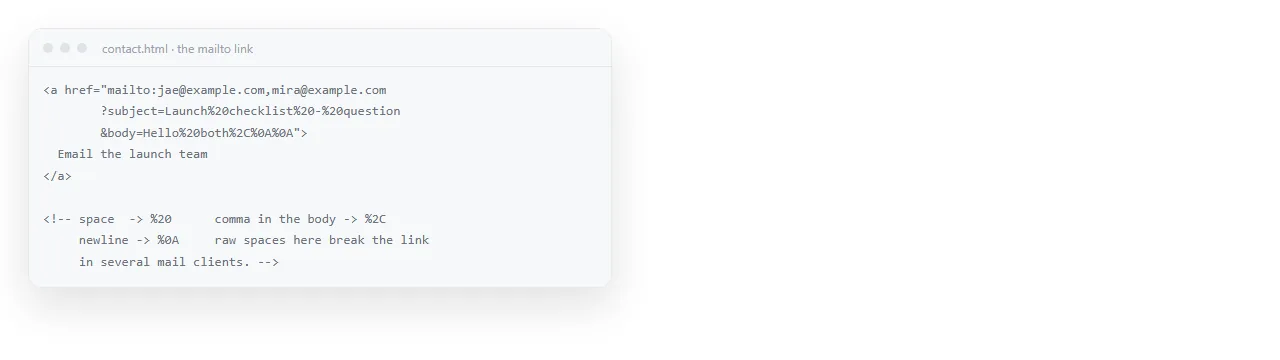
Anything with a special meaning in a URL has to be encoded, or the browser reads it as part of the link structure.
- Space becomes
%20. A raw space can truncate the value. - Ampersand in your text becomes
%26, otherwise it starts a new parameter. - Question mark becomes
%3F. - Line break becomes
%0D%0A. - Hash becomes
%23, otherwise everything after it is dropped.
A subject reading "Q3 results & forecast" written literally will arrive as "Q3 results " with a broken parameter behind it.
What the reader's machine decides
You are handing a request to whatever application claims mail on that device. Three outcomes are normal.
A desktop client opens with everything filled in. The intended result.
Nothing happens. No mail application is registered. Common on shared machines, kiosks and setups where everyone uses webmail in a tab.
The wrong application opens. An old client that was installed once and never used.
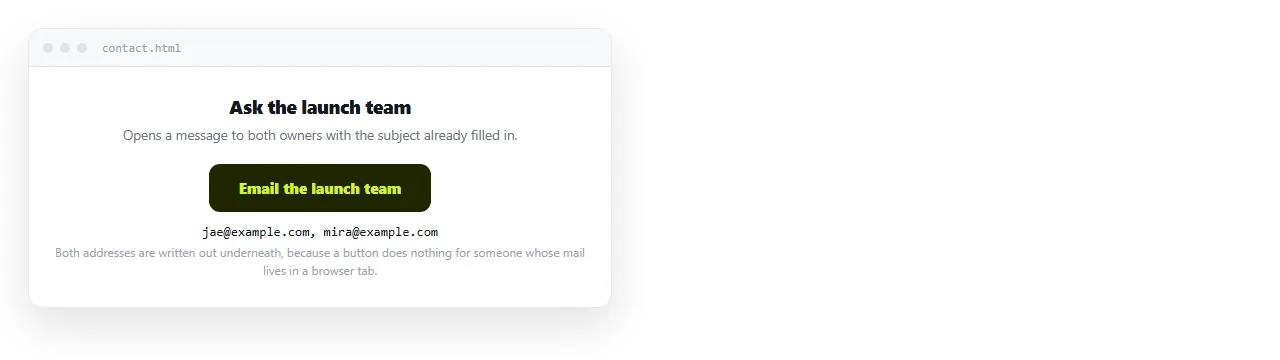
You cannot detect or control any of this from HTML. The honest response is to make the address visible as well:
<a href="mailto:support@example.com">support@example.com</a>
When the click does nothing, the reader still has the address in front of them and can copy it.
Practical limits
Mail clients and browsers both truncate long mailto strings, and there is no common limit to design against.
Keep the prefilled body to a few lines. Anything longer belongs in the page, not in the link.
Large recipient lists have a second problem: the addresses are visible in the page source to anyone who looks. Use bcc for anything resembling a distribution list, and consider whether the list should be in HTML at all.
When a form is the better answer
A mailto link is a reasonable choice when the reader is expected to write something in their own words.
It is a poor choice when you need structured information back. Every reply arrives in a different shape and you retype it all.
A form that collects the fields, or a shared document people edit directly, produces usable data instead. Turning a form into a link covers that route.
Making it look like a button
Mailto links are often the main action on a page, so they get styled as buttons. That is CSS on an anchor, not a <button> element.
<a href="mailto:sales@example.com?subject=Quote%20request"
   style="display:inline-block;padding:10px 18px;background:#2563eb;color:#fff;border-radius:6px;text-decoration:none">
  Request a quote
</a>
Keep it an anchor. A <button> does not navigate without script, and an anchor styled as a button keeps right click, open in new tab and keyboard behaviour. HTML button with a link covers the distinction.
Sending the page, not the attachment
The usual reason for a prefilled mailto is to get a document in front of someone. Attaching the document is the part that goes wrong.
Mail gateways strip HTML attachments, phones cannot open them, and every copy is frozen at the moment you sent it. Sharing an HTML file by email sets out what happens at the gateway.
Sending a link avoids all of it. In a NOS document the pasted HTML renders as written, the document has its own address, and editing the page does not move that address.
Then the mailto only carries a sentence and a URL, which is short enough that no client truncates it.
<a href="mailto:team@example.com?subject=Q3%20numbers&body=The%20current%20figures%20are%20here%3A%20https%3A%2F%2Fexample.com%2Fq3">
  Send the Q3 link
</a>
Note that the URL inside the body is itself encoded. A raw colon and slashes usually survive, but the query separators in the link would not.
Email against a link compares the two for documents that keep changing.
A checklist before you ship a mailto
- Commas, not semicolons, between addresses, with no spaces after them.
- A question mark before the first parameter and ampersands before the rest.
- Everything percent encoded, especially ampersands inside the subject.
- The address visible as text, for readers whose click does nothing.
- A short body, because long ones get truncated somewhere you cannot test.
Click it once on a machine that is not yours. That is where the missing mail client and the truncation both show up.