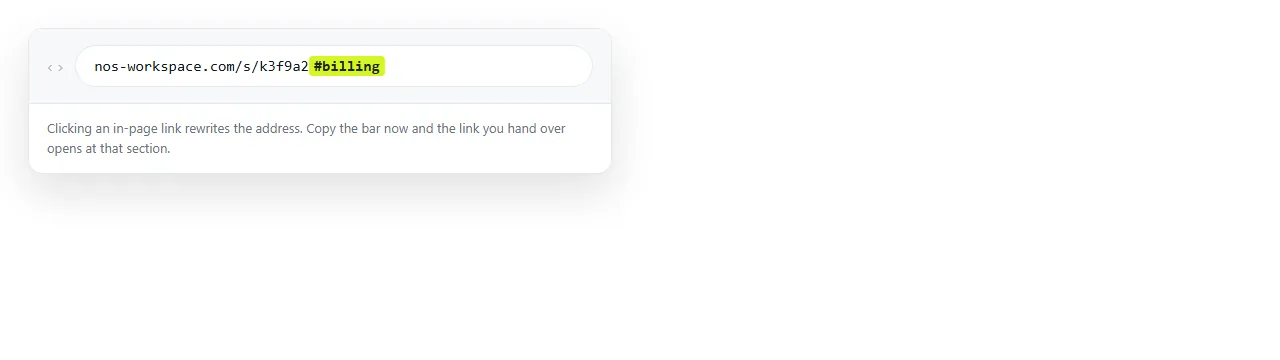
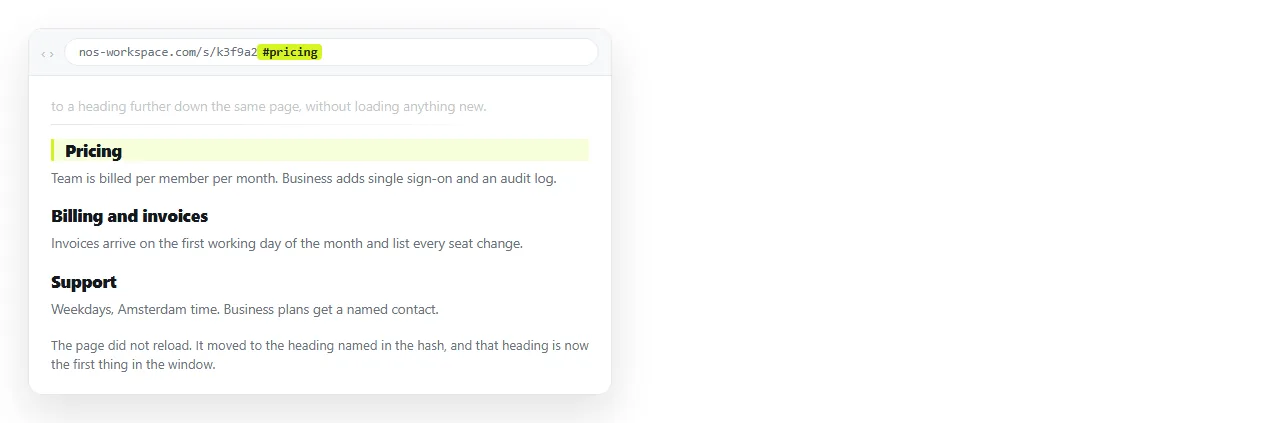
An HTML link to an anchor on the same page is two pieces: an id on the element you want to reach, and an href that is a hash plus that id.
<a href="#pricing">Jump to pricing</a>

<h2 id="pricing">Pricing</h2>
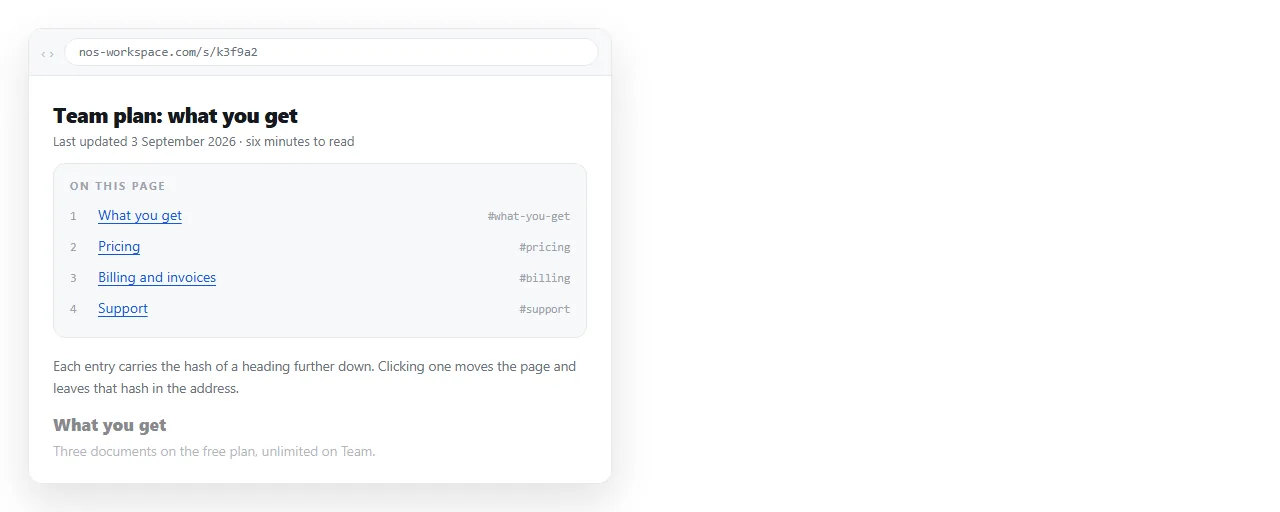
That is the whole mechanism. No script, no library, no configuration. The browser looks for an element whose id matches the text after the hash and scrolls it to the top of the viewport.
Why the old name attribute keeps appearing
Before HTML5, the pattern was an empty anchor with a name:
<a name="pricing"></a>
<h2>Pricing</h2>
That still works in browsers, because browsers do not break old pages. It is obsolete in the specification, and it forces an empty element you do not otherwise want.
Every element accepts an id, so target the real thing. Put the id on the heading, the section, the table row or the card. One attribute replaces two elements.
What a valid id has to look like
| Rule | Why | Example |
|---|---|---|
| Unique in the document | The browser stops at the first match | One id="faq" only |
| No spaces | A space ends the attribute value | id="cost-per-seat" |
| Case sensitive | #Pricing will not find id="pricing" |
Keep everything lowercase |
| Should not start with a digit | Safe in HTML5, awkward in CSS selectors | id="step-2", not id="2" |
| Descriptive, not positional | Sections move; numbers stop matching | id="refunds", not id="section-4" |
Pick the wording once and keep it. Anchors are addresses, and people paste them into tickets and chat messages. Renaming an id silently breaks every link someone else saved.
Building a table of contents
A contents list at the top of a long page is the most common use, and it is a plain unordered list of hash links.
<nav>
  <ul>
    <li><a href="#scope">Scope</a></li>
    <li><a href="#pricing">Pricing</a></li>
    <li><a href="#timeline">Timeline</a></li>
  </ul>
</nav>
Three details make the difference between a list that works and one that annoys people.
- Give every target an id first. A contents entry pointing at an id that does not exist does nothing at all, with no error anywhere.
- Add a way back. A short Back to top link after each section, written as
href="#top", saves a lot of scrolling on a phone. - Use a
<nav>element around it. Screen readers announce it as navigation, which is what it is. Semantic HTML covers the rest of these elements.
The three things that actually break anchors
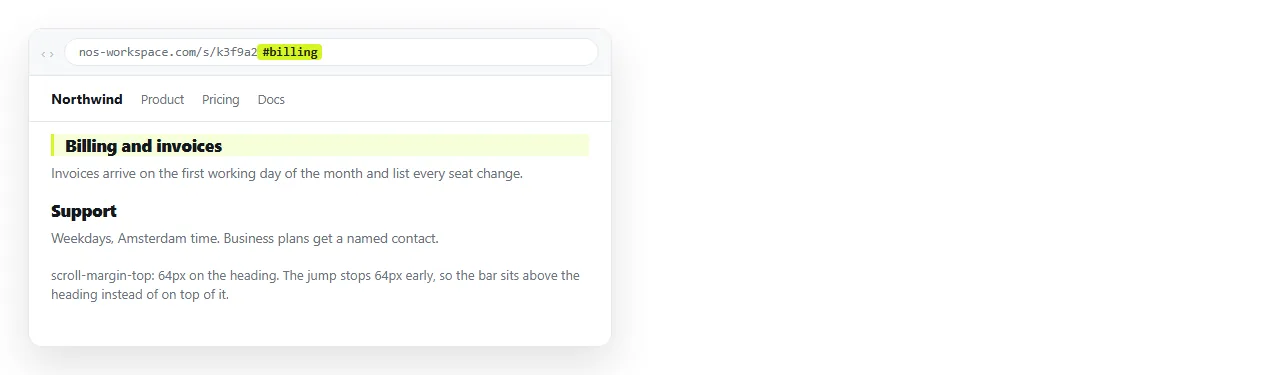
A fixed header covering the target. The browser is correct: it puts the element at the top of the viewport. Your sticky bar is already there, so the heading disappears under it. The fix is one CSS line on the target:
h2 { scroll-margin-top: 72px; }
Use the real height of your bar. This is a layout problem, not a linking problem, and no amount of rewriting the href will solve it.
Content that loads after the click. If the section is inside a collapsed accordion or arrives from a fetch, it does not exist when the browser goes looking. The hash resolves to nothing and the page stays where it is.
A mismatched id. Trailing spaces, a capital letter, or an id that was edited on one side only. Search the document for the exact string after the hash before assuming anything more complicated is wrong.
Making the jump less abrupt
Instant jumps are disorienting on long pages. One CSS declaration turns every in-page jump into a scroll:
html { scroll-behavior: smooth; }
It applies to anchor clicks and to back and forward navigation. Keep it in the document's own inline styles if the page is going to travel as a single file.
Smooth scrolling is a preference, not an improvement. On a page with forty sections, the animation becomes a wait. Long documents are usually better with the default jump.
Linking to a section from outside the page
The same id also works from another page, and from a chat message, once the document has an address.
<a href="https://example.com/handbook#refunds">Refund policy</a>
The browser loads the page, then looks for the id. This is why anchors matter more once you turn the HTML into a link instead of passing a file around.
A file on a shared drive has no stable address to append a hash to, so there is nothing to send.
In a NOS document the pasted HTML renders as written, hash links and all, and the document has its own address. Send the address with the hash on the end and the reader opens at the section you meant.
Linking to a section of a page goes through that case in detail.
Styling the anchor links themselves
Contents links usually want to look different from body links. Two changes cover most of it.
- Drop the underline on navigation lists, since the grouping already reads as links. Removing the underline shows the declaration and when not to use it.
- Keep a visible focus ring. Anchors are how keyboard users move through a long page, and removing the outline makes that impossible to follow.
Highlighting the target after arrival also helps on dense pages. The :target pseudo-class matches the element the hash points at, so a background tint appears only on the section the reader jumped to.
:target {
  background: #fffbeb;
  scroll-margin-top: 72px;
}
What the hash does to history
Every anchor click adds an entry to the browser history, so the back button returns the reader to where they were before the jump.
That is usually what people expect, and it is one reason to prefer a plain hash link over a script that scrolls the page. The script version has to manage history itself, and usually does not.
The hash is also visible in the address bar after the click. Readers copy that, which is how a contents link becomes a link someone pastes into a ticket.
Nothing after the hash is sent to the server. Anchors therefore leave no trace in server logs, so you cannot tell from the logs which sections people jump to.