To embed a video that autoplays and loops in HTML, you need four attributes, not two:
<video autoplay loop muted playsinline poster="still.jpg">
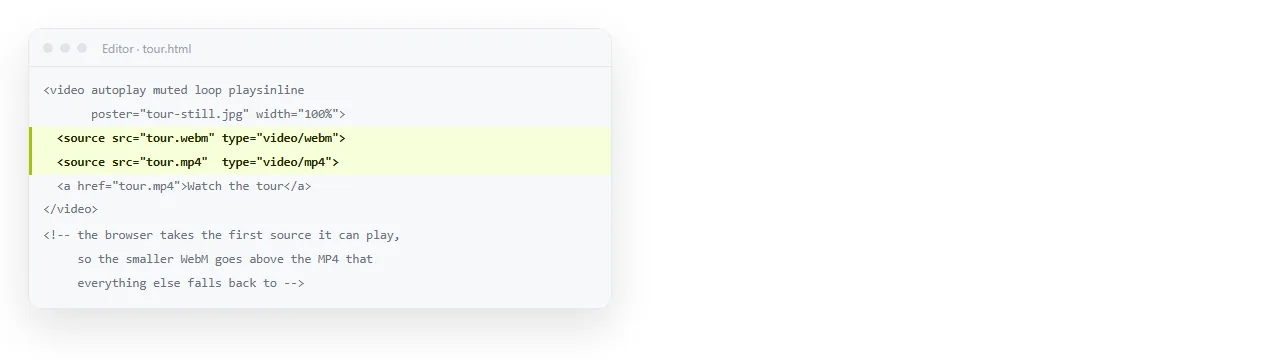
  <source src="clip.mp4" type="video/mp4">
  <source src="clip.webm" type="video/webm">
</video>
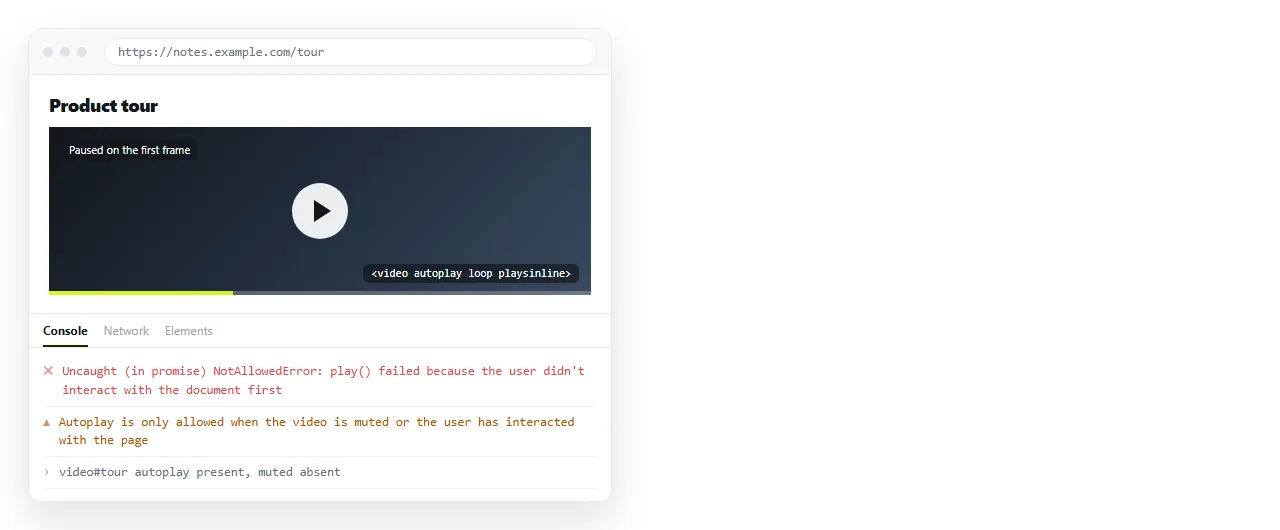
muted is the one people leave out, and without it the browser refuses to start playback at all.
Why muted is mandatory
Browsers stopped allowing pages to make noise unprompted. The rule is straightforward: a video with audio may not start on its own.
So a page with autoplay alone gets a blocked play request. The video sits on its first frame, and the only sign is a console message.
Adding muted satisfies the rule and the video starts. You are not disabling anything you could otherwise have had.
If the clip needs sound, autoplay is not available to you. Show controls and let the reader press play.
The HTML attributes behind autoplay and loop
| Attribute | Without it |
|---|---|
autoplay |
The reader has to press play |
muted |
Autoplay is refused outright |
loop |
It plays once and stops on the last frame |
playsinline |
iOS takes the video full screen when it starts |
poster |
A blank box while the file loads |
preload="metadata" |
The browser may fetch more of the file than needed |
playsinline deserves attention. A decorative loop that seizes the whole screen on an iPhone is worse than no video, and the fix is one word.
Sizing and cropping
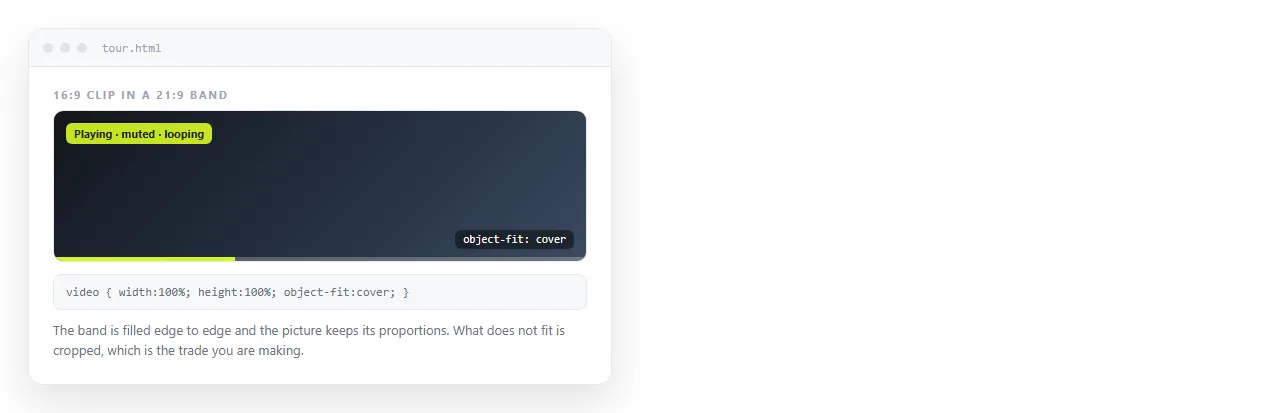
For a video used as a band across a section, crop rather than squash:
.hero video {
  width: 100%;
  height: 320px;
  object-fit: cover;
  display: block;
}
object-fit: cover fills the box and trims the overflow, keeping the proportions correct. fill, the default, stretches the picture instead.
The same property governs images, and keeping an image at its aspect ratio goes through the other values.
For a video in the flow of the text, use a ratio so it never distorts:
video { width: 100%; aspect-ratio: 16 / 9; height: auto; }
The YouTube version
A hosted file is one route. An embedded YouTube video takes the same instructions as parameters:
<iframe
  src="https://www.youtube.com/embed/VIDEO_ID?autoplay=1&mute=1&loop=1&playlist=VIDEO_ID&controls=0"
  title="Product loop"
  allow="autoplay; encrypted-media" allowfullscreen></iframe>
Two details catch people out.
mute=1, not muted. The frame follows the same audio rule, with a different spelling.
playlist=VIDEO_ID. On a single video, loop=1 on its own does nothing. The player loops a list, so you hand it a list of one by repeating the video ID.
The allow attribute also has to include autoplay. Leave it out and the frame is not permitted to start, whatever the parameters say. The iframe element covers that attribute in general, and embedding a YouTube playlist covers the multi-video form.
Hosted file or YouTube
| Consideration | Your own file | YouTube embed |
|---|---|---|
| Player chrome | None unless you add it | Present, partly controllable |
| Bandwidth | Yours | Theirs |
| Works offline in a saved page | Yes, if the file travels | No |
| Suits a silent background loop | Yes | Workable, less clean |
| Suits content people watch | Adequate | Better, with captions and quality control |
Short silent loops belong in a local file. Anything a person sits and watches belongs on a video platform.
Motion is not free
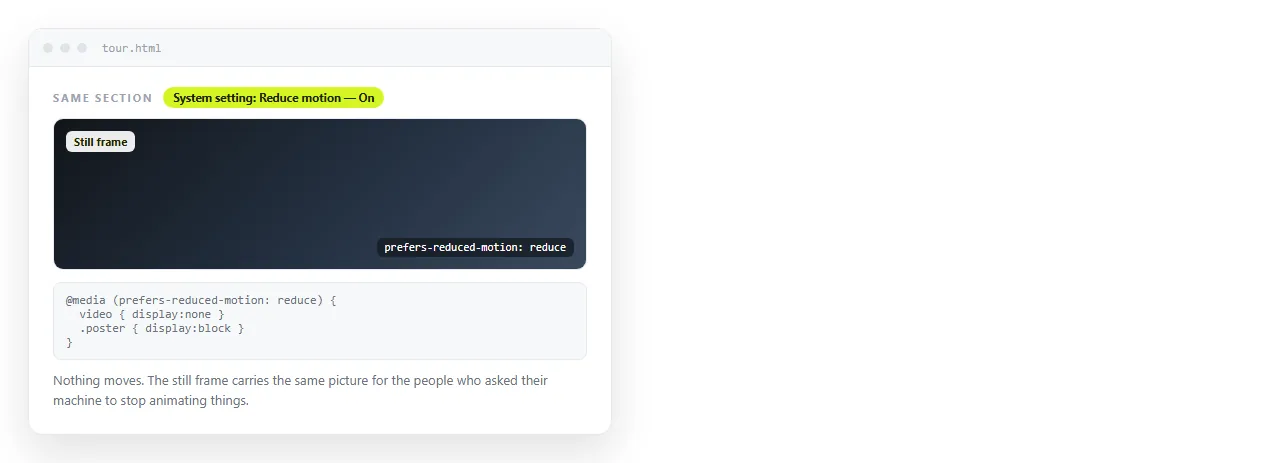
Some readers set their system to reduce motion, for reasons including migraine and vestibular disorders. A page can respect that in a few lines:
@media (prefers-reduced-motion: reduce) {
  video { display: none; }
  .hero { background-image: url(still.jpg); background-size: cover; }
}
Two more habits are worth keeping. Keep decorative loops short, under about ten seconds, so the repeat is not distracting. And never autoplay anything carrying information, because a reader who arrives mid-clip has already missed it.
Media queries covers the syntax if the pattern is unfamiliar.
Making the page travel
A page referencing clip.mp4 only works while that file sits beside it. Sent as an attachment on its own, the video is missing and the poster is missing too.
Two ways out. Host the video at a full address and reference that, or embed a platform player, which is self-contained by nature.
Self-contained HTML covers what can and cannot be folded into a single file. Video generally cannot, because the file sizes make inline encoding impractical.
Paste the finished HTML into a NOS document and it renders as written, video element and all, at an address you can send in one message.
That address does not change when you swap the clip or turn the loop off. Turning HTML into a link is the same step described on its own.
Keeping the file small enough to loop
A looping clip downloads before it can start, so weight decides whether the reader ever sees motion.
Four things cut the size without changing what the clip shows.
- Trim it. Six seconds that loop cleanly beat thirty that do not.
- Drop the audio track entirely. It plays muted anyway, so the bytes are wasted.
- Reduce the dimensions to the display size. A 400 pixel band does not need a 1920 pixel source.
- Export a WebM alongside the MP4. Listing both lets each browser take the smaller one.
Order the source elements with the smaller format first. The browser takes the first one it can play, so the order is the whole mechanism.
Add preload="metadata" when the clip sits low on the page. The browser then fetches enough to know the duration without pulling the whole file for a reader who never scrolls that far.