To embed a YouTube playlist in HTML, point one iframe at the playlist address rather than at a single video:
<iframe
  src="https://www.youtube.com/embed/videoseries?list=PLxxxxxxxxxxxxxxxx"
  title="Onboarding playlist"
  allow="accelerometer; autoplay; clipboard-write; encrypted-media; gyroscope; picture-in-picture; web-share"
  allowfullscreen></iframe>
The word videoseries sits where a video ID normally goes. It tells the player there is no single video, only the list.
Finding the playlist ID
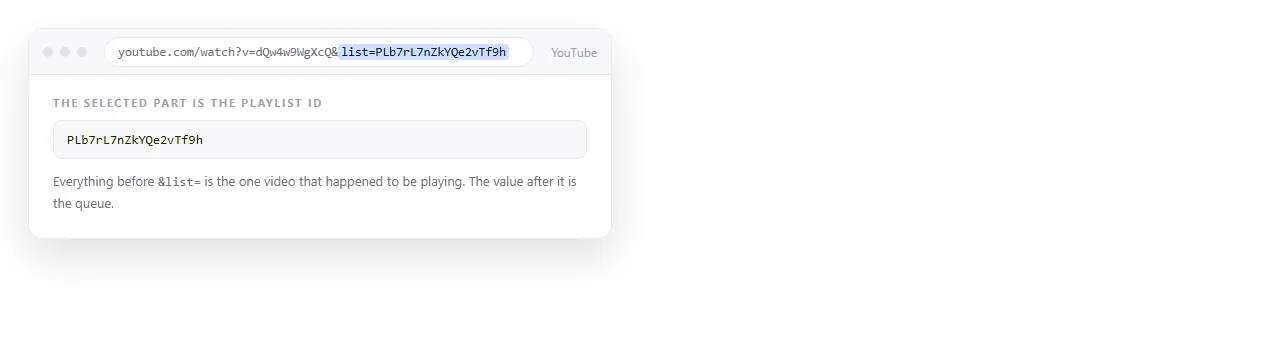
Open the playlist on YouTube and read the address. It looks like youtube.com/playlist?list=PLabc123, and the ID is everything after list=.
Copy up to the next ampersand and stop there. A watch page often carries &index=3 or &t=41s as well, and pasting those into the embed is the most common reason it misbehaves.
Most public playlist IDs start with PL. Uploads feeds start with UU, and album lists with OL. All of them work in the same slot.
The two URL forms
There are two shapes, and the difference is what plays first.
| Address | What loads first | Use when |
|---|---|---|
/embed/videoseries?list=ID |
The first item in the playlist | The order is the point |
/embed/VIDEO_ID?list=ID |
That specific video, with the rest queued behind it | You want to open on one clip |
/embed/videoseries?list=ID&index=4 |
The fourth item | You are linking into the middle of a course |
The second form is worth knowing. It lets one playlist serve several pages, each opening on its own chapter, without maintaining separate lists.
Sizing it so it does not look wrong
A raw iframe defaults to a small fixed box with a border. Give it a ratio instead of fixed pixels:
iframe {
  width: 100%;
  aspect-ratio: 16 / 9;
  border: 0;
  border-radius: 8px;
}
aspect-ratio is the modern answer and it removes the old padding trick entirely. The frame now grows with the column and keeps its shape on a phone.
If you need the same behaviour for still images in the same page, the rules are slightly different and keeping an image at its aspect ratio covers them.
Attributes that matter, and ones that do not
allowfullscreenlets the reader expand the player. Without it the fullscreen button is dead.allowis the permissions list. Autoplay in particular will not work if it is missing from that string.titleis read by screen readers and is the only accessible label an iframe gets.frameborderis obsolete. Setborder: 0in CSS instead.loading="lazy"is worth adding when the player sits far down a long page.
Width and height attributes still work, but CSS overrides them, so keep the sizing in one place rather than splitting it.
Privacy mode and why people switch domains
Swapping youtube.com for youtube-nocookie.com in the src gives the same player on YouTube's stated privacy-enhanced domain. The embed code is otherwise identical.
Use it when the page is going somewhere with a cookie notice you would rather not extend. Do not treat it as a legal opinion; check what your own policy requires.
When the embed comes back blank
A playlist embed that shows nothing almost always has one of four causes.
- The playlist is private or unlisted. You can see it because you are signed in. A reader cannot. Set it to public or unlisted and test in a private window.
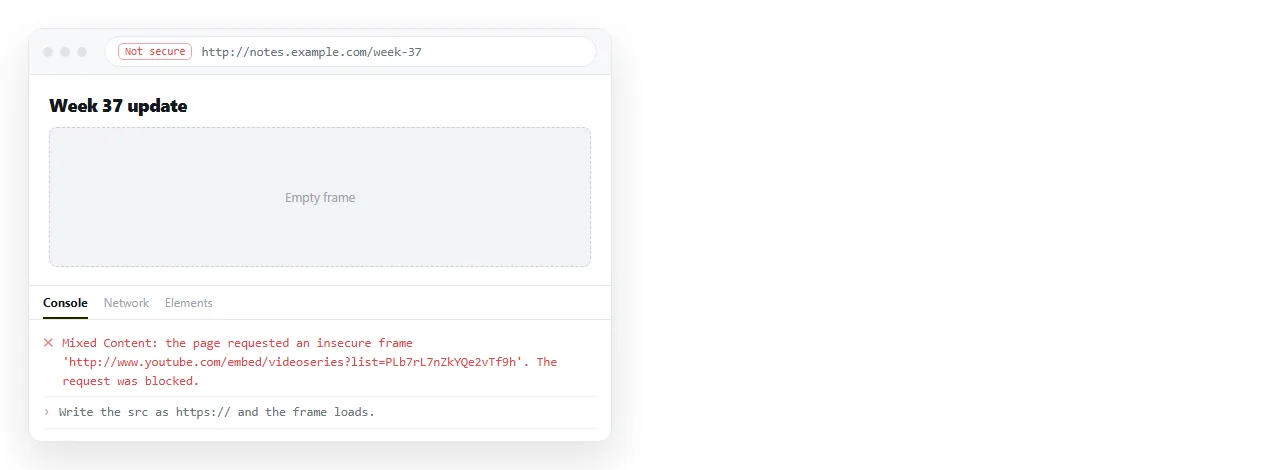
- Mixed content. Your page is on
http://and the iframe is onhttps://, so the browser blocks the frame silently. See mixed content for what the console shows. - A stray parameter.
&index=or&t=copied into the ID field breaks the lookup. - A content policy on the host page. If a
frame-srcrule is set, YouTube has to be allowed by name. Content Security Policy explains the header.
The useful test is to open the embed address on its own in a browser tab. If it plays there and not in your page, the problem is the page, not the playlist.
Checking it the way a reader will
A playlist embed behaves differently from a file on your own disk, because a page opened with the file:// protocol has a different origin than a served page. See file protocol for the wider list of things that break there.
Open the markup in the HTML file opener or paste it into a NOS document. The pasted HTML renders as a page of its own, iframe included, and the document has its own address you can send.
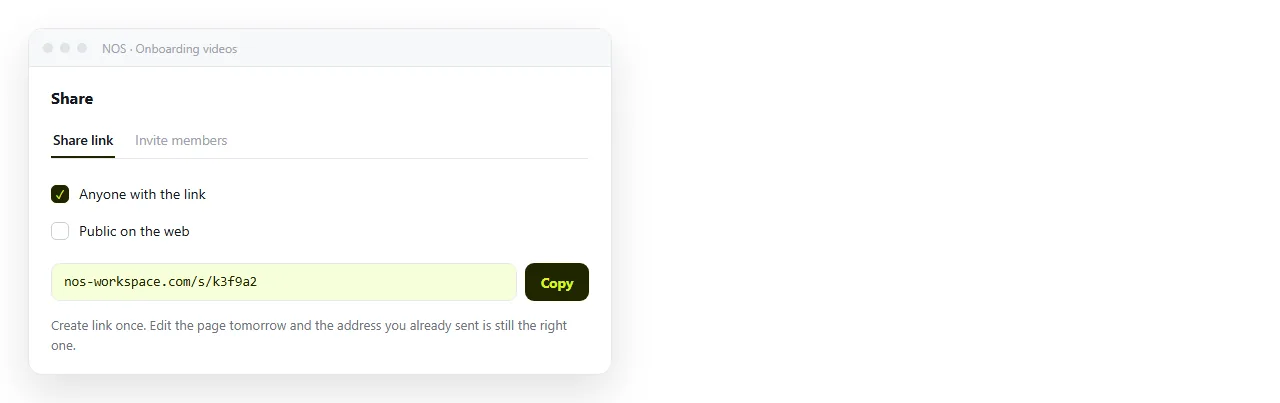
That matters here because playlists change. Add a fourth video to an onboarding list and the embedded page is already current.
The link you sent last month still points at it. If you would rather hand out one address than a file, turning HTML into a link is the same step.
Two things to add around the player
A bare frame gives the reader no idea what they are about to watch. Two additions cost little and help a lot.
Write the number of videos and the total running time above the frame. People decide whether to start based on that, and the player does not show it until they click.
Second, list the video titles underneath as plain links. A reader skimming for one topic can jump to it, and a reader with no video access still sees what the list contains.
<ol class="queue">
  <li><a href="https://youtu.be/ID1">Setting up your accounts</a></li>
  <li><a href="https://youtu.be/ID2">Expense claims</a></li>
</ol>
This also survives the worst case. If the playlist is deleted or set to private, the page still says what was in it rather than showing an empty box.
A complete YouTube playlist embed in HTML
<div class="video">
  <iframe
    src="https://www.youtube.com/embed/videoseries?list=PLxxxxxxxxxxxxxxxx"
    title="Team onboarding, part 1"
    loading="lazy"
    allow="accelerometer; autoplay; clipboard-write; encrypted-media; gyroscope; picture-in-picture; web-share"
    allowfullscreen></iframe>
</div>

<style>
  .video iframe { width: 100%; aspect-ratio: 16 / 9; border: 0; }
</style>
Replace the ID and it is finished. Nothing else is required, and any extra parameter you add should be verified in the rendered page rather than assumed.