A sortable HTML table takes a few lines and fixes the most common complaint about shared tables, which is that you cannot reorder them.

Tables get shared worse than anything else: pasted into a message the columns collapse, sent as a spreadsheet they need an application, captured as an image they stop being data.
This guide covers designing the table for a phone first, the typography that makes it readable, sortable headers in a few lines, real table markup, the limit of editable cells in a file, and the four steps to put it at one address.
Tables get shared worse than anything else. Pasted into a message the columns collapse; sent as a spreadsheet they need an application; captured as an image they stop being data.
A sortable HTML table that reads on a phone
A table with six columns cannot be squashed into a phone screen and stay readable. Do not try — let it scroll:
<style>
  .scroller { overflow-x: auto; -webkit-overflow-scrolling: touch; }
  table { min-width: 560px; border-collapse: collapse; }
</style>

<div class="scroller">
  <table>...</table>
</div>
The wrapper scrolls; the rest of the page stays put. Two lines, and the table is usable on a phone instead of being a grid of truncated words.
The typography that makes a table readable
| Choice | Rule | What goes wrong without it |
|---|---|---|
| Numbers | text-align: right and font-variant-numeric: tabular-nums |
Magnitudes cannot be compared at a glance |
| Row separation | A hairline bottom border only | Vertical rules add noise, not information |
| Header row | Tinted background, smaller uppercase text | The eye cannot find the top of the table |
| Long cells | vertical-align: top |
Mid-aligned text in a tall row looks like a fault |
| Column widths | white-space: nowrap on short ones |
Dates and statuses wrap into two lines |
The numeric one is the biggest single improvement and the most often skipped. Tabular figures give every digit the same width, so a column of numbers forms a straight edge and a reader can see which is largest without reading any of them.
Sortable headers
<script>
  var t = document.getElementById('t'), dir = {};
  [].forEach.call(t.tHead.rows[0].cells, function (th, i) {
    th.onclick = function () {
      var up = !dir[i]; dir = {}; dir[i] = up;
      th.setAttribute('aria-sort', up ? 'ascending' : 'descending');
      var body = t.tBodies[0], rows = [].slice.call(body.rows);
      rows.sort(function (a, b) {
        var x = a.cells[i].textContent.trim(), y = b.cells[i].textContent.trim();
        var nx = parseFloat(x.replace(/[^0-9.-]/g, '')), ny = parseFloat(y.replace(/[^0-9.-]/g, ''));
        var num = x && y && !isNaN(nx) && !isNaN(ny);
        return (num ? nx - ny : x.localeCompare(y)) * (up ? 1 : -1);
      });
      rows.forEach(function (r) { body.appendChild(r); });
    };
  });
</script>
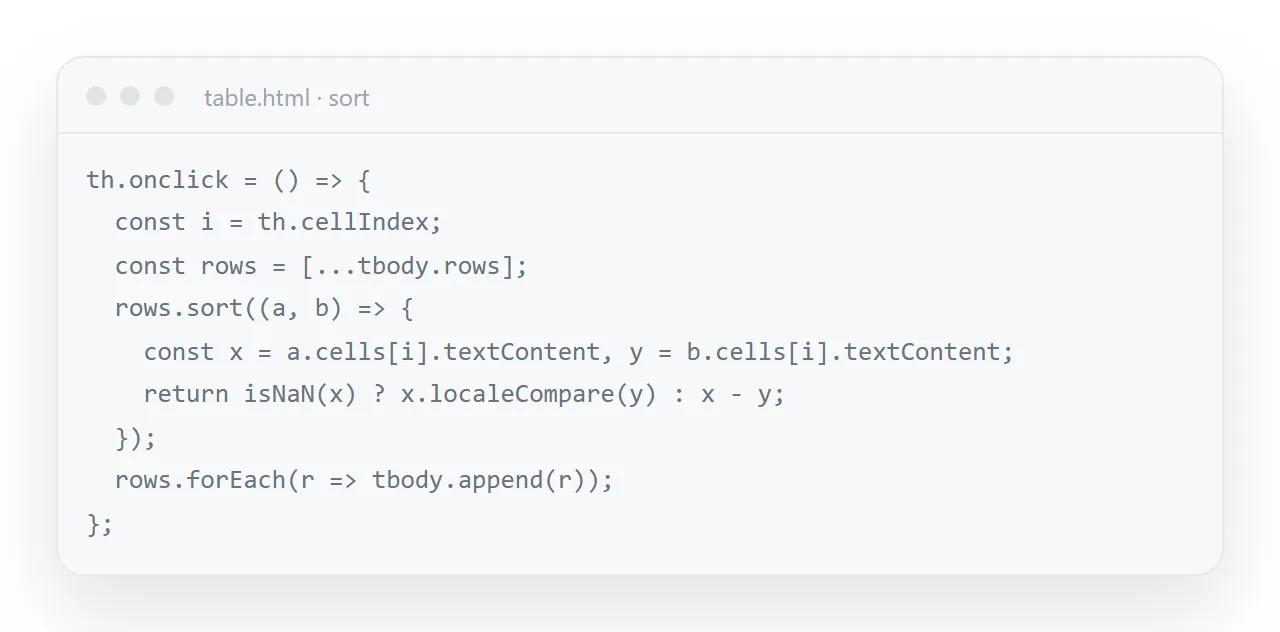
The numeric check is the part worth copying exactly. Stripping non-digits before parsing is what makes $1,284 and 41 min sort as numbers rather than as text, and localeCompare puts accented names in the right place. And aria-sort on the header is one attribute that makes the sorted state announced rather than merely visible.
Use real table markup
<table>
  <thead><tr><th scope="col">Item</th><th scope="col">Owner</th></tr></thead>
  <tbody><tr><td>Pricing page</td><td>Jae</td></tr></tbody>
</table>
thead, tbody and scope="col" are what let a screen reader announce "Owner, Jae" instead of reading a stream of unlabelled words. A table built from styled divs looks identical and is unusable without sight. See semantic HTML.
Editable cells, and their limit
One attribute makes a cell editable:
<td contenteditable="true">In review</td>
That works immediately. The limit is where the edits go: in a standalone file, nowhere, or at best into the local storage of whichever browser opened it — so four recipients produce four divergent tables that cannot see each other. See the table builder for a generated file that does this, and its honest constraints.
When more than one person needs the same rows
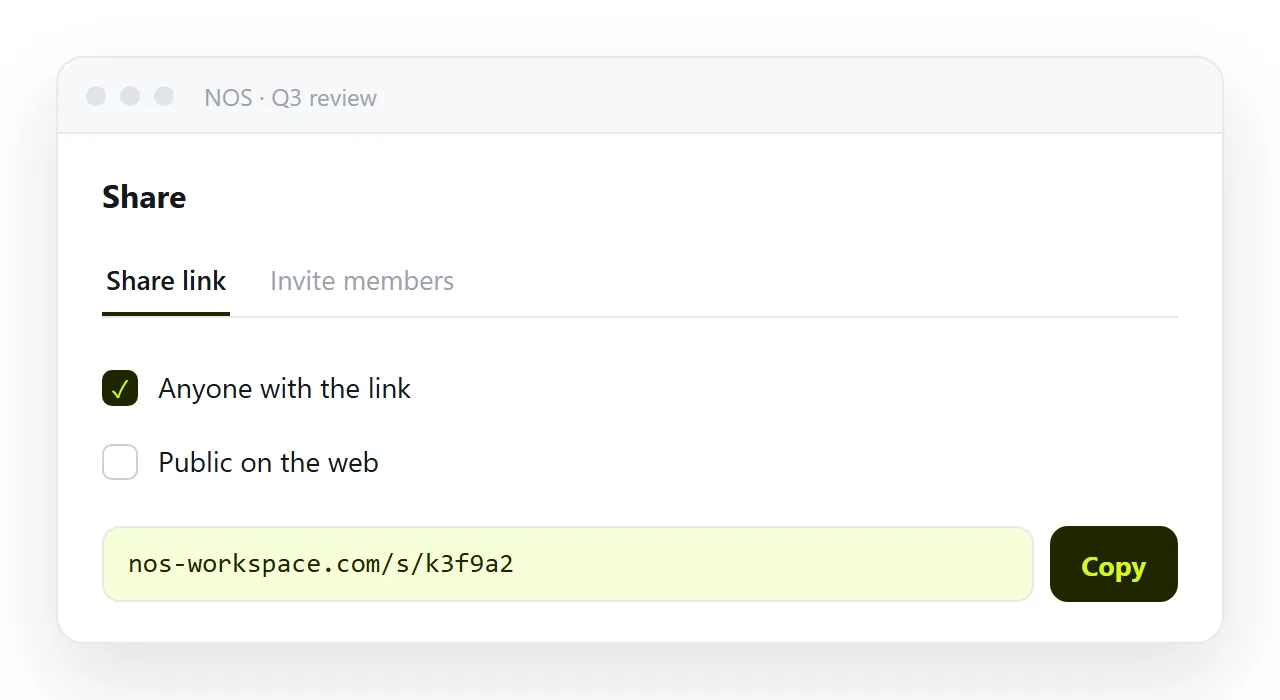
Then the table has to live at one address rather than in everyone's Downloads folder. Publish the page and send the link: same rows for everybody, one place to correct a figure.
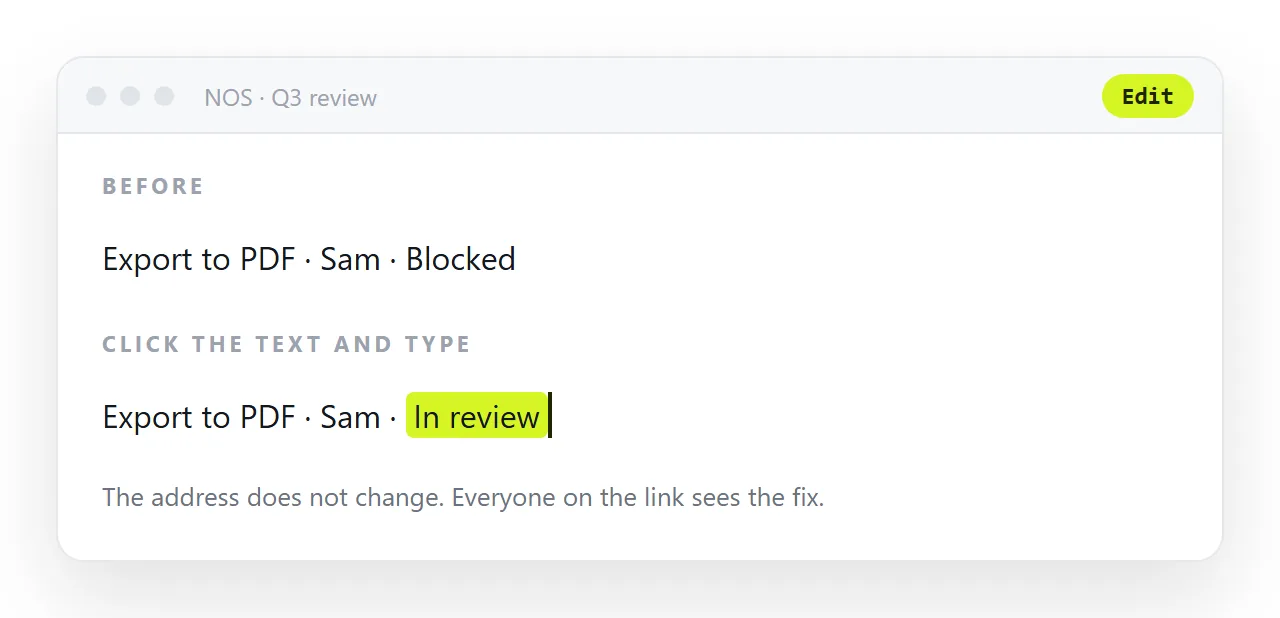
In NOS the pasted table HTML renders exactly as written and the cells hold clickable text, so a correction is typing over it — and the link you sent keeps pointing at the current table.
Long tables
Past about fifty rows, a page scrolls a long way and the header disappears off the top. Two lines fix that: position: sticky; top: 0 on the header cells keeps the column names in view while the body scrolls under them.
Past a few hundred rows, add a filter box that hides rows not matching what is typed; it is a dozen lines of script and it turns a wall of data into something a reader can use on a phone.
Copying the table out
A reader will sometimes want the rows in a spreadsheet. A table built from real markup can be selected and pasted straight into one, and the columns survive. A Download CSV button that walks the rows and joins the cells with commas is a few lines more and saves the reader from selecting carefully.
Column order and what to leave out
Put the column people sort by first, the one they read across second, and the identifier last. Drop any column that is the same in every row; it is a heading, not a column.
A table shared as a page is read on a phone more often than on a wide screen, and every column you keep is a column the reader has to scroll to.
Sharing the table as a link: 4 steps
- Use real table markup and right-align the numbers.
thead,tbody,scope="col", andfont-variant-numeric: tabular-numsso the digits form a straight edge. - Wrap the table in a scroller for phones. The two-line wrapper above. The table scrolls sideways; the rest of the page stays put.
- Paste the table into a NOS document and copy the share link. Share, then Share link, then Create link. Same rows for everybody, one place to correct a figure. Turning HTML into a link is this step.
- Correct a figure on the page. Click the cell, type over it. The link everyone has already shows the corrected row, and there is no spreadsheet v3 in anyone's inbox.