To host a game online, put the build at an address that serves it as a page rather than handing it over as a download. A browser game is HTML, so hosting it means serving that HTML rather than running anything. Which host to use depends on whether the game is one file or a folder.
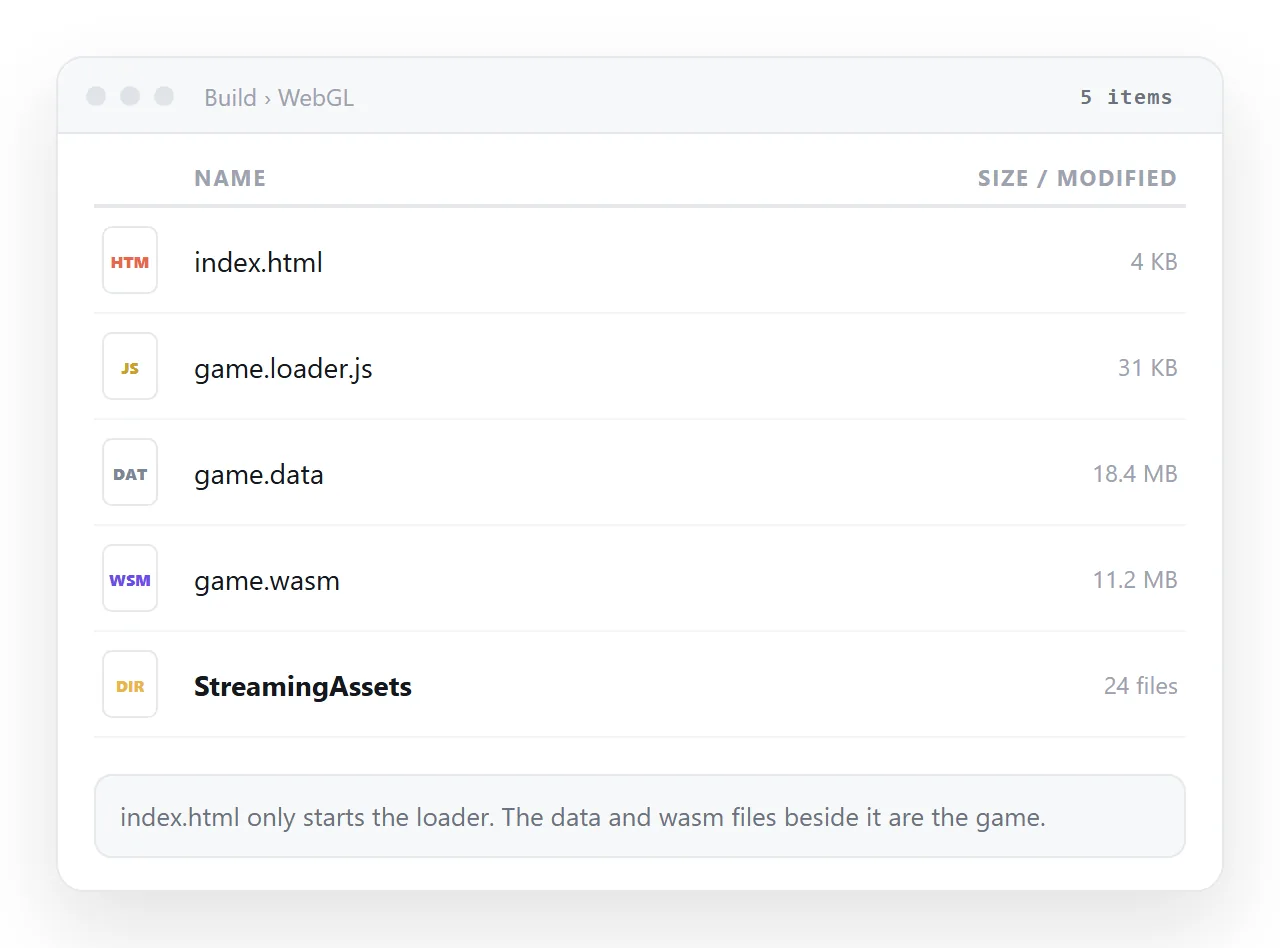
That split is the whole decision. A game written as a single HTML document and an engine export are different problems wearing the same file extension.
Where to host HTML game builds
| Build type | Works on | Watch for |
|---|---|---|
| One HTML file, inline script | A document that renders HTML | Nothing external, or it breaks |
| Exported folder, uncompressed | Any static host | Filename case, folder level |
| Exported folder, compressed | Hosts that set content encoding | Blank screen with a console error |
| Build using threads | Hosts that send isolation headers | The engine refuses to start |
The first row is the one people underestimate. A surprising number of small games, prototypes and jam entries are a canvas, a script tag and nothing else.
The single-file case
If the game is one HTML document with its script and styles inside it, hosting is a paste.
Paste the HTML into a NOS document. It renders as written, scripts included, as a page of its own. Then Share, Share link, Create link.
The link is unlisted by default, so it opens for whoever has it without being listed anywhere. Tick Public on the web if you want players to find it through search.
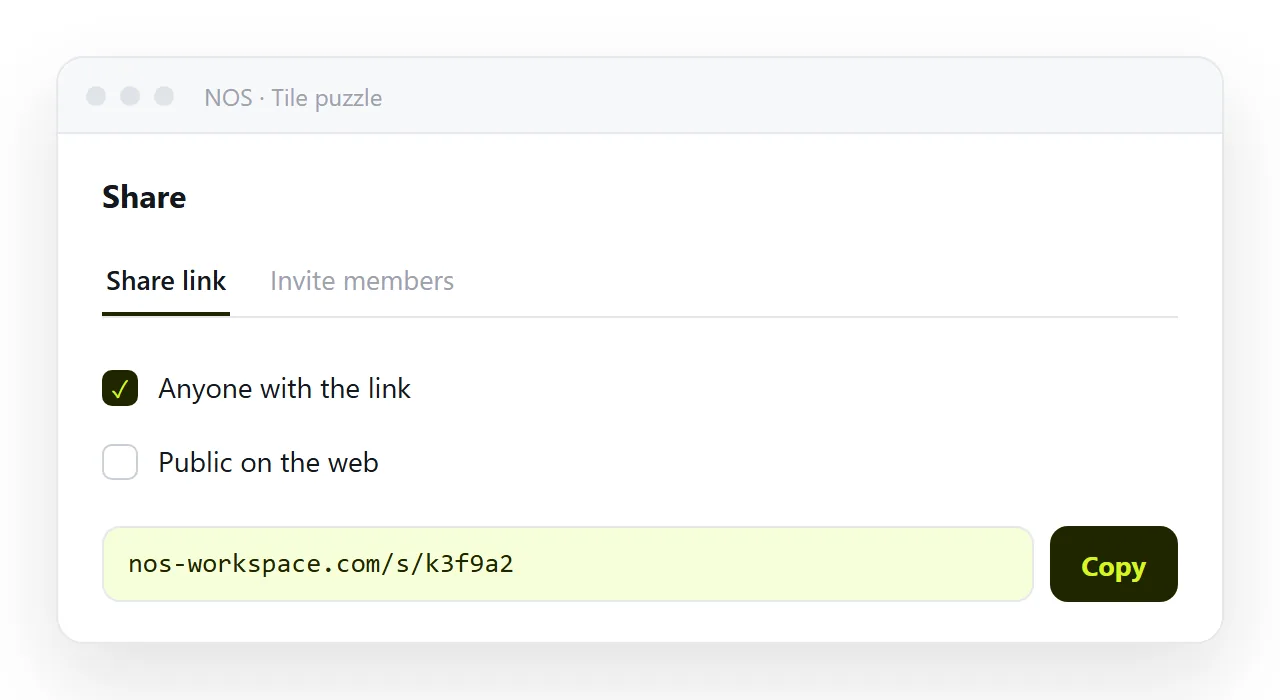
The address stays fixed while you keep working on the game, so a link posted in a chat on Monday still points at Friday's build. Hosting a single HTML file covers that path generally.
Before you assume the game is single-file, test it. Open the file in the HTML file opener, which has never seen your project folder.
A sprite sheet or an audio clip loaded from a folder path will not travel. This is the cheapest place to find that out, rather than through a player's console.
The engine export case
Exports from game engines are folders, and they have to be served as folders. Drag the folder containing index.html onto a static host, or connect the repository if the build is produced by a pipeline.
Three things break more often than anything else.
Filename case. Servers match names exactly. A file referenced as data.wasm but shipped as Data.wasm returns a 404 that shows up as a blank canvas.
Compressed builds. Some exports ship pre-compressed files and expect the server to label them correctly. If the host does not, the browser downloads bytes it cannot read and the loader stops.
Cross-origin isolation. Builds that use threads need specific response headers before the browser allows shared memory. Without them the engine refuses to start, and the message appears only in the console.
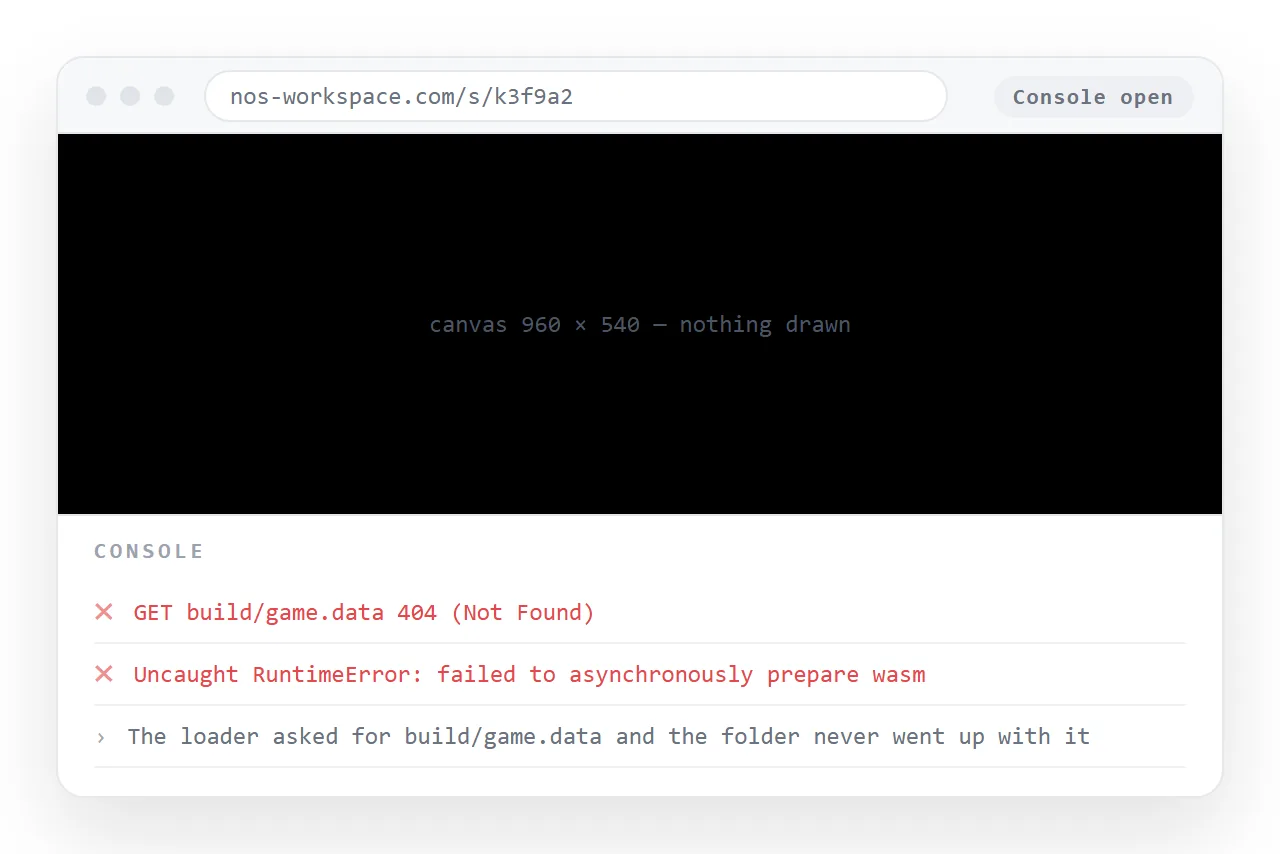
Read the first error in the console rather than the last. The later ones are usually consequences of the first.
Free routes, and what they cost
- Static host free tiers. They accept a dragged folder and return an address. Good for exports. Every new build is a full re-upload.
- Game platforms. They accept an archive and run it in the browser, and they bring players. They also frame the game inside their own page and their own rules.
- A document. One paste, a fixed address, editable afterwards. Suits single-file games, not multi-file exports.
- Your own machine. Fine for testing, useless for sharing, because a local file path is not an address anyone else can reach.
Where to host HTML for free sets out the general options with the same trade-offs.
Testing before you send the link
Players will not debug for you. They will close the tab. Ten minutes of checking is worth more than any amount of explaining afterwards.
- Load the live address in a browser that has never opened the build locally.
- Open the developer console and confirm there are no failed requests.
- Try it on a phone. Touch controls and memory limits are where desktop-tested builds fail.
- Try it once with the browser window narrow, to see whether the canvas scales or gets cut off.
- Ask one other person to open the link cold, without instructions.
Keeping the address still
Games get iterated. The link does not have to move with them.
Whatever route you pick, update the build behind the same address rather than issuing a new link for every version. A player who bookmarked the game should get the current build, not a dead page.
On a static host that means uploading into the same site rather than creating a new one. In a document it happens on its own, because editing the page does not change its address.
That is also what makes a link worth sending at all, for the reasons set out in why links beat attachments.
A link is one line of text that opens in one click. An archive of a build is something most people download and never unpack.
The free NOS plan covers three documents, which is enough to put a single-file game at a working address and see how it behaves with real players.