An editable HTML table is a table that looks like a designed page and can still be typed into. A table in a document is usually read-only, and a table in a spreadsheet is usually ugly.
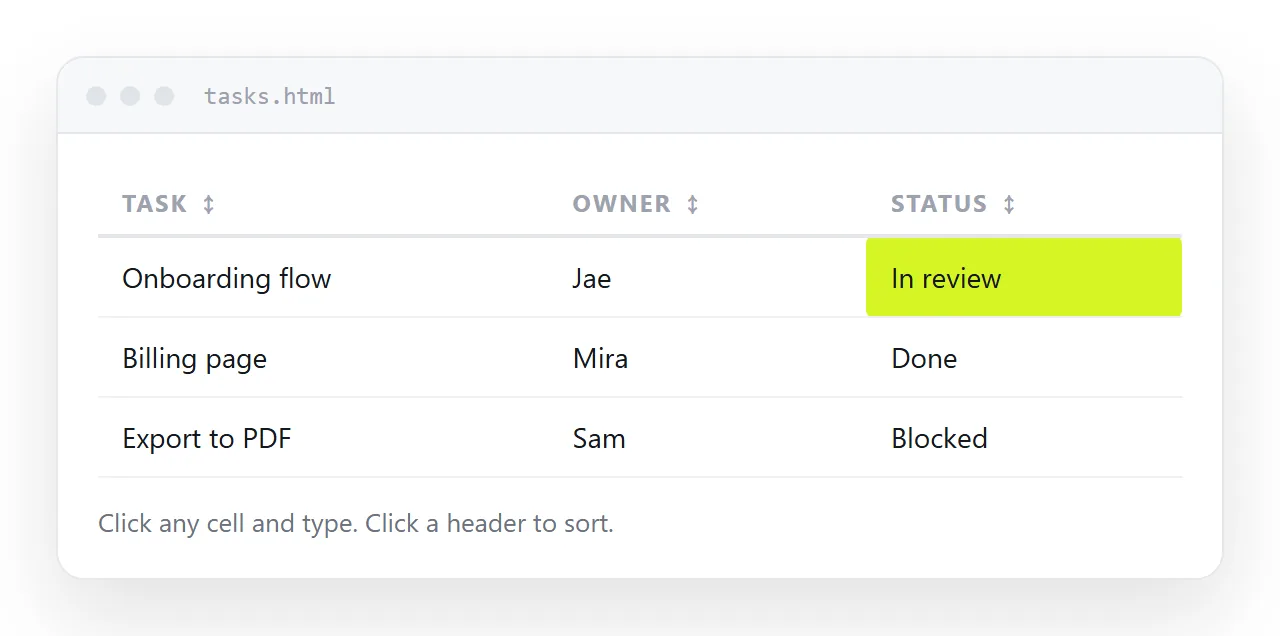
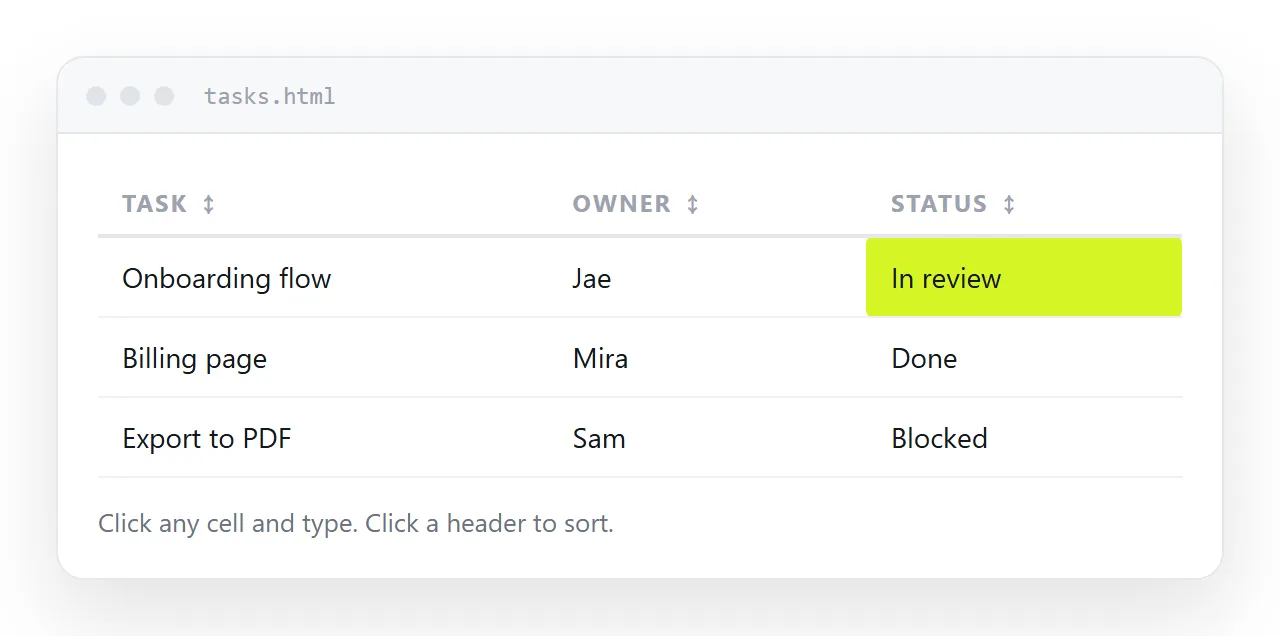
This builder makes the third thing: set the columns and rows, and copy out one self-contained file whose cells edit on click and whose columns sort when their header is clicked.
How to build an editable HTML table
- Name the table and set the columns. Type a title in the top box, then rename the headers. Add column and Remove column change the width.
- Fill in the rows. Type into the cells. Add row and Remove row change the length. Everything typed here ends up in the file.
- Check the result. The Result tab shows the finished table. Click any cell to edit it; click a header to sort by that column. The HTML tab shows the code that produces it.
- Copy the HTML. Copy the HTML puts the whole file on the clipboard. Paste it into an
.htmlfile, into an existing page, or into a NOS document if more than one person needs the same rows.
The whole trick is one attribute
<td contenteditable="true">In review</td>
That is it. No library, no framework. The browser turns that cell into a text field when you click it. It has worked in every major browser for years, and it is the least-known useful attribute in HTML.
Two things it does not do, which catch people out:
- It does not save anything by itself. Reload the page and the typing is gone, unless a script stores it, which the generated file does.
- It does not validate anything. A cell that should hold a date will happily hold "next Tuesday-ish".
Sorting by column
Sorting needs a little script, and the part worth getting right is number handling. Sort text and you get 1, 10, 100, 9. The generated file checks first:
<script>
  var x = a.cells[i].textContent.trim();
  var y = b.cells[i].textContent.trim();
  var nx = parseFloat(x.replace(/[^0-9.-]/g, ''));
  var ny = parseFloat(y.replace(/[^0-9.-]/g, ''));
  var numeric = x !== '' && y !== '' && !isNaN(nx) && !isNaN(ny);
  return numeric ? nx - ny : x.localeCompare(y);
</script>
Stripping non-digits before parsing is what makes $1,284 and 41 min sort correctly as numbers rather than as text. And localeCompare rather than < is what makes names with accents land in the right place.
One accessibility detail while you are there: set aria-sort="ascending" on the header you sorted by. Screen readers announce it, and it costs one line.
Keeping edits between reloads
The generated page writes the rows into local storage on every change:
<script>
  function save() {
    var rows = [].map.call(table.tBodies[0].rows, function (r) {
      return [].map.call(r.cells, function (c) { return c.textContent; });
    });
    try { localStorage.setItem(KEY, JSON.stringify(rows)); } catch (e) {}
  }
  table.addEventListener('input', save);
</script>
The try is not decoration. Local storage throws rather than returning an error in two ordinary situations: private browsing modes, and pages rendered inside a restricted frame. Unguarded, that exception stops the rest of the script, so the table becomes unsortable as well as unsaveable. Wrap every storage call.
This is also why the preview above can be typed into but will not remember: the preview runs in a sandboxed frame, which is the restricted case. Copy the file and open it directly and the saving works.
Where a standalone editable table stops working
Local storage is per browser, per machine. That produces a specific and very common failure:
- You send the file to four people.
- All four type into it.
- There are now five versions of the truth, four of which nobody else can see.
- Someone asks which is current. There is no answer.
Nothing is wrong with the file. The model is wrong: edits are being stored next to each reader instead of next to the table.
When the table has to be shared
The fix is not a better file; it is one address. If the table lives on a page that everybody opens, then everybody is looking at the same rows, and a change one person makes is a change the others see.
That is the case NOS is built for: paste the table HTML into a document and it renders exactly as written, the cells hold real text you can click and correct, and the share link stays the same as the contents change.
Use the standalone file when you need something that works with no network and belongs to one person. Use a page with an address when more than one person needs the same numbers. Sharing a table covers the switch.
Where an editable table earns its keep
- A checklist for a launch or an event. Owner, status, due date. People update their own row.
- A price or spec sheet a client can annotate. They type a question into the cell instead of writing a separate mail.
- A tracker that lives in a document. Paste the table into a NOS page next to the notes it belongs to, and the notes and the numbers stay together.
- A quick data entry form. Blank rows, sensible headers, Download CSV at the end.
Getting the design right
A few choices make the difference between a table that reads well and one that does not:
| Choice | Do this | Why |
|---|---|---|
| Column headers | background + smaller uppercase text |
The eye needs to find the top row without a border |
| Number columns | text-align: right and font-variant-numeric: tabular-nums |
Digits line up, so magnitudes are comparable at a glance |
| Row separation | A hairline bottom border, no vertical lines | Vertical rules add noise without adding information |
| Focus state | A visible outline on td:focus |
Otherwise nobody can tell the cell is editable |
| Long text | vertical-align: top |
Mid-aligned text in a tall row looks like a mistake |
The focus state is the one people skip, and it is the one that decides whether anybody discovers the table is editable at all. If clicking a cell produces no visible change, the feature might as well not be there. The generated file includes it.
What the generated file can and cannot do
| Standalone file | A page at one address | |
|---|---|---|
| Type into a cell | Yes | Yes |
| Sort by column | Yes | Yes |
| Survive a reload | On that browser only | Yes |
| Two people see the same rows | No | Yes |
| Merge two people's edits | No | Not needed |
| Works with no network | Yes | No |
| Export CSV | Yes | Yes |
The two hard noes are not implementation gaps; they follow from where the edits are stored. See localStorage for the mechanism.
The attribute behind it
One attribute does the editing. contenteditable covers the paste handling and focus style that the generated file already includes, and the reasons a full document editor should not be built this way.