An orders link is one address per order, holding what was ordered and where it has got to, so the customer checks for themselves.
The saving is not the first message. It is the three enquiries that never arrive.
This guide covers the current stage, what belongs on the page, handling delays, and where this should come out of a system instead.
Status goes first
The customer came for one piece of information. Give it to them before anything else.
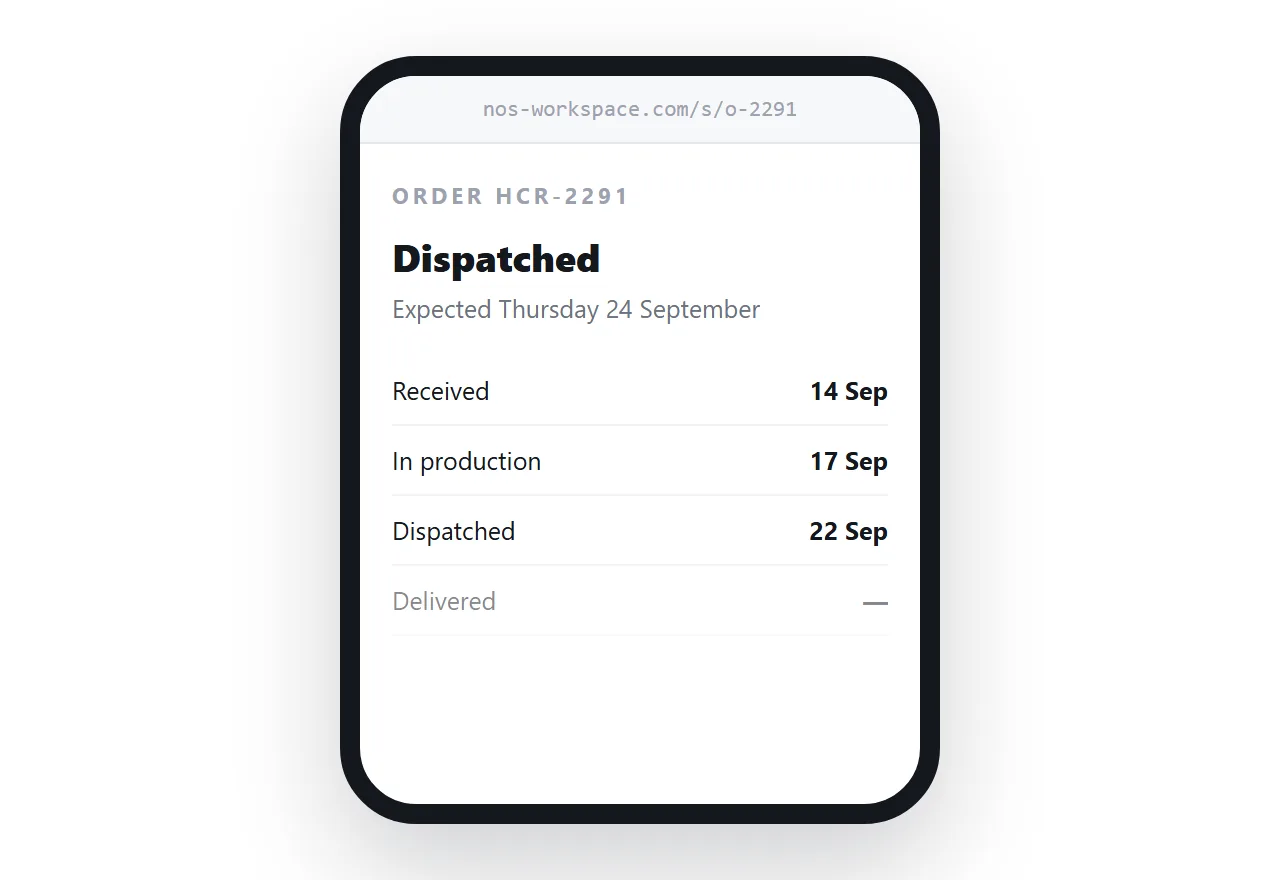
<header class="order">
  <p class="ref">Order HCR-2291</p>
  <p class="stage">Dispatched</p>
  <p class="eta">Expected Thursday 24 September</p>
</header>
A short list of stages underneath, with the current one marked, tells them how far through the process they are without needing a percentage or a progress bar.
<ol class="stages">
<li class="done">Received · 14 Sep</li>
<li class="done">In production · 17 Sep</li>
<li class="now">Dispatched · 22 Sep</li>
<li>Delivered</li>
</ol>
Dating the completed stages does something a bare status cannot: it shows the order is moving. A customer who can see three dated steps stops worrying.
What belongs on the page
| What | Why |
|---|---|
| Order reference | They will quote it when they contact you |
| Current stage, with dates | The reason they opened the page |
| Expected date | The second reason |
| Items, quantities, prices | So they can check it is right |
| Delivery address | So they can check that too |
| Tracking, if dispatched | Linked, not just a number |
| Who to contact | A name and a direct route |
Link the tracking number rather than only printing it. A customer on a phone should not be copying a reference into a courier's site.
Delays, said out loud
This is where a page earns its place.
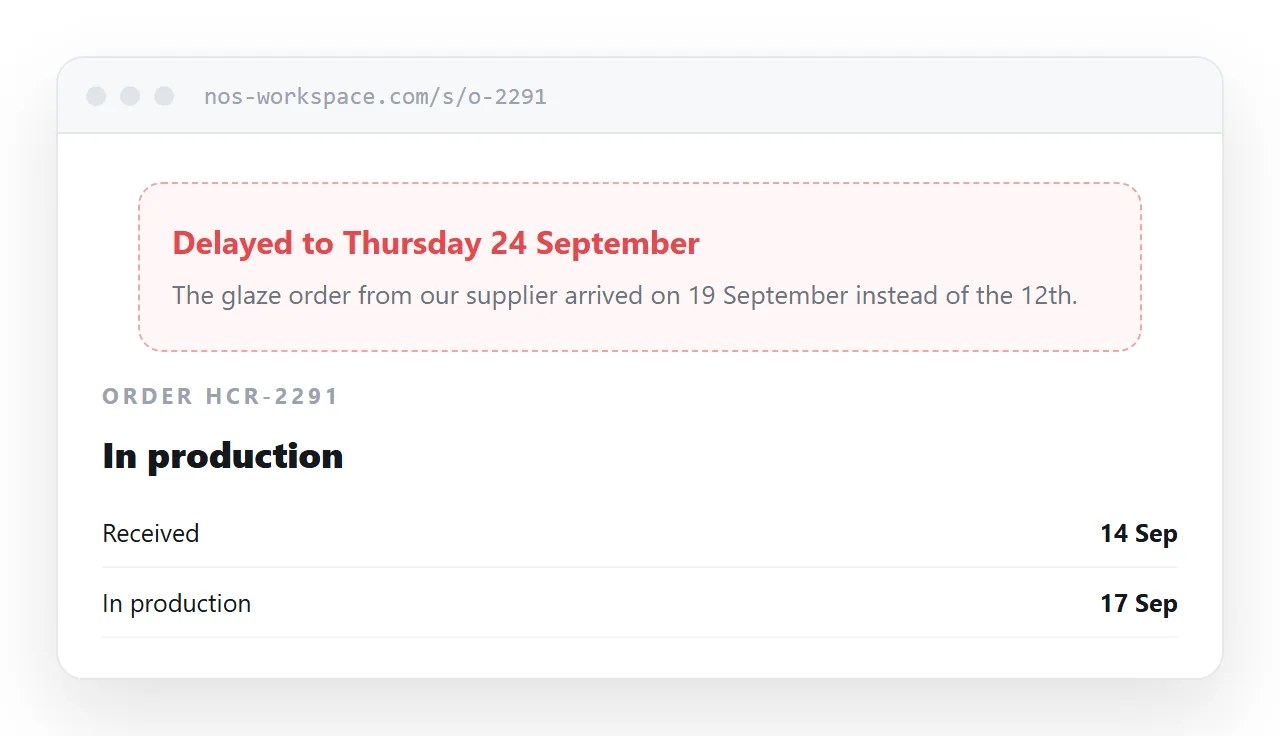
An order that slips generates enquiries in proportion to how long the silence lasts. A page updated with the delay and a reason, before the customer notices, changes the tone of the whole exchange.
Be specific and dated. "Delayed: the glaze order from our supplier arrived on 19 September instead of 12 September. Now expected Thursday 24th." That is a business in control of its information. "Slight delay, thanks for your patience" is not.
Never move an expected date silently. A customer who wrote down the original date and finds it changed without comment trusts the next date less.
Keep it unguessable
An order page contains what someone bought and where they live. That is not material for a findable address.
Use a reference nobody can enumerate, keep the page out of search engines, and leave off anything unnecessary. The delivery address should be enough for the customer to confirm it is right, not a complete record. Payment details should not be there at all.
Send it with the confirmation
The link belongs in the order confirmation, described as what it is.
One line: "You can check your order at any time here." Customers bookmark it, and the ones who do stop emailing.
Put the same link in any dispatch notification, because that is the message people go back to when something has not arrived.
When it should come from a system
At volume this is a job for whatever runs your shop.
A platform generates order pages automatically, keeps them in step with stock and fulfilment, and does not depend on somebody remembering to update a page. If you process more than a handful of orders a week, that is where this should live.
The page approach suits the maker, the studio, the small producer taking orders by email or message. For them it is faster than the enquiries it prevents.
Afterwards
Leave the page up once the order is delivered.
Customers come back to check what they ordered, to reorder the same thing, or to find the reference for a warranty claim. A page that holds the record is useful long after the delivery, and it costs nothing to keep.
Related: invoice link for the billing side of the same order.
Put it at an address
Put the stage and the expected date at the top, list what was ordered, use an unguessable address, and send the link with the confirmation.
Then the customer checks instead of asking.