An invoice link is an invoice published at a web address instead of attached as a file, so the client opens it in one tap and always sees the current version.
The format is not a detail. An invoice exists to get paid, and everything that delays opening it delays payment.
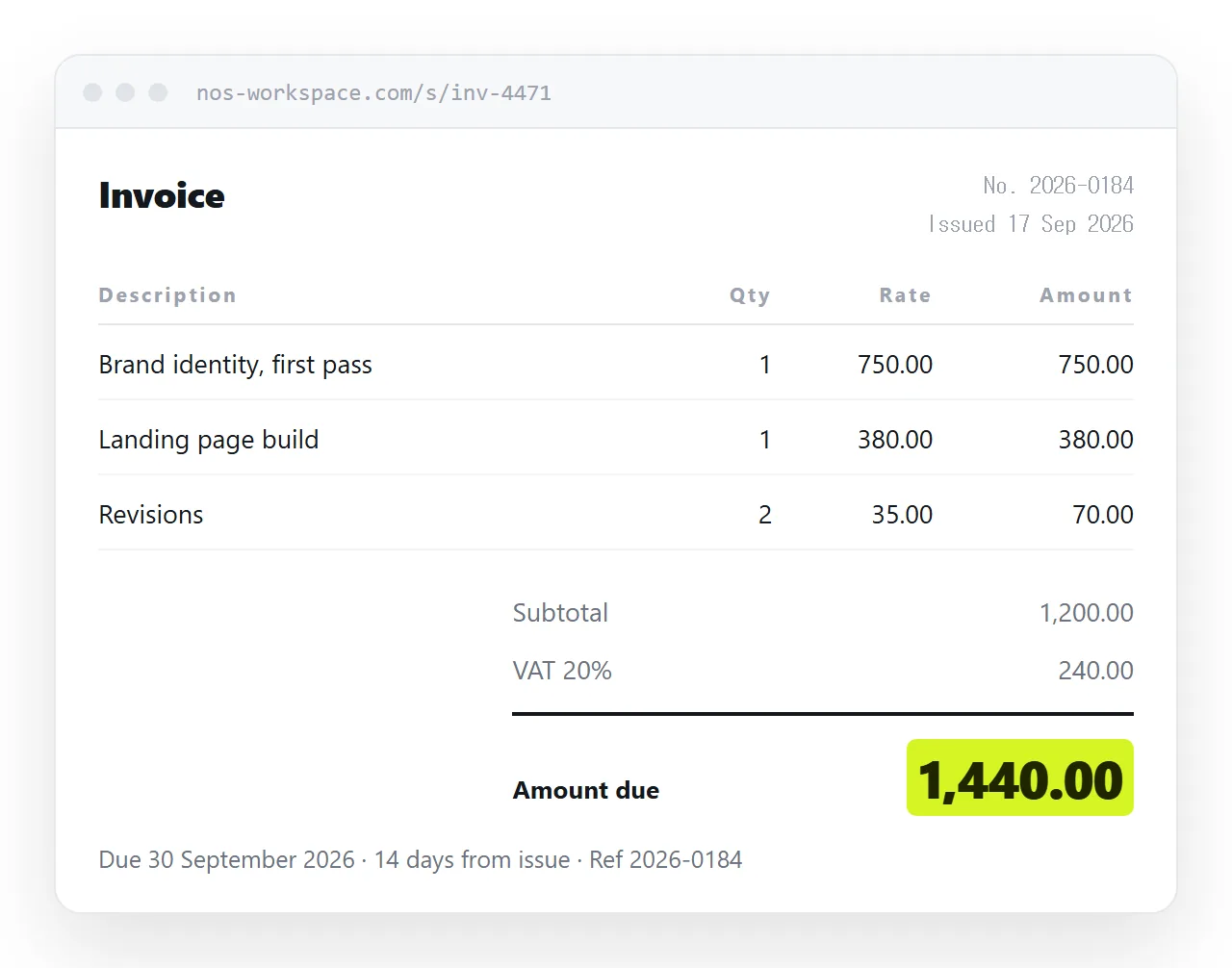
This guide covers what belongs on the page, how to make the totals survive a phone screen, what to do about the PDF your client's accounts system still wants, and how corrections work once the link is out.
What an attachment costs you
Attachments fail in ordinary, boring ways, and each one is a day of delay.
| What happens | With a PDF attachment | With a link |
|---|---|---|
| Opened on a phone | Sized for paper, so it is small | Sized for the screen |
| Caught by a mail filter | Common for attachments | Rare for a plain link |
| A figure is wrong | Send a second file | Correct the page |
| Client looks for it in March | Buried in a mail thread | Same address still works |
| Forwarded to their finance team | Re-attached, version unclear | One address, one version |
The second row is the one people underestimate. Corporate mail systems treat attachments with more suspicion than links, and an invoice that lands in a quarantine folder is an invoice nobody has seen.
Put the amount due where the eye lands
A client opening an invoice is looking for two things: how much, and by when. Everything else is there to justify those two numbers.
<section class="totals">
<div class="row"><span>Subtotal</span><span>1,200.00</span></div>
<div class="row"><span>VAT 20%</span><span>240.00</span></div>
<div class="row due"><span>Amount due</span><span>1,440.00</span></div>
<p class="terms">Due 30 September 2026 · 14 days from issue</p>
</section>
Style the last row larger and heavier than the rest. On a page, unlike on paper, you are not rationing space, so the number that matters can be genuinely large without looking odd.
Keep the line items in a real table rather than positioned boxes. A table reads correctly when the styles fail to load, and it is what a screen reader expects.
Make the line items survive a narrow screen
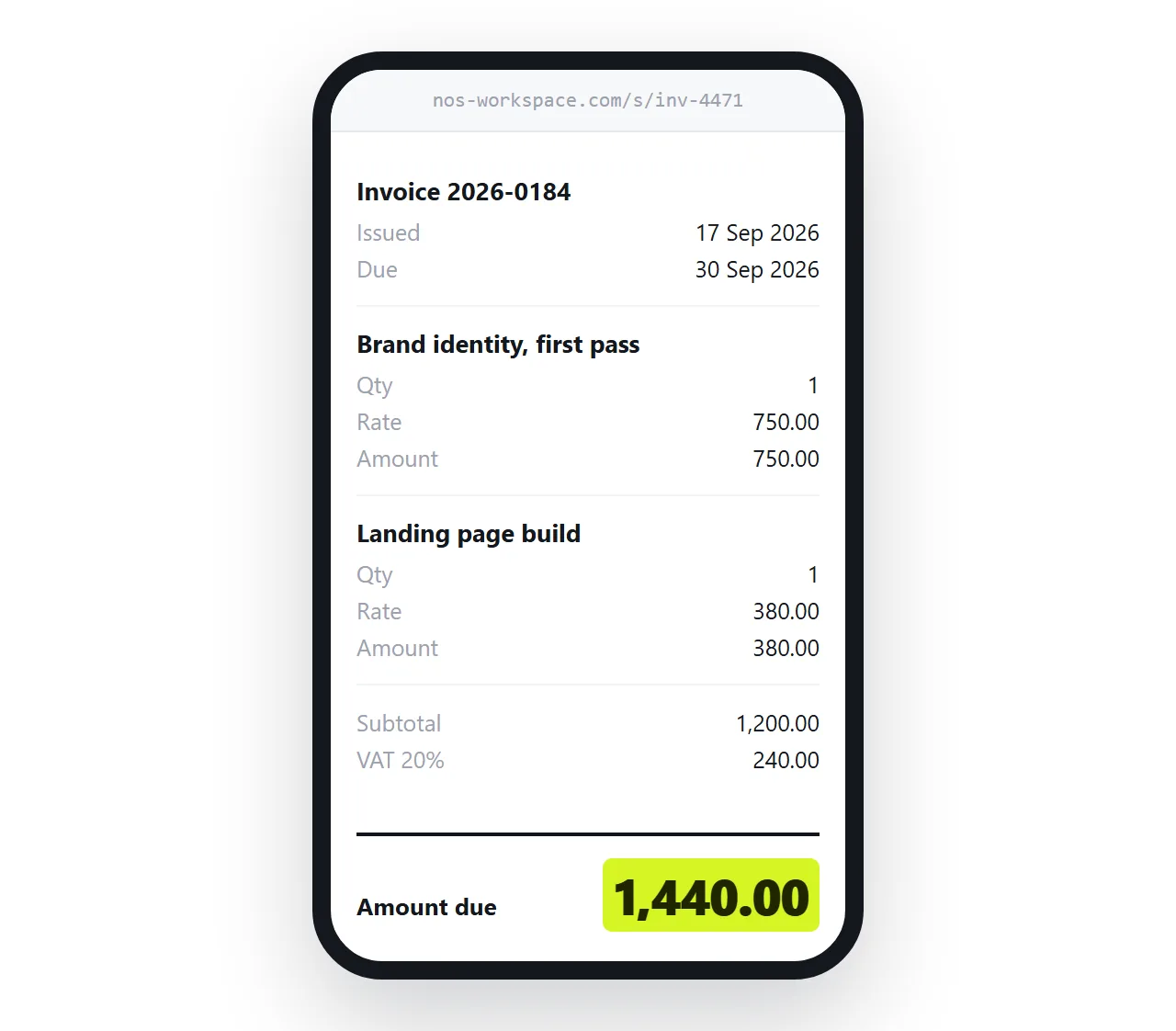
A five-column table at desktop width becomes a horizontal scroll on a phone, and horizontal scroll inside a page is where readers give up.
@media (max-width: 640px) {
  .items thead { display: none; }
  .items tr { display: block; border-bottom: 1px solid #e3e7ec; padding: 0.75rem 0; }
  .items td { display: flex; justify-content: space-between; border: 0; }
  .items td::before { content: attr(data-label); color: #5a626c; }
}
Each row becomes a small stacked block with its own labels. Check the viewport meta tag is present, or the phone renders at desktop width and shrinks the whole page, which no media query can undo.
The PDF their accounts system still wants
Most finance departments file a PDF. That is a real requirement and arguing with it wastes everyone's time.
Give them both. The link goes in the body of the email because that is what gets opened. The PDF is there for filing, either attached or as a download button on the page itself.
A print stylesheet decides what that PDF looks like, because "save as PDF" in a browser is just printing to a file. Hide the navigation, force a sensible page size, and stop rows from breaking across pages.
@media print {
  nav, .actions { display: none; }
  @page { size: A4; margin: 18mm; }
  .items tr { break-inside: avoid; }
}
Details on what carries across in export HTML to PDF. If links in the exported file matter to you, keep the links working.
Corrections without a second file
This is the part that changes how invoicing feels. A wrong rate, a missing line, a client who wants their new company name on it: with a file, each of those is a fresh attachment and an awkward sentence asking them to ignore the last one.
With a link, you correct the page. The address does not change, so the message you already sent now points at the corrected invoice. Nobody has to be told which version to trust, because there is only one.
Two habits keep this honest. Put an issue date and a short revision note on the page so the client can see it changed. And never silently alter an amount after it has been paid, for the same reason you would not alter a paper invoice in a filing cabinet.
What belongs on the page
An invoice is a document with expectations attached. Missing fields cause queries, and queries cause delay.
- Your details and theirs. Legal names, addresses, and any tax registration numbers that apply.
- An invoice number. Sequential, never reused. Their accounts system keys on it.
- Issue date and due date. Both as plain dates, not "14 days" alone.
- Line items. Description, quantity, unit price, line total. One row each.
- Tax treatment. The rate, the amount, and a note where a reverse charge or exemption applies.
- How to pay. Bank reference or a payment link, plus what to quote when paying.
Getting these right in a page is no harder than in a document template, and it means the client can search the text rather than reading a picture of it.
When a link is the wrong answer
There are cases where the file is what is wanted, and pretending otherwise loses the argument.
Some clients run a purchase order portal that accepts an uploaded PDF and nothing else. Some contracts specify the delivery format. Some jurisdictions require a specific electronic invoicing format for tax purposes, which is a structured file rather than either a page or a PDF.
In all three, produce what is required and use the link as the human-readable copy alongside it. The link is for the person who has to look at it; the file is for the system that has to ingest it.
Put it at an address
Write the invoice as a page, paste it into a document, and create a share link. The client opens it without making an account, on whatever device is in their hand, and the totals are the size you set rather than the size a sheet of paper allows.
When a figure changes, change it. The link you sent is already correct.