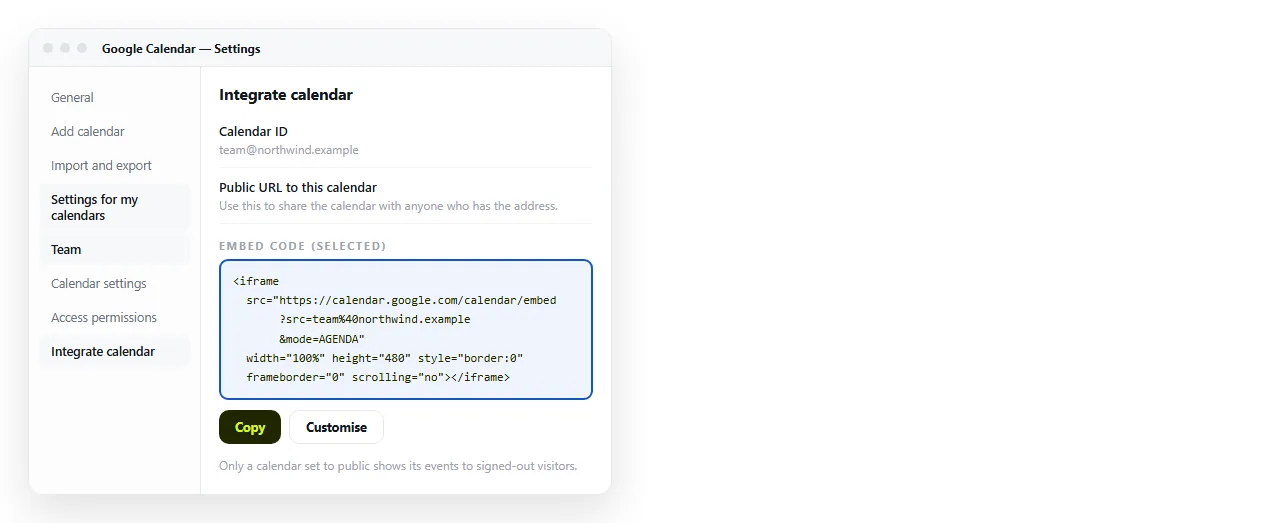
To embed a Google Calendar in HTML, copy the iframe from Integrate calendar in the calendar settings and paste it into your page:
<iframe
  src="https://calendar.google.com/calendar/embed?src=YOUR_CALENDAR_ID&ctz=Europe%2FLondon"
  style="border:0" width="800" height="600" frameborder="0" scrolling="no"></iframe>
The calendar ID is in the same settings panel. For a personal calendar it is an email address; for a secondary calendar it is a long string ending in @group.calendar.google.com.
Do the sharing step first
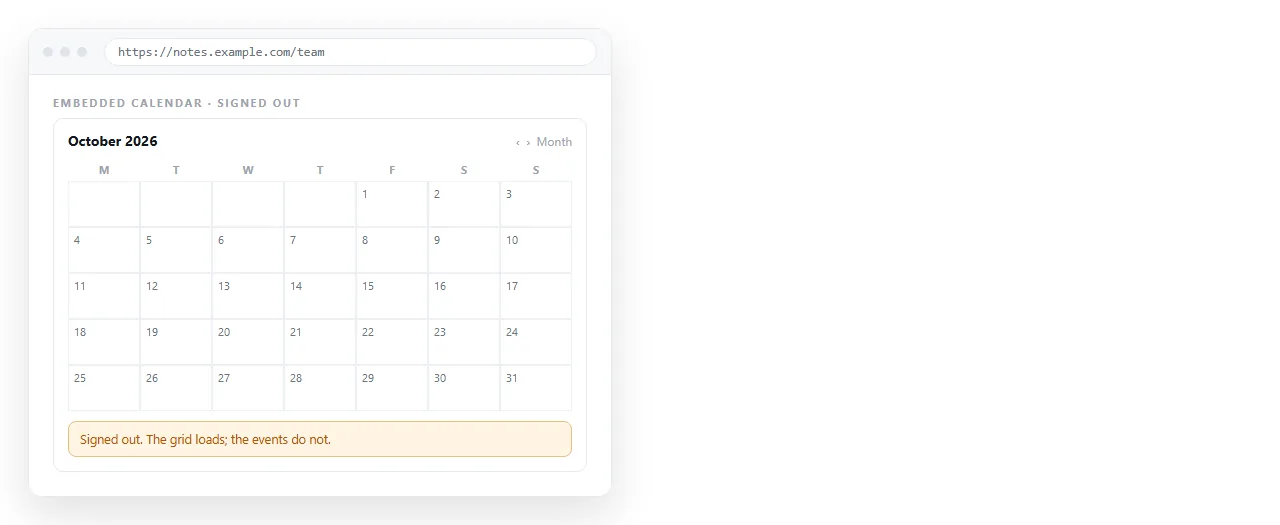
This is the part that goes wrong, and it goes wrong invisibly. You test the page, the events are there, you send it, and the reader sees an empty grid.
The reason is that you are signed in as the owner. Nobody else has that permission.
Open Access permissions for events and turn on Make available to public. Choose whether the public sees full event details or only free and busy.
Then open your page in a private window. If the events show there, they will show for readers. If not, nothing in the markup will fix it.
Parameters for a Google Calendar embed in HTML
The Customize button builds the address for you, but the parameters are readable and easy to set by hand.
| Parameter | Values | What it does |
|---|---|---|
mode |
MONTH, WEEK, AGENDA |
The default view |
ctz |
Europe%2FLondon |
Renders times in one fixed zone |
showTitle |
0 or 1 |
Hides or shows the calendar name |
showNav |
0 or 1 |
The previous and next arrows |
showPrint |
0 or 1 |
The print icon |
showTabs |
0 or 1 |
The view switcher |
showCalendars |
0 or 1 |
The calendar list and legend |
bgcolor |
%23ffffff |
Background behind the grid |
Two encoding notes. A slash in a time zone becomes %2F, and a hash in a colour becomes %23. Pasting them raw breaks the address.
Set ctz deliberately. Without it the frame uses the reader's own zone, which is right for a team spread across countries and wrong for a venue schedule where every time is local.
Trimming it down
A calendar embedded in a page rarely needs the full application chrome. This combination reads as a block of content rather than a tool:
&mode=AGENDA&showTitle=0&showNav=0&showPrint=0&showTabs=0&showCalendars=0
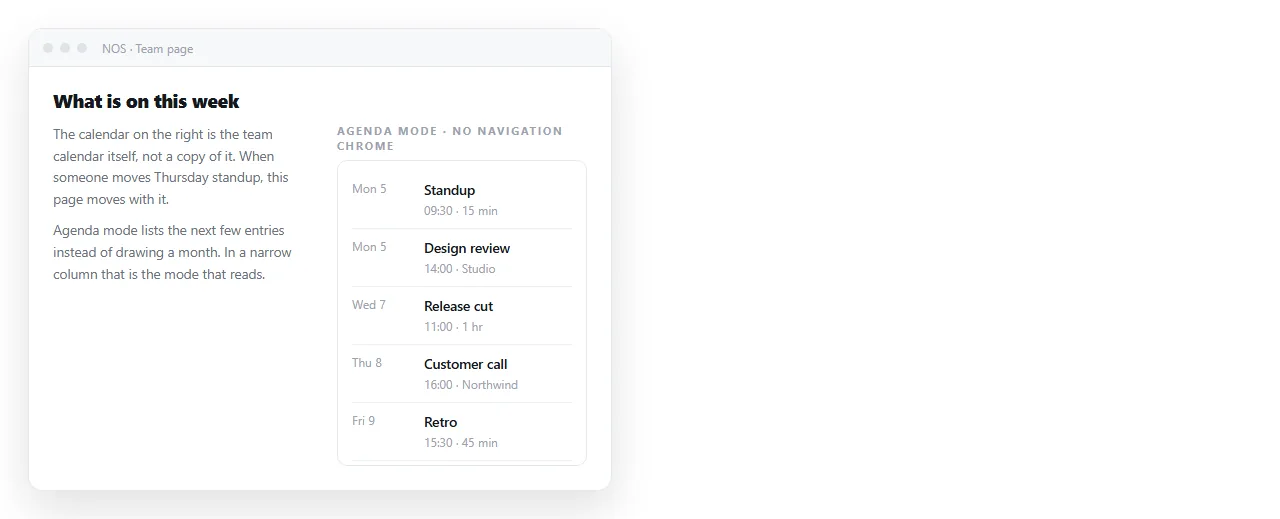
AGENDA mode is the one to reach for on narrow columns. A month grid squeezed into a phone width becomes unreadable long before the text does.
Several calendars in one frame
Repeat src once per calendar. Put a color immediately after each one to control the legend:
?src=team%40example.com&color=%23795548&src=holidays_en%40group.v.calendar.google.com&color=%230B8043
Every calendar in the list has to be shared publicly on its own. One private calendar in a list of four shows as an empty layer with no warning.
Sizing
The copied code carries fixed pixel dimensions. Override them so the frame survives a narrow screen:
.cal iframe {
  width: 100%;
  height: 620px;
  border: 0;
  display: block;
}
Set the height explicitly. A frame with a percentage width and no height collapses, which is the same trap as any other embed.
Agenda mode tolerates a shorter frame than month mode, so match the height to the mode you chose rather than to a habit.
Embed, link, or neither
| The page is | Use |
|---|---|
| A team page people revisit weekly | Embed, agenda mode |
| A one-off invitation for a single date | Written date and time, plus an add-to-calendar link |
| An email | A link. Mail clients strip iframes |
| A public schedule for a venue | Embed, month mode, fixed ctz |
For a single event, an embedded calendar is more work than it is worth. Write the date in the page and let the reader add it themselves. HTML for event invites covers that layout.
Getting the surrounding page to people
The embed is the small half. The page has to reach the reader, and an .html attachment frequently does not.
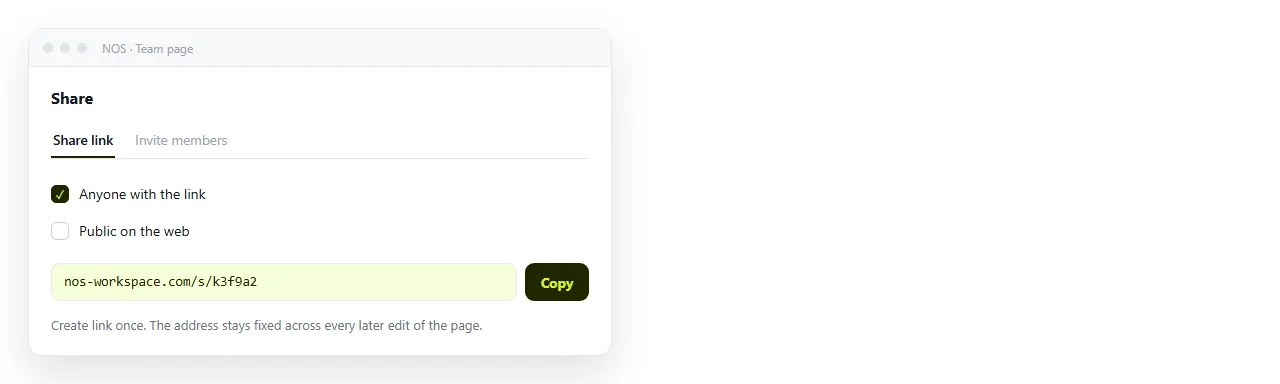
Paste the HTML into a NOS document. It renders as written, iframe included, and the document has its own address you can send in a message.
Editing does not move the address. When you change the time zone parameter or swap to agenda mode, the link you sent last month already shows the change. Turning HTML into a link is that step by itself.
If the frame refuses to load at all, check two things first. Whether the page is being opened straight from disk under the file protocol, and whether a content security policy on the host page blocks the frame source.
A checklist before you publish
- Open the page in a private window. This is the test that catches the sharing mistake, and nothing else does.
- Check the time zone. Confirm one known event shows the right hour, and decide whether
ctzshould be fixed or left to the reader. - Check it at phone width. A month grid at 360 pixels is unreadable. Switch to
AGENDAif that is your main audience. - Confirm every listed calendar is public. In a multi-calendar embed, one private layer disappears silently.
- Add a plain-text fallback. A line saying who to ask for the schedule covers readers with no network and printed copies.
The first item is worth doing every time you change the calendar settings, not only when you first build the page. Permissions get tightened later and the embed goes quiet without warning.